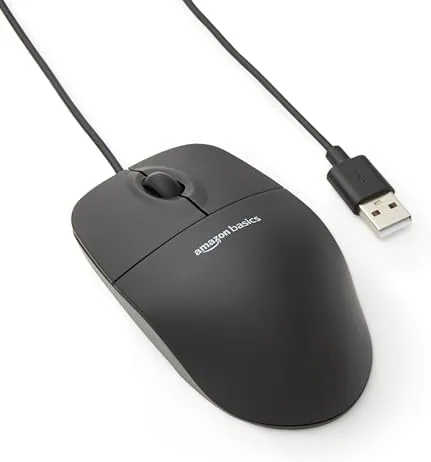

There is a quiet virtue in a mouse you never think about, and that is exactly what the Amazon Basics 3-Button USB Wired Mouse delivers. It does not blink with RGB lights, it does not promise programmable macros, and it does not demand a companion app. It simply tracks, clicks, and scrolls for as long as you need it to, which is the kind of behavior a desk pointer should offer without drama. This review records one full week of daily work, spreadsheets, and long writing sessions with The Mouse as the only pointer on the desk.
Before the details, a note: this article contains affiliate links. If you buy through one of them, the site earns a small commission at no extra cost to you, and it does not change what I test or what I recommend in this Amazon Basics mouse review.
Design and Build
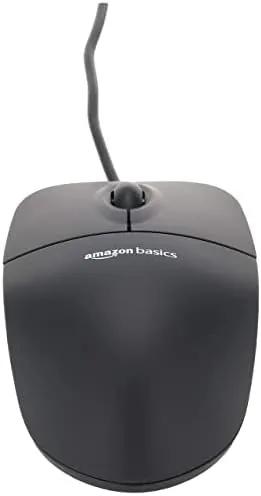
The mouse arrives in a plain matte black shell with a rounded silhouette and a layout that feels instantly familiar. There is nothing unusual about the shape, and that is a real strength: nearly every computer user has handled a three button mouse before, so there is nothing new to learn. The left and right buttons sit flush, and the scroll wheel between them rolls with a soft, quiet notch that does not wake anyone nearby.
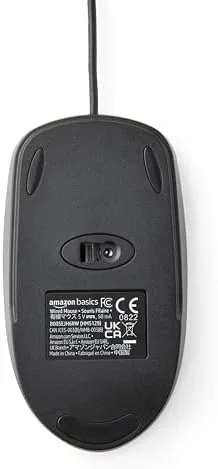
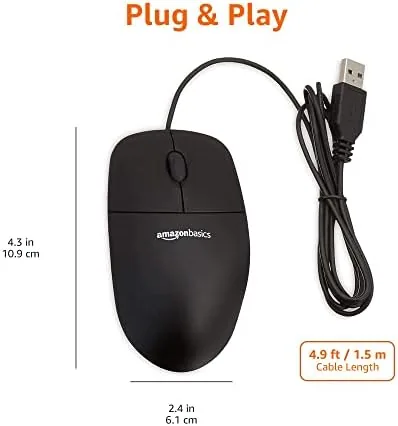
The body is compact and light, and the surface carries a subtle texture that holds a palm grip through a long session without slipping. The plastic feels affordable, but it is assembled cleanly, with no wobble in the buttons and no creak under pressure. A thin USB cord tucks into the base of the shell and routes neatly to the rear, so it does not tangle with the cables already crossing the desk. The overall footprint is small enough to store in a drawer or slip into a laptop bag for travel.
Setup takes no time at all. You slide the plug into a USB port, and within moments the cursor moves across the screen. There is nothing to configure, no driver to find, and no software to open, which is the entire point of the Plug and Play promise. For someone who simply wants to get to work, that is a genuine relief.
Key Features
The feature list is deliberately short, and that is a strength rather than a flaw. You get a left button, a right button, and a clickable scroll wheel, and the optical sensor tracks reliably on most surfaces. It works on a wooden desk, a printed mat, or a bare surface, which makes it forgiving about where you set it down.
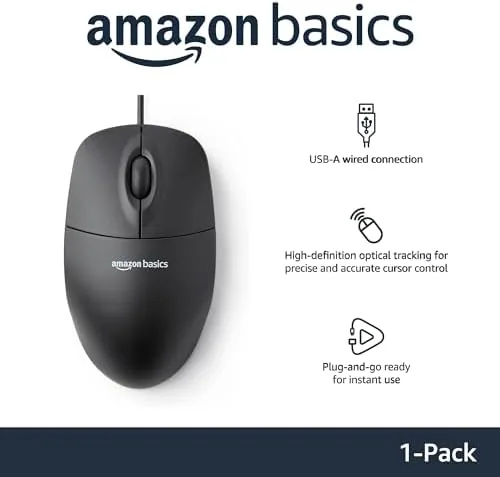
Compatibility is broad. The mouse connects to both Windows and Mac without any special driver, and it also works with the standard USB setup on many other devices. Amazon lists it as Plug and Play, and the promise held true across the systems I tried. The physical buttons give a clear click with a positive response on every press, so you always know the input registered.
The scroll wheel is the centerpiece of daily interactions, and it behaves itself. It steps in clean, predictable stages rather than free spinning, which is easier to control when moving through a long document. For a budget wired mouse, the feel of the wheel is pleasantly good, neither too stiff nor too loose, and I count that as a welcome feature at this price.
Real-World Performance
Real work does not need spectacle, and the mouse did not try to fake it. On a day of spreadsheets, the cursor moved precisely across cells with no jumps and no drag loss. On a document, the pointer stayed steady while I selected passages, and the scroll wheel advanced and receded the view in predictable steps. For anything that involves pointing, clicking, and scrolling, the mouse delivered exactly what a desk job asks of it.

Battery concerns are completely absent because there is no battery, and the wired nature brought one real comfort. A wireless mouse can stop responding when its power runs low, but a wired pointer never dies at the wrong moment. I pressed the buttons for hours without a single missed response, and the cable connection removed any worry about pairing or interference.
Comfort is honest if simple. The shape fits an average hand well, and the low profile keeps the palm supported through a full session without noticeable fatigue. It is not the sculpted shape of a premium ergonomic mouse, but for a standard desk worker the feel stayed comfortable through a long day of writing and clicking.
The one area I flagged was the scroll wheel that does not tilt side to side, and the absence of programmable buttons, but neither feature belongs to the stated job of this product. Within its intended role, the performance was consistent and dependable from the first day to the last of the test.
Pros and Cons
Pros:
- Plug and play with no software or drivers to install
- Reliable optical tracking across most surfaces
- Familiar three button layout that suits most hands
- No battery to charge or replace
- Compact design that travels and stores easily
Cons:
- The USB cable ties the mouse to a fixed length
- No extra buttons or adjustable polling rate for gamers
- Light plastic feels less premium than pricier mice
- Scroll wheel does not tilt side to side
How It Compares
Measured against other budget pointers, the value of the wired model stands out. Compared with a wireless mouse, the wired version removes all worry about the battery and the receiver, at the cost of dragging a cable behind it. Against a more sculpted ergonomic mouse, the Amazon pick trades a refined grip for a lower price.
| Feature | Amazon Basics Wired | Amazon Basics Wireless |
|---|---|---|
| Connection | USB wired | Wireless receiver |
| Power source | No battery needed | Runs on a battery |
| Setup | Plug and play | Plug in the receiver |
| Cost | Lower | Higher |
| Portability | Limited by the cable | Free to move anywhere |
For a fixed office desk, the wired model is often the better buy because there is nothing to lose and no charge to remember. The wireless model wins only if you move between seats or carry a device around. Either way, the Amazon Basics mouse covers the daily essentials at a very fair price, and the real decision turns on whether the cable matters at all to your setup.
Who Should Buy the Amazon Basics Mouse
Buy it if you want a spare that sits in a drawer until you need it, a mouse for an office computer, or a daily pointer that needs no upkeep. If you want a dependable accessory that simply works when you plug it in, this is a strong option.
Skip it if you need extra buttons, faster tracking for gaming, or a rechargeable wireless connection. For standard office work, the Amazon Basics mouse listing on Amazon offers the full details and the current price.
How We Test
I used the mouse as my only pointer for a full week of everyday work, including spreadsheets, writing, and web research, to judge setup ease, accuracy, comfort, and dependability over hours of clicking and scrolling.
Every hand differs, and the desk surface can change the feel, so the experience will not be identical for every user. Independent testing, such as the budget gear coverage at TechRadar, offers another useful viewpoint on budget mice.
If you are weighing a wired against a wireless clicker for the same desk, my companion wireless mouse review covers that choice in more detail. The full Amazon Basics mouse listing on Amazon is the place to confirm the options and the current pricing.
Amazon Basics 3-Button Mouse: Questions People Ask
Does it work with a Mac?
Yes. The mouse works on both Windows and Mac with no driver, since it is fully plug and play. The scroll direction on a Mac may need a one time setting change, which is simple to make.
Do I need to install any drivers?
No. The operating system handles the mouse automatically, so you insert the plug and it is ready to use. There is no disc to install and no download to find.
Is it good for gaming?
It is built as a basic office mouse, so it is fine for casual use but not engineered for high speed gaming that benefits from a higher polling rate and extra side buttons.
As an Amazon Associate, I earn from qualifying purchases.



