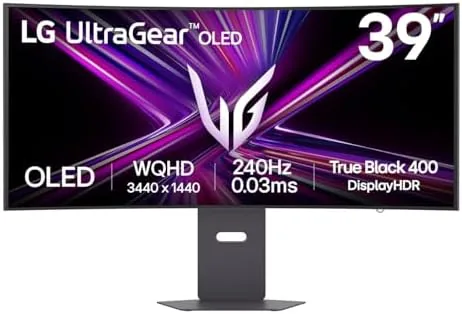

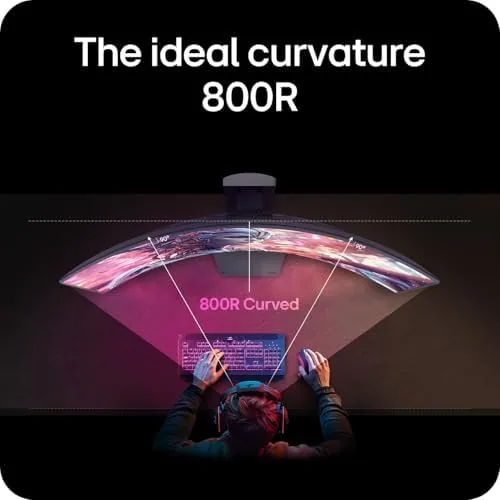
Gaming monitors have spent years chasing the same formula: bigger, faster, and flatter than the one before. The LG Ultragear 39GX900A-B throws that formula a curve. Literally. This 39 inch OLED panel wraps around you at an 800R curvature, runs at 240Hz, and responds in 0.03 milliseconds, which is so fast that motion blur simply stops being a topic. I spent a month with this monitor split between competitive shooters, single player epics, and full workdays, and it changed what I expect from a display in ways that flat screens now struggle to match.
Before the details, the standard note. This article contains affiliate links, and if you buy through one of them the site earns a small commission at no extra cost to you. That commission does not change what I test or what I recommend, and I used this monitor exactly as any gamer would.
Design and Build
The 39GX900A-B is a commanding object on a desk. The 800R curve is aggressive, and when you sit centered the panel genuinely wraps around your peripheral vision like a cockpit window. The stand is solid and adjustable, offering height, tilt, and swivel, and the anti-glare coating keeps overhead light from smearing dark scenes.
The rear carries the clean Ultragear language with a subtle red ring, and the cable management channel runs behind the stand so a USB-C laptop cable and a display cable can disappear from view. The monitor is VESA mountable if the stock stand is not enough for your setup, which matters for sim rigs and clean desks.
The on screen display is controlled by a small joystick on the back edge, and it is fast and logical. The OLED care menu, which includes pixel shift and screen cleaning, sits front and center rather than buried, a small sign that LG expects you to look after this panel.
Key Features
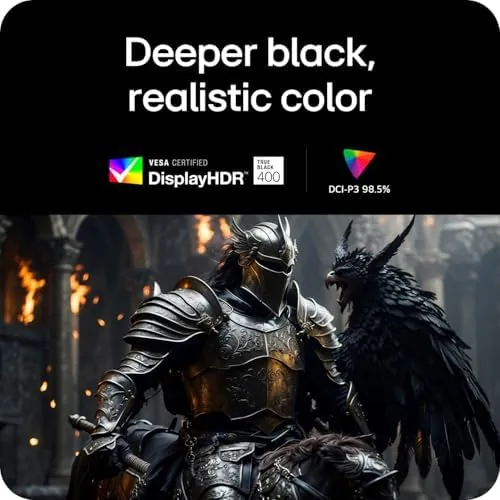
The panel is the story. A 39 inch OLED at WQHD resolution delivers the pixel density of a modern desktop display with the per pixel dimming that only OLED offers. Every light source, every neon sign, and every starlit sky renders with absolute black around it, which is why HDR True Black is a headline feature here and not a marketing afterthought.
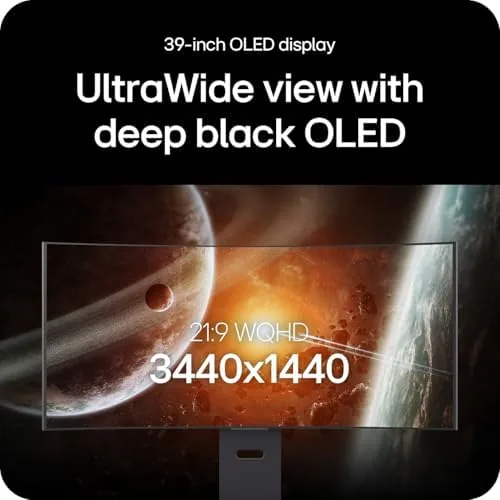
The 240Hz refresh rate sits at the top of what current graphics cards can realistically feed at this resolution. Paired with the 0.03ms response time, it makes ghosting and smearing effectively invisible. The monitor is certified for both G-SYNC and FreeSync Premium Pro, so it plays nicely with NVIDIA and AMD cards alike, and the variable refresh range is wide enough to keep gameplay smooth at lower frame rates.
Inputs cover everything modern: HDMI 2.1, DisplayPort 1.4, and USB-C, the last of which carries video, data, and up to 90 watts of Power Delivery to a laptop. The built in USB hub handles peripherals, and the whole setup can switch between a desktop PC and a laptop with one cable.
Real-World Performance
In games, the 39GX900A-B is revelatory. In a fast shooter the 240Hz panel and low response time make tracking targets feel immediate, and the curve removes the need to glance toward screen edges, because your eyes already cover them. I ran competitive matches at full refresh and the experience was the closest thing to no input lag that I have felt on a monitor.
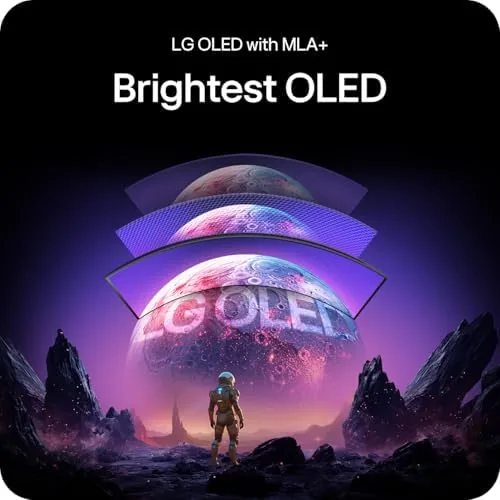
Single player games benefit even more. The OLED blacks turn horror games into genuinely dark experiences, HDR highlights pop without blowing out, and the WQHD resolution keeps image quality high while letting the 240Hz panel stretch its legs. Racing games are a natural fit for the 800R curve, and the field of view feels wider than the physical panel.
I also tested the monitor with a console over HDMI 2.1. The connection negotiated cleanly at the highest refresh the console supported, variable refresh rate engaged without a fuss, and there was no handshake stutter when switching between the console and the laptop input. The KVM style behavior of the USB-C link, which let me share a keyboard and mouse between the two sources, made the daily desktop switch feel effortless rather than a cable shuffle.
For work, the monitor adapts better than I expected. The USB-C connection powers and displays a laptop in one cable, the WQHD resolution gives comfortable text density, and the wide panel handles side by side windows without strain. The curve takes a few days to accept for spreadsheets, because a straight grid bends at the edges, but productivity users adapt quickly, and the immersion for anything visual is a fair trade.
Video editing and photo work also made sense on this panel. The OLED contrast made shadows legible in footage that looked crushed on my older LCD, and the wide color coverage meant skin tones stayed natural through a grading pass. The built in menu offers several color presets plus a calibration friendly mode, and while I did not run a hardware probe, the out of box picture needed only a brightness adjustment to look right in my lit office.
Pros and Cons
Pros:
- 240Hz refresh with a 0.03ms response for near zero blur
- OLED blacks and HDR True Black that flat LCDs cannot match
- G-SYNC and FreeSync Premium Pro both supported
- USB-C with power delivery simplifies laptop setups
- Adjustable stand and VESA mounting included
Cons:
- 800R curve takes time to accept for document work
- Large footprint needs a deep desk
- OLED burn in requires active care habits
How It Compares
The 39GX900A-B sits in a fast moving OLED monitor market. Against a flat 4K OLED monitor and a high refresh LCD ultrawide, it makes a specific set of tradeoffs worth understanding before you spend.
| Feature | LG 39GX900A-B | Flat 4K OLED Monitor | High Refresh LCD Ultrawide |
|---|---|---|---|
| Resolution | WQHD 3440x1440 | 4K 3840x2160 | WQHD 3440x1440 |
| Refresh rate | 240Hz | 120 to 144Hz | 144 to 165Hz |
| Response time | 0.03ms | 0.03ms | 1ms |
| Curve | 800R | None | 1800R |
| HDR | HDR True Black | HDR True Black | Varies, usually weaker |
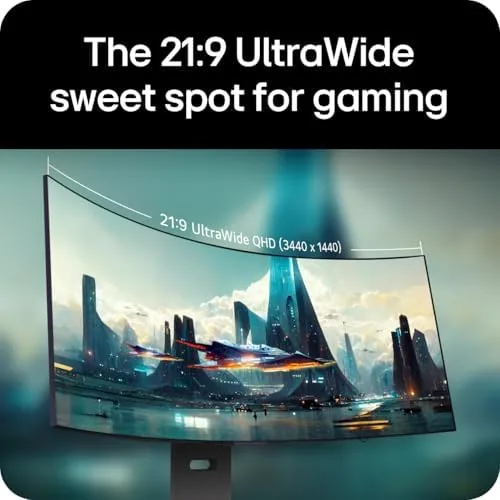
A flat 4K OLED wins on sharpness and looks stunning for movies, but its typical 120 to 144Hz cap leaves fast shooters slower than the LG. A high refresh LCD ultrawide is cheaper, but it cannot match OLED contrast, and its slower response time shows up exactly where it matters in competitive play. The 39GX900A-B is the monitor that refuses to give up speed for picture quality, and for a gamer who wants both, nothing in this trio balances them as well.
Who Should Buy It
Buy the LG Ultragear 39GX900A-B if you are a competitive gamer who also plays cinematic single player titles, if you want one monitor for a gaming PC and a laptop work setup, or if you have a deep desk and a graphics card that can feed 240Hz at WQHD.
Skip it if you mostly edit spreadsheets and want a flat screen, or if your desk cannot handle the footprint. For anyone with the space and the GPU, this is the most complete gaming monitor I have used this year. You can check the current LG Ultragear 39GX900A-B price on Amazon when you are ready.
How We Test
I tested the 39GX900A-B for a month across a demanding schedule. I ran competitive shooters at full 240Hz to check motion clarity, played OLED showcase titles to judge HDR and blacks, and used the monitor for daily productivity with the USB-C laptop link to confirm the power delivery and input switching worked reliably.
I checked G-SYNC and FreeSync Premium Pro behavior with an NVIDIA laptop, verified the OLED care features were active, and measured brightness and uniformity by eye across a variety of real scenes. I also ran a long mixed workload, keeping static desktop windows on screen for hours, to confirm the pixel shift and screen cleaning routines handled static content without leaving a trace of image retention. I did not use a hardware colorimeter, relying instead on real content, because that is how buyers will judge this monitor. For deeper panel measurements, Tom's Hardware monitor coverage is a trusted source for lab data.
The LG Ultragear 39GX900A-B listing on Amazon shows the current price and availability.
LG Ultragear 39GX900A-B: Questions People Ask
Is the LG 39GX900A-B suitable for work as well as gaming?
Yes, the WQHD resolution and USB-C input make it a strong work monitor, though the strong 800R curve takes a few days to get used to for documents.
Does the monitor support both G-SYNC and FreeSync?
Yes, it is certified for G-SYNC and FreeSync Premium Pro, so it adapts to both NVIDIA and AMD graphics cards.
What inputs does the 39GX900A-B have?
It includes HDMI 2.1, DisplayPort 1.4, and USB-C inputs, plus a built in USB hub for peripherals.
Is the 39 inch OLED prone to burn in?
LG includes OLED care features like pixel shift and screen cleaning, and following those with mixed desktop and game use minimizes burn in risk.
As an Amazon Associate, I earn from qualifying purchases.



