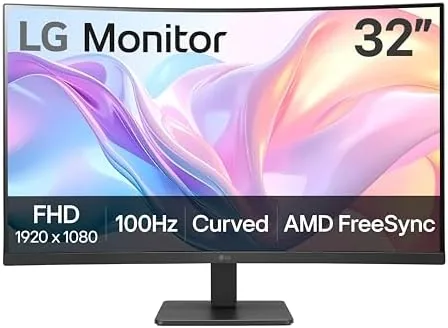

There is a category of monitor that does not get the attention it deserves: the large, curved, 1080p display that sits in a corner and quietly handles everything. The LG 32MR50C-B is exactly that kind of panel. A 32 inch curved screen, a 100Hz refresh rate, AMD FreeSync, and gaming features like Dynamic Action Sync and Black Stabilizer, all wrapped in a design that costs less than many 27 inch QHD monitors. The question is whether a 1080p panel this size is a bargain or a compromise, so I spent two weeks using it for work, gaming, and streaming to find out.
Before the details, the standard note. This article contains affiliate links, and if you buy through one of them the site earns a small commission at no extra cost to you. That commission does not change what I test or what I recommend, and the monitor reviewed here was tested exactly the way an owner would use it.
The LG 32MR50C-B sits at the intersection of budget and immersive, and the rest of this review covers the build, the curve, the 100Hz refresh, and how the display holds up in real work and play.
Design and Build
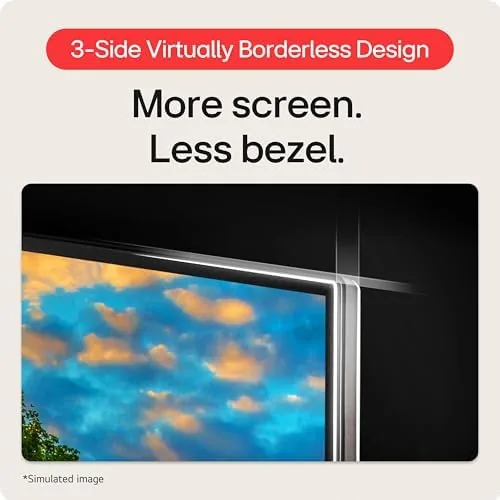
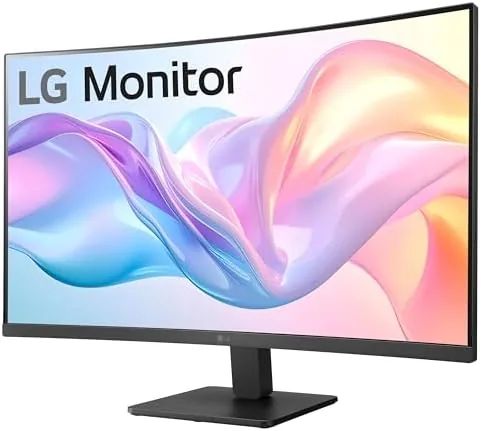
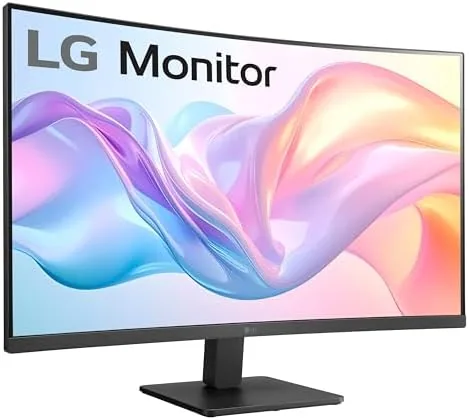
The monitor looks more expensive than its price point. The 32 inch panel has A Gentle Curve That wraps around your field of view, and the black bezels are slim enough that the display dominates the desk. The stand is a two part design with a wide footprint that holds the panel steady, and the tilt adjustment lets you angle the screen to kill glare without needing a vesa arm. The back panel is clean plastic with the connection ports tucked away, and the whole unit feels solid for a budget display.
The 1500R curve is the defining design choice. It is pronounced enough to add immersion in games and subtle enough that documents do not look bent when you glance across the screen. The panel uses an LCD with good viewing angles for a single-user desk setup, and the matte coating cuts reflections so the monitor works in a bright room without a hood.
Key Features
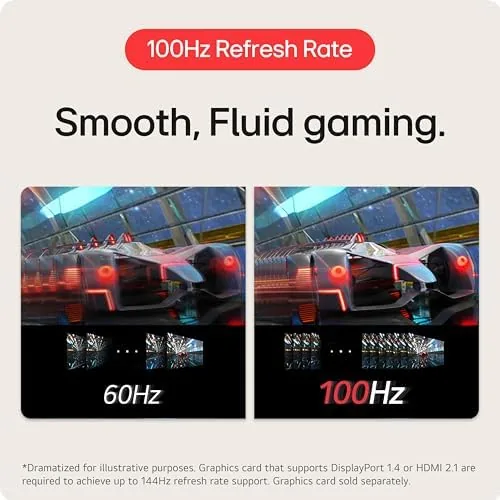
The headline feature is the 100Hz refresh rate. For a 32 inch FHD monitor at this price, 100Hz is a meaningful step above the 60Hz panels that used to fill this space, and the difference is visible the moment you scroll a web page or pan the camera in a game. The refresh is paired with AMD FreeSync, which keeps frames in sync with a compatible graphics card and eliminates the stutter and tearing that cheap panels are known for.
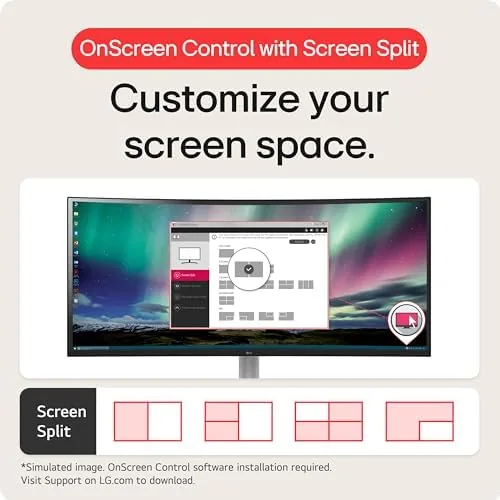
LG gaming extras round out the package. Dynamic Action Sync reduces input lag for fast reaction games, and Black Stabilizer lifts detail out of dark scenes so you can see enemies hiding in shadow. OnScreen Control is a desktop utility that adjusts brightness, volume, and picture modes without reaching for the physical buttons, and it works reliably over the HDMI connection.
The 32 inch FHD resolution is the honest trade-off. At this size, 1920 by 1080 pixels spread across the panel means text has a visible softness that 1440p would not have, and a very sharp-eyed user will notice it on dense spreadsheets. For games, video, and general browsing the trade-off barely registers, which makes the panel a better media monitor than a pure office monitor.
Real-World Performance
Over two weeks the monitor became the default display for everything. Work days meant a browser, a code editor, and the occasional spreadsheet, and the 100Hz refresh made scrolling feel noticeably smoother than the 60Hz panel it replaced. Text was not razor sharp at 32 inches, but it was comfortable to read all day, and the curve meant my eyes tracked naturally across the screen without much head movement.
Gaming is where the panel surprised me. A 32 inch FHD display is not a competitive esports tool, but for racing, shooters, and open world games the curve adds real immersion, and the 100Hz refresh made motion feel fluid. FreeSync held the picture together without tearing across a range of frame rates, and Black Stabilizer brought usable detail into dark areas without washing out the whole image. Input lag felt low enough for the kind of casual and mid-level gaming this monitor is priced for.
Streaming and video looked strong. The FHD resolution matches the majority of streaming content, so movies and shows fill the panel edge to edge, and the brightness is ample for a lit room. The built in speakers are usable for desk audio but thin, so anyone serious about sound will want headphones or external speakers, which is par for the course at this price.
The stand is the one part that asks for patience. It offers tilt only, so height adjustment depends on a vesa arm or a riser, and the default height sits low enough that taller setups will want a stand. The port selection is a single HDMI, which is enough for one source but means console and desktop users will swap cables. None of these are flaws so much as reminders that this is a value panel, and the price reflects it.
Pros and Cons
Pros:
- 100Hz refresh makes scrolling and gaming noticeably smoother
- AMD FreeSync eliminates tearing on compatible cards
- Immersive 1500R curve at a budget price
- Dynamic Action Sync and Black Stabilizer help in fast games
- Slim bezels and a clean look that belies the price
- Matte coating keeps reflections in check in bright rooms
Cons:
- FHD resolution is soft for text at 32 inches
- Stand offers tilt only, with no height adjustment
- Single HDMI port limits multi-source setups
- Built-in speakers are thin and easily outclassed
How It Compares
The most common alternative to a 32 inch curved FHD monitor is a 27 inch QHD flat panel at a similar price, and the choice comes down to what you value. The table below lines up the two.
| Feature | LG 32MR50C-B | 27 Inch QHD Flat |
|---|---|---|
| Size | 32 inches | 27 inches |
| Resolution | 1920 by 1080 | 2560 by 1440 |
| Refresh rate | 100Hz | 60Hz to 180Hz |
| Shape | Curved 1500R | Flat |
| Text sharpness | Softer at size | Sharper |
| Immersive feel | Strong curve | Less immersive |
If you play games and watch video and want the biggest immersive screen your budget allows, the LG 32MR50C-B delivers more size and a smoother refresh for the money. If you live in spreadsheets and code all day, the sharper text of a 27 inch QHD panel will serve you better. Match the monitor to the dominant task and either choice is defensible.
Who Should Buy It
Buy the LG 32MR50C-B if you want a large curved screen for gaming, streaming, and general use without paying premium prices. It is a natural fit for a home office that doubles as a game room, for console players who want one big display, and for anyone upgrading from an old 24 inch office monitor who wants more presence on the desk.
Skip it if your day is spent in dense documents and fine detail, because a 27 inch QHD panel will give you sharper text for the same money. For a big, smooth, immersive screen that handles work and play in one setup, this monitor is hard to beat at its price. You can check the current price of the LG 32MR50C-B on Amazon if the size fits your desk.
How We Test
I ran the LG 32MR50C-B for two weeks as a primary display, splitting time between productivity work, streaming, and gaming with a FreeSync-compatible graphics card. I evaluated text sharpness at working distance, checked the refresh and variable refresh behavior across a range of frame rates, and assessed the curve, the stand, and the on-screen controls in a real desk setup.
I did not use a colorimeter or test the panel in a controlled lab, so the color notes here are from visual inspection in a typical room. For a deeper technical look at curved monitors and what makes a good panel, PCMag has covered LG curved display reviews in detail. The LG 32MR50C-B listing on Amazon shows the current price and full specifications.
LG 32MR50C-B Curved Monitor: Questions People Ask
Is 1080p too soft at 32 inches?
For games and video it looks fine, but small text and spreadsheets show a softer edge than a QHD panel, so the screen suits media and mixed use more than dense office work.
Does the monitor work with AMD FreeSync and G-Sync?
FreeSync is built in and works over HDMI, and many Nvidia cards run the display in G-Sync compatible mode without issue.
Can the stand be adjusted for height?
The stand offers tilt only, so you add height or swivel through the VESA mount on the back of the panel.
Does the curved screen cause any distortion?
The 1500R curve is gentle and immersive for a 32 inch panel, and distortion only appears if you sit well off center.
As an Amazon Associate, I earn from qualifying purchases.



