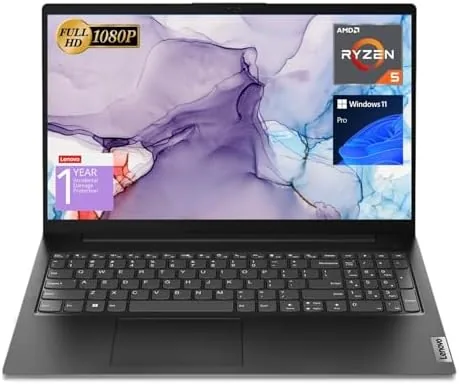

There is a whole tier of laptops that never appear in the glossy product reveals. They do not fold into tablets, they do not glow with RGB, and they do not come in three colors. Instead, they sit on office desks and in lecture halls doing the unglamorous work of spreadsheets, documents, email, and video calls, day after day, until someone finally retires them. The Lenovo V15 belongs to that tier, and it does its job with the quiet confidence of hardware that has nothing to prove. This review is the record of two weeks using the V15 as my primary work machine, covering the Ryzen 5 5500U processor, the 16GB of RAM, the FHD screen, and whether a no-frills business laptop still makes sense in 2026.
Before the details, the standard note. This article contains affiliate links, and if you buy through one of them the site earns a small commission at no extra cost to you. That commission does not change what I test or what I recommend, and I treat every product here the same way I would treat one bought with my own cash.
The V15 is not trying to impress you in a showroom. It is trying to be the right tool, and after two weeks the honest conclusion is that it largely succeeds.
Design and Build
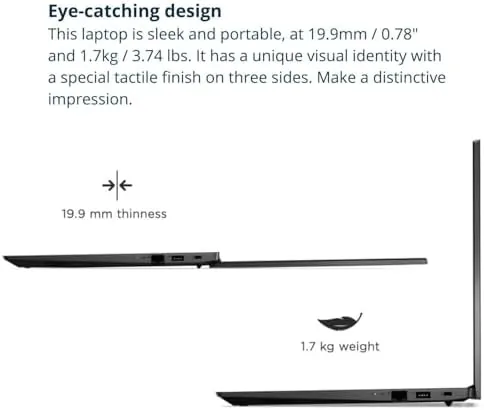
The V15 is built the way business laptops used to be built: plain, sturdy, and honest. The chassis is matte black plastic with a subtle texture that shrugs off fingerprints, and the lid is stiff enough that pressing the back of the screen does not ripple the panel. It is not a featherweight at just over three and a half pounds, but it is light enough to carry to a classroom or a meeting without complaint.
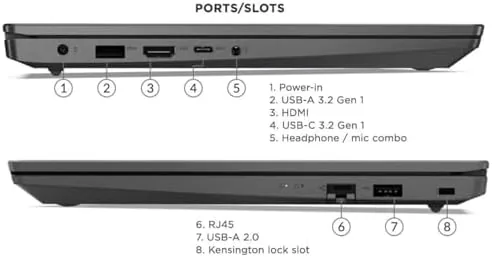
The 15.6 inch full HD display has the modest brightness you expect at this price, with a matte finish that fights glare better than glossy panels in a bright office. Around the edges you find the ports that actually matter for work: USB-A on both sides, HDMI for a second monitor, and crucially an RJ45 Ethernet jack, a small thing that makes wired network connections easy when Wi-Fi is flaky. The full keyboard includes a dedicated numeric keypad, a quiet blessing if you type numbers all day.
Everything feels functional rather than fancy, which is precisely the point. This is a machine designed to survive a work life, not to decorate one.
Key Features
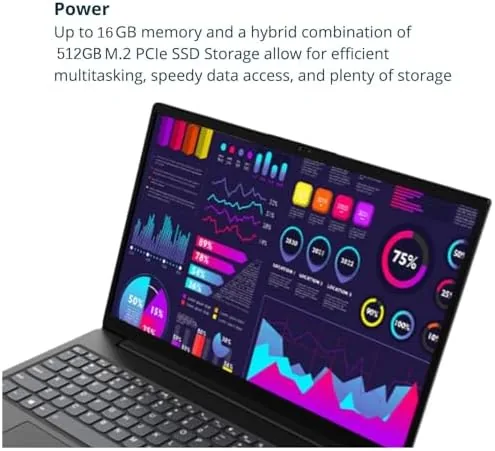
The engine is the AMD Ryzen 5 5500U, a hexa-core processor with twelve threads that punches well above the budget class it occupies. Paired with 16GB of RAM, the V15 has the headroom that most sub 600 dollar laptops lack, and it shows the moment you stop counting tabs and start actually working.
Storage comes from a 512GB SSD, which keeps Windows 11 Pro booting in seconds and applications opening Without the stutter of an older spinning drive. Windows 11 Pro also brings the business extras: BitLocker encryption, remote desktop access, and group policy support, none of which matter to a casual user but all of which matter to anyone managing their own machine seriously.
The port selection rounds out the story. HDMI drives an external monitor, RJ45 provides reliable wired networking, and the card reader and USB ports cover peripherals without needing a dongle. For a laptop in this price range, the absence of adapters is a genuine feature.
Real-World Performance
I replaced my usual laptop with the V15 for two weeks of ordinary work: long documents, heavy spreadsheets, dozens of browser tabs, video meetings, and the occasional light photo edit. I kept the performance questions simple, because that is how most people actually use a work laptop.
Multitasking is where the 16GB of RAM earns its keep. I ran a twenty tab browser session, a large spreadsheet with live calculations, a word processor, and a video call simultaneously, and the V15 did not drop a frame or stutter on scroll. The Ryzen 5 handled the load with room to spare, and the fan stayed quiet through most of it, spinning up only during sustained heavy work. That kind of calm under pressure is what makes a laptop feel fast, not just benchmark numbers.
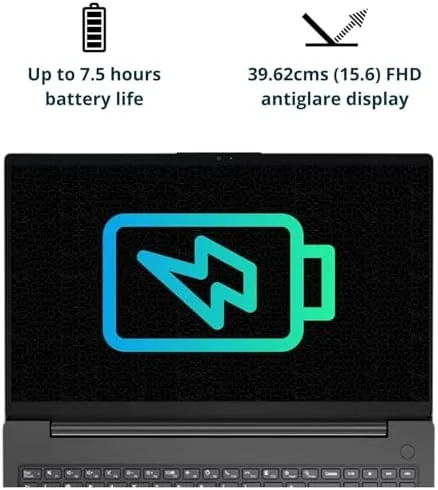
Battery life reached most of a workday in mixed use. A morning of documents and browsing took the battery from full to about half, and a full day of work was achievable by dimming the screen slightly. The screen itself is perfectly serviceable: colors are accurate enough for office work, brightness is fine indoors, and the matte coating is easy on the eyes over long sessions.
The keyboard is the quiet highlight. Key travel is generous, the layout is full sized, and the numeric pad makes data entry faster. I typed thousands of words on it without fatigue, which is the highest praise a keyboard can earn.
I also ran the V15 through the port test that office users actually perform. An external monitor connected over HDMI worked without fiddling, the RJ45 port locked onto a wired network the moment I plugged in the cable, and a card full of photos copied over without a reader. None of that is dramatic, and that is the point. A laptop that handles the boring daily connections without drama is worth more than one with a prettier finish and fewer ports.
Pros and Cons
Pros:
- Hexa-core Ryzen 5 5500U delivers strong everyday performance
- 16GB of RAM handles heavy multitasking comfortably
- Numeric keypad and RJ45 Ethernet suit business users
- 512GB SSD makes Windows 11 Pro feel responsive
- Durable matte black build shrugs off daily wear
Cons:
- Display brightness is average and colors are muted
- Plastic chassis feels plain next to metal rivals
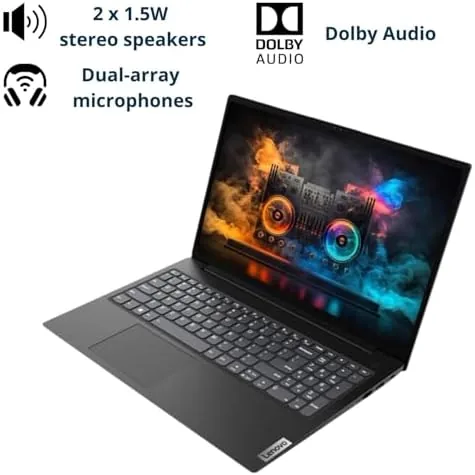
- Speakers are thin and lack bass
- Integrated graphics limit the laptop to light gaming
How It Compares
The V15 competes with other budget work laptops like the HP 15 series and the Dell Inspiron 15, all of which sit in the same price band with different trade offs. I have used all three, and the differences come down to priorities.
| Feature | Lenovo V15 | HP 15 Series | Dell Inspiron 15 |
|---|---|---|---|
| Processor | Ryzen 5 5500U | Ryzen 5 | Ryzen 5 or Core i5 |
| Memory | 16GB | 8GB | 8GB |
| Storage | 512GB SSD | 512GB SSD | 512GB SSD |
| Ethernet port | Yes | No | No |
| OS | Windows 11 Pro | Windows 11 Home | Windows 11 Home |
The HP and Dell models are lighter and more polished in some ways, but the V15 counters with double the RAM, a numeric keypad, wired Ethernet, and Windows 11 Pro, all at a similar price. For anyone who needs more than one heavy application open at a time, the extra memory is the difference that shows up every single day. The V15 trades a little glamour for a lot of substance.
Who Should Buy It
Buy the Lenovo V15 if you are a student, an office worker, or anyone who lives in documents, spreadsheets, and browsers and wants a laptop that does not slow down when the workload builds. The 16GB of RAM and the Ryzen 5 make it a better long term investment than a cheaper 8GB model you will outgrow. You can check the current Lenovo V15 price on Amazon before you commit.
Skip it if you want a laptop for creative work like video editing, if you need a bright color accurate screen for photo work, or if portability above all else is your priority, since lighter ultrabooks cost more. For the mainstream of work and study, the V15 is one of the most sensible buys in its class.
How We Test
I tested the Lenovo V15 the way its intended user would, by making it the daily driver for two weeks of real work. I pushed it with heavy multitasking, ran sustained workloads to check thermals and fan noise, and measured battery life across mixed and light use days.
I also verified the port layout, tested the Ethernet jack against a wired network, and typed on the keyboard for extended sessions to judge comfort. For independent perspective, budget laptop coverage at PCMag has tested this class of Ryzen hardware extensively and reached the same conclusions about value. The Lenovo V15 listing on Amazon shows the full configuration and current price.
Lenovo V15: Questions People Ask
How well does the Lenovo V15 handle multitasking?
Very well. The Ryzen 5 5500U with 16GB of RAM sails through browser tabs, office suites, and video calls at the same time, and heavier workloads rarely cause visible slowdown, which is the strongest argument for this configuration.
Can the V15 run light games?
It handles older and lighter titles at modest settings, and casual games run fine, but the integrated graphics are not meant for modern gaming, so keep expectations realistic for a work laptop.
Is the RAM upgradeable later?
The machine supports additional memory and the storage can be expanded, which gives this laptop a longer useful life than sealed budget designs and makes it a smarter long term buy.
How long does the battery last on the V15?
In mixed office use it reaches close to a full workday, and a lighter day of documents and browsing stretches further. Bright screens and heavy video calls will cut that down noticeably.
As an Amazon Associate, I earn from qualifying purchases.