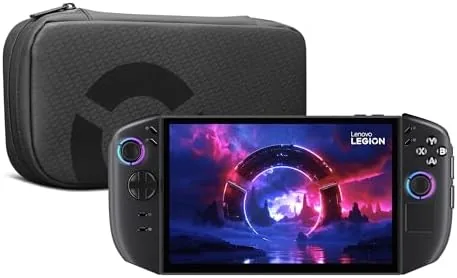

Handheld gaming PCs have settled into a familiar shape. The Steam Deck defined it, competitors followed with similar screen sizes and similar chips, and the category grew comfortable. The Lenovo Legion Go 2 is Lenovo\'s attempt to break that pattern with the biggest screen in the class, an 8.8-inch PureSight OLED panel running at 144Hz, powered by an AMD Ryzen Z2 processor with 16GB of memory and 1TB of storage. It is an ambitious device, and it asks an ambitious question: can a handheld be big enough to feel like a console while still fitting in a bag? I have spent several weeks playing on it, and this review covers the screen, the performance, the battery, and whether the trade-offs make sense.
Before the details, the disclosure. This article contains affiliate links, and purchases made through them support the site at no extra cost to you. My opinions come from hands-on testing. You can check the current Legion Go 2 price on Amazon to compare before you buy.
Design and Build
The Legion Go 2 is unmistakably a sibling of the original Legion Go, with the same bold shape and the same willingness to be bigger than its rivals. The device feels substantial in the hand, and that is the first thing anyone notices. The 8.8-inch display dominates the front, flanked by controls on each side, and the overall silhouette is wider and taller than a Steam Deck. The build quality is good: the chassis is solid, the controls feel well made, and the fingerprint reader on the power button works quickly and reliably, a convenience that many handhelds skip entirely.
Comfort is the biggest design question, and the answer is mixed. Because the screen is so large, the device is wide, and my hands spread further apart than they do on a Steam Deck or ROG Ally. For shorter sessions this is fine, but after an hour or so I found myself shifting grip to find a more relaxed position. The weight, around 1.9 pounds, adds to the strain over time, so this is a device best played while seated with arms supported rather than held aloft on the couch.
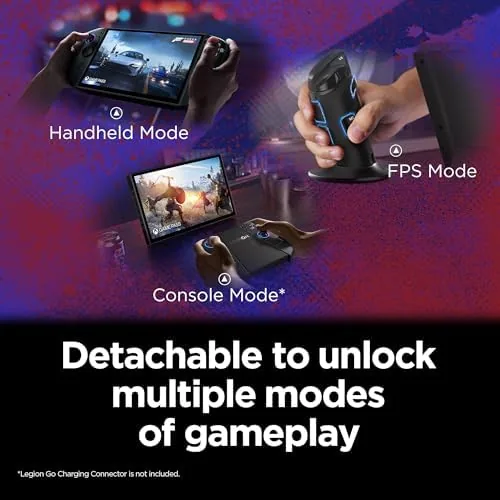
The controls themselves are strong. The sticks are smooth with a good range of motion, the face buttons have a satisfying click, and the shoulder buttons and triggers are well placed. The Legion Go 2 keeps the detachable-style layout of its predecessor, and the build quality gives you confidence that the hardware will hold up to regular use. It is a well-made machine that asks you to compromise on comfort in exchange for a bigger screen.
Key Features
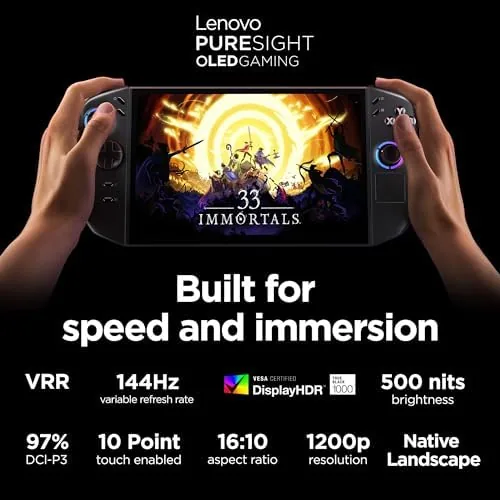
The defining feature is the 8.8-inch WQXGA PureSight OLED display. At 2560 by 1600, it offers far more pixels than most handheld screens, and the OLED panel delivers the deep blacks and vivid colors the technology is known for. The 144Hz refresh rate makes motion look smooth and responsive, and the screen is simply stunning to look at, which makes it the reason to choose this device over more conventional handhelds. In practice, most demanding games run below native resolution to keep frame rates high, but the panel still displays them beautifully.
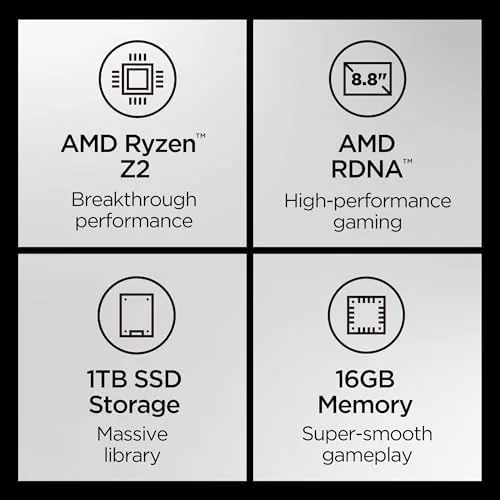
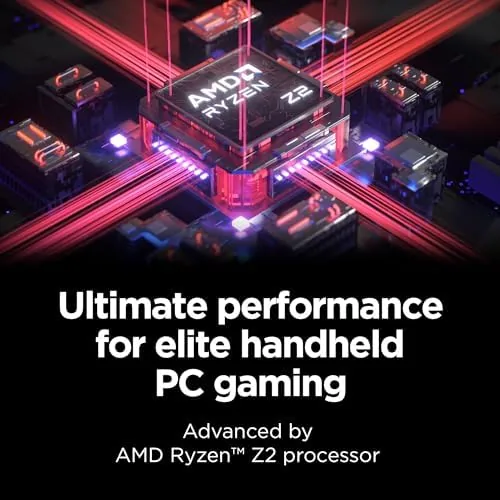
Inside, the AMD Ryzen Z2 processor handles the heavy lifting, backed by the integrated AMD Radeon graphics. With 16GB of memory and 1TB of storage, the device has room for a healthy library of games and enough RAM for modern titles. The integrated graphics are the limiting factor, as they are on every handheld PC, but the Ryzen Z2 is a capable chip that plays today\'s games with the right settings. The fingerprint reader adds secure, fast unlock, and the device runs a full Windows installation, so it plays the same library as any gaming PC.
Connectivity rounds out the package. The Legion Go 2 supports external display output, so you can dock it to a monitor or TV and use it as a small gaming PC when you are home, and it handles Bluetooth controllers and accessories without issue. The speakers are serviceable, though the built-in audio is not the reason to buy the device. Storage can be expanded, and the software includes Lenovo\'s tuning tools for managing power and performance profiles.
Real-World Performance
I tested the Legion Go 2 across a wide range of games to map its real capabilities. With the Ryzen Z2 and integrated Radeon graphics, the device plays modern titles, but expectations need to be set by the hardware class. Demanding AAA games run best at lower resolutions and medium or low settings, where they stay smooth and playable. Lighter and indie titles run beautifully, often at higher settings, and esports games hit high frame rates without trouble. The 144Hz panel makes everything feel fluid when the frame rate allows it.
The OLED display elevates every game. Colors pop, blacks look true, and the large screen makes handheld play feel closer to a console experience than anything else in the category. The screen is the device\'s superpower, and it is worth emphasizing, because a good panel changes how a game feels even when the frame rate is modest. Combined with the 144Hz refresh, the Legion Go 2 is a joy to look at.
Battery life is the most significant compromise. In my testing, lighter games and indie titles lasted around three hours on a charge, which is respectable, but demanding games dropped that to one to two hours, which is on the short side even for this category. The screen\'s resolution and refresh rate draw power, so you will often find yourself balancing visual quality against battery endurance. It is a trade-off inherent to big, bright handhelds, but it is worth knowing before you buy.
Pros and Cons
Pros:
- Stunning 8.8-inch OLED display with 144Hz
- Capable AMD Ryzen Z2 for modern games
- 16GB RAM and 1TB storage as standard
- Fingerprint reader for quick, secure unlock
- Can dock to a monitor or TV for desktop play
- Runs the full Windows gaming library
Cons:
- Battery life is short with demanding games
- Large and heavy compared with rival handhelds
- Integrated graphics require setting compromises
How It Compares
The Legion Go 2 competes directly with the Steam Deck, the ROG Ally, and other Windows handhelds. Each device makes different choices about screen, power, and price, so the comparison matters more here than in most product categories.
| Feature | Legion Go 2 | Steam Deck OLED | ROG Ally X |
|---|---|---|---|
| Screen | 8.8-inch OLED 144Hz | 7.4-inch OLED 90Hz | 7-inch IPS 120Hz |
| CPU | AMD Ryzen Z2 | AMD custom APU | AMD Ryzen Z1 Extreme |
| RAM | 16GB | 16GB | 24GB |
| Storage | 1TB | 512GB or 1TB | 1TB |
| OS | Windows 11 | SteamOS | Windows 11 |
| Weight | About 1.9 pounds | About 1.4 pounds | About 1.5 pounds |
Against the Steam Deck, the Legion Go 2 wins on screen size, resolution, and refresh rate, but the Steam Deck is lighter, cheaper, and runs SteamOS with simpler handheld navigation. Against the ROG Ally, the Legion Go 2 brings the bigger OLED panel, while the Ally is more portable and handles similarly demanding games. The right choice depends on whether the huge screen matters more to you than weight and battery endurance.
Who Should Buy It
The Legion Go 2 is for handheld enthusiasts who want the biggest, most impressive screen in the category and are willing to accept the weight and battery trade-offs. It suits players who spend most of their time playing while seated, at a desk or propped on a table, and it fits anyone who wants a device that can double as a small gaming PC by docking to a monitor. The 1TB storage and fingerprint reader make it a complete, ready-to-go package.
Skip the Legion Go 2 if portability is your priority, if you want to play for hours away from a charger, or if you prefer the lighter feel of a Steam Deck in your hands. For everyone who prizes screen quality above all else in a handheld, this is the most impressive display you can carry, and you can see the Legion Go 2 on Amazon to compare current prices.
How We Test
I tested the Legion Go 2 over several weeks across a broad library of games, from demanding AAA titles to lightweight indie games, to map the full range of performance. I played in handheld mode while seated and standing, noted comfort over extended sessions, and measured battery life from a full charge in both light and demanding games. I connected the device to an external monitor to verify docking behavior, tested the fingerprint reader for speed and reliability, and assessed the screen at its native resolution and at the lower settings many games require for smooth play.

For independent perspective, coverage from PCMag of the Legion Go line has consistently praised the big display and noted the same trade-offs I found on battery life and ergonomics.
Lenovo Legion Go 2: Questions People Ask
Can the Legion Go 2 run the latest PC games?
Yes, the AMD Ryzen Z2 handles modern titles at lower settings and resolutions, and many games run well at the handheld\'s native resolution with tuning.
How long does the battery last in handheld mode?
In my testing, lighter games lasted around three hours while demanding titles dropped that to one to two hours, which is typical for handheld PCs.
Is the OLED display worth the extra cost?
Yes, the 8.8-inch PureSight OLED panel with 144Hz looks stunning, with deep blacks and vivid colors, and it is the standout feature of the console.
Can the Legion Go 2 connect to a TV or monitor?
Yes, it supports external display output, so you can plug it into a monitor or TV and use it like a mini gaming PC when you are not on the go.
As an Amazon Associate, I earn from qualifying purchases.



