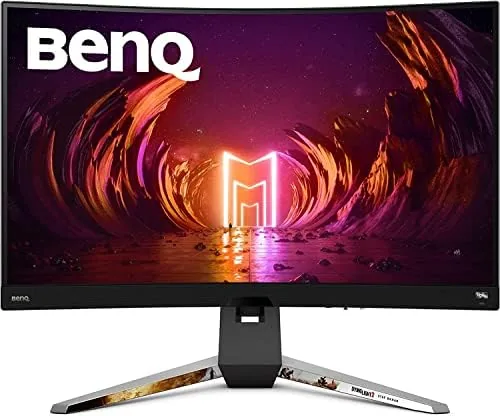

There is a moment when a monitor stops being a tool and starts being a window. The BenQ Mobiuz EX3210R is built to force that moment as often as possible. A 32 inch panel is already immersive, but BenQ bends that panel to a 1000R curve, wraps it around your field of view, and pushes a 165Hz refresh rate through a 2K VA panel tuned for contrast. After weeks of gaming, streaming, and working on this screen, I can tell you exactly where it shines and where it asks you to make peace with its quirks.
Before the details, the standard note. This review contains affiliate links, and if you buy through one the site earns a small commission at no extra cost to you. That never changes what I test or recommend.
Design and Build
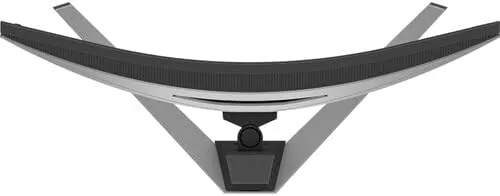
The EX3210R is a statement piece before it is ever turned on. The 1000R curve is aggressive, the tightest radius commonly available, and it wraps the screen around your head in a way that feels cinematic from the first moment. At 32 inches and 2560 by 1440, the pixel density is comfortable for desk use, and the curvature does the real work of filling your peripheral vision.
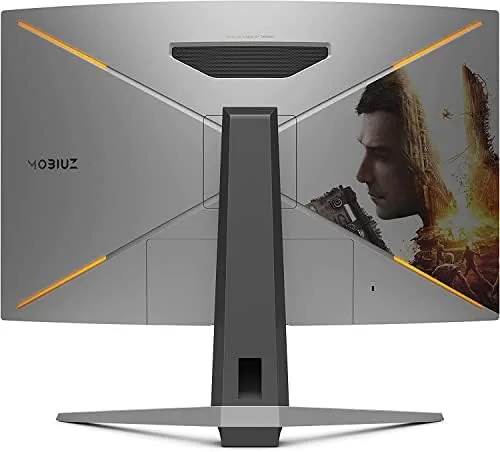
The build follows BenQ gaming design language: dark charcoal plastic, subtle red accents, and a stand with a small footprint that still feels planted. The stand offers tilt and height adjustment, and the panel swivels, which is generous for a gaming monitor in this class. The cable management notch keeps the rear tidy, and the overall fit and finish is above what the price usually buys.
Ports are well chosen for a gaming display. There are two HDMI 2.0 ports and one DisplayPort 1.4, which is the input you will want for the full 165Hz refresh. The monitor also has a headphone jack, and the integrated speakers are there for convenience rather than celebration. The on screen display is driven by a small joystick on the rear, and it is one of the nicer control schemes in the category, with every setting reachable in a few clicks.
Key Features
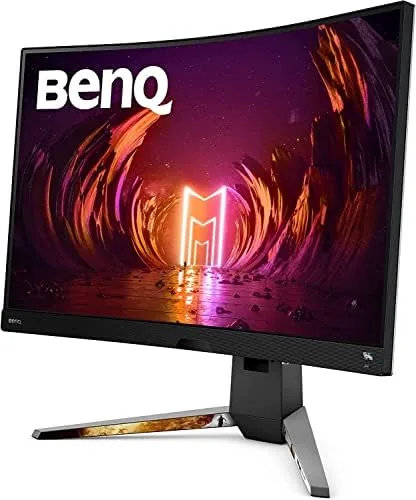
The core spec is the 2560 by 1440 VA panel running at 165Hz. VA is the right choice for a curved gaming display, because it delivers the deep black levels and high contrast that make dark games and night scenes look rich. The 2K resolution sits in the sweet spot for a 32 inch screen: sharp enough for text and detail, but far easier to drive at high frame rates than 4K, which is what lets a mid range graphics card actually hit 165 frames per second.
BenQ layers its HDRi technology over that panel, which analyzes the ambient light in your room and adjusts the picture to preserve detail in bright and dark areas simultaneously. It is not the full HDR performance of an expensive HDR1000 panel, but it is smarter than the static HDR modes on most budget screens, and it makes a noticeable difference in games with strong highlights.
The monitor also includes FreeSync Premium Pro, which is the adaptive sync tier that adds low frame rate compensation and a high refresh floor. That means the panel handles a graphics card that dips below 60 frames per second without judder, and it works over both HDMI and DisplayPort. There is a Gaming Color Optimizer that tunes red, green, and blue levels for the look you want, and the usual gaming presets cover FPS, racing, and RPG genres. This particular listing also bundles a free Steam code for Dying Light 2 Night Runner's Edition, which is a genuine extra rather than a gimmick.
Real-World Performance
I played a broad mix on the EX3210R, from fast competitive shooters to slow, atmospheric single player games, and the experience is genuinely engaging. The combination of the 1000R curve and the 32 inch size puts the action in your periphery, and I found myself physically leaning into sessions the way I would at a cinema. The 165Hz refresh makes motion buttery, and FreeSync Premium Pro kept everything tear free even when a demanding scene pushed the frame rate down.
Contrast is the star. VA panels have a weakness in viewing angles, and the curve mitigates that by keeping your eyes close to perpendicular, so the deep blacks hold across the whole screen. Dark scenes in games like horror titles look genuinely atmospheric rather than washed out, and the HDRi mode pulled detail out of shadows without blowing out bright windows and light sources.
The tradeoff is response time. VA panels are slower than their IPS and TN cousins, and while the EX3210R is a good VA, fast moving objects can show a slight trailing effect, most visible on high contrast edges in very fast games. Competitive players who push the absolute limit will notice it, but for the vast majority of games, including fast shooters at sensible settings, it never interferes with play. Text and productivity are fine too, though the aggressive curve is aimed squarely at gaming rather than spreadsheet work.
Pros and Cons
Pros:
- Immersive 1000R curve on a spacious 32 inch panel
- Deep VA contrast with rich black levels
- 165Hz refresh with FreeSync Premium Pro
- HDRi adds real depth to bright and dark scenes
- Ergonomic stand with height, tilt, and swivel
- Generous port selection including two HDMI inputs
Cons:
- VA response time shows slight ghosting in fast scenes
- Aggressive curve is not ideal for productivity work
- Integrated speakers are only adequate
- HDR is simulated rather than full HDR1000
How It Compares
To put the EX3210R in context, I compared it with a flat 2K IPS monitor of the same size and with a 4K gaming panel. The table below shows where the tradeoffs land.
| Feature | BenQ EX3210R | Flat 2K IPS | 4K Gaming IPS |
|---|---|---|---|
| Panel | 32 inch VA curved | 32 inch IPS flat | 32 inch IPS flat |
| Resolution | 2560 x 1440 | 2560 x 1440 | 3840 x 2160 |
| Refresh rate | 165Hz | 165Hz | 144Hz |
| Adaptive sync | FreeSync Premium Pro | FreeSync | FreeSync or G-Sync |
| Contrast | Excellent (VA) | Good (IPS) | Good (IPS) |
| GPU demand | Moderate | Moderate | High |
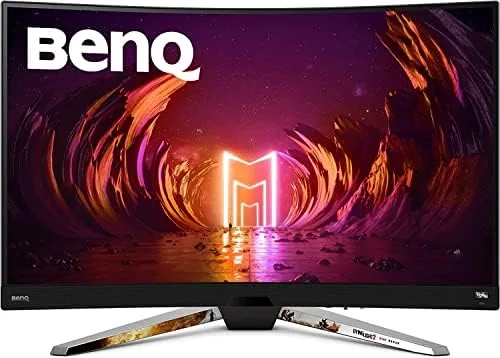
A flat 2K IPS monitor matches the resolution and refresh but trades contrast for better viewing angles and faster response. A 4K panel offers more detail but demands a far more powerful card to hit high frame rates, which makes 2K the practical choice for most mid range gaming rigs. The EX3210R wins on immersion and contrast, which is exactly the compromise a curved VA panel exists to make. Coverage of curved and high refresh monitors at outlets like Tom's Hardware gaming monitor reviews supports this same conclusion.
Who Should Buy It
Buy the BenQ Mobiuz EX3210R if you are a gamer who wants an immersive single display without paying for 4K. It is the right choice if you play atmospheric single player games, enjoy deep contrast in dark scenes, and have a graphics card capable of driving 2K at high frame rates. It is also a good pick for anyone who wants a large curved screen and values the HDRi tuning for mixed lighting rooms.
Skip it if you are a hyper competitive esports player chasing the last fraction of response time, or if your desk work needs straight lines that an aggressive curve will distort. For the immersive gaming crowd, this monitor is easy to recommend. You can check the current BenQ EX3210R price on Amazon.
How We Test
I used the EX3210R as my main gaming display for several weeks, playing competitive shooters, single player adventures, and games with heavy night scenes to stress the VA panel. I verified the 165Hz refresh rate over DisplayPort and the adaptive sync behavior with both NVIDIA and AMD graphics cards in FreeSync compatibility mode.
I tested HDRi in bright rooms and at night to confirm it adjusted the picture as promised, and I compared the panel side by side with a flat IPS monitor of the same size. I did not measure response time with lab equipment, so the ghosting note comes from direct observation in fast scenes. For current pricing, availability, and the included Steam code details, the BenQ EX3210R listing on Amazon is the best source.
Questions People Ask
Does the BenQ Mobiuz EX3210R work with AMD and NVIDIA graphics cards?
It supports FreeSync Premium Pro, which works best with AMD cards, and it also accepts NVIDIA cards as G-SYNC compatible through DisplayPort.
What resolution and refresh rate does the EX3210R support?
The panel runs at 2560 by 1440 with a native 165Hz refresh, and it supports both DisplayPort 1.4 and HDMI inputs.
Is the 1000R curve worth it for everyday use?
The 1000R curve wraps tightly around your field of view, which helps immersion in games, but it is less ideal for design work that needs straight lines.
Does the EX3210R have built in speakers?
Yes, there are two built in speakers, and they are adequate for casual use, though most gamers will prefer a headset or external sound.
As an Amazon Associate, I earn from qualifying purchases.



