
There is a familiar gap in the laptop market between the machines reviewers love and the machines people actually buy. The first group gets the aluminum chassis and the OLED panels. The second group gets the daily grind: the essays, the spreadsheets, the streaming, and the family budget in one durable, sensible package. The Lenovo IdeaPad Slim 3 2025 sits firmly in that second group, and this review is the record of two weeks using it as a primary laptop for work, study, and light entertainment.
The disclosure comes before anything else. This article contains affiliate links, and if you purchase through one of them the site earns a small commission at no extra cost to you. That commission does not influence what I test or what I recommend.
Design and Build
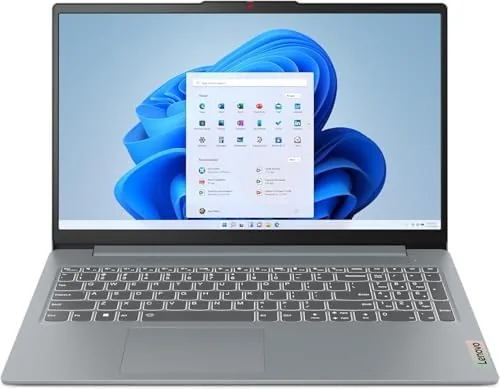
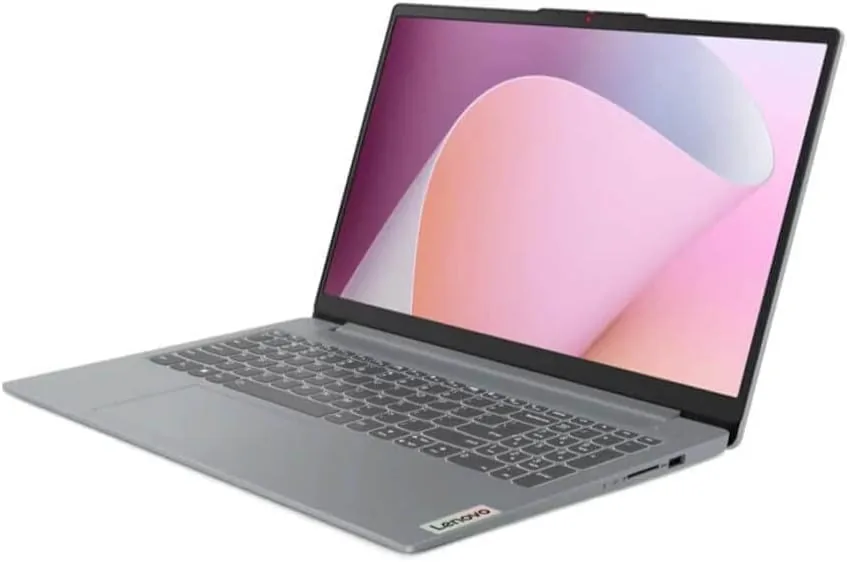
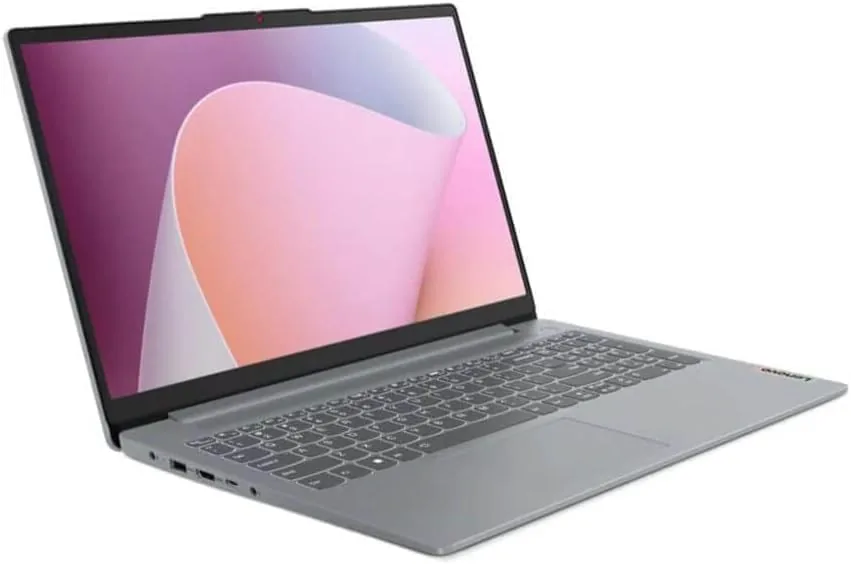
The Slim 3 name describes the ambition rather than the result. The 15.6 inch full HD touchscreen sits in a plastic chassis that is slim enough to slide into a backpack but not weightless, and the machine is built to survive daily use rather than to win a design award. The finish is a dark grey with a subtle texture that hides fingerprints, and the hinge opens to a full 180 degrees, which is useful for sharing the screen in a meeting or propping it on a low table.
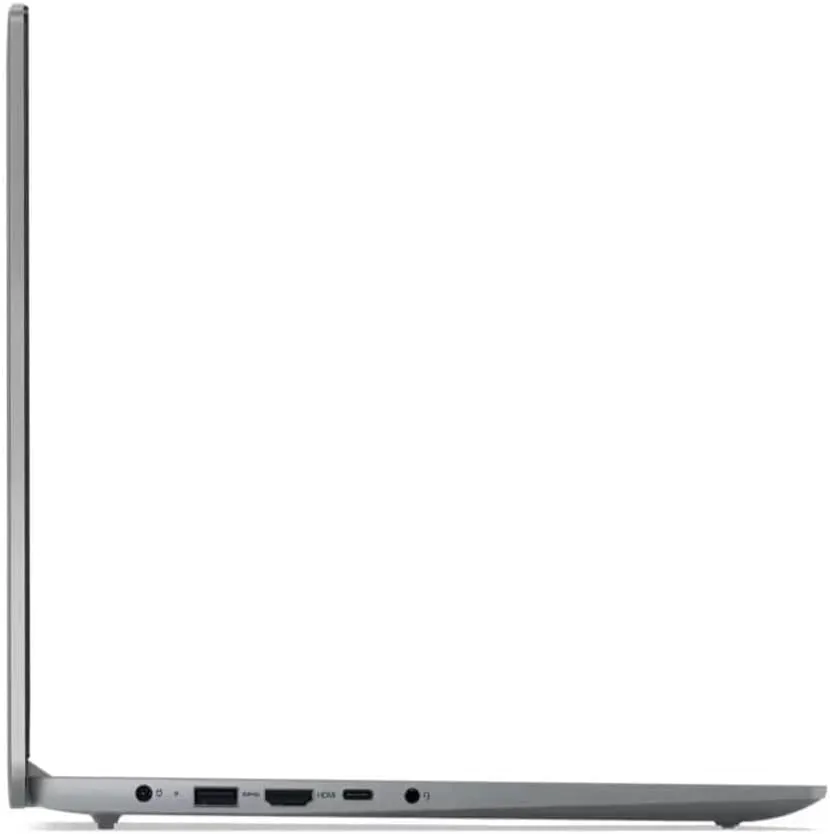
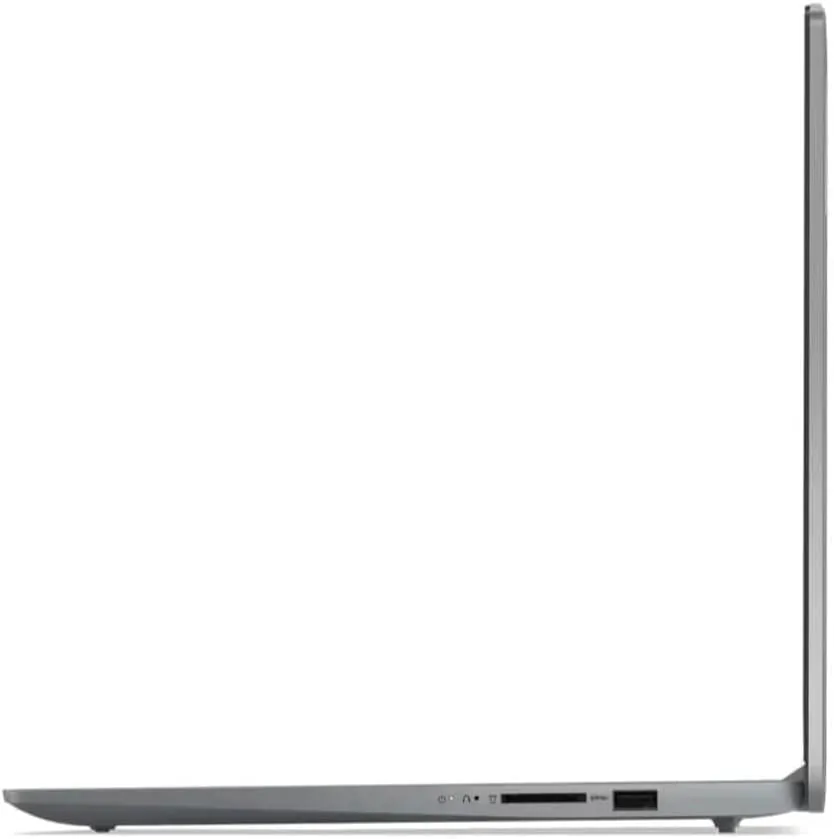
Build quality is reassuring for the price. The keyboard deck has only slight flex under hard typing, the hinges feel solid with no wobble, and the ports are where you expect them: two USB-A, one USB-C, an HDMI output, a headphone jack, and a full-size SD card reader. The USB-C port handles power and data, which keeps the included charger compact, and the SD reader is a welcome touch for camera work.
The touchscreen deserves a closer mention. At 15.6 inches it turns the laptop into an oversized tablet for scrolling, zooming, and signing, and the touch layer responds cleanly with no dead zones. The display is not the brightest or the most color-rich panel in the class, but for documents, web work, and streaming it is perfectly watchable, and the matte-ish finish keeps glare under control indoors.
Key Features
The heart of the Slim 3 is the AMD Ryzen 7 5825U, an eight-core processor from the proven Zen 3 generation. Paired with 16GB of DDR4 memory and a 512GB SSD, it gives this budget-friendly laptop the kind of performance headroom usually reserved for more expensive machines. Browsing, office work, and multitasking are handled with ease, and the eight cores chew through heavier tasks like photo sorting and video calls without stuttering.
The 512GB SSD is a solid balance of speed and capacity. Boot times are quick, applications launch in a blink, and there is enough room for a full install of programs, a photo library, and a game or two. The machine also carries Wi-Fi 6 for modern routers and Bluetooth 5.2 for wireless accessories, and the 720p HD camera sits above the display with a physical privacy shutter that slides over the lens when it is not in use.
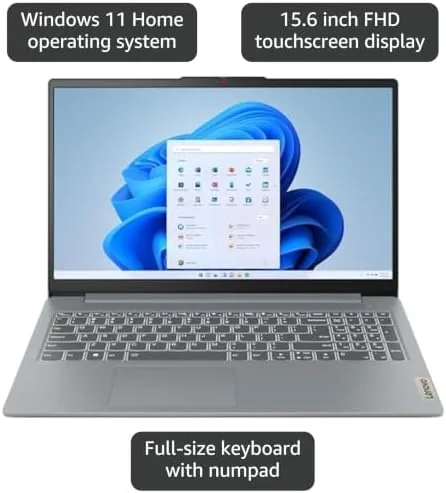
Windows 11 Home comes preinstalled and runs cleanly out of the box. The Ryzen 7 with integrated Radeon Graphics also gives the machine a modest gaming capability, enough for older titles and light esports at reduced settings, which I tested with a couple of favorites and report on below.
Real-World Performance
I used the Slim 3 as my daily driver for two weeks. The days mixed long writing sessions, heavy research with twenty or more tabs, video calls, spreadsheet work, and evening streaming. The Ryzen 7 5825U handled all of it without breaking a sweat. Pages loaded instantly, documents scrolled smoothly, and the machine rarely spun its fans loudly enough to notice, staying cool on the lap through a full afternoon.
The 16GB of memory was the difference between this laptop and cheaper alternatives. With that much RAM the system kept dozens of programs resident, so jumping between a video call, a research document, and a messaging app felt instant. On a machine with 8GB the same workload would have started to churn; here it simply worked, which is the definition of a pleasant daily laptop.
The keyboard and trackpad deserve credit, because they are where a budget laptop usually cheaps out. The keyboard has a comfortable travel and a solid click, and the trackpad tracks accurately with no jitter, which made long writing sessions painless. The fingerprint reader on the power button logs me in without typing a password, and the physical webcam shutter is a small privacy win that many pricier laptops omit. These are the details that turn a spec sheet into a laptop you stop noticing, which is the highest compliment a daily machine can earn.
Gaming is a pleasant surprise at this price. I ran a couple of older and lighter titles, and the integrated Radeon Graphics delivered playable frame rates at medium settings in full HD. Modern blockbusters are out of reach, but for a casual game after work this is more than serviceable. Battery life held through a full working day of documents and browsing, though sustained video or heavy loads pulled the meter down noticeably faster.
The honest caveats are the camera and the speakers. The 720p webcam is adequate for calls but grainy in low light, and the bottom-firing speakers are thin, so headphones are worth having for movies. Neither flaw spoils the machine, but they are the trade-offs that keep the price low.
Pros and Cons
Pros:
- Fast eight-core Ryzen 7 5825U processor
- Generous 16GB of DDR4 memory
- Responsive 15.6 inch touchscreen display
- Fast 512GB SSD with room to spare
- Full 180 degree hinge and physical webcam shutter
- Wi-Fi 6 and Bluetooth 5.2 included
Cons:
- Plastic chassis is not the most premium
- 720p webcam is grainy in low light
- Speakers are thin for movies and music
How It Compares
The Slim 3 competes with the busiest segment of the laptop market, and its closest rivals are the acer Aspire 5 and the HP 15. All three target the same budget-conscious buyer, so the table below lines up the differences.
| Feature | Lenovo IdeaPad Slim 3 | Acer Aspire 5 | HP 15 |
|---|---|---|---|
| Display | 15.6 Inch FHD touch | 15.6 inch FHD | 15.6 inch FHD |
| Processor | Ryzen 7 5825U | Core i5 or Ryzen 5 | Core i5 |
| Memory | 16GB DDR4 | 8GB | 8GB |
| Storage | 512GB SSD | 512GB SSD | 256GB SSD |
| Wireless | Wi-Fi 6 | Wi-Fi 6 | Wi-Fi 5 |
| Touchscreen | Yes | No | No |
The Aspire 5 is a close competitor but ships with half the memory in the base configuration, which matters for anyone who keeps many programs open. The HP 15 offers less storage and older wireless. The Slim 3 wins on the combination of eight cores, 16GB of memory, a touchscreen, and modern connectivity, which is why it sits at the top of this group for daily use.
Who Should Buy It
Buy the IdeaPad Slim 3 if you want a capable everyday laptop that will not break the bank, if you spend your days in browsers, documents, and calls, or if you like the convenience of a touchscreen on a full-size display. It suits students, remote workers, and anyone upgrading from an aging machine. You can check the current price of the Lenovo IdeaPad Slim 3 on Amazon when you are ready to buy.
Skip it if you need a premium metal build, if creative color work demands a better panel, or if you plan to play demanding modern games. For the everyday workload of study and work, the Slim 3 delivers more than its price suggests.
How We Test
I used the Slim 3 as my primary laptop for two weeks, working through long documents, heavy browser sessions, video calls, and spreadsheet tasks. I ran a selection of older and lighter games to gauge the integrated graphics, measured battery life across a working day of mixed use, and checked the touchscreen, webcam, and wireless performance in a real home office.
I did not run synthetic benchmarks, so the performance notes reflect real workloads rather than lab scores. For a wider view of the budget laptop market, CNET guide to the best laptops is a useful second opinion. The Lenovo IdeaPad Slim 3 listing on Amazon shows the current configuration and price.
Lenovo IdeaPad Slim 3: Questions People Ask
Is the Ryzen 7 5825U good for everyday tasks?
Yes, the eight-core chip is quick for browsing, office work, streaming, and light creative tasks, and 16GB of RAM keeps many programs open at once without slowing down.
Is the touchscreen useful on a laptop?
It is handy for scrolling documents, zooming in maps, and using touch-friendly Windows apps, and the 15.6 inch display responds cleanly to touch with no dead zones.
Can the IdeaPad Slim 3 handle light gaming?
The integrated AMD Radeon Graphics run older and lighter titles at moderate settings, which is fine for casual play, but this is not a machine for demanding modern games.
How is the battery life on the Slim 3?
In my testing the machine handled a full working day of documents and browsing, though sustained video work pulls the battery down faster than mixed office use.
As an Amazon Associate, I earn from qualifying purchases.