
There is a moment every PC gamer knows. The membrane keyboard on the desk starts to feel mushy, the keys wobble, and the switches stop responding the way they did on day one. That is usually when the search for a first Mechanical Keyboard begins, and the Lenovo Legion K500 is the kind of board designed to be that purchase. It brings red linear mechanical switches, RGB lighting, a full-size layout, and seven programmable keys to a price that undercuts the big name gaming boards. I used one for a month as both my gaming keyboard and my daily typing board to see if it delivers.
The disclosure: this article contains affiliate links. If you buy through one, the site earns a small commission at no extra cost to you, and it does not influence anything in this review.
Mechanical keyboards are a category where the feel matters more than any spec sheet, so this review focuses on the typing experience, the sound of the switches, the lighting, and the build quality that determines whether the board survives years of abuse. The K500 is a genuine mechanical keyboard, not a hybrid pretending to be one, and that alone puts it ahead of a crowded field of lookalikes.
Design and Build
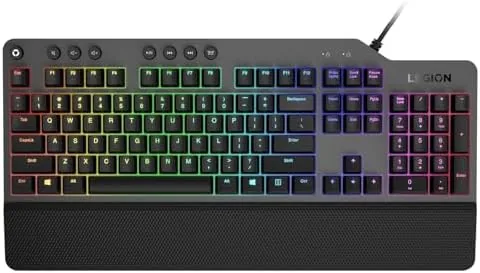
The K500 is a full-size keyboard in the truest sense. It has the main typing area, a complete navigation cluster with arrow keys and editing keys, and a full numeric keypad, which makes it a natural fit for anyone who types numbers or edits spreadsheets as well as plays games. The frame is a sturdy plastic with a dark finish that resists fingerprints, and the top plate adds a rigid base so the board does not flex under hard typing.
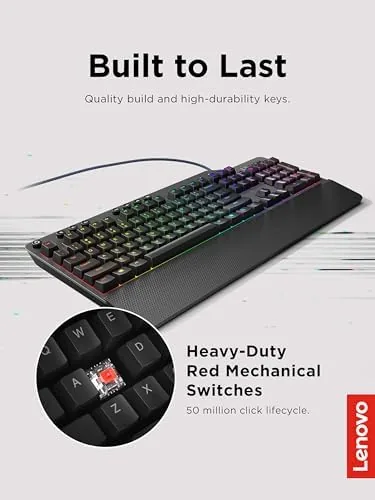
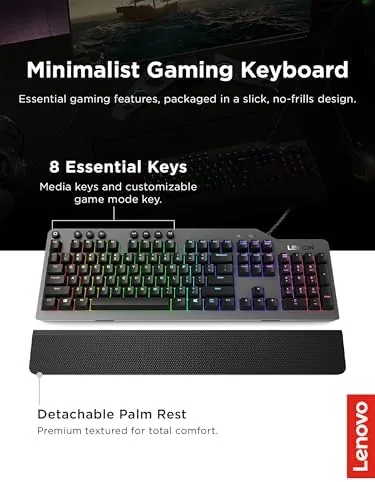
The detachable palm rest is a genuine comfort feature rather than an afterthought. It clicks into place along the front edge and lifts off when you want a more compact footprint, and it adds enough support to keep wrists comfortable through long sessions. The keycaps are double shot, which means the legends are molded through the plastic and will not wear off with heavy use, a detail that separates a serious board from a cheap one.
Key Features
The heart of the K500 is its red mechanical switches. Red switches are linear, which means they travel straight down with no tactile bump and no audible click, and they use a light actuation force that makes them fast and effortless for rapid key presses. Lenovo rates them for 50 million clicks, and the smooth linear feel is the right choice for gaming, where quick, repeated presses matter more than a satisfying bump.
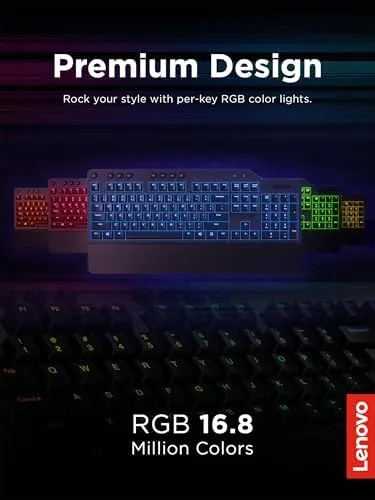
The RGB lighting is the feature on the box, and it delivers 16.8 million colors across three lighting zones. The function key layer cycles through a variety of effects, including wave, breathing, and reactive modes, and the colors are bright and even across the board. The honest caveat is that the K500 has three zones, not per key lighting, so you customize by zone rather than painting individual keys.
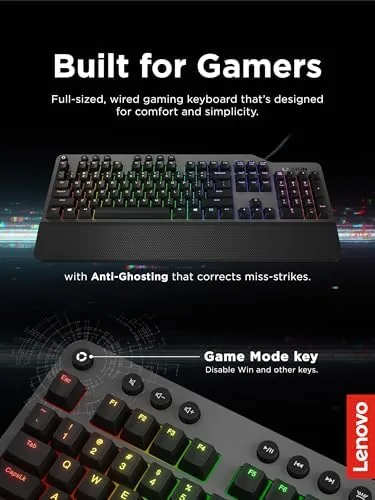
The seven programmable hot keys sit above the main cluster and can be assigned macros, media controls, or application shortcuts through the Lenovo Legion software. For a game with complex key combos, that means one button can fire a whole sequence, and for work the same keys can launch apps or trigger repetitive actions. The detachable palm rest completes the package, snapping on for comfort and off for travel.
Real-World Performance
Gaming on the K500 was exactly what red switches promise. In a fast shooter, movement and ability keys responded instantly with no wasted travel, and the linear action made rapid strafing and bunny hopping feel effortless. The full-size layout gave me the numeric keypad for MMO keybinds, and the seven macro keys let me assign a multi-step ability rotation to a single press, which genuinely helped in a boss fight that required precise sequencing.
Typing on the board for daily work was comfortable from the first day. The red switches are light and quiet, with a soft bottom out that is less fatiguing than stiff tactile boards, and the sound is a modest thock rather than the loud clack that drives office mates crazy. The detachable palm rest made long writing sessions noticeably more comfortable, and the keycaps feel solid under the fingers with none of the wobble that plagues budget boards.
The lighting was a daily source of small joy. The wave and breathing effects run smoothly, and switching between the three zones gave me a distinct color for the navigation cluster, the keypad, and the main typing area. The reactive effect, where a key lights up when pressed and fades out, is the one most visitors noticed first. The limits of three zone lighting are real, but for a board at this price the effect is still impressive.
One quirk took some adjustment. The macro software lives on Windows, so programming the hot keys requires a PC, and the stored macros stay in the keyboard's memory afterward, which means they work on other systems once programmed. That is a practical design, but it is worth knowing the programming step needs a Windows machine.
Pros and Cons
Pros:
- Fast, smooth red mechanical switches rated for 50 million clicks
- Full-size layout with a complete numeric keypad
- Seven programmable hot keys for macros and shortcuts
- Bright RGB with smooth effects across three zones
- Sturdy build with double shot keycaps
- Detachable palm rest improves long session comfort
Cons:
- Three zone lighting instead of per key RGB
- Macro software is Windows only for programming
- Red switches have no tactile feedback for typing purists
- Full-size footprint takes up more desk space
How It Compares
The K500 competes in the crowded budget and mid range mechanical market, where the main rivals are the Redragon K552 and the HyperX Alloy Core series. The table below compares the three.
| Feature | Lenovo K500 | Redragon K552 | HyperX Alloy |
|---|---|---|---|
| Layout | Full size | Tenkeyless | Full size |
| Switches | Red linear | Blue tactile | Membrane hybrid |
| RGB lighting | 3 zones | Per key | Red only |
| Macro keys | 7 | None | None |
| Palm rest | Detachable | None | Fixed |
The K500 wins on being a true full-size mechanical with macro keys and a palm rest at a budget price. The Redragon K552 has per key RGB and a smaller footprint but lacks macros and the number pad. The HyperX Alloy is quieter but is not fully mechanical. If you want the classic mechanical feel, the numeric keypad, and macro support, the K500 is the strongest overall value.
Who Should Buy
Buy the Legion K500 if you are upgrading from a membrane keyboard and want a true mechanical board without spending flagship money. It suits gamers who want fast linear switches, MMO players who will use the macro keys, and anyone who does numbers work and needs the full-size keypad.
It is less ideal if you want per key RGB customization, a compact footprint for a small desk, or tactile switches for typing. For the classic full-size mechanical experience at a sensible price, the K500 is an easy recommendation. You can check the current price of the Lenovo Legion K500 on Amazon.
How We Test
I used the Legion K500 as my primary keyboard for four weeks, covering daily typing, spreadsheet work, and gaming across several titles including a fast shooter and an MMO with complex keybinds. I programmed the seven hot keys in the Legion software and tested the macros across apps and games, and I cycled through every RGB effect and zone setting.
I judged switch feel, sound, build rigidity, keycap quality, and palm rest comfort, and I left the keyboard running 24 hours a day to check that the lighting and input stayed stable. Tom's Hardware maintains a roundup of the best gaming keyboards that is a useful second opinion on where the K500 sits in the wider market.
The Lenovo Legion K500 listing on Amazon shows the current price and available variants.
Questions People Ask
What type of mechanical switches does the Legion K500 use?
The K500 uses red mechanical switches, which are linear with a light actuation force and no tactile bump or click. That makes them fast for gaming and quiet enough for shared spaces, and they are rated for 50 million keystrokes.
Can I customize the RGB lighting on the Legion K500?
Yes, within limits. The keyboard has three lighting zones rather than per key control, so you can change colors and effects by zone using the function keys, but you cannot program each individual key with its own color.
How do I use the seven programmable hot keys?
The seven hot keys at the top can be assigned macros, media functions, or application shortcuts through the Legion software on Windows, letting you fire complex commands with a single press.
Is the Legion K500 a full-size keyboard?
Yes. It is a full-size layout with the main keys, a full navigation cluster, and a numeric keypad, and it includes a detachable palm rest for long sessions.
As an Amazon Associate, I earn from qualifying purchases.