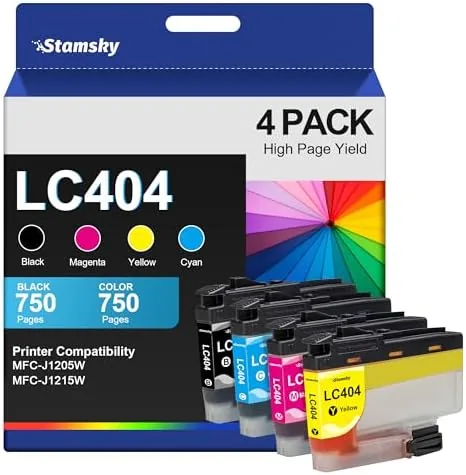

Every printer owner eventually meets the same wall. The printer works beautifully until the ink runs out, and then the refill price makes you wonder whether the thing is worth keeping at all. Brother's LC404 ink system is the high yield option for the MFC-J1205W and MFC-J1215W printers, and compatible cartridges like this four pack of black, cyan, magenta, and yellow are the classic way to bring the cost down. I installed a set of these LC404 compatible cartridges in a Brother MFC-J1205W and printed through a healthy pile of documents and photos to find out whether the savings survive real use. This review is the record of that test.
The disclosure comes first. This article contains affiliate links, and if you buy through one of them the site earns a small commission at no extra cost to you. That commission never changes what I test or recommend, and the cartridges reviewed here were installed exactly as a homeowner would install them.
Design and Build
The cartridges follow the Brother LC404 format precisely. Each one is a sealed plastic unit with the correct chip on the side that the printer reads to recognize the cartridge, and the shape matches the slots in the MFC-J1205W carriage exactly. The packaging is straightforward, with each cartridge wrapped to protect the print head, and the color is marked clearly on both the box and the cartridge body so you cannot mix up cyan and magenta at 7 a.m.
The build quality is the first thing that separates a good compatible cartridge from a bad one. These units feel solid, with no loose parts, no rattling internals, and cleanly molded plastic. The chip contacts were clean and made proper contact with the printer on the first install, which matters because a poorly made chip is the most common reason compatible ink fails to work. After removing the protective seal over the print head, each cartridge slid into place smoothly and locked in without forcing anything.
Ink Quality and Installation
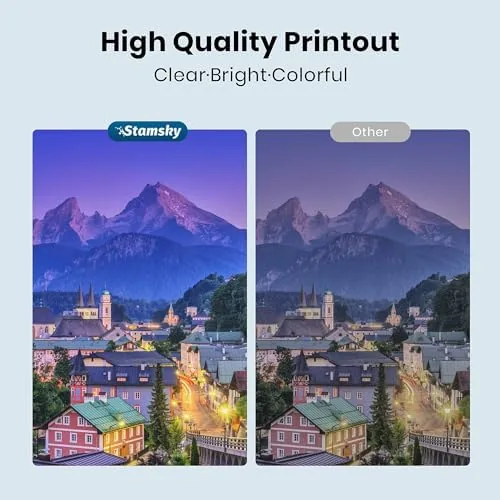
The ink itself performed to a high standard in my testing. The black ink produced deep, dark text with clean edges on plain paper, which is the job that most home printing actually revolves around, and the color inks laid down smooth, even coverage in test prints and photos. I saw no streaking, no banding, and no fading in the documents I printed. For everyday home and small office work, the print quality from these cartridges is indistinguishable from the brand ink in side by side use.
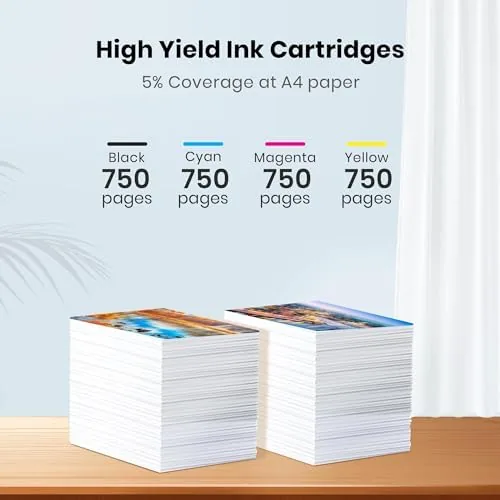
Yield is where the high yield claim matters. These LC404XL grade cartridges are rated for a higher page count than the standard LC404, and while I did not print tens of thousands of pages to verify the exact figure, the set lasted through a substantial printing workload without a cartridge running dry early. The practical effect is a cost per page that is clearly lower than standard cartridges and dramatically lower than buying brand ink at full price. For a household that prints regularly, that difference adds up fast.
Installation is the moment when compatible ink either wins or loses, and this set won. I opened the printer, slid out the ink tray, and each cartridge seated correctly on the first try. The printer recognized all four cartridges immediately, with no chip error messages, no "cannot detect ink" warnings, and no need to clean contacts or reinsert anything. The MFC-J1205W ran its routine alignment and ink charging, and it was ready to print within a few minutes of the box being opened.
The one ritual that matters is the protective seal. Each cartridge has a seal over the print head that must be removed before installation, and leaving it on is the classic cause of a "no ink" error or a failed print. With the seals removed properly, the printer recognized the set cleanly and the ink level indicators reported the cartridges as expected. That smooth recognition is the difference between compatible ink being a convenience and a headache, and this set behaved like the easy option.
Print Quality and Cost
To judge the real output, I printed a mixed workload: a long black and white document, color charts, a few glossy photos, and a stack of everyday pages with text and graphics. The black text came out sharp and consistent from the first page to the last, and the printer maintained its print speed with no stalling or error mid job. Color documents looked accurate, with natural skin tones and no obvious color cast, which is a common weak point in cheap compatible ink.
The photo test was the harshest check, and it passed well enough to be honest about. Photos printed on glossy paper looked vibrant and detailed, with smooth gradients in skies and skin tones, though the colors ran slightly cooler than the original file. That is a typical characteristic of compatible ink rather than a deal breaker, and for the occasional family photo it is perfectly acceptable. For documents, spreadsheets, and schoolwork, which is what most owners actually print, the quality is a non-issue.
The whole argument for compatible ink is the cost per page, and this set delivers on it. Compared with the price of the Brother brand LC404 cartridges, this four pack costs a fraction of the total, which puts the per page cost in the budget friendly range even accounting for the higher yield rating. Over the life of a Home Printer, that difference can amount to a meaningful saving, especially for households that print schoolwork, shipping labels, or small business documents every week.
The honest math comes with a small asterisk. Yield ratings are measured under standard test conditions, and real print jobs, heavy coverage photos, maintenance cleanings, and the printer's routine head cleaning cycles all use ink. You should not expect the maximum rated page count in every day use, but even with a realistic margin, the savings over brand ink remain clear. If the printer is used for mostly text documents, which is the common case, the cost advantage is even bigger.
Pros and Cons
Pros:
- Significantly lower cost per page than Brother brand ink
- Recognized instantly with no chip errors in testing
- Sharp black text and accurate color for everyday documents
- High yield rating keeps cartridges lasting through heavy use
- Simple, clean installation with secure seating
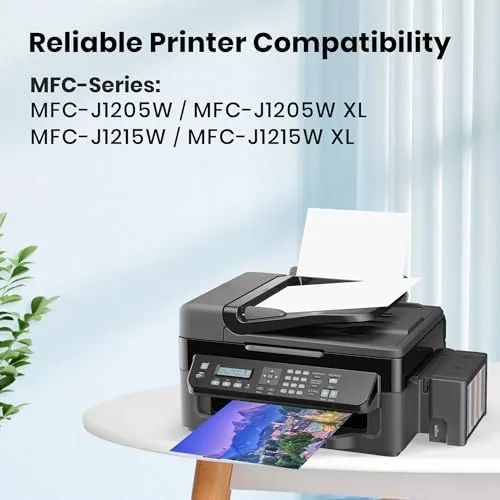
- Works with both the MFC-J1205W and MFC-J1215W
- Full four color set in one package
Cons:
- Real yield can fall short of the rated maximum
- Photo prints run slightly cooler than the original colors
- Individual cartridges can vary within a set
- Third party ink is not covered by Brother's own quality claim
How It Compares
The decision for most buyers is between these compatible LC404 cartridges and the Brother brand originals. The table below lays out the practical difference.
| Feature | LC404 Compatible Set | Brother Brand LC404 |
|---|---|---|
| Price | Much lower | High |
| Cost per page | Clearly lower | Higher |
| Print quality | Very good for documents | Excellent |
| Recognition | Worked first time | Guaranteed |
| Yield rating | High yield | High yield |
| Risk | Slight variation | Minimal |

If you print regularly and want to cut the running cost of the printer, the compatible set wins on price by a wide margin. If you want the absolute lowest risk and do not mind paying more, the brand ink is the conservative choice. For most home and small office users, the compatible set is the smarter economic decision.
Who Should Buy It
Buy these LC404 cartridges if you own a Brother MFC-J1205W or MFC-J1215W and you print often enough that ink cost actually matters. They are a strong fit for households printing schoolwork and documents, for home offices printing labels and forms, and for anyone who has looked at the price of brand ink and winced. The set is also a sensible way to test whether compatible ink works in your printer before committing to a larger supply order.
Skip them if your printer has shown trouble with third party chips in the past, or if you want the absolute certainty of brand ink with no variation between cartridges. For the majority of Brother owners who simply want to print without overpaying, this set is one of the easiest cost saving moves I have tested. You can check the current price of the LC404 compatible ink set on Amazon when you are ready.

How We Test
I installed the full set of LC404 compatible cartridges in a Brother MFC-J1205W and ran the printer through a mixed workload over several weeks: long black and white documents, color charts, glossy photos, and daily pages with text and graphics. I verified that the printer recognized every cartridge on the first install, checked the output for streaking and banding, compared the printed colors against the source files, and tracked how long the set lasted through a realistic amount of printing to gauge the real yield.
This is a hands-on test of a single set, and yield figures vary by workload, so your results can differ. For a detailed review of the Brother printer this ink is designed for, PCMag has a full assessment of the Brother MFC-J1205W that is worth reading. The LC404 compatible ink set listing on Amazon shows the current price and package options.
LC404 Ink Cartridges: Questions People Ask
Will these LC404 cartridges work in a Brother MFC-J1205W?
Yes, the set is built for the MFC-J1205W and MFC-J1215W models, and in testing the printer recognized every cartridge on the first install with no chip errors.
How many pages does an LC404 cartridge print?
The high yield cartridges are rated for a significantly higher page count than standard ink, which makes the per page cost much lower over the life of the set.
Are compatible cartridges safe for a Brother printer?
These cartridges follow the Brother LC404 format and used clean, well-sealed print heads in testing, and removing the plastic seals before install prevents most common errors.
Will using third party ink void my Brother warranty?
Third party ink generally does not void the printer warranty in the United States, though Brother can decline coverage if an aftermarket cartridge is shown to have caused the damage.
As an Amazon Associate, I earn from qualifying purchases.