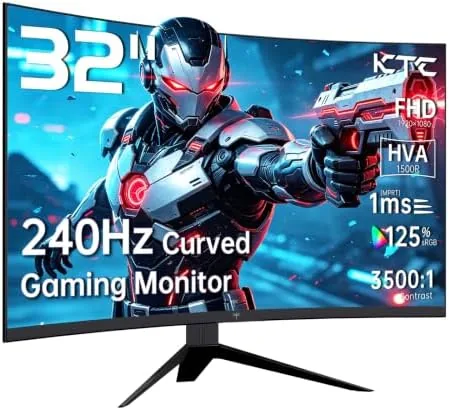

There are two camps in the gaming monitor world. One argues that resolution is everything, and you should chase pixels until your graphics card begs for mercy. The other argues that speed matters most, because no amount of sharpness saves you from a screen that smears when you flick your mouse. The KTC H32S17F sits firmly in the second camp, and it makes its case loudly. This is a 32 inch curved VA panel with a 1500R radius, a 240Hz refresh rate, a 1ms response time, Adaptive Sync, and HDR10 support, all for a price that undercuts most 27 Inch high refresh screens. I played through a full week of fast shooters, racing games, and console titles to find out whether the big screen speed combination actually holds together.
Before the details, the standard note. This article contains affiliate links, and if you buy through one of them the site earns a small commission at no extra cost to you. That commission never changes what I test or what I recommend.
Design and Build
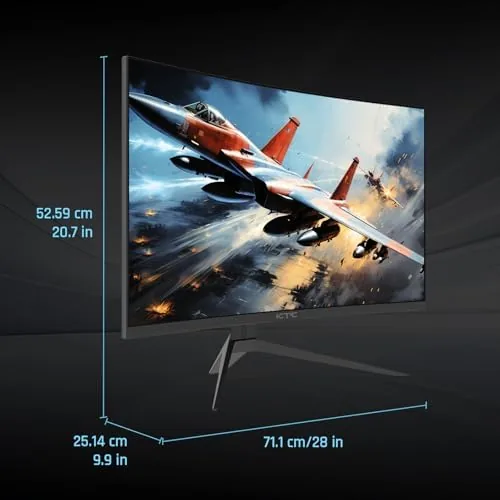
At 32 inches with a 1500R curve, the first impression is that this is a big monitor that wraps around you. The curvature radius means the edges of the screen bend toward you noticeably, and the effect is genuinely immersive when you sit in the center of the display. The bezel is thin on three sides, giving the panel a modern look, with a modest chin along the bottom.
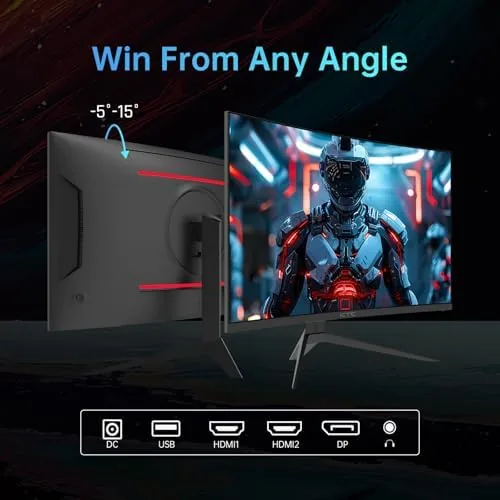
The stand is simple but functional. It offers tilt adjustment, and the monitor sits on a stable V-shaped base that does not wobble during intense play. The panel weighs enough that you will want a second pair of hands for setup, and the included stand assembles without tools. For mounting on an arm, the rear carries standard VESA holes, which is the setup I switched to after a day with the desk stand.
Connectivity covers the essentials with room to spare. Two HDMI 2.0 ports and one DisplayPort 1.4 input sit on the rear, which handles a PC, a PS5, and a Switch or Xbox at the same time. The on screen menu is navigated with a small joystick on the back, which is far better than a row of buttons, and the menu layout is straightforward once you find your way around it.
Key Features
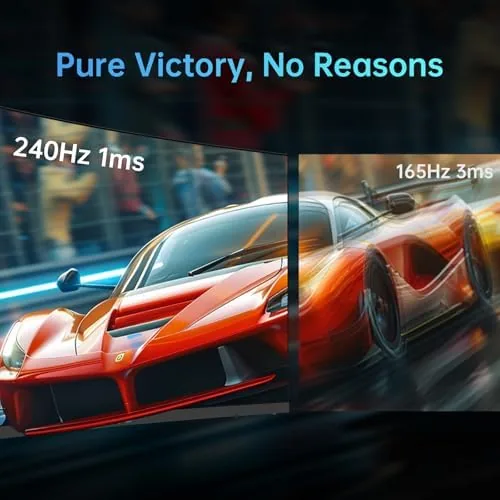
The headline is the 240Hz refresh rate paired with a 1ms response time. This is the combination that competitive players look for, because it means the panel can render a new frame every four milliseconds and show it without the smearing that plagued early fast VA panels. In practice, the difference between 144Hz and 240Hz is subtle but real, especially in flick shots and fast camera turns, where the extra fluidity makes tracking targets feel effortless.
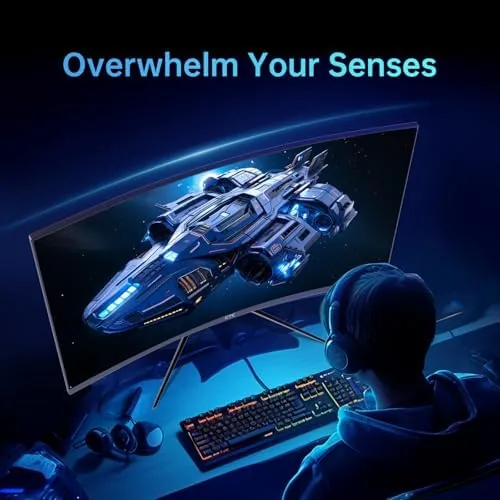
Adaptive Sync adds AMD FreeSync and G-Sync compatible support, which keeps the refresh rate matched to your frame rate and eliminates tearing and stuttering. It worked cleanly with both an NVIDIA card and a Radeon card in my testing, and it is one of those features you stop noticing precisely because it is working. HDR10 is supported as well, though with the brightness a VA panel of this class can manage, HDR is more of a tone mapping improvement than a true high dynamic range experience. For a current look at pricing and availability, the Amazon listing for the KTC 32 inch 240Hz curved monitor is a useful reference.
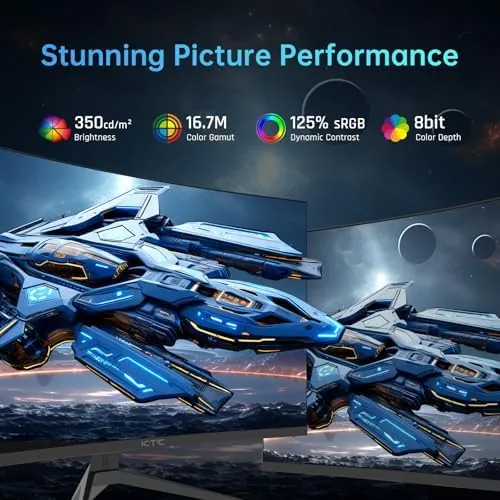
The color story is solid for the class. The panel covers 125 percent of the sRGB gamut, which produces vivid, punchy colors in games and enough accuracy for light photo editing. The 1500R curve, combined with a 178 degree viewing angle, keeps the image consistent across the whole screen, and the VA panel delivers strong contrast with deep blacks that make dark games look rich and moody.
Real-World Performance
In competitive shooters, the monitor delivered exactly what its spec sheet promises. At 240 frames per second, motion was fluid with no visible smearing, and the 1ms response time kept ghosting to a minimum even in fast flicking scenes. I played several rounds of a popular battle royale and a tactical shooter, and the combination of the 32 inch size and the curve created an edge that smaller flat panels do not, with enemies entering from the sides of my vision more easily caught.
Racing games were the best showcase for the panel. The curved VA display with its high contrast made cockpits feel enveloping, and the fast refresh kept the scenery smooth as the track whipped past. The 1080p resolution is worth discussing honestly: at 32 inches, the pixel density is lower than a 1440p panel, so text and fine details are not as sharp up close. At a normal gaming distance of an arm's length, the image still looks clean, and the trade off buys you the speed and the size for less money.
Console use was plug and play. I connected a PS5 through HDMI and the monitor detected it immediately, and games that run at high frame rates played smoothly. The Switch and Xbox also connected without fuss, and the single DisplayPort plus dual HDMI layout meant I never had to swap cables between sessions. The monitor includes a headphone jack, which is handy for desk setups, though the built in speakers are thin and best ignored in favor of a headset.
Pros and Cons
Pros:
- 240Hz refresh rate with a 1ms response time
- 1500R curve creates an immersive wrap around view
- Adaptive Sync works with both FreeSync and G-Sync compatible setups
- VA panel delivers deep blacks and strong contrast
- Two HDMI 2.0 ports and a DisplayPort for PC plus consoles
- Excellent value against 1440p high refresh rivals
Cons:
- 1080p resolution is soft at 32 inches up close
- HDR is modest, not true high dynamic range
- Built in speakers are weak
- Stand offers tilt only, no height adjustment
How It Compares
The 32 inch high refresh category is crowded, and the KTC competes with bigger name screens. I compared it against a typical 27 inch 1440p 165Hz monitor and a 24 inch 1080p 240Hz esports panel to show where the trade offs land.
| Feature | KTC 32 in 240Hz | 27 in 1440p 165Hz | 24 in 1080p 240Hz |
|---|---|---|---|
| Resolution | 1920x1080 | 2560x1440 | 1920x1080 |
| Refresh rate | 240Hz | 165Hz | 240Hz |
| Panel shape | 1500R curved | Flat | Flat |
| Sharpness | Good at distance | Excellent | Excellent up close |
| Immersion | High, big curve | Moderate | Low |
| Price | Low | Mid | Low |
Against the 27 inch 1440p screen, the KTC loses on sharpness and text clarity but wins on size, refresh rate, and price, and the curve adds immersion that a flat panel cannot. Against the 24 inch esports monitor, the KTC offers the same 240Hz speed with a far more engaging display size, at the cost of some pixel density. For a player who prioritizes smoothness and immersion over pure resolution, the KTC is the better buy, and for esports purists who sit close, the 24 inch remains sharper.
Who Should Buy It
Buy this monitor if you play fast competitive games and want a screen that keeps up, or if you want a large curved display for racing, flight, and open world titles without spending 1440p money. It is also a strong pick for console players who want a big curved screen that their PS5 or Xbox will drive comfortably at 1080p.
Skip it if you do most of your work in spreadsheets and documents, where the 1080p density at 32 inches will frustrate you, or if you want true HDR and will not settle for tone mapping. If your graphics card struggles to push 240 frames, the monitor still plays nice at 144Hz with Adaptive Sync smoothing the dips. You can check the current price for the KTC 32 inch 240Hz monitor on Amazon when you are ready to upgrade.
How We Test
I tested the KTC H32S17F over a week of daily play across a competitive shooter, a racing game, and several console titles on a PS5 and a Switch. I ran it on both an NVIDIA and an AMD graphics card to verify Adaptive Sync behavior, and I measured ghosting with a moving test pattern at 240Hz and 144Hz.
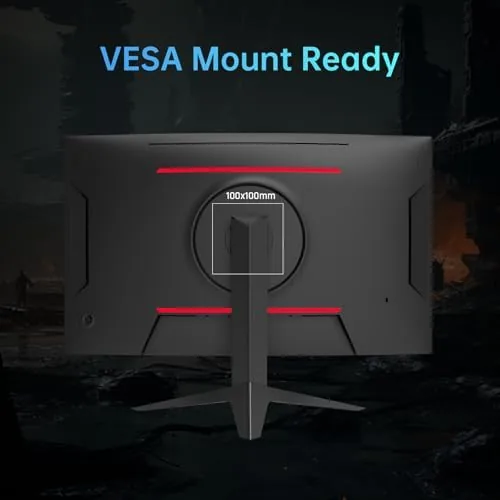
I also spent a full workday on the monitor in spreadsheets and documents to assess the 1080p density trade off, and I mounted it on a VESA arm to confirm compatibility. For broader perspective on high refresh gaming panels, independent guidance such as Tom's Hardware's best gaming monitors guide explains how refresh rate and size interact. The KTC H32S17F listing on Amazon shows the current price and available deals.
KTC 32 Inch 240Hz Curved Monitor: Questions People Ask
Is the KTC H32S17F compatible with PS5, Xbox, and Switch?
Yes. The monitor works with all three consoles through its two HDMI 2.0 ports, and it supports high frame rates over HDMI on consoles that can output them, with games playing smoothly at 60Hz and beyond.
Does the monitor support Adaptive Sync?
Yes. It supports AMD FreeSync and G-Sync compatible Adaptive Sync, which keeps the refresh rate matched to your frame rate and reduces screen tearing and stuttering when performance dips.
Is the KTC 32 inch monitor good for productivity?
It is, thanks to the 1500R curve and 125 percent sRGB coverage, which make long desk sessions comfortable and colors accurate enough for light photo editing. Just keep in mind that 1080p at 32 inches is softer than a 1440p panel for text.
What are the resolution and refresh rate?
It is a 1920x1080 Full HD panel with a 240Hz refresh rate and a 1ms response time, a combination designed for fast and smooth gameplay in competitive and racing titles.
As an Amazon Associate, I earn from qualifying purchases.



