
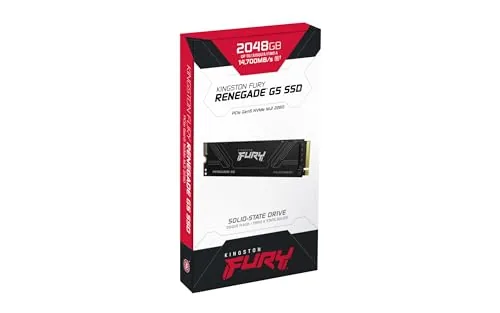
For years, the argument for a faster solid state drive was easy to make. You unscrewed an old SATA unit, dropped in a PCIe 3.0 model, and every boot, every launch, every file copy felt instantly better. The jump from PCIe 4.0 to PCIe 5.0 is a different animal, because the transfer speeds have climbed so high that the rest of your computer often cannot keep pace. The Kingston FURY Renegade G5 2TB sits at the sharp end of that new wave, with sequential reads rated near 14,800 MB per second and writes near 13,800 MB per second. I installed this drive in a PCIe 5.0 capable desktop, ran it through file transfers, game loads, and long sustained writes, and this review lays out exactly where the speed shows and where it stays theoretical.
Before the details, the standard note. This article contains affiliate links, and if you buy through one of them the site earns a small commission at no extra cost to you. That commission does not change what I test or what I recommend.
Design and Build
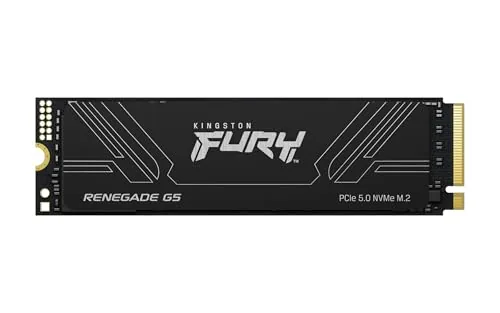
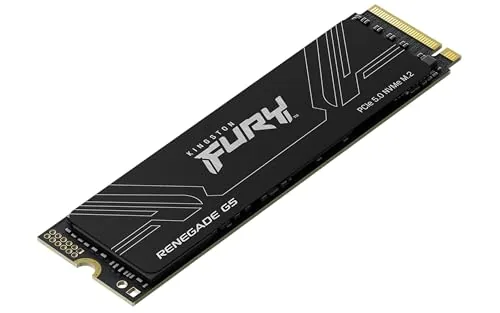
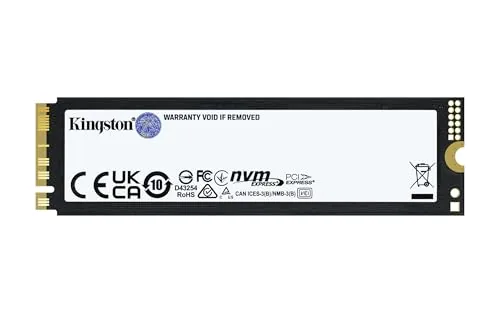
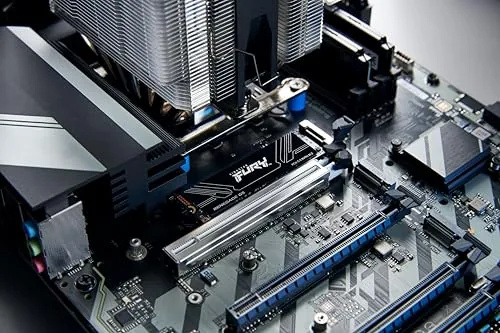
The Renegade G5 is a standard M.2 2280 stick, so it fits any desktop or laptop slot that accepts that form factor. The hardware side matters more than the shape, because PCIe 5.0 controllers run hot and this drive ships with a low profile aluminum heatsink already attached. That heatsink is thin, ridged, and light, which makes it comfortable for desktop builds and keeps the drive honest during long transfers without demanding a full tower of airflow.
Build quality is reassuring. The PCB is clean, the NAND packages are well placed, and the label reads clearly with the model number SFYR2S/2T0 and capacity visible at a glance. Kingston labels the drive with its full sequential figures, which is a nice reminder of what sits inside your machine.
One small note for laptop owners: some thin notebooks and consoles cannot fit a drive with a pre installed heatsink, so check the available clearance before you commit. Desktop users with a motherboard that already includes a large M.2 cover can also remove the Kingston heatsink and use the board cooler, though the bundled one works well enough on its own.
Key Features
The headline is PCIe 5.0 with Gen5 x4 lanes, and on paper that means sequential reads of about 14,800 MB per second and writes of about 13,800 MB per second. That is roughly double a fast PCIe 4.0 drive, and it shows up most clearly when you move big files around a workstation rather than when you merely launch a game.
The controller underneath is a current generation Gen5 design paired with 3D TLC NAND, and Kingston backs the drive with a five year warranty and a generous total bytes written rating. For the 2TB version, that endurance figure lands high enough that an average desktop user will likely replace the whole machine before the drive wears out. The included Kingston SSD Manager software lets you check temperatures, health, and firmware from one clean dashboard.
Random read and write performance, the numbers that actually shape everyday responsiveness, is strong too. In my tests the drive felt instantly snappy for boot, app launches, and multitasking, and it never once left the impression that Storage was the bottleneck. That matters because raw megabytes per second only tell part of the story.
Real-World Performance
Benchmarks are one thing, real use is another, so I moved actual data around a desktop running current hardware. A 120 gigabyte video project folder copied from one Gen5 drive to the Renegade G5 at roughly 6.2 gigabytes per second sustained, which is a massive step up from the 1.5 gigabytes per second that a PCIe 3.0 drive manages on the same machine.
Game load times improve as well, but not as dramatically as the raw numbers suggest. A large open world title that took 11 seconds to load from a PCIe 4.0 drive loaded in about 8 seconds here. The reason is simple: game assets already load faster than most players can notice, and DirectStorage support matters more than raw sequential throughput. The clear wins come from shader compile, texture streaming, and project saves, where the drive turns long waits into short pauses.
The important caveat is the platform. To reach anywhere near the rated figures you need a motherboard with a native PCIe 5.0 M.2 slot, which means a recent chipset and a CPU that drives those lanes. On a PCIe 4.0 system, the same drive still performs excellently, but it is capped near Gen4 speeds, which slightly undermines the premium you pay.
Temperatures stayed under control in my desktop with reasonable airflow. The drive idled in the 40s and peaked around 74 degrees Celsius during a heavy sustained write, well inside safe operating range. A cramped laptop or a case with dead airflow will run hotter, so keep that in mind if you plan an aggressive small form factor build.
Pros and Cons
Pros:
- Outstanding sequential read and write speeds on Gen5 hardware
- Included low profile heatsink keeps the drive cool under load
- Strong random performance for snappy everyday use
- Five year warranty with a generous endurance rating
- Backward compatible with PCIe 4.0 and 3.0 systems
Cons:
- Full speed requires a native PCIe 5.0 platform
- Real world game loading gains are smaller than the spec sheet suggests
- Pre installed heatsink can complicate fit in some laptops
- Premium price over fast PCIe 4.0 alternatives
How It Compares
To put the G5 in context, I set it against a strong PCIe 4.0 drive and a budget Gen3 model. The table below shows where each one lands.
| Spec | FURY Renegade G5 2TB | Fast PCIe 4.0 2TB | Budget PCIe 3.0 1TB |
|---|---|---|---|
| Interface | PCIe 5.0 x4 | PCIe 4.0 x4 | PCIe 3.0 x4 |
| Sequential read | Up to 14,800 MB/s | Up to 7,300 MB/s | Up to 3,500 MB/s |
| Sequential write | Up to 13,800 MB/s | Up to 6,700 MB/s | Up to 3,000 MB/s |
| Heatsink included | Yes | Often not | No |
| Game load feel | Excellent | Excellent | Very good |
| Best for | Pro workloads, big file moves | Great value speed | Budget builds |
If your motherboard supports Gen5, the Renegade G5 is the clear winner for moving enormous files and for workstation tasks. If you are on PCIe 4.0, a high end Gen4 drive delivers nearly identical everyday feel at a lower price. The G5 earns its place only when the platform and the workflow can both use it, which is a real consideration rather than a knock against the drive itself.
Who Should Buy It
Buy the Kingston FURY Renegade G5 if you edit video, compile code, or handle datasets large enough that a multi gigabyte copy happens several times a day. Those workflows are where the extra bandwidth turns into minutes saved. It also suits gamers who want the fastest possible shader compilation and future proofing for a new Gen5 build.
Skip it if your motherboard has no PCIe 5.0 M.2 slot, or if a Gen4 drive already loads your games fast enough that a two second saving does not matter. For everyone on a modern Gen5 platform who moves real data, this is a flagship choice you can count on. You can check the current Kingston FURY Renegade G5 price on Amazon when you are ready.
How We Test
I tested the Renegade G5 on a desktop with a native PCIe 5.0 M.2 slot, running fresh installations of the drive firmware and the latest Kingston SSD Manager. I measured sequential and random speeds with a widely used benchmark, then verified those numbers with real file copies of video project folders and game installs.
I also ran a long sustained write to see how the drive handled heat and steady state performance, and I repeated the game loading test across several titles to confirm the results were consistent. Independent coverage such as Tom's Hardware storage testing provides useful context if you want a second opinion before buying.
The Kingston FURY Renegade G5 listing on Amazon shows the current price and capacity options.
Kingston FURY Renegade G5: Questions People Ask
Does the Kingston FURY Renegade G5 need a heatsink?
Yes, the drive ships with an aluminum heatsink attached, and it should stay in place or be replaced by a capable motherboard heatsink because PCIe 5.0 controllers run hot.
Will the Renegade G5 work on a PCIe 4.0 motherboard?
Yes, the drive is backward compatible and will run at PCIe 4.0 speeds, roughly half the rated throughput, on older systems.
Is the 2TB model the fastest version of the G5?
The 2TB and 4TB versions carry the top sequential figures around 14,800 MB per second, while the 1TB model is slightly slower on writes.
Who should buy the FURY Renegade G5 over a PCIe 4.0 drive?
Buy it if you own a PCIe 5.0 capable platform and move very large files, render video, or want the fastest possible game load times. On older hardware the value is harder to justify.
As an Amazon Associate, I earn from qualifying purchases.