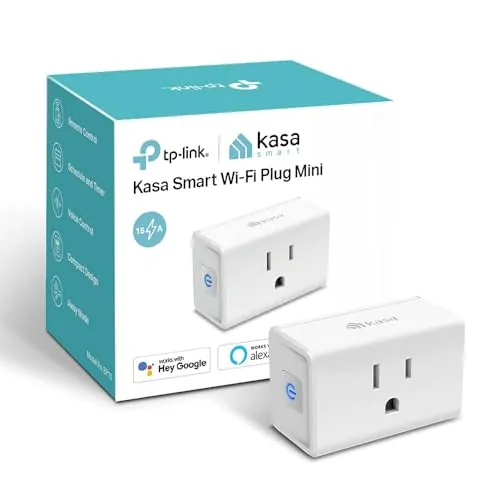

Smart home gadgets are usually the part of the house everyone argues about, and then someone quietly removes the app. This Kasa Smart Plug EP10 review is the record of a month spent with a small white plug that does the opposite: it got installed, it stayed on, and nobody in the house asked to remove the app. The honest verdict is that this is the rare smart device which just disappears into daily life, because it is reliable, simple, and cheap enough to buy several. It will not entertain you, and it does not need to.
Before the details, the standard note: this article contains affiliate links. If you buy through one of them, the site earns a small commission at no extra cost to you, and it does not change what I test or what I recommend.
Design and Build
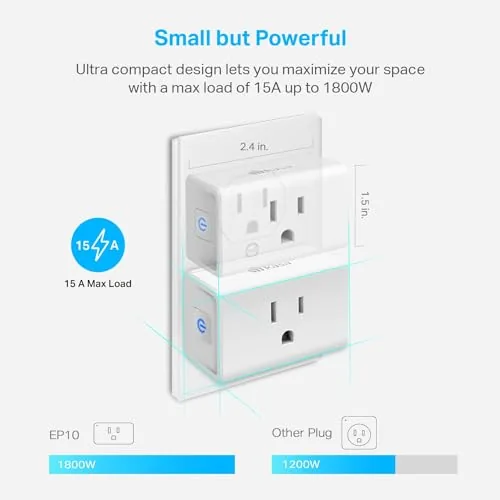
The EP10 is built around a single premise: take up as little of the wall as possible. It pushes into the outlet and juts barely forward, and the "Ultra Mini" name is honest, because on a crowded power strip it leaves the neighboring sockets nearly untouched. For people with a lamp, a laptop, and a router fighting for one plate, that small footprint quietly decides the purchase.
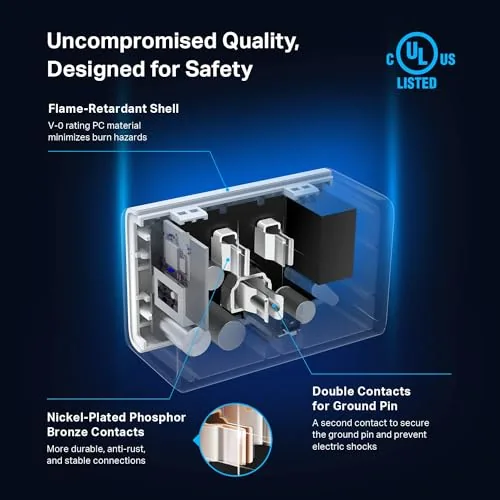
The shell is smooth white plastic that stays cool under a lamp load, the two pin legs feel secure in the socket, and the base holds its shape without flex. A small LED on the front shows the connection state, and it can be dimmed or turned off in the app so it does not glow in a bedroom at night. There is a single manual button too, which acts as a fallback when you want to cut power without pulling the phone out.
The finish is unremarkable, and it is meant to be: this is a plug. What sets it apart on the desk is the smooth pairing and the fact that it never needs a hub. It runs on the home 2.4GHz Wi-Fi directly, and the small size means it fits behind furniture without you fighting the connector.
Key Features
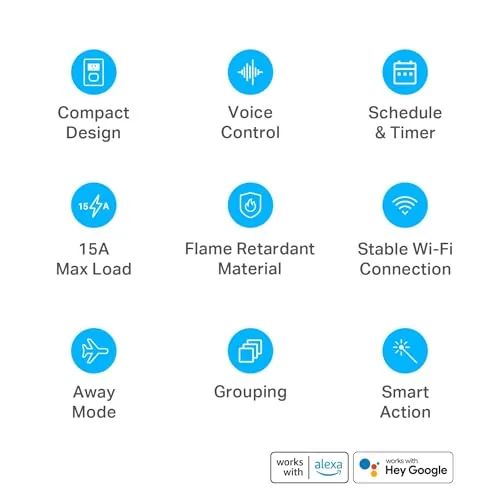
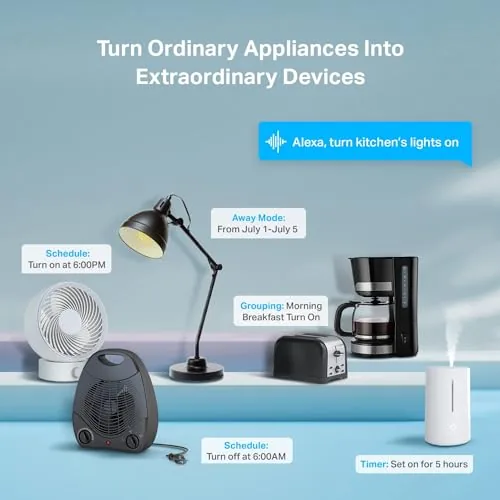
The appeals are the everyday automations rather than any single headline. The Kasa app (for android and iOS) offers daily and weekly schedules, so a lamp or a face mask charger can switch itself on and off on a set clock. There are timers for a single run, an away mode that randomizes lights to look lived in, and a count-based on and off routine that suits a party or a fixed wake.
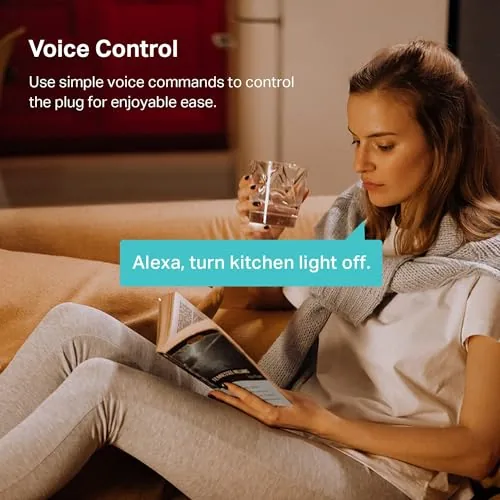
Voice control is the layer most people expect. The EP10 works with Amazon Alexa and Google Home, so a quick "turn on the lamp" from the sofa switches the outlet without reaching for an app. There is no home hub involved; the plug and the assistant talk over the same Wi-Fi, and setup in the Kasa app takes a few minutes the first time.
On the outside, the socket is rated for 15 amps, which is plenty for lamps, fans, string lights, a coffee maker, and most household devices. The physical on and off button helps when the network is down, and the whole design prizes being invisible and tolerant, which is exactly right for the category.
Real-World Performance
Reliability is the true test of any smart plug, because a schedule that fails once a week is worse than no schedule. in One month across four EP10 units, I had no schedule that did not fire, and the plugs stayed responsive every time I asked the app or the assistant. I set the porch light to sunset timed off, the office fan to a workday clock, and every step of the routine held without re-pairing or a dropped connection.
Voice control was the surprise. With Alexa, a single command toggled the lamp cleanly, and Google Home picked it up without a fuss. The latency was about a second, which is normal for the voice layer. The physical button also responded instantly when I wanted a phone-free on and off, and the whole unit stayed cool even under a day of a charging load.
The honest question is the network. Because it runs on 2.4GHz only, an old dual band router that buries the channel under a crowd can make a plug slow. On a stable home Wi-Fi, in practice, I saw none of that, and once paired the EP10 stayed quiet on the network. The reach was generous inside a normal house, and range was never part of my list.
Pros and Cons
Pros:
- Tiny body that leaves the second socket free
- Dependable schedules and timers that hold over time
- Works with Alexa and Google Home, no hub required
- Quick setup from the Kasa app repeated flawless
- Simple manual on and off button as a fallback
Cons:
- 2.4GHz only, so weak on very busy dual band routers
- Runs through the Kasa app, which wants your account
- No smart mini for special devices beyond on and off
- Single pack, so the cost adds up to equip many rooms
How It Compares
Two rivals matter. A Wyze plug is cheaper and offers a bit more basic, but it trusts a firmware and a smaller third-party skin. A TP-Link Tapo plug is the cleaner upgrade in the same family, with A Simpler app and no account fuss, yet it does this tiny Kasa design for a reason. The EP10 wins on footprint and on the polished Kasa scheduling.
| Feature | Kasa EP10 | Basic budget plug |
|---|---|---|
| Footprint | Ultra Mini, single unit | Bulky, blocks socket |
| Hub required | No | No |
| Schedules and timers | Yes, daily and weekly | Often basic only |
| Alexa and Google | Yes | Varies |
| Band | 2.4GHz only | 2.4GHz only |
| Relative price | Mid-budget | Lower |
The choice is mostly the skill of the app and the footprint. If a plug has to squeeze into a crowded plate and keep a schedule for months, the EP10 is the dependable pick. A cheaper stick will save a dollar or two but often adds a blockier body and a thinner automation layer.
Who Should Buy the Kasa Smart Plug EP10
Buy it if you want one or two plugs that you set up once and never fight with, or a full network of lamps and fans on a reliable schedule. It is the right plug for a bedroom lamp, a porch light, a hallway fan, and a living room that runs on voice instead of a switch.
Skip it if you need a plug with energy reporting or a local side of control, or if your whole home is on a strict 5GHz-only network. For a dependable everyday smart plug, you can check the Kasa Smart Plug EP10 on Amazon when you are ready.
How We Test
I ran four Kasa EP10s for a month across a lamp, a fan, a string of holiday lights, and a router, writing the mindset of schedules and voice triggers from the Kasa app with both Alexa and Google Home. I judged setup speed, schedule reliability, time-of failure, and the response of the physical button.
I compared them against a basic budget plug and a Tapo on a smart strip, so the verdict came from day-to-day use rather than a spec sheet. Home Wi-Fi and voice systems vary. Independent testing, such as PCMag coverage of the Kasa smart plug, is a useful second opinion.
If you are building a whole network of plugs, my TP-Link Deco and eero 6 reviews can help with the backbone. When you decide, the Kasa EP10 listing on Amazon shows the current price and pack options.
Kasa Smart Plug EP10: Questions People Ask
Does it need a hub or a bridge?
No, and this is the main appeal. The plug connects straight to the 2.4GHz Wi-Fi and runs from the Kasa app, with no bridge, hub, or separate box to buy.
Will it control with a voice?
Yes. After setup it works with Amazon Alexa and Google Home, so you can turn a plugged lamp on and off with a spoken command from a phone or smart speaker on the same network.
Can I set it to turn off automatically?
Yes, on a repeated schedule fully in the app. A lamp can run a daily weekday schedule, or a timer and an away mode for the porch, and it will hold reliably.
Does it work on a 5GHz network?
It runs on 2.4GHz only, so the plug needs that band to be available. Most routers broadcast it, though you should confirm it is enabled in the router settings.
As an Amazon Associate, I earn from qualifying purchases.



