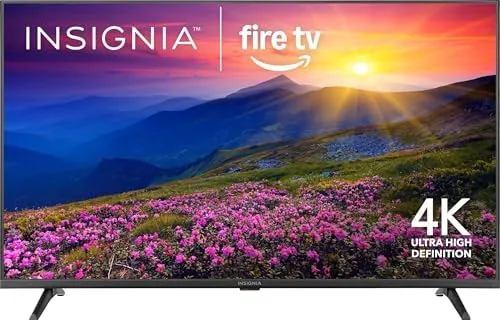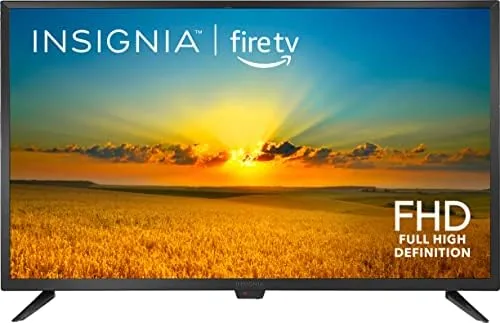

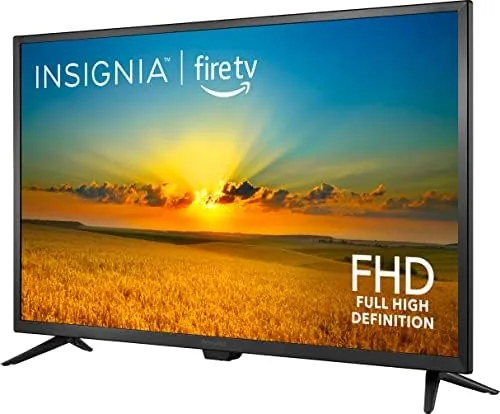
A small TV does not have to mean a dumb TV. The INSIGNIA 32 Inch F20 Series takes a Full HD 1080p panel and builds Amazon's Fire TV platform directly into it, so the set arrives as a complete smart television rather than a bare screen that needs a streaming stick bolted to the back. With the Alexa voice remote in the box and free live TV built into the interface, it is aimed squarely at bedrooms, dorm rooms, kitchens, and anyone who wants a second screen without a second ecosystem to manage. I lived with the F20 for three weeks in a bedroom to see how a budget Fire TV performs when the pressure is on.
The disclosure before anything else. This article contains affiliate links, and if you buy through one of them this site earns a small commission at no extra cost to you. That commission never changes how I test or what I recommend, and I treated this TV the way I would treat one I bought myself.
Design and Build
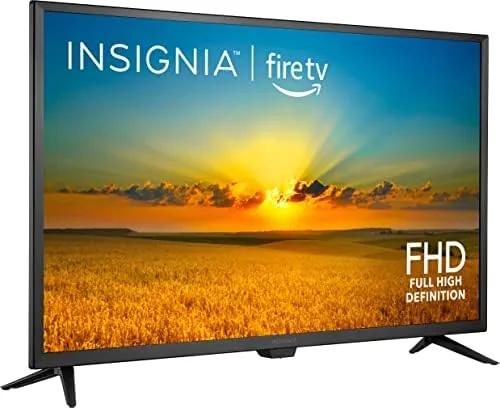
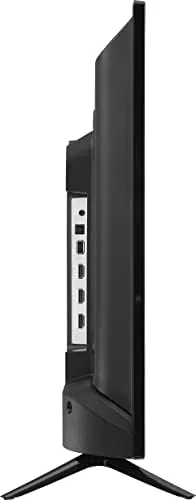
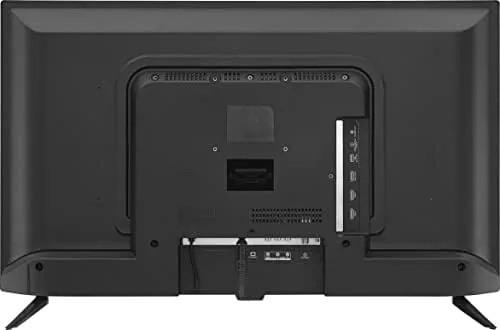
The F20 follows the standard budget TV recipe: a slim panel on two simple feet, with a black bezel that is modest but not invisible. The feet are easy to attach and spread wide enough to be stable, and the TV has VESA mounting holes on the back for anyone who wants to hang it on a wall. The build is plastic, which is expected at this price, but the panel feels solid and the stand does not wobble.
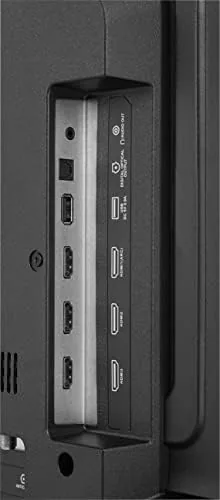
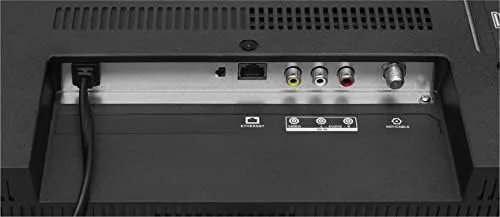
Connectivity is the part that matters for a smart TV. You get three HDMI ports, which is more than many budget sets offer, plus a USB port, an antenna input, and an optical audio output. That HDMI count matters because it lets you plug in a streaming box, a game console, and a soundbar at the same time without juggling cables.
The included voice remote is the same Fire TV remote that ships with Amazon's own hardware, with dedicated buttons for the main streaming apps, a mic for Alexa, and a simple D pad. That consistency is a quiet advantage, because the remote layout is familiar to anyone who has owned any Fire TV product.
Key Features
The defining feature is Fire TV built in. There is no streaming stick, no separate dongle, and no second remote: the interface lives in the TV, boots with it, and gives you instant access to Netflix, Prime Video, Disney Plus, Hulu, YouTube, and the rest of the app library. For a bedroom TV, that means one power button and one remote gets you from sleep to a show in seconds.
Alexa is baked into the remote. You press the mic button and ask for a show, an actor, or a command like pausing or turning the volume down, and the TV handles it. The search is genuinely useful, because it works across apps instead of making you hunt through each service separately, and it finds what you want even when you only remember half the title.
Free and live TV is the second headline feature. The Fire TV interface includes a row of free channels, news apps, and live streaming options that do not require a subscription, so you can watch headlines or sports highlights without pulling out a credit card. Combined with the built in tuner for over the air antenna channels, the F20 can be a genuinely free television if you want it to be.
Real-World Performance
I set the F20 up in a bedroom and used it as the main evening screen for three weeks. The picture is exactly what you expect from a 32 inch 1080p panel: sharp and clean at typical seating distance, with decent contrast for casual viewing. It is not an OLED and it will not wow you on a dark film scene, but for news, sitcoms, sports broadcasts, and streaming dramas it looks perfectly good.
The smart interface was the strongest part of the experience. Boot to home screen took around fifteen seconds, apps opened quickly, and the interface stayed responsive as I moved between services. The Alexa remote worked well: I asked it to open a specific show, adjust the volume, and switch inputs, and it handled all three without a hiccup. For a budget TV, the operating system is the highlight, not the weak link.
The free live TV row earned real use in my household. I watched news in the morning, caught sports highlights in the afternoon, and never once paid for a subscription to do it. The audio through the built in speakers is adequate for a bedroom, though thin at the low end, and the optical output means a soundbar upgrade is easy if you want more punch.
The honest limits are the usual ones at this price. The panel is 1080p, so it does not do 4K, and there is no HDR worth speaking of, which means it is not the TV for movie purists. The viewing angle narrows if you sit far off to the side, and the built in speakers will not fill a living room. In a bedroom or kitchen, none of these matter. The Fire OS, on the other hand, will occasionally show sponsored content in the interface, which is a fact of Amazon's platform that you either accept or you do not.
Pros and Cons
Pros:
- Fire TV is built in, so no streaming stick is needed
- Alexa voice remote controls search and playback
- Free and live TV channels work without a subscription
- Three HDMI ports give plenty of connection room
- Sharp 1080p picture for its 32 inch size
- Fast boot and a responsive smart interface
Cons:
- 1080p panel with no 4K or meaningful HDR
- Built in speakers are thin at the low end
- Fire OS shows sponsored content on the home screen
How It Compares
Small smart TVs split into Fire OS sets, Roku sets, and app ecosystem sets, and the F20 stands in for the Fire TV approach. I compared it against a comparable Roku TV and a small 4K smart TV to show where the trade offs land.
| Feature | INSIGNIA F20 Fire TV | 32" Roku TV | 32" 4K Smart TV |
|---|---|---|---|
| Resolution | 1080p Full HD | 720p or 1080p | 4K |
| Built in OS | Fire TV with Alexa | Roku OS | Varies by brand |
| Voice remote | Alexa included | Voice on some models | Varies |
| Free live TV | Yes, built in row | Roku Channel | Varies |
| HDMI ports | Three | One to three | Two to three |
| Best for | Amazon homes | Simple app menus | 4K content |
Against a Roku TV, the F20 wins on voice control and the built in free channel row, while Roku fans will prefer the simpler interface and app only home screen. Against a 4K smart TV at the same size, the F20 wins on price and on the polished Fire OS, while the 4K set wins only if you feed it 4K content, which a 32 inch screen makes hard to appreciate. For a bedroom or kitchen second screen, the F20 is the practical pick.
Who Should Buy It
Buy the INSIGNIA F20 if you want a small TV for a bedroom, dorm, or kitchen that streams without needing an extra stick, if you live in the Amazon and Alexa world, or if you want free live TV without a cable subscription. It is also a sensible choice for a guest room where the interface needs to be easy for anyone to figure out.
Skip it if you want 4K picture, if you are building a home theater, or if you prefer a Roku style interface without sponsored content. For a practical, affordable, fully smart second TV, the F20 does the job well. You can check the current price of the INSIGNIA 32 inch Fire TV on Amazon when you are ready.
How We Test
I used the F20 as my primary evening TV for three weeks in a bedroom. I tested boot speed, app loading, the Alexa voice remote across search and playback, the free live TV row, and picture quality across streaming, sports, and broadcast content. I connected a game console and a soundbar through the HDMI and optical ports to confirm the I/O works.
I did not measure the panel with calibration equipment, and I did not test 4K performance because this model does not support it. For independent coverage of budget TVs and the Fire TV platform, Wirecutter's TV buying guide explains what to look for at every size and price.
The INSIGNIA F20 Fire TV listing on Amazon shows the current price and available sizes.
INSIGNIA 32 Inch Fire TV: Questions People Ask
Does this TV have Fire OS built in?
Yes, Fire TV is built directly into the set, so you can stream apps and use Alexa without plugging in an external streaming stick. The interface boots with the TV and offers the full app library.
Can I control the TV with the Alexa voice remote?
Yes, the included voice remote has Alexa built in, so you can search shows, launch apps, and control playback by speaking. I used it to search and to adjust volume throughout my testing.
Does the TV offer free live channels?
Yes, the Fire TV platform includes free and live streaming channels, so you can watch news and entertainment without a cable subscription. The built in tuner also supports over the air antenna channels.
Is the 32 inch screen Full HD 1080p?
Yes, the F20 Series panel is Full HD 1080p, which gives sharp, clear picture quality for a 32 inch screen in a smaller room. It is not a 4K panel, so it does not play 4K content.
As an Amazon Associate, I earn from qualifying purchases.