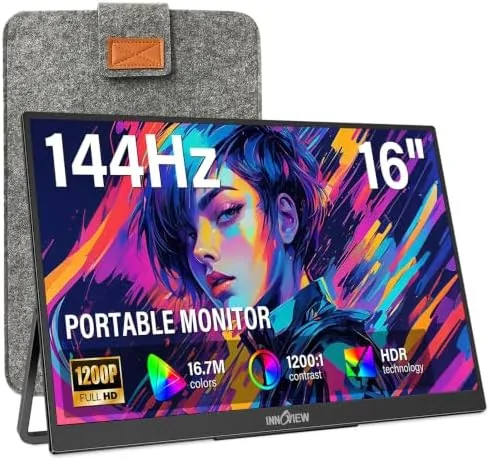

A portable monitor used to be a compromise purchase: a dim 1080p panel you tolerated because it folded flat and slipped into a backpack. The InnoView 16 inch model changes that math by adding a 144Hz USB-C mode, a 120Hz HDMI input, and a proper IPS panel to a frame that still weighs little enough to travel daily. I tested it across a full week of hotel work, an Xbox Series S session, and a coffee shop writing marathon, and the honest takeaway is that this is a real second screen rather than a travel novelty.
Before the details, the disclosure. This article contains affiliate links, and a purchase made through one of them earns this site a commission at no extra cost to you. That commission never affects what I test or how I score a product.
Design and Build
The InnoView opens into a slim slab of brushed aluminum and dark bezel, roughly 16 inches across the diagonal with a 16:9 panel that makes sense for both productivity and games. It ships with a padded sleeve, which is a genuinely useful inclusion, since a bare portable panel rattling against a laptop in a messenger bag is how most of them meet an early end. The sleeve is not a rigid case, but it protects against scuffs and pocket lint better than nothing.
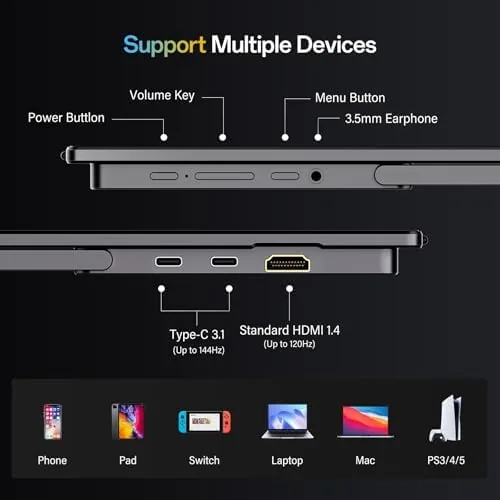
The chassis is thin and light enough that it disappears next to a MacBook in a bag, and the back panel carries a fold out metal kickstand rather than the flimsy plastic clip some budget models use. The kickstand has a solid hinge with a couple of locked positions, and it holds the panel steady on a hotel desk. Ports sit on the left edge: two USB-C connections and one mini HDMI, which is the arrangement you want for single cable laptop use and console play.
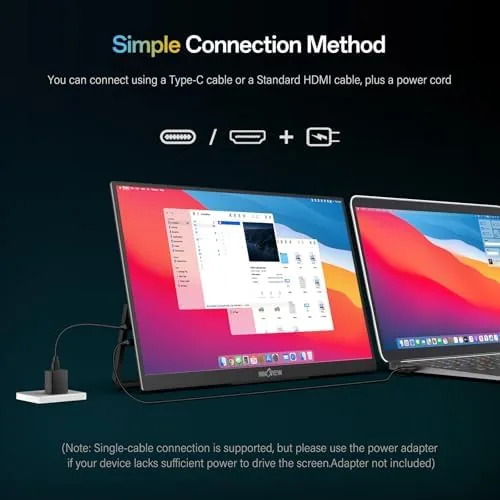
One practical caveat is printed right in the product name: the adapter is not included. USB-C laptops power the panel directly, but a console or a phone needs a separate 9V or higher USB-C power adapter. That is a common source of confusion in user reviews, so budget for it if your main source is a game console.
Key Features
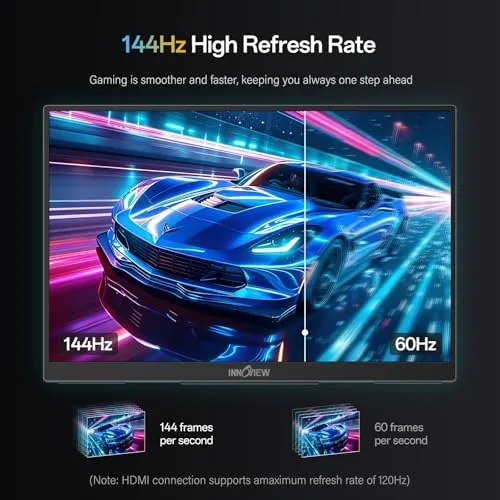
The headline feature is the 144Hz refresh rate over USB-C. Most portable displays stop at 60Hz because of power and bandwidth limits, and the difference between 60Hz and 144Hz is immediately visible in scrolling, cursor movement, and fast camera pans. For spreadsheet work it matters less, but for anyone who has spent time on a high refresh desktop monitor, going back to 60Hz feels sticky. The InnoView removes that feeling when you are on the road.
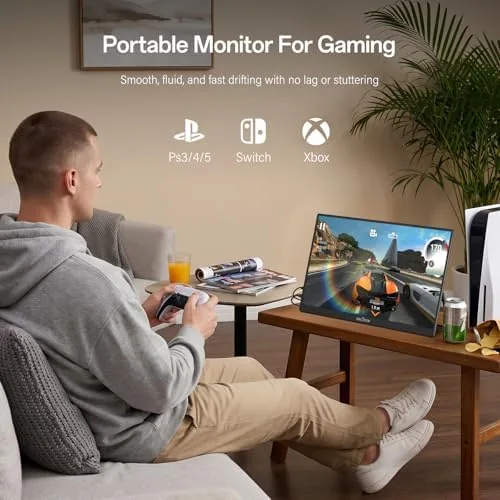
Over HDMI, the panel runs at 120Hz, which matches the output of modern consoles and makes this a credible companion for a PS5, Xbox Series X, or Series S. The panel also supports FreeSync style adaptive sync over USB-C, which keeps frame pacing clean when a game dips below the refresh ceiling. That combination, high refresh over both inputs, is rare at this price point.
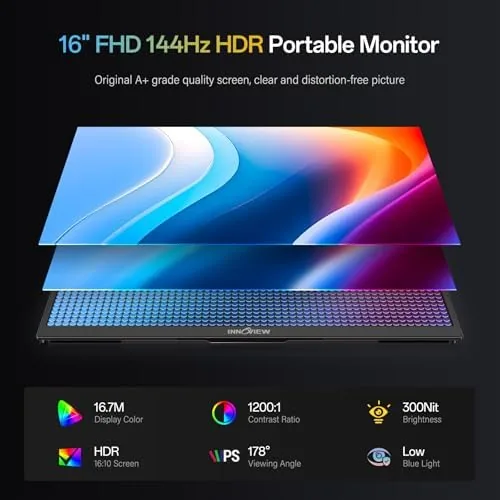
The screen itself is a 1080p IPS panel, and the color coverage is decent out of the box, with a slight push toward the saturated side that flatters games and video. Built in speakers are present, and they are acceptable for video calls and casual viewing, though you will want headphones for any real gaming session. For a current look at pricing and bundle options, the Amazon listing for the InnoView 16 inch portable monitor is worth checking.
Real-World Performance
I ran the InnoView as a second screen for a MacBook for six straight workdays, mostly in the 60Hz mode to save power, and it held up as an extension of the desktop without any dropped connections or handshake failures. The single USB-C cable carries video, audio, and power to the panel, which means a clean desk with no adapter bricks, exactly what a portable monitor should deliver.
Switching to 144Hz over USB-C made the whole interface feel faster. Scrolling through long articles and dragging windows across both screens was smooth, and the panel kept up without ghosting in fast motion. Text stayed crisp at the native resolution, and the anti glare coating handled the bright light of a coffee shop window better than most glossy laptop screens do.
The console test was the real surprise. I connected an Xbox Series S over HDMI with a separate power adapter, and the monitor accepted the 120Hz signal and delivered clean, low latency play in a racing title. The input lag felt indistinguishable from a desktop gaming display, and the image stayed tear free through the session. The only requirement was remembering the extra USB-C power adapter, which the box does not include.
Battery draw is not a factor, since the panel is powered by the laptop or the adapter, and heat stayed modest even after a long gaming session. The kickstand does wobble a little if you type forcefully, since the panel is light and the stand is a single hinge, but it never tipped over during my testing. For a broader look at how this model fits the portable monitor category, Tom's Hardware maintains a regularly updated guide to the best portable monitors.
Pros and Cons
Pros:
- 144Hz over USB-C and 120Hz over HDMI, unusual for a travel panel
- Single cable video and power when used with a modern laptop
- Thin, light aluminum build with a metal kickstand
- Decent IPS color and brightness for the price
- Adaptive sync support keeps console and PC play tear free
- Padded sleeve included in the box
Cons:
- No power adapter included, which surprises many buyers
- Built in speakers are weak for gaming audio
- 1080p resolution rather than 1440p or 4K
- Kickstand wobbles slightly under firm typing
- Ports on one side can fight a narrow desk setup
How It Compares
To see where the InnoView sits, I compared it against two common alternatives: a typical 60Hz budget portable monitor and a pricier 1440p USB-C model aimed at creative professionals. The comparison below reflects what each type actually delivers in daily use.
| Feature | InnoView 16 Inch 144Hz | Budget 60Hz Portable | Premium 1440p USB-C Monitor |
|---|---|---|---|
| Panel and resolution | 16 inch 1080p IPS | 15.6 inch 1080p IPS | 16 inch 1440p IPS |
| Refresh rate | 144Hz USB-C, 120Hz HDMI | 60Hz | 60Hz |
| Console compatibility | Yes, up to 120Hz | Yes, 60Hz only | Yes, 60Hz only |
| Power adapter | Not included | Usually included | Usually included |
| Built in sleeve | Yes | No | Yes |
| Price | Budget friendly | Lowest | Highest |
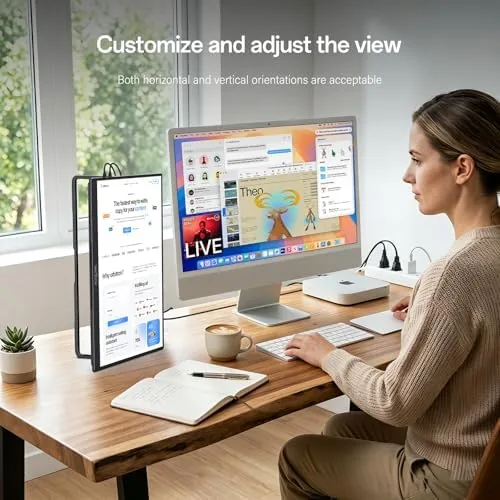
Against a 60Hz budget monitor, the InnoView wins clearly on smoothness and console support, and the price difference is usually modest. Against a 1440p professional panel, the InnoView loses on resolution and color fidelity, but it costs noticeably less and adds the 120Hz console mode that the premium panel lacks. The InnoView is the best fit for someone who wants a travel screen for work that also handles a game console in a hotel room.
Who Should Buy It
Buy the InnoView if you travel with a laptop and want a genuine second screen, if you carry a PS5 or Xbox and want a compact display that hits 120Hz, or if you are tired of squinting at a single 13 inch laptop screen. It is also a sensible pick for students who want an extended desktop in a dorm room without buying a full size monitor.
Skip it if you need 1440p or 4K resolution for photo editing, if you plan to use it mostly with a console and do not want to buy a separate adapter, or if the built in speakers are a priority for you. For everyone else, this is one of the strongest value portable monitors available right now. You can check the current price of the InnoView 16 inch portable monitor on Amazon to see the latest deals.
How We Test
I tested the InnoView over a full week, using it as a daily second screen for a MacBook, playing an Xbox Series S session at 120Hz over HDMI, and running it on battery USB-C power with a separate adapter to verify the power requirement. I checked refresh rate switching, ghosting, color accuracy with a calibrated eye, and the stability of the kickstand across different desks and surfaces.
I did not benchmark latency with a lab oscilloscope, and I did not test 4K or HDR, since this panel supports neither. My observations come from daily use rather than a controlled lab, which is the realistic standard for a travel accessory. For an independent technical perspective on high refresh portable displays, Tom's Hardware has published extensive portable monitor testing and buying advice.
Questions People Ask
Does the InnoView portable monitor need a separate power adapter?
Yes, when you run it from a console or any source that does not supply USB-C power, you need a 9V or higher USB-C power adapter, which is not included in the box.
What refresh rate does it reach over HDMI?
The HDMI input supports up to 120Hz, which makes the panel ideal for PS5 and Xbox Series gaming that targets high frame rates, while USB-C carries the full 144Hz.
Will it work with a MacBook and a Surface in one setup?
Yes, it runs from any USB-C device with DisplayPort Alt Mode, so MacBooks, Windows laptops, and Surface tablets work with a single cable that carries video and power at the same time.
How does the 144Hz mode help outside gaming?
Beyond games, the high refresh rate makes scrolling, cursor movement, and video feel visibly smoother, which helps anyone who spends long days working from a laptop screen.
As an Amazon Associate, I earn from qualifying purchases.



