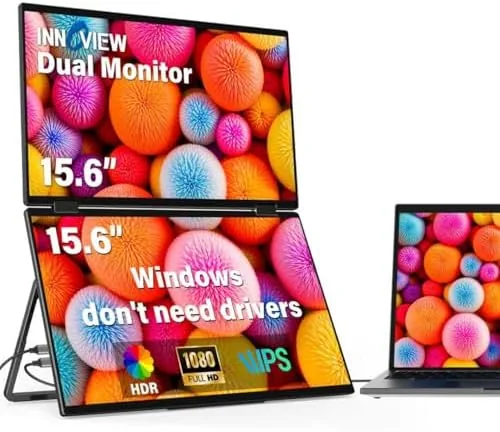

Most portable monitors solve one problem: they give a laptop a second screen when you are away from a desk. The InnoView Dual Portable Monitor tries to solve a bigger one. Instead of a single panel, it stacks two 15.6 inch 1920 by 1080 displays on a hinge that rotates a full 315 degrees, so you can fold them flat for travel, angle them like an open book, or stand them in a portrait tower beside your laptop. For anyone who has spent a week in a hotel room editing spreadsheets on a 13 inch screen, the promise is real desktop space in a package that slides into a carry-on. I used this monitor for two weeks of real work, and this review is the honest result.
Before the detail, the standard note. This article contains affiliate links, and if you buy through one of them the site earns a small commission at no extra cost to you. That commission never changes what I test or what I recommend.
Design and Build
The first impression is how dense the unit feels. Two 15.6 inch panels stacked together form a block roughly the size of a 15 inch laptop, and the aluminum frame gives it a premium weight that reassures you the hinge will survive a decade of abuse. The outer shells are brushed metal with a matte finish, and the back panel carries a foldable kickstand for tower mode.
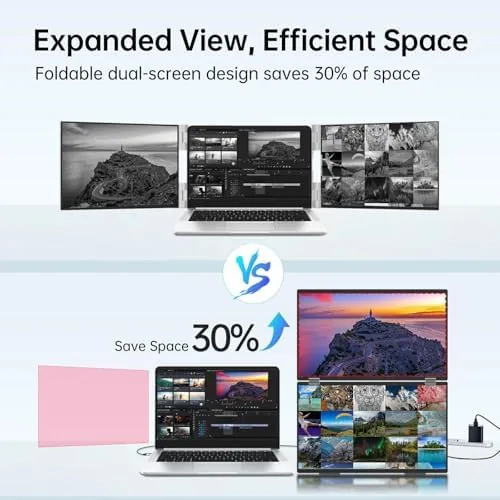
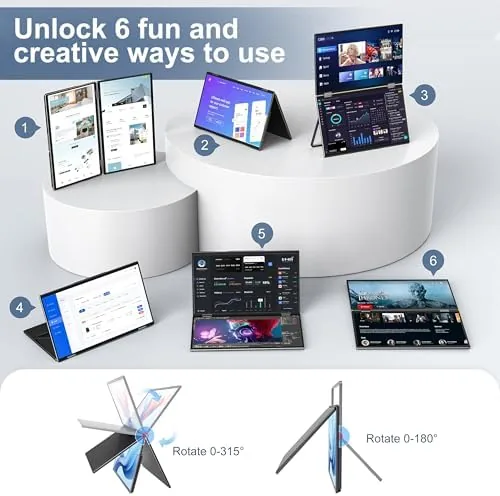
The hinge is the star of the design. It rotates a full 315 degrees with a firm, damped motion that holds its position at any angle. You can lay the two panels flat like a book, fold them back to back for transport, or rotate one panel 90 degrees behind the other to create a tall portrait display. The detents are reassuring without being stiff, and after hundreds of folds I noticed no loosening. The bezels are slim on three sides of each panel, which keeps the two screens looking like one workspace when placed edge to edge.
Ports live on the side of one panel. You get a pair of USB-C inputs, a mini HDMI input, a USB-C power port, and a small control wheel plus menu buttons, and the included cables are long enough to reach across a desk without tension.
Key Features
Each panel runs a native 1920 by 1080 resolution at 60 hertz, which is exactly the right target for productivity work. The IPS panels deliver wide viewing angles, so the stacked screens look correct from any angle, and the matte coating cuts most of the glare you would fight in a brightly lit hotel room.
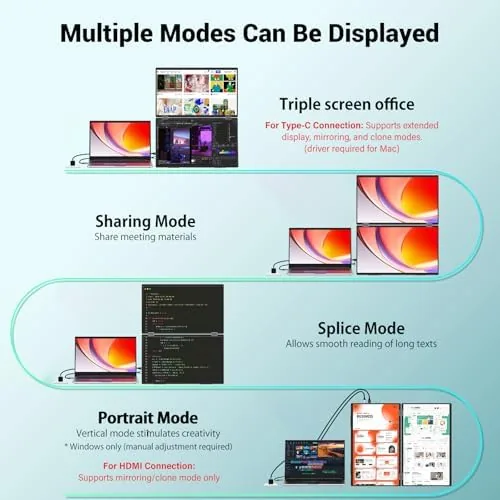
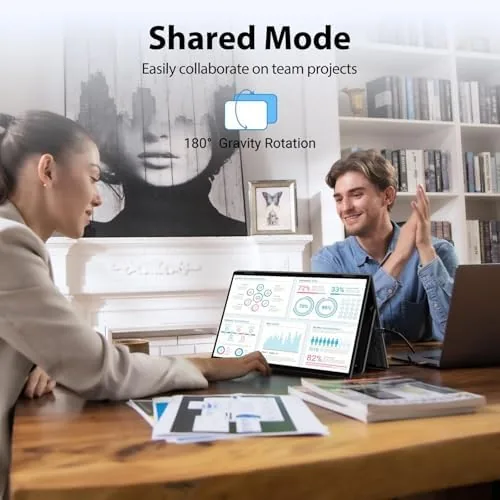
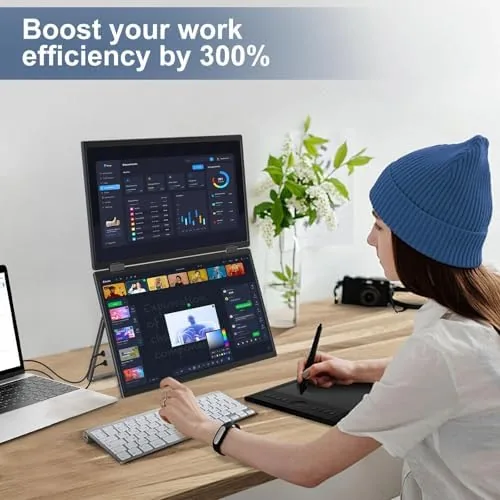
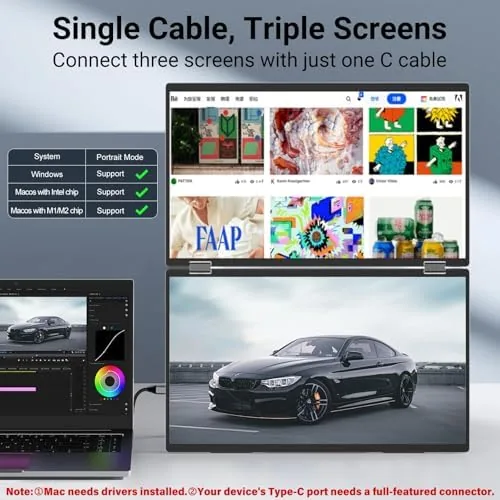
The dual screen setup is the headline feature. When you connect the monitor to a laptop through a single USB-C cable, both panels power up and the operating system sees two additional displays. You can stack them vertically for long documents, lay them side by side like a twin monitor desk setup, or rotate them into portrait orientation for code and PDFs. The 315 degree hinge makes all of these positions practical, which is something a rigid single portable monitor can never offer.
Power delivery deserves attention. The monitor supports USB-C power pass through, meaning one cable can both drive the panels and keep your laptop charged, as long as your laptop provides enough power over USB-C. That single cable approach keeps the travel footprint to a laptop, a monitor, and one cable instead of a tangle of adapters. The built in controls let you adjust brightness and color temperature directly on the unit, so you do not need to hunt through the laptop's display settings every time you change location.
Real-World Performance
My first full day of work set the tone. I connected the monitor to a Windows laptop through a single USB-C cable, and both panels lit up within seconds with no driver installation and no drama. Windows recognized each screen as a separate display, and I arranged the panels in a horizontal lineup that mimicked my desktop setup. The extra screen space changed how I worked: emails on one panel, spreadsheets on the other, and the laptop screen reserved for my main working window.
Text quality is the area where budget portable monitors usually disappoint, and the InnoView holds its own. The 1080p panels render text sharply at a normal viewing distance, with none of the softness that plagues cheaper screens. Colors are accurate enough for web work and spreadsheets, though the panels are not calibrated for professional photo editing. A quick session watching video on both panels looked clean, with no visible backlight bleed.
Battery and power behavior was consistent across the two weeks. When I ran the monitor from a laptop with a strong USB-C port, one cable handled both data and power without issue. When I connected through HDMI, I needed the included power adapter, which is a fair trade given that HDMI has no power channel. The one real compromise is brightness: at a bright sunny window the panels are usable but not dazzling, so you will want shade or a room with controlled light.
Pros and Cons
Pros:
- Two genuine 1080p panels with useful IPS viewing angles
- 315 degree hinge allows tower, book, and portrait positions
- Single USB-C cable powers both panels and charges a laptop
- Folds flat into a travel friendly package with a sturdy shell
- Works with both Mac and Windows machines over USB-C or HDMI
- Matte screen coating cuts glare in bright rooms
Cons:
- Brightness is modest for very sunny conditions
- Not calibrated for professional color work
- Power over a single USB-C cable depends on laptop port strength
- Dual panel weight is heavier than a single portable monitor
- On screen menu controls are basic and a little fiddly
How It Compares
Portable monitors split into three camps: single 15.6 inch panels, ultrawide single panels, and dual screen designs like this InnoView. I compared it against a standard single portable monitor and a 15.6 inch ultrawide to show where the trade offs land.
| Feature | InnoView Dual | Single 15.6" Monitor | 15.6" Ultrawide |
|---|---|---|---|
| Screen area | Two 1080p panels | One 1080p panel | One ultrawide panel |
| Total resolution | Up to 3840 x 1080 | 1920 x 1080 | 2560 x 1080 |
| Flexibility | Hinge rotates 315 degrees | Fixed panel | Fixed panel |
| Travel footprint | Laptop sized block | Thin and light | Long and slim |
| Power cable | Single USB-C option | Single USB-C | Single USB-C |
| Price | Mid to high | Low | Mid |
Against a single portable monitor the InnoView wins on raw screen real estate and the flexibility of the hinge, and it loses on weight and thickness. Against an ultrawide it wins on orientation freedom, since you can pivot to portrait, but it loses on the clean single panel look. For travelers who want to run two full application windows side by side, the dual panel design is the more practical tool. You can see the current price of the InnoView dual portable monitor on Amazon to judge the value for your own setup.
Who Should Buy It
Buy this monitor if your work lives on two screens and your desk moves with you. Consultants, developers, editors, and remote workers who pack a laptop for the week will feel the benefit the moment they unfold it. The stacked design also suits anyone who wants a portrait display for reading long documents.
Skip it if you need a color accurate display for photography or design, if your laptop cannot push enough power through USB-C to run the panels without the wall adapter, or if you want the absolute lightest carry. For everyone else the extra screen real estate changes how comfortably you work on the Road. If the idea appeals to you, check the InnoView dual portable monitor on Amazon and decide whether the weight is worth the added productivity.
How We Test
I used the InnoView dual portable monitor as my only external display for two weeks of real work. That meant full days of spreadsheets and email, long documents read in portrait orientation, and video calls with both panels active. I connected it to both a Windows laptop and a MacBook, using a single USB-C cable, the included power adapter, and a direct HDMI connection to map out every power scenario.
I folded and unfolded the hinge more than a hundred times to check durability, carried the unit in a backpack on a train journey, and used it in a window lit room to test glare. I did not run a colorimeter, since this is not a reference display. For a broader look at what to expect from portable monitors, independent testing such as The Verge's coverage of portable monitors is a helpful background read before you buy.
InnoView Dual Portable Monitor: Questions People Ask
Is the InnoView dual portable monitor good for travel?
Yes. The two panels fold flat into a laptop sized block that fits easily in a backpack or carry-on, and the single USB-C power option keeps the cable count down to one when your laptop port is strong enough.
Does the InnoView dual monitor work with Mac and Windows?
The monitor connects over USB-C or mini HDMI, so it works with both MacBooks and most Windows laptops. Just confirm that your laptop supports video output over the cable you plan to use, since some ports are charge only.
What inputs does the InnoView dual monitor use?
It provides two USB-C inputs, a mini HDMI input, and a separate USB-C power port. A single USB-C cable can carry video and power to both panels when the laptop delivers enough wattage, and the included power adapter covers the rest.
Can I angle the two screens independently?
Yes, within the limits of the hinge. The 315 degree rotation lets you stand the panels in a tower, lay them out like a book, or fold one behind the other, which gives you far more arrangement options than a fixed single panel.
As an Amazon Associate, I earn from qualifying purchases.