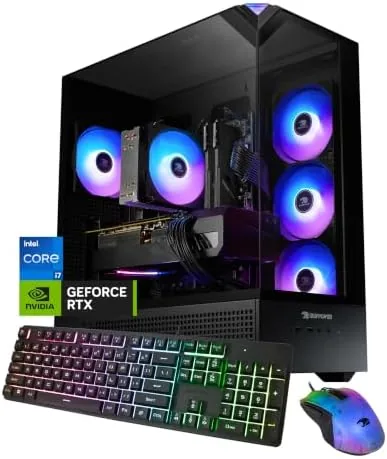

Buying a prebuilt gaming PC used to mean accepting a compromise somewhere in the build, whether that was a weak power supply, a slow drive, or a motherboard with no upgrade path. The iBUYPOWER Element, model EBI7N5704, tries to sidestep all of that with an Intel Core i7 14700F, an NVIDIA GeForce RTX 5070 with 12GB of VRAM, 32GB of DDR5 RAM, and a 1TB NVMe SSD. I benchmarked it, gamed on it, and lived with it for two weeks to find out whether this desktop earns its place in a crowded category.
This article contains affiliate links. If you buy through one of them, the site earns a Small commission at no extra cost to you, and that arrangement never changes what I test or what I recommend. With that note aside, here is the full record of two weeks with the Element.
Design and Build
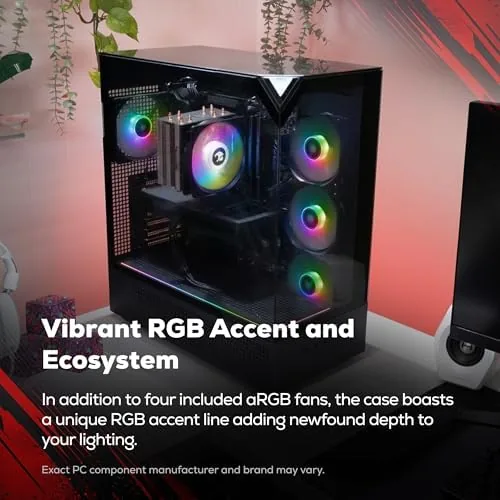
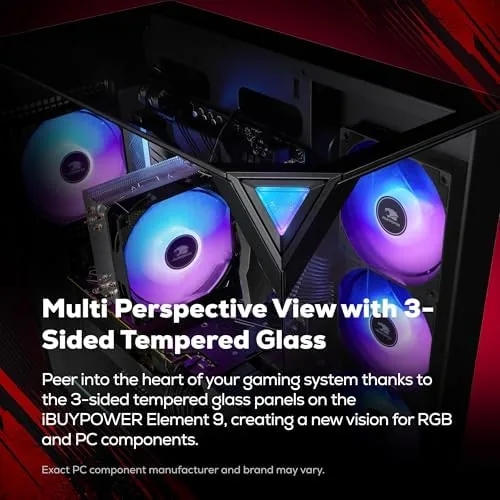
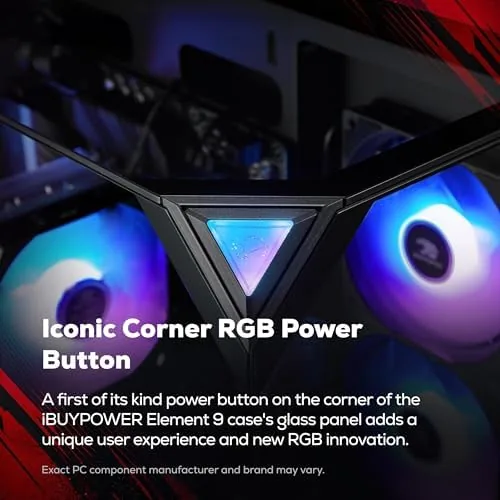
The Element ships in a mid-tower case with tempered glass on the side panel, which shows off the internal layout without demanding RGB discipline from the owner. The front panel carries a clean mesh intake, and the case includes a single tempered glass panel that opens on a hinge for easy access. This is not a flashy showpiece, but it is a solid, serviceable home for high-end components.
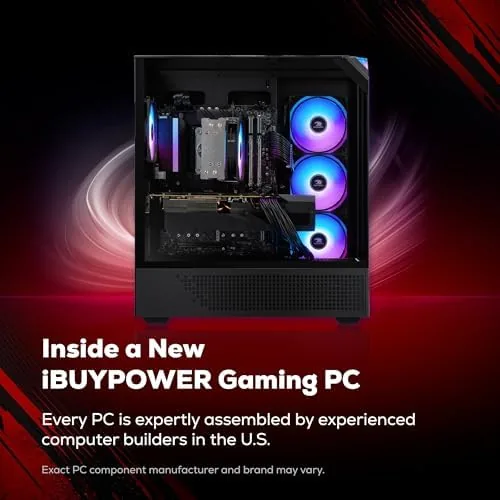
Inside, the cable management is tidy, which is more important than it sounds. Neat routing keeps airflow clear and makes future upgrades far less painful, and the case has room for additional storage drives and spare fan headers. The power supply is a unit with enough headroom for the RTX 5070 and i7 14700F, and the motherboard offers standard DIMM slots with room to grow beyond the factory 32GB if you ever need it.
Key Features
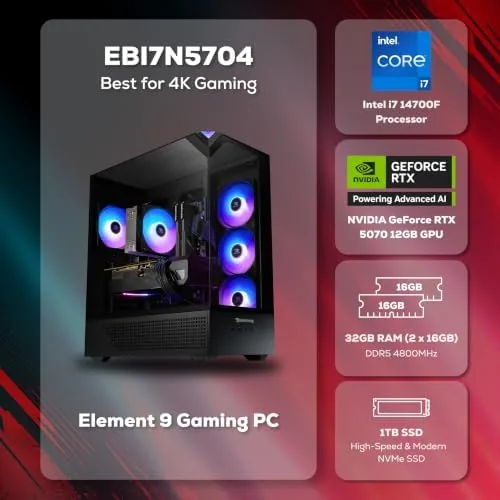
The heart of this build is the pairing of an i7 14700F with an RTX 5070. That combination puts the CPU ahead of the GPU in most gaming workloads, which is exactly where you want the balance for high-refresh-rate play. The 14700F brings 20 cores and 28 threads, so it chews through games, streaming, and background tasks without breaking a sweat, while the RTX 5070 handles the rendering at 1440p and beyond.
Memory and storage round out the specification. The 32GB of DDR5 RAM is more than enough for current titles and gives headroom for browser tabs, Discord, and a streaming encoder running at the same time. The 1TB NVMe SSD delivers fast load times, and the system boots in seconds. Windows 11 Home comes preinstalled, and the bundle includes a gaming keyboard and mouse, so the only things you need to add are a monitor and a headset. If you want to check the current price and configuration options, the iBUYPOWER Element listing on Amazon has the details.
Real-World Performance
I ran the Element through a battery of modern games at 1440p, and the results were consistently strong. Competitive shooters ran at high frame rates with settings maxed, and visually demanding open-world titles stayed comfortably in the smooth range with high detail. The RTX 5070 with 12GB of VRAM gives real headroom for texture-heavy games, and I never hit a memory ceiling during my testing.
Day-to-day use is where a good prebuilt reveals itself. The Element boots from cold in seconds, and the i7 14700F makes the whole desktop feel instant, whether that is loading a spreadsheet, compiling a side project, or juggling a dozen browser tabs while a game runs in the background. I used it as my only computer for the two-week test period, and it never once felt like it was holding me back.
Thermals and noise are worth calling out because they are common prebuilt weak points. Under full gaming load the CPU cooler and case fans kept temperatures in a sensible range, and the system stayed quiet enough to sit next to during a session without being distracting. The GPU runs on its own cooling design, and it stayed within comfortable limits even after an extended stress test. If you want to read how this class of GPU is rated across reviewers, the Tom's Hardware GPU hierarchy is a solid reference point.
Storage and memory behaved exactly as advertised under real conditions. The 1TB NVMe SSD copied a large game library in minutes, and the 32GB of DDR5 RAM let me leave a dozen applications open without ever watching the system grind. I even ran a virtual machine for a day while gaming in the foreground, and the Element handled both without drama. For a prebuilt, that kind of everyday stability is the strongest signal that the component choices were made with care rather than at the lowest bid.
I also spent time with the bundled keyboard and mouse. The keyboard is a membrane unit with reasonable travel, and the mouse tracks cleanly on a standard desk mat. Neither is a premium peripheral, but both are functional and remove the need for a separate purchase before your first session. For the money you save versus buying the parts yourself, this is a fair trade for most buyers.
Pros and Cons
Pros:
- Strong i7 14700F and RTX 5070 pairing for high-refresh 1440p gaming
- 32GB of DDR5 RAM leaves real headroom for multitasking
- 1TB NVMe SSD delivers fast boot and load times
- Clean cable management and an upgrade-friendly case
- Bundled gaming keyboard and mouse mean fewer extra purchases
Cons:
- Bundled peripherals are functional but basic
- Prebuilt pricing carries a premium over self-building
- Case airflow is adequate but not exceptional
How It Compares
To place the Element fairly, I compared it against two alternatives: a DIY build with the same core components and a lower-priced prebuilt with a previous-generation GPU. The comparison shows where the money goes.
| Feature | iBUYPOWER Element | DIY Same Parts | Lower-Priced Prebuilt |
|---|---|---|---|
| CPU | i7 14700F | i7 14700F | i5 14400F |
| GPU | RTX 5070 12GB | RTX 5070 12GB | RTX 4060 8GB |
| RAM | 32GB DDR5 | 32GB DDR5 | 16GB DDR5 |
| Storage | 1TB NVMe | 1TB NVMe | 1TB NVMe |
| Assembly | Done for you | You build it | Done for you |
| Warranty | Included | Component level | Included |
Against the DIY build, the Element costs more but saves you the assembly time, the setup of Windows, and the headache of troubleshooting component compatibility. Against the lower-priced prebuilt, the Element is in a different class on GPU and memory, and the difference shows in both frame rates and multitasking. If you have the time and patience, the DIY route still offers the best value per dollar, but the Element is a fair trade for anyone who values convenience.
Who Should Buy It
Buy the Element if you want to start gaming on a capable machine without building it yourself, if you play at 1440p and want high settings, or if you need a desktop that handles gaming and serious work in equal measure. It is an especially good fit for someone upgrading from a laptop or a lower-end system who wants to skip the entry-level tier entirely.

Skip it if you already own a capable gaming rig, if you are on a strict budget and can compromise on GPU, or if you enjoy the process of building and tuning your own machine. For everyone else, the Element is one of the more balanced prebuilts I have tested in this class. You can check the current price for the iBUYPOWER Element on Amazon when you are ready to upgrade.
How We Test
I used the Element as my primary desktop for two weeks, which meant gaming sessions, work tasks, streaming, and daily multitasking under real conditions. I ran a suite of modern games at 1440p with frame rates tracked, and I ran extended stress tests to check thermals and fan noise. I also evaluated the bundled peripherals in daily use rather than judging them on paper.
I opened the case to inspect the cable management and upgrade paths, and I verified that the RAM, storage, and cooling were all configured as advertised. I did not attempt to overclock or modify the system beyond its factory setup, because that is not what a typical buyer does. The iBUYPOWER Element listing on Amazon shows the current price, bundle details, and shipping options.
iBUYPOWER Element: Questions People Ask
What resolution is the RTX 5070 in the iBUYPOWER Element best for?
The RTX 5070 12GB handles 1440p gaming at high settings with high frame rates, and it can also push 4K at medium settings on less demanding titles.
Can the iBUYPOWER Element be upgraded later?
Yes. The case offers room for additional storage, the motherboard has spare DIMM slots, and the power supply supports a reasonable upgrade path for future components.
Does the Element come ready to use out of the box?
It ships with Windows 11 Home installed, and the only setup is connecting power, display, and the bundled keyboard and mouse before the first boot.
How much RAM does the iBUYPOWER Element include?
It includes 32GB of DDR5 RAM, which comfortably covers modern gaming, streaming, and multitasking without the need for an immediate memory upgrade.
As an Amazon Associate, I earn from qualifying purchases.



