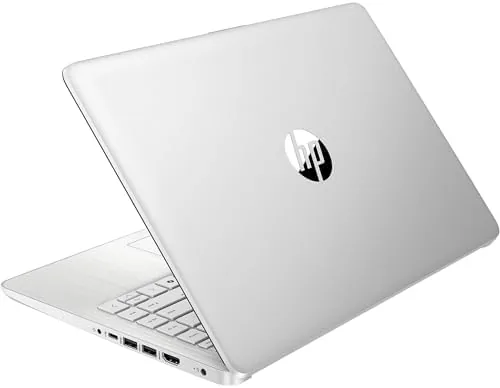

Not every laptop is sold to the same person. Some machines are pitched at the professional who needs raw power, and others are aimed at the Student, the retiree, or the second machine buyer who needs a computer for browsing, documents, and video calls and nothing more. The HP Stream 14 belongs firmly to that second group, and it knows it. With an Intel Processor N150, 4GB of RAM, and 128GB of storage, this is a deliberately simple machine, and this renewed edition adds Windows 11, Wi-Fi 6, and Copilot to the package. I used it for two weeks as my only laptop to test where its limits sit and whether they matter for the people it is actually built for.
Before the details, the standard note. This article contains affiliate links, and if you buy through one of them the site earns a small commission at no extra cost to you. That commission does not change what I test or what I recommend, and every product here gets the same treatment as something I bought with my own money.
Design and Build
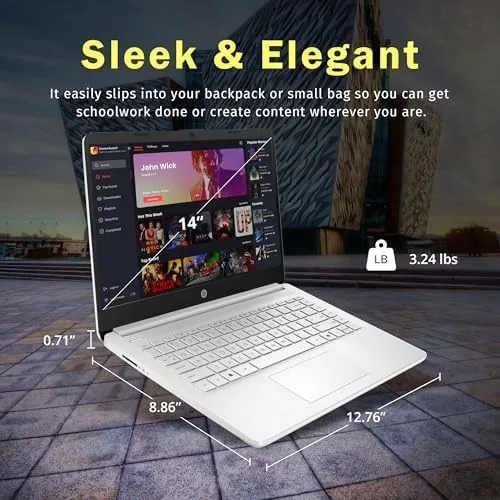
The HP Stream 14 presents as a clean, conventional notebook. The silver finish is plain but presentable, the chassis is compact and light enough to carry without thinking about it, and the overall look is exactly what a budget laptop should be: unassuming and serviceable. There are no design flourishes, and there does not need to be any.
The build is where the budget is visible if you look closely. The plastics are smooth but not premium, the display flexes a little when you adjust it, and the keyboard has modest travel rather than the deep, cushioned stroke of an expensive machine. None of this is a defect for the price, and it all feels consistent with a laptop designed to be an honest tool rather than a status object.
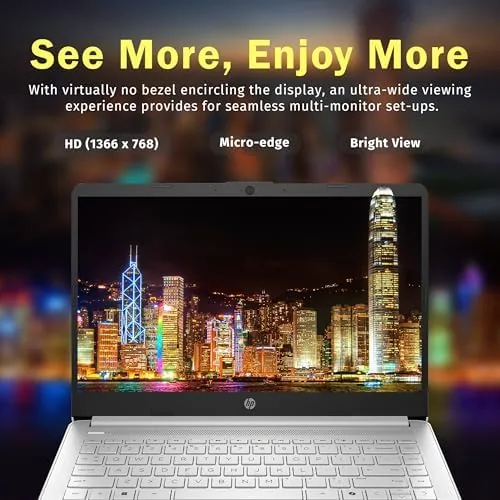
The essentials are all present. There is a 14-Inch HD display, a webcam above the screen for calls, and a reasonable selection of ports for daily use. As a renewed unit, my review sample arrived clean and worked without fault, which is the baseline any renewed machine has to meet, and this one met it comfortably.
Key Features
The engine is the Intel Processor N150, an entry level chip designed for light, efficient daily computing. It is not built for heavy lifting, and it does not pretend to be, but it handles the core jobs of a budget laptop with the efficiency that modern low power processors are known for.
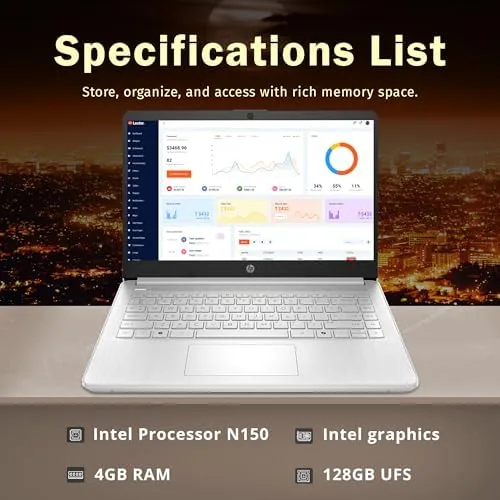
The specification list reads as a who's who of everyday necessities: 4GB of RAM, 128GB of storage, integrated Intel graphics, a webcam, Wi-Fi 6 for fast wireless connections, and fast charging support. Windows 11 comes preinstalled, and the renewed package includes Copilot, Microsoft's AI assistant, which is integrated into the modern Windows experience.
Fast charging deserves a mention, because it is a feature you feel daily. The battery tops up quickly when you are between meetings or classes, and the efficiency of the N150 means the laptop sips power rather than gulping it. Wi-Fi 6 also matters more than it might look on paper, because it keeps video calls and streaming stable on modern networks.
Real-World Performance
I set up the HP Stream 14 as my daily machine for two weeks and matched it to the jobs a budget laptop should do. Browsing with a modest number of tabs ran fine, documents and spreadsheets handled smoothly, and email, messaging, and video calls worked without drama. The webcam produced a usable image for calls, and the speakers were adequate for the meeting room rather than the concert hall.
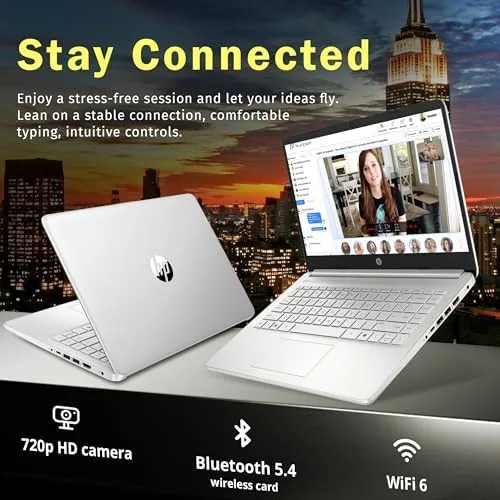
Video calls are a big part of this laptop's job, and they were consistently reliable. Wi-Fi 6 kept the connection stable, the processor kept pace with the call while a browser sat open, and the battery made it through a string of calls without panic. This is the workload the machine was built for, and it does it with zero drama.
The honest limits appeared when I pushed. Opening more than a handful of heavy tabs or trying to run video editing, large photo work, or modern gaming ground the system down, because 4GB of RAM is simply not enough for those jobs. The laptop is also light on internal storage, so a full music library or a large photo archive will need cloud or external storage. None of this is a surprise, and the machine is honest about it, but buyers need to know where the ceiling is.
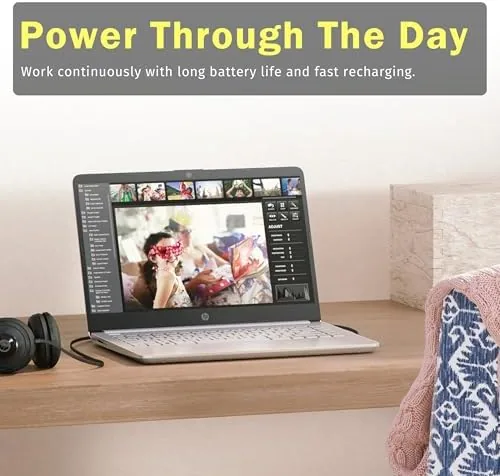
Battery life followed the efficient character of the N150. A full charge carried me through a day of meetings and documents without hunting for an outlet, and the fast charging recovered most of the battery during a short lunch break. The HD display is not the sharpest screen in the world, but it is fine for documents, email, and video, and the keyboard stayed comfortable across a full afternoon of typing. For the student or the casual user, the machine quietly does its job all day and asks for very little in return.
Storage is the other honest limit. The 128GB of UFS space holds the operating system, a handful of applications, and personal files, but a large photo collection or a movie library will spill into cloud storage quickly. Document work has room to spare, and the renewed unit I tested shipped with a clean Windows installation and no leftover clutter from a previous owner. Buyers should plan around cloud storage from day one, because the machine rewards that approach and punishes the alternative.
Pros and Cons
Pros:
- Light and portable enough to carry everywhere
- Handles browsing, documents, and video calls well
- Fast charging tops up the battery quickly
- Wi-Fi 6 keeps calls and streaming stable
- Windows 11 with Copilot included in the package
Cons:
- 4GB of RAM limits heavier multitasking
- 128GB of storage fills up quickly
- Not suited to gaming or demanding creative work
How It Compares
Set against a premium laptop, the HP Stream 14 loses on every performance metric and wins on price and simplicity. Set against another entry level laptop in the same price range, the Stream 14 is competitive on the essentials and its renewed price makes it one of the cheapest ways into Windows 11.
| Feature | HP Stream 14 | Premium Ultrabook |
|---|---|---|
| Processor | Intel N150 entry level | High performance core i5 or better |
| Memory | 4GB | 16GB or more |
| Storage | 128GB UFS | 512GB SSD or more |
| Best for | Browsing, docs, calls | Creative and heavy work |
| Weight | Light and portable | Varies |
| Price | Budget friendly | Premium |
If you need a machine for real work, buy the ultrabook. If you need a dependable computer for the everyday essentials and want to spend as little as possible, the Stream 14 is the right answer. Budget laptop coverage at CNET is a useful place to understand where entry level Windows machines fit before you commit.
Who Should Buy It
Buy the HP Stream 14 if you are a student who needs a computer for coursework, a retiree who wants to browse and stay in touch, a household that needs a second machine, or anyone who wants a fresh Windows 11 laptop without spending for power they will never use. For those buyers, the Stream 14 does everything asked of it.
Skip it if you plan to edit video, play modern games, or run heavy software, because the memory and processor will frustrate you quickly. Know what you need, and this laptop will be an honest bargain rather than a disappointment. You can check the current HP Stream 14 price on Amazon when you are ready to compare renewed listings.
How We Test
I used the HP Stream 14 as my only laptop for two weeks, which meant living within its limits rather than benchmarking past them. I ran daily browsing, documents, email, video calls, and light media playback, and I checked battery life, charging speed, and Wi-Fi stability throughout.
I also deliberately pushed past the comfortable zone to map the real ceiling, opening heavy browser sessions and trying demanding software, so the review reflects both what the laptop does well and exactly where it stops. Renewed machines earn trust through the same honest testing as new ones, and this sample behaved well throughout.
If the Stream 14 fits your needs, the Amazon listing for the HP Stream 14 has the full specification and current pricing.
HP Stream 14: Questions People Ask
Is the HP Stream 14 fast enough for everyday use?
Yes for browsing, documents, email, and video calls, but the 4GB of RAM and the entry level processor mean heavier multitasking and large files will feel slow.
Can the HP Stream 14 run Windows 11 well?
Yes, the laptop ships with Windows 11 and includes Copilot, and the system runs fine for light daily tasks, though the limited memory means you should close unused apps.
How much storage does the HP Stream 14 have?
The laptop comes with 128GB of UFS storage, which suits documents, photos, and light media, and you will want cloud or external storage for larger files.
As an Amazon Associate, I earn from qualifying purchases.



