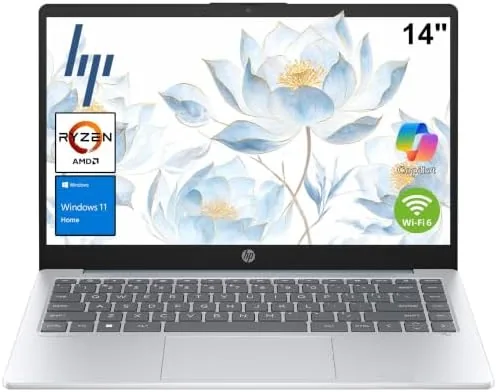

Not every student needs a workstation. A surprising amount of college work comes down to writing papers, taking notes, joining video lectures, and keeping forty browser tabs alive. This review is the record of a month spent with the HP 14 Inch Laptop, a light blue ultra-portable that pairs Windows 11 Home with an AMD processor, 4GB of RAM, a 128GB SSD, and the promise of all day battery life for a student friendly price.
Before the details, the standard note. This article contains affiliate links, and if you buy through one of them the site earns a small commission at no extra cost to you. That commission does not change what I test or what I recommend, and I treat every product here exactly the way I would treat one purchased with my own money.
Design and Build
The first impression is weight. The HP 14 lifts out of a bag almost effortlessly, and it is light enough to hold in one hand while you read a page in the other. The light blue finish is a welcome break from the sea of grey and silver laptops, and the plastic lid resists fingerprints far better than most glossy machines I have used. It feels like a student laptop in the best sense: durable enough for a backpack, light enough to forget you are carrying it.
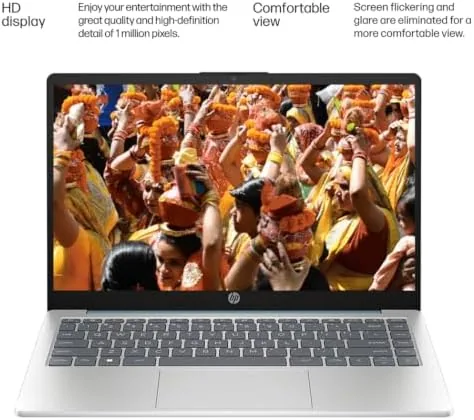
The keyboard is comfortable for a machine this size, with decent key travel and a layout that does not cramp after a long writing session. The trackpad is responsive, though it is not the largest you will find, and the hinge opens a full flat degree range that is handy for sharing a screen in a group study session. The display is a 14 inch panel with modest resolution, bright enough for indoor work, and perfectly adequate for the spreadsheets and essays that make up most academic life.
Key Features
The heart of the machine is an AMD processor paired with 4GB of RAM and a 128GB solid state drive. This is a configuration aimed squarely at web based work rather than heavy local software, and for that purpose it is well matched. Windows boots quickly off the SSD, applications open promptly, and the system feels far more responsive than the budget laptops of a few years ago that shipped with spinning hard drives and half the memory.
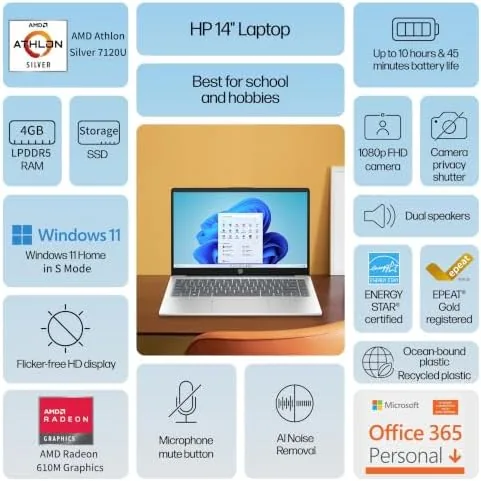
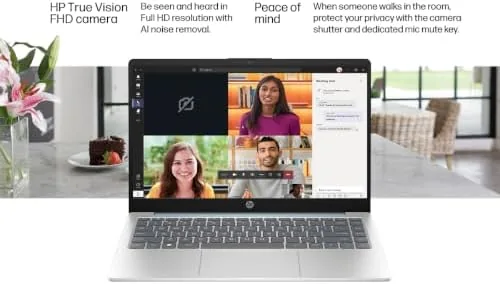
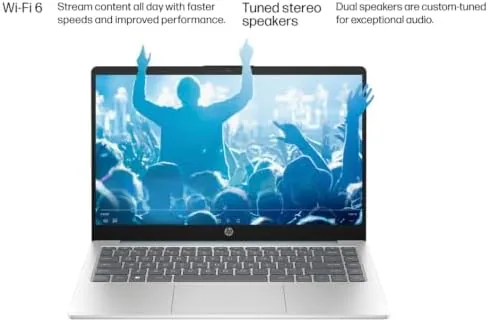
Windows 11 Home comes preinstalled along with Copilot AI, which sits one button away and can summarize a document, draft an email, or answer a quick question without opening a browser. For students, the assistant genuinely earns its place. The machine also includes WiFi 6, so it holds a steady connection on busy campus networks, and the built in webcam handles video lectures and meetings without looking washed out.
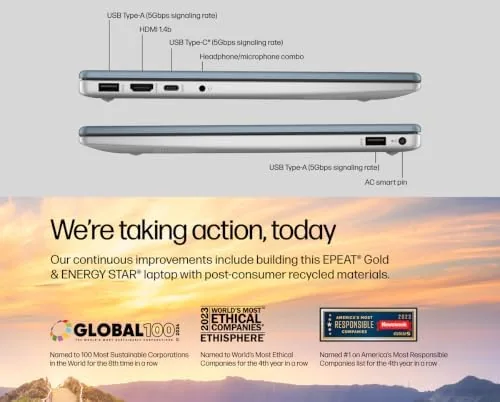
Connectivity is practical rather than generous. A couple of USB ports handle a mouse and a flash drive, there is an HDMI port for hooking up a projector or a second display for group work, and a headphone jack covers audio. The modest port selection is a fair trade for the weight savings, and most students will get through the semester without reaching for a hub more than once.
Real-World Performance
I used the HP 14 as a daily machine for a month, covering the kinds of tasks a busy student actually faces. Writing sessions in a word processor ran flawlessly, spreadsheets with formulas and charts stayed snappy, and video lectures streamed without stutter over the home WiFi. The SSD makes everything feel quicker than the 4GB of RAM would suggest, and the machine never felt like it was fighting me during ordinary work.
The one caveat is multitasking with many heavy applications open at once. With a dozen browser tabs, a word processor, and a video call running together, the 4GB of RAM begins to show its limit, and the system can slow down as Windows juggles memory. This is not a machine for video editing or running large local applications, but it was never meant to be. Keep the workload web based and tab disciplined, and it sails through.
Battery life is the feature that will matter most to a student. In a day of mixed use, alternating between writing, browsing, streaming, and video calls, the HP 14 comfortably covered a full class schedule and still had charge to spare by the evening. I stopped carrying the charger to campus within the first week, which is the highest compliment a student laptop can earn.
For a parent who shares the machine with a teenager, the HP 14 also behaves well in common areas. When it moved from a desk to the kitchen counter for an evening of homework help, the light weight and quiet fan made it easy to relocate, and the screen stayed readable even under a bright fixture. That flexibility is part of why the laptop has become a fixture in the household rather than a gadget tucked in a drawer.
Pros and Cons
Pros:
- Ultra-light chassis that disappears in a backpack
- All day battery life in real classroom use
- Windows 11 Home with Copilot AI built in
- Fast SSD makes everyday tasks feel responsive
- Clear webcam for lectures and video calls
- WiFi 6 holds steady on crowded networks
Cons:
- 4GB of RAM limits heavy multitasking
- 128GB SSD leaves modest storage headroom
- Display resolution is basic rather than sharp
- Limited port selection
How It Compares
The HP 14 sits among a crowded field of student focused laptops, so I compared it against two common alternatives: a competing budget 15 inch laptop and a pricier ultrabook with more memory.
| Feature | HP 14 Laptop | Budget 15 Inch Laptop | Pricier Ultrabook |
|---|---|---|---|
| Processor | AMD quad core | Entry level Intel | Modern mid range CPU |
| Memory | 4GB | 8GB | 16GB |
| Storage | 128GB SSD | 256GB SSD | 512GB SSD |
| Battery life | Full school day | Moderate | Excellent |
| Weight | Ultra-light | Heavier | Comparable |
| Windows 11 + Copilot | Yes | Yes | Yes |
| Price | Budget | Budget | Premium |
Against the budget 15 inch laptop, the HP 14 wins clearly on portability and battery life while giving up memory and storage. For a student who carries a machine across campus all day, that trade is almost always the right one. Against the pricier ultrabook, the HP 14 loses on multitasking headroom and display sharpness, but it costs a fraction of the price and covers the core academic workload without complaint. If your budget is tight and your work is web based, the HP 14 is the better value.
Who Should Buy It
Buy the HP 14 if you are a student, a teacher, or anyone whose work happens mostly in a browser. The light weight, long battery life, and solid webcam make it a natural fit for lecture halls, libraries, and video meetings. The Copilot AI assistant is a genuine help for writing and research, and the price leaves room in the budget for accessories or a semester of coffee.
Skip it if your work demands heavy multitasking, local software, or serious storage, because 4GB of RAM and a 128GB drive will eventually feel tight. Those users should stretch to a model with more memory and a larger SSD. For everyday academics, note taking, and meetings, this is a well balanced budget machine, and you can check the current HP 14 laptop price on Amazon before you decide.
How We Test
I used the HP 14 for a month as a daily machine, covering writing, spreadsheets, video lectures, video calls, and web research across both home WiFi and a busy public network. I tracked battery life through a full day of mixed use without plugging in, tested the webcam across several video call apps, and pushed the machine with increasingly heavy browser sessions to find its multitasking limit.
I did not run demanding software or games, since the hardware clearly targets web based work, and I did not attempt to open the chassis or replace components. For independent perspective on what students should look for in a laptop, the buying guidance at PCMag on budget laptops is a reliable reference point.
The HP 14 laptop listing on Amazon shows the current pricing and available colors.
HP 14 Laptop: Questions People Ask
Is the HP 14 laptop good for students?
Yes, for notes, writing, browsing, and video calls it is a solid budget choice, though the 4GB of RAM means keeping heavy multitasking in check.
How long does the battery last on this HP laptop?
In real world use the machine easily covers a full school day, with battery life stretching into the afternoon on mixed browsing, writing, and streaming.
Does the HP 14 come with Microsoft Office?
The machine ships with Windows 11 Home and access to the Microsoft Office apps, which suits the document focused work most students do.
What is the webcam like on this HP laptop?
The built in webcam produces a clear, well lit picture for classes and meetings, which makes it a practical choice for video calling on a budget.
As an Amazon Associate, I earn from qualifying purchases.



