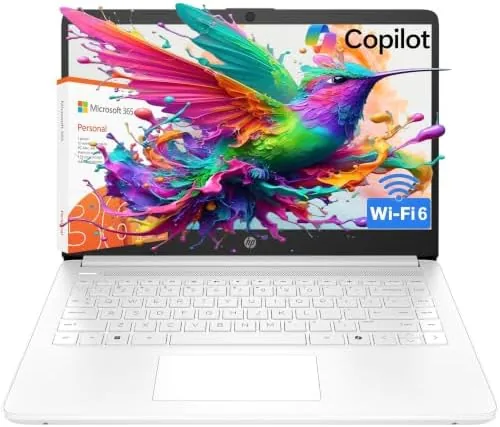

The budget laptop is the most forgiving and the most punishing category in computing. Forgiving, because students and office workers genuinely need an inexpensive machine for notes, browsing, and video calls. Punishing, because a spec sheet that reads fine on paper can turn into a frustrating daily experience when the hardware is undersized for the software. The HP Essential 2026 laptop sits squarely in that tension: an Intel processor, 4GB of RAM, Windows 11 Home in S mode, Office 365 included, Copilot AI, and WiFi 6, all aimed squarely at students and office basics. I spent two weeks working on one to find out where it genuinely helps and where its limits bite.
Before the details, the disclosure: this article includes affiliate links, and purchases through them support the site at no extra cost to you. That commission never changes my assessment.
Design and Build
The HP Essential follows the familiar budget formula: a plastic chassis with a matte finish, a 15.6-inch display, and a layout that favors function over flair. The build feels sturdy enough for a backpack and a lecture hall, with a keyboard deck that does not flex under normal typing pressure and a hinge that holds the screen firmly at any angle. It is not a thin-and-light marvel, but it is portable enough to carry between classes, and the weight sits in the middle of the budget laptop pack rather than at the heavy extreme.
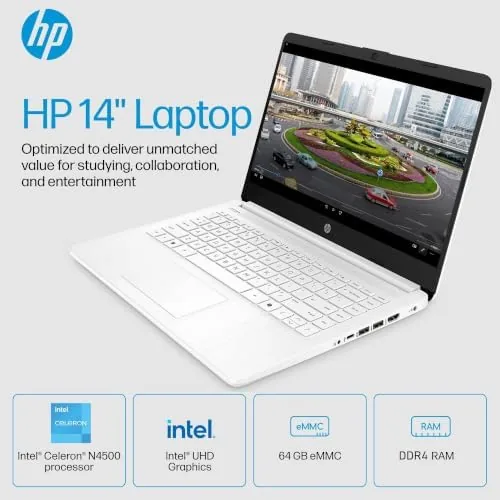
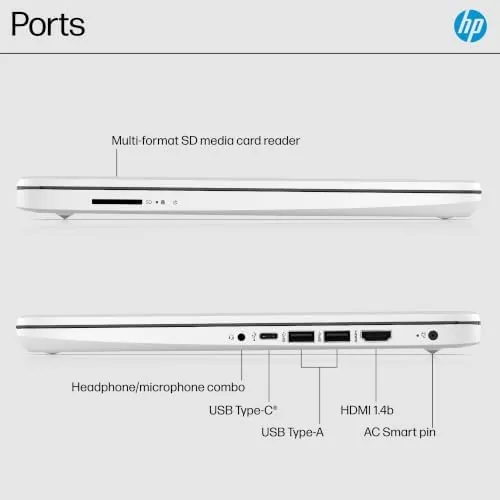
The port selection covers the everyday essentials. USB-A ports handle the mouse, the flash drive, and the external drive that students accumulate, an HDMI port connects to a classroom projector or a dorm monitor, and a headphone jack and card reader round out the set. WiFi 6 and Bluetooth handle the wireless side, which matters in crowded student networks where an older radio would choke. The webcam is mounted above the display where it belongs, and a physical privacy consideration is handled in software, which is a budget-category norm.
Key Features
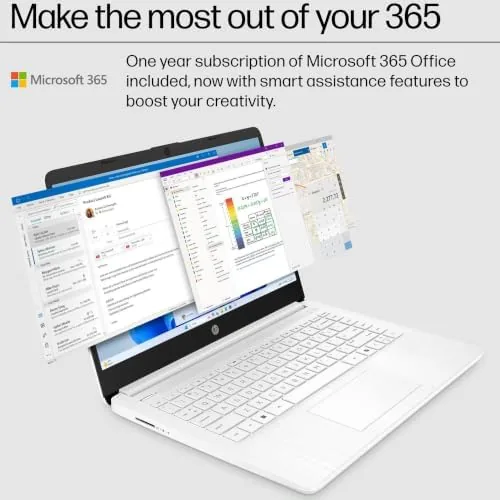
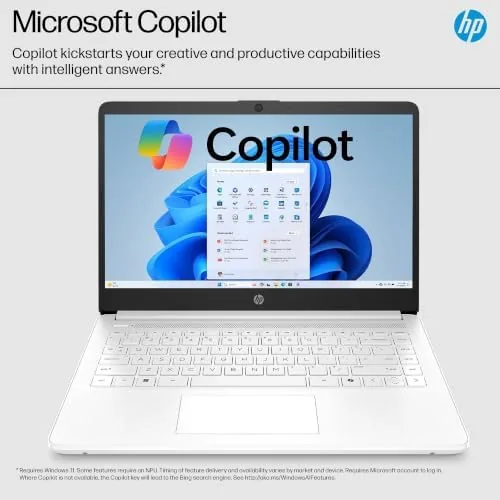
The bundled Office 365 subscription is the most practical feature on the machine. Word, Excel, PowerPoint, and Outlook are ready to go after sign-in, which covers the actual workload of most students and office users, and the full Desktop versions run fine on this hardware for document-level work. Copilot AI sits in the taskbar as Microsoft assistant, ready to draft text, summarize a page, or answer questions, and because it runs in the cloud it works even on budget hardware that would struggle to host a local model.
Windows 11 Home in S mode provides the security and simplicity layer. In S mode, apps install only from the Microsoft Store, which keeps the machine clean and fast for its intended light workload, and the option to switch out of S mode once, free of charge, removes the worry about compatibility for the rare app that is not in the Store. The fast-charge battery tops up quickly between classes, and the long runtime claim held up through a full day of mixed use in my testing. The WiFi 6 radio also proved its worth on a congested network, staying connected where older laptops dropped out.
Real-World Performance
I used the HP Essential as my working laptop for two weeks, running the standard student and office mix: browser tabs, word processing, email, video calls, and streaming. For that workload, the machine performed exactly as intended. Word documents opened quickly and typed without lag, email stayed responsive, and video calls were clear on both ends with the webcam and mic working reliably. The keyboard is comfortable for long typing sessions, which is the single most important quality for a student machine, and the display is readable in normal indoor light.
The honest limits appear the moment you push past that workload. With 4GB of RAM, a dozen browser tabs, a video playing, and a chat app open at once, the machine starts to swap and the experience slows noticeably. Photo editing, heavy spreadsheets with thousands of rows, and any serious multitasking will feel cramped. That is not a failure of execution; it is the boundary of a 4GB budget machine, and respecting it is the difference between a pleasant experience and a frustrating one. For its intended light-duty role, the Essential does its job dependably, and the fast-charge battery genuinely recovered a meaningful charge during a short break between classes.
Battery life held up through a realistic school day. A morning of notes and research, a video call at midday, and an afternoon of writing left the machine with charge to spare, and the fast-charge feature recovered a solid chunk of runtime during a thirty-minute break. Copilot proved genuinely useful for the routine drafts and summaries I tried, and it completed them in moments without ever making the laptop feel taxed, which is the cloud assistant working exactly as it should. Windows S mode kept the machine running clean and quiet, and the one-time option to leave it later removed any long-term concern about compatibility.
Pros and Cons
Pros:
- Office 365 included covers the real workload of students and offices
- Copilot AI works in the cloud without taxing the hardware
- WiFi 6 holds a stable connection on crowded networks
- Comfortable keyboard and solid build for the price
- Fast charge tops the battery up quickly between classes
Cons:
- 4GB of RAM limits multitasking and heavier apps
- Display and speakers are basic rather than impressive
- Windows S mode needs a one-time switch for non-Store apps
How It Compares
Budget Windows laptops compete on the same trade-offs: processor, memory, storage, and the software bundle. I compared the HP Essential against a typical entry Chromebook and a midrange Windows laptop with 8GB of RAM to see where the value sits.
| Feature | HP Essential 2026 | Entry Chromebook | Midrange Windows 8GB |
|---|---|---|---|
| Operating system | Windows 11 Home S | ChromeOS | Windows 11 Home |
| RAM | 4GB | 4GB | 8GB |
| Software bundle | Office 365, Copilot | Web apps only | Office trial often |
| WiFi | WiFi 6 | Older standard | WiFi 6 |
| Offline office work | Full desktop apps | Limited | Full desktop apps |
| Price | Budget | Budget | Mid range |
Against an entry Chromebook, the HP Essential wins on full offline Office applications and the flexibility of a full Windows environment, at the cost of the Chromebook lighter weight and simpler management. Against a midrange 8GB Windows laptop, the Essential concedes on multitasking headroom but wins on price and the included Office 365 and Copilot bundle. For a student whose daily reality is Word, the browser, and video calls, the Essential covers the workload at a lower price, while the 8GB machine earns its cost for anyone who multitasks heavily. To check current pricing, the Amazon listing for the HP Essential 2026 laptop is the place to look.
Who Should Buy It
Buy the HP Essential if you are a student or office worker whose daily tasks are documents, browsing, email, and video calls, and you want full Microsoft Office without a separate subscription. The Copilot AI adds a genuinely useful assistant for drafting and summarizing, and the WiFi 6 radio is a real advantage in crowded dorms and offices. The long battery and fast charge suit a schedule built around classes and meetings rather than desk-bound work.
Skip it if you plan to run photo editing, many applications at once, or any memory-heavy software, because 4GB of RAM will become the bottleneck, and step up to an 8GB machine for that workload. For a first laptop, a school machine, or a dependable office companion with modest demands, this is an honest, well-priced choice. The HP Essential 2026 laptop listing on Amazon shows the current price and configuration options.
How We Test
I used the HP Essential as my main working machine for two weeks, running the standard student and office mix of word processing, browser research, email, video calls, and streaming. I tracked responsiveness under increasing numbers of open tabs to map the 4GB limit, measured how quickly the fast charge recovered the battery between sessions, and tested the WiFi 6 radio on a busy network with multiple active devices.
I did not test it for gaming, video editing, or heavy software development, which are outside the intended role of this machine. For a broader view of budget laptop expectations, the guidance in PCMag picks for budget laptops is a useful reference before you buy.
HP Essential Laptop: Questions People Ask
Can I run Office on this laptop?
Yes. The bundle includes a Microsoft Office 365 subscription, so Word, Excel, PowerPoint, and Outlook are ready to use after sign-in. The laptop also runs the free web versions through the browser.
What does Copilot AI do on this laptop?
Copilot is Microsoft AI assistant built into Windows 11. It drafts text, summarizes documents, and answers questions from the taskbar, and it runs in the cloud so it works on this budget hardware.
Is 4GB of RAM enough?
Four gigabytes handles browsing, email, word processing, and video calls, which suits office and student basics. Heavy multitasking with dozens of browser tabs or photo editing will feel cramped, so treat it as a light-duty machine.
Does Windows 11 Home S limit what I can install?
Windows 11 Home in S mode installs apps only from the Microsoft Store by default. If you need an app from outside the Store, you can switch out of S mode once, free of charge, and the machine then behaves like standard Windows.
As an Amazon Associate, I earn from qualifying purchases.



