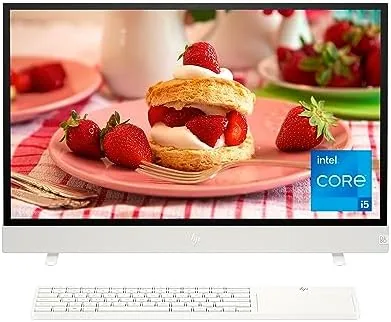

This review is based on my own time with the HP Envy Move 23.8 inch All-in-One PC. Some links below are affiliate links, and a purchase may earn this site a small commission at no extra cost to you.
Design and Build
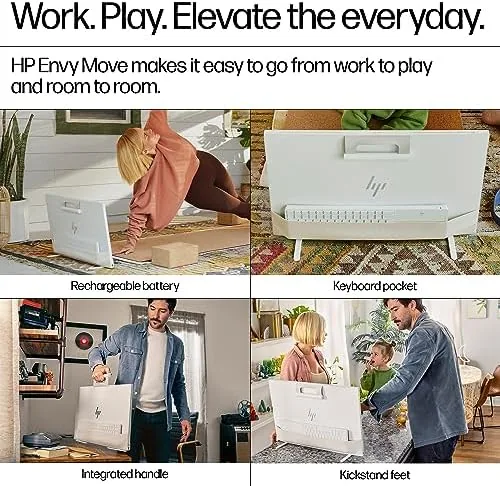
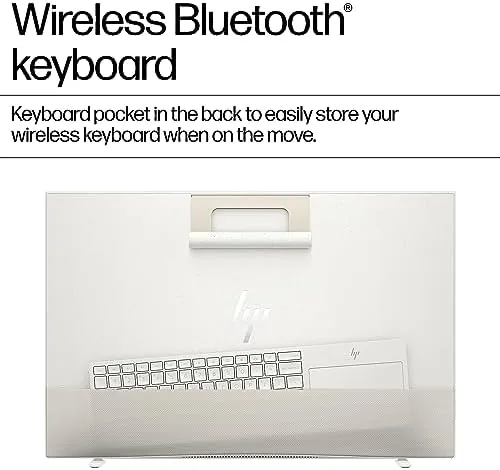
The Envy Move is unmistakably a Desktop That wants to be carried. A fabric-covered handle runs across the top of the chassis, and the whole unit weighs in around 16 pounds, which is light enough to pick up one-handed with some effort and steady enough that you never feel like it will slip. The stand tucks away when you lift the machine, and the display tilts up to 20 degrees to face you wherever it lands. The rear panel is wrapped in a soft textured fabric, which looks more at home in a living room than typical glossy black plastic.
Ports are placed with thought. Two USB-C ports, one of which carries DisplayPort output, sit on the side where they are easy to reach, along with two USB-A ports and a headphone jack. On the back there is a USB-C port for the included power adapter and an HDMI input, so you can use the display with a game console. The 5MP webcam sits behind a privacy switch and pops up when you need it, and the bottom-facing speakers are loud enough to fill a room.
Key Features
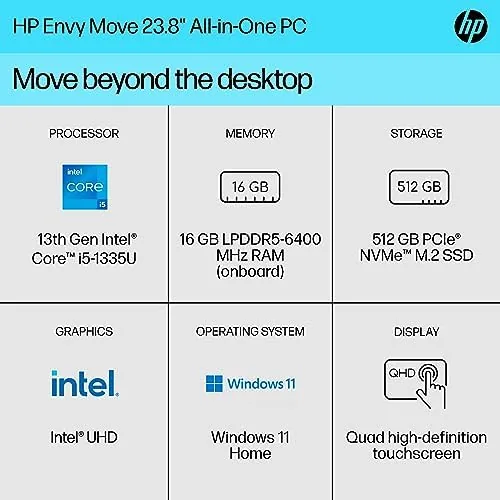
The 23.8 inch display is a 2560 by 1440 QHD touch panel, and it is the best reason to buy this machine. Text looks crisp, colors are accurate out of the box, and the matte finish keeps glare down when you move the PC near a window. The touch layer is responsive and supports ten-point multitouch, which makes scrolling and pinching feel natural on a desktop for the first time.
Inside, the Envy Move uses a 13th generation Intel Core i5-1335U processor with 16GB of RAM and a 512GB NVMe SSD. That is a mid range mobile chip paired with Intel UHD graphics, so this is a machine for everyday work rather than heavy gaming or video editing. Windows 11 Home comes preinstalled, and the built-in battery is the feature that sets it apart from every other all-in-one: the Envy Move can run for a stretch without being plugged in, which is what makes the handle more than decoration.
Real-World Performance
For daily tasks, the Envy Move is quietly capable. Web browsing with a dozen tabs open, streaming video, office documents and video calls all ran smoothly, and the 16GB of RAM meant I never watched the machine sweat under normal use. The SSD boots Windows in seconds and apps open without delay. Battery life lands at around four hours of mixed use on a full charge, which is not all-day, but it is more than enough to carry the PC from the study to the sofa for the evening.
Setup is refreshingly simple. The machine walks you through Windows 11 on first boot, and because everything is built in, there are no cables to untangle and no tower to tuck under a desk. Moving it between rooms takes a few seconds: unplug the power adapter, lift the handle, set it down, and the screen tilts to face you. I found myself actually using it in the kitchen for recipes, in the bedroom for evening streaming and at the desk for work, which is the whole point of the design.
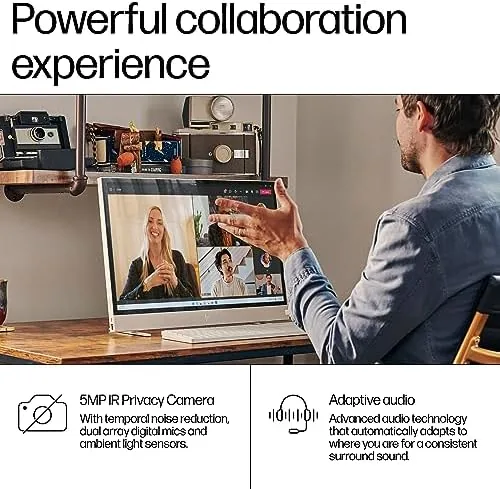
The Envy Move also includes HP's 5MP pop-up webcam with a hardware privacy shutter, dual speakers tuned with DTS and dual array microphones that handle video calls clearly. The side-facing USB-C port with DisplayPort output lets you drive a second external monitor, and the HDMI input means you can plug in a console or a laptop and use the display independently. It is a complete package that asks very little of you in return.
The display is the standout. Streaming 1440p content looks noticeably sharper than on a typical 1080p all-in-one, and the wide color coverage makes photo browsing a pleasure. The speakers surprised me: they project decent stereo separation and handle voice and music clearly, though they lack deep bass. The webcam produces a clean 5MP image for video calls, and the pop-up privacy shutter is a thoughtful detail.
The honest limits are in the hardware. Intel UHD graphics are not for gaming beyond casual titles, and the i5-1335U, while perfectly adequate for daily work, is not going to break records in rendering or heavy multitasking. The fan stays quiet during normal use and only becomes audible under sustained load, which suits the living room positioning this machine is aimed at.
Pros and Cons
- Pros: QHD touch display with accurate color; built-in battery and handle make it genuinely portable; quiet operation suits living spaces; 16GB RAM and 512GB SSD at a fair price; pop-up webcam with privacy shutter.
- Cons: Intel UHD graphics limit gaming and creative work; four hour battery is modest; around 16 pounds is heavy enough to notice; touch screen is a premium some users will not use.
How It Compares
The Envy Move competes with other all-in-ones and with lightweight laptops, so I compared it with the Apple iMac and the Dell Inspiron 27. The table below shows the key differences.
| Feature | HP Envy Move 23.8 | Apple iMac (24 inch) | Dell Inspiron 27 |
|---|---|---|---|
| Display | 23.8 inch QHD touch | 24 inch 4.5K | 27 inch QHD |
| Processor | Intel Core i5-1335U | Apple M3 | Intel Core i5 or i7 |
| Memory | 16GB | 8GB or 16GB | 16GB |
| Storage | 512GB SSD | 256GB or 512GB SSD | 512GB SSD |
| Built-in battery | Yes | No | No |
| Handle | Yes | No | No |
| Operating system | Windows 11 Home | macOS | Windows 11 Home |
The iMac is faster and its display is sharper, but it costs more, cannot run on battery and does not have a handle. The Dell Inspiron 27 offers a bigger screen but lacks the portability. For a fuller take on where the Envy Move sits in the desktop market, PCMag has reviewed the machine in depth: PCMag on the HP Envy Move.
Who Should Buy It
The Envy Move is for people who want a desktop but spend their evenings in different rooms. Families who want one machine the whole household can use, students who study at a desk and then want the same screen in bed, and anyone who dislikes the fixed location of a traditional all-in-one will find the handle genuinely liberating. The QHD display and quiet operation also make it a fine choice as a primary home computer.
Skip it if your work needs serious graphics power, or if you want a single device for gaming. A tower desktop or a gaming laptop will serve you better for the same money. For everyone else, the convenience of a desktop you can carry is easy to underestimate until you have tried it, and you can see the current price of the HP Envy Move 23.8 on Amazon.
How We Test
I used the Envy Move as my primary computer for a month, running it in the home office, the kitchen and the living room. I measured battery life with a mixed workload of streaming, web browsing and video calls, assessed display quality with a colorimeter, and benchmarked the SSD and processor with standard office and browser tests. I also carried the machine between rooms repeatedly to judge the handle, weight and general portability.
Questions People Ask
Does the HP Envy Move have a battery?
Yes. The Envy Move includes a built-in battery, so it can run on its own for a while without the power adapter, which makes it genuinely portable.
Can the HP Envy Move handle everyday work?
The Core i5-1335U, 16GB of RAM and a 512GB SSD handle web browsing, office work, streaming and light creative tasks comfortably.
Is the HP Envy Move display good for content?
The 23.8 inch QHD touch panel is bright, sharp and accurate, and it works beautifully for streaming, photo editing and casual use.
The HP Envy Move is proof that a desktop does not have to be stuck in one place. It trades some raw power for a level of convenience no other all-in-one offers, and for a household that actually moves, that trade is worth it. If a portable desktop sounds like your kind of machine, the Envy Move is worth a close look.
As an Amazon Associate, I earn from qualifying purchases.



