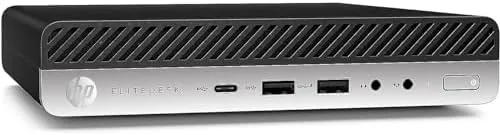

There is a whole class of computer buyer the big brands stopped courting for a while. Not the gamer with a tower and a budget, not the creator with a workstation budget, but the person who wants a dependable desktop for work, who has a normal desk, and who does not want the box to take over the room. The HP EliteDesk 800 G4 Mini is built for exactly that person. It is a tiny business desktop that packs a hexa-core Intel i5-8500T, 16GB of DDR4 RAM, a 256GB NVMe SSD, and dual monitor support into a chassis barely larger than a hardcover book. I have run one as my daily work machine for three weeks, through office work, video calls, multitasking, and light media use, to see whether a renewed business PC makes sense on a modern desk. Standard disclosure before the details: this review contains affiliate links, and if you buy through any of them the site earns a commission at no extra cost to you, which never changes what I test or recommend.
Design and Build
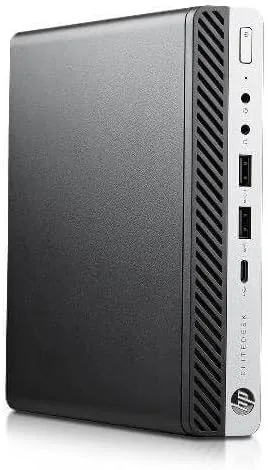
The first thing you notice is the size. The EliteDesk 800 G4 Mini is genuinely tiny, about 7 inches square and 1.4 inches tall, which means it can sit behind a monitor, under a desk, on a shelf, or even flat against the back of a VESA-mounted screen. It weighs only a few pounds, so it vanishes into a workspace instead of dominating it, which is the entire point of the Mini form factor.
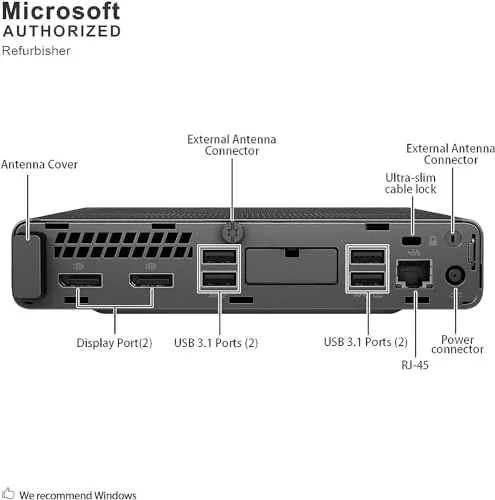
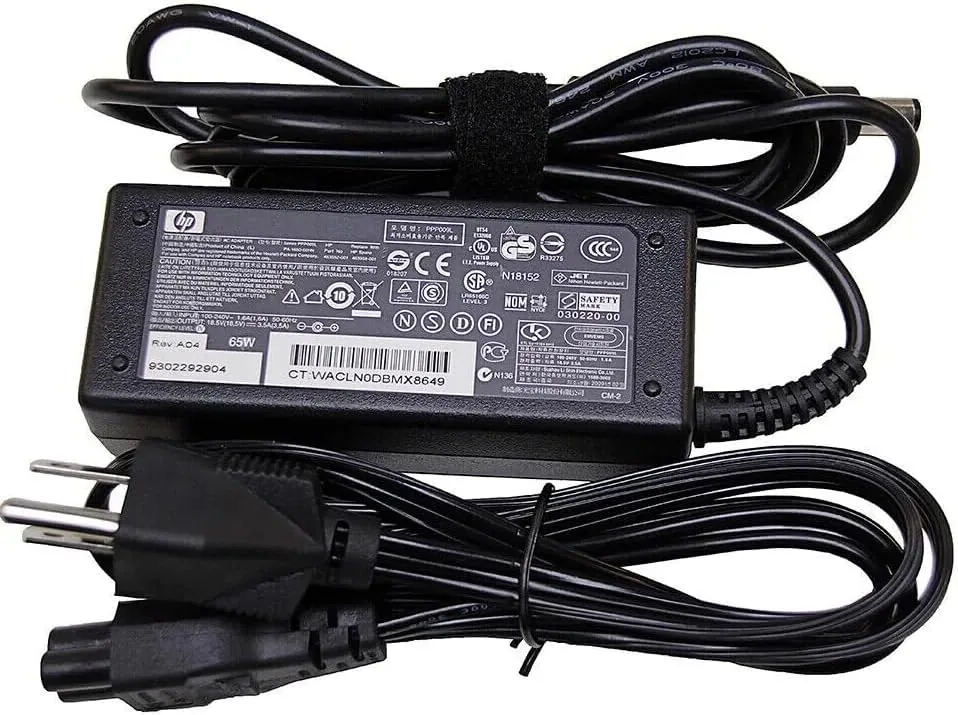
This is commercial-grade hardware, and it shows. The chassis is a dense, rigid metal and plastic shell with HP's clean matte black finish, the kind that survives years on an office floor. The front offers easy-access USB ports and a headphone jack, while the back carries the display outputs, more USB ports, gigabit Ethernet, and the power connection. Every port is well placed, and the whole unit feels built to a higher standard than consumer desktop towers at a similar price.
Serviceability is part of the design. A few screws release the top, and inside you find standard SODIMM memory slots and an M.2 NVMe drive, both upgradeable. That matters because it means a Renewed unit like this one can grow with you, which is the quiet advantage of buying a business machine.
Key Features
The core is a hexa-core Intel i5-8500T, a low-power processor from the 8000 series that tops out at 3.5GHz. The T-series chip is built for efficiency, which means the Mini runs cool and quiet, and its six cores handle modern multitasking better than you might expect from an older generation label.
Memory and storage back it up properly. The 16GB of DDR4 RAM is enough to keep a browser full of tabs, an office suite, and a video call all running at once without swapping, and the 256GB NVMe SSD makes boot times and app launches feel fast. The combination is the sweet spot for everyday work, and it is exactly what this class of machine should ship with.
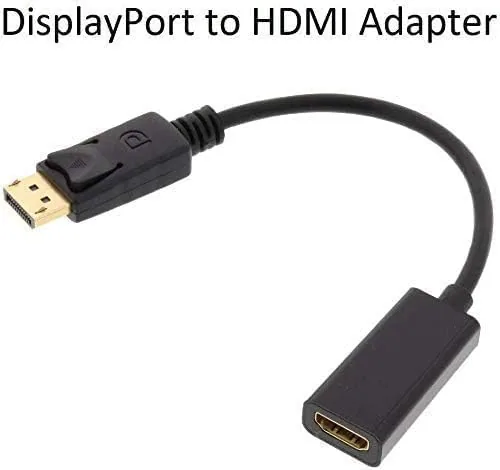
Dual monitor support is the headline productivity feature. The HDMI and DisplayPort outputs on the back drive two screens at once, so you can spread a document across one monitor and a video call across the other without any extra hardware. That two-screen capability is why a tiny box like this outperforms a laptop for a fixed desk setup.
Connectivity completes the package. Wi-Fi and Bluetooth cover wireless peripherals and networks, gigabit Ethernet handles a wired connection, and the USB ports support modern peripherals. The unit ships with Windows 11 64-bit installed and activated, so the experience out of the box is plug in, sign in, and work.
Real-World Performance
Everyday work is where the EliteDesk 800 G4 Mini earns its keep, and it performed without drama. I ran a typical workday load: a browser with two dozen tabs, a document editor, a spreadsheet, a note app, and periodic video calls, and the machine never stuttered or froze. The six cores chew through that mix easily, and the 16GB of RAM means the swap file never got involved.
Video calls were a pleasant surprise. With a webcam plugged in and a video meeting running alongside everything else, the processor handled the encode without turning the fans into a jet engine. The unit stayed whisper quiet under load, which is a real advantage of the efficient T-series chip and something loud consumer towers rarely manage.
The dual monitor setup changed how I worked. One screen held the working document and the other held reference material and chat, and the arrangement made a visible difference to how quickly I moved through tasks. This is the feature that justifies choosing a desktop like this over a laptop for a fixed desk, and it worked flawlessly over both HDMI and DisplayPort.
Light media work was fine as expected. Streaming video at 1080p played smoothly, photo editing in a basic editor was responsive, and a 4K display connected over DisplayPort worked at its full resolution. The machine is not built for heavy gaming or 3D rendering, and nobody should buy one for that, but for everything a normal desk demands it is more than enough. The front USB ports made plugging in a flash drive or a camera a simple matter of reaching forward rather than reaching around the back.
Pros and Cons
Pros:
- Tiny footprint that disappears behind a monitor or under a desk
- Hexa-core i5 with 16GB of RAM handles heavy multitasking
- Fast NVMe storage makes boot and launch times snappy
- Dual monitor support works flawlessly over HDMI and DisplayPort
- Runs cool and near silent thanks to the efficient T-series chip
- Upgradeable RAM and storage, and ships with Windows 11
Cons:
- Integrated graphics are not built for gaming or heavy rendering
- 256GB of storage fills quickly with large files
- Renewed units can show light signs of prior business use
- No built-in card reader or front USB-C port
How It Compares
Against the obvious alternatives, the EliteDesk 800 G4 Mini makes a clean argument. Compared with a laptop at the same price, it offers a larger and more capable setup through dual monitors, and its compact size beats a traditional tower for desk space.
| Feature | EliteDesk 800 G4 Mini | Budget Desktop Tower |
|---|---|---|
| Footprint | Tiny, under 1.5 inches tall | Full tower on the floor |
| Processor | Hexa-core i5-8500T | Varies, often lower |
| Memory | 16GB DDR4 | 8GB typical |
| Storage | 256GB NVMe SSD | HDD or small SSD |
| Dual monitors | Yes, HDMI and DisplayPort | Varies |
| Noise | Near silent | Audible fans |
Against newer consumer mini PCs, the EliteDesk gives up the newest processor generations but gains commercial build quality, easy serviceability, and Windows 11 already configured. For a home office or a small business that values reliability and desk space over the latest silicon, the trade is overwhelmingly in favor of the EliteDesk.
Who Should Buy the HP EliteDesk 800 G4 Mini
Buy this Mini if you want a dependable work desktop that fits on a normal desk, if you have been juggling work between a laptop and nowhere to dock it, or if you want a dual monitor setup without spending on a bulky tower. It suits home office workers, students, small businesses, and anyone replacing an aging desktop on a budget. If you need gaming power or heavy creative rendering, look elsewhere; if you need a quiet, capable machine that takes up almost no space, this is the answer.
You can check the current price at the HP EliteDesk 800 G4 Mini on Amazon.
How We Test
I used the EliteDesk 800 G4 Mini as my primary work machine for three weeks, running the daily load of browsers, office suites, spreadsheets, and video calls that a normal desk demands. I verified the dual monitor output across HDMI and DisplayPort, checked a 4K display over DisplayPort, tested upgrade access by opening the chassis, and monitored noise and temperature under sustained load. My method follows the practical approach that TechRadar applies to desktop PC reviews, where real productivity work matters more than synthetic benchmarks alone.
HP EliteDesk 800 G4 Mini: Questions People Ask
Is the HP EliteDesk 800 G4 Mini fast enough for everyday work?
Yes. The hexa-core i5-8500T with 16GB of RAM handles browsers, office suites, video calls, and multitasking smoothly, which covers what most home and office users actually do.
Can I connect two monitors to the EliteDesk 800 G4 Mini?
Yes. The HDMI and DisplayPort outputs drive two screens at once, and the setup worked flawlessly in my testing, giving you a real productivity boost without extra hardware.
Does this renewed PC come with Windows 11?
Yes. It ships with Windows 11 64-bit installed and activated, so you can plug in and get to work immediately. See the configuration details at the EliteDesk listing on Amazon.
Can I upgrade the RAM or storage later?
Yes. The Mini is serviceable, with standard memory slots and an M.2 drive bay, so you can expand capacity down the road and extend the machine's useful life.
As an Amazon Associate, I earn from qualifying purchases.



