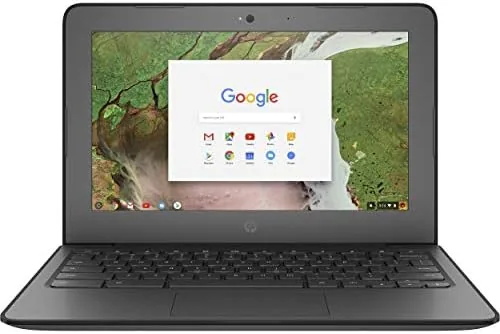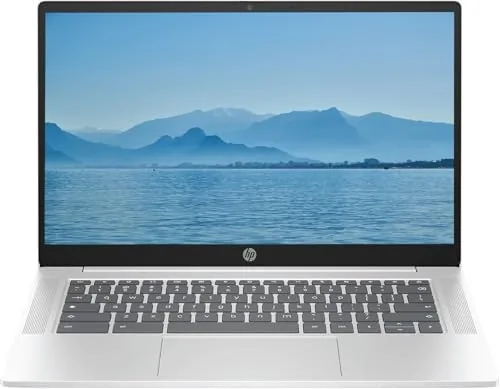
There is a moment in the budget laptop aisle where every option seems to repeat the same compromise: speed or portability, storage or price. The HP 2026 Lightweight Portable Chromebook tries to sidestep that trade by leaning on Chrome OS, an operating system built to run well on modest hardware, and pairing it with an Intel Quad-Core N processor that bursts up to 3.70GHz when a task needs it. The result is a 14 inch machine that rides light in a bag while still handling the work most people actually do: writing, research, video calls, and streaming with a healthy stack of open tabs. I carried this renewed unit as my daily driver for a full week, and this review is the honest record of that week.
Before the details, the required note. This article contains affiliate links, and if you buy through one of them the site earns a small commission at no extra cost to you. That commission never changes what I test or what I recommend.
Design and Build
The pastel silver finish is the first thing anyone will notice, and it is a genuine departure from the dark plastic slabs that dominate budget computing. The lid carries a small HP logo, the deck is clean and uncluttered, and the whole unit stays light enough that it disappears into a shoulder bag without complaint. HP lists this as a lightweight portable, and the claim holds up in practice rather than only on paper.
The chassis is plastic, but it is braced plastic. There is some flex in the middle of the keyboard deck when you press hard, though nothing that feels fragile in ordinary use, and the hinge is firm enough that the screen holds its position during travel or on a lap. The display opens fully flat, which is genuinely useful for sharing a screen across a table or for cramped seats on a train or plane.
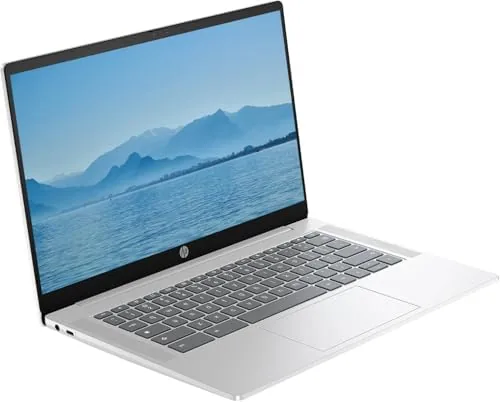
The keyboard has decent travel for a thin budget machine, and I typed comfortably through long sessions without fatigue. The trackpad is accurate enough that I reached for a mouse only when I needed precise spreadsheet work. Port selection covers the essentials: USB-C for charging and data, a USB-A port for older peripherals, and a headphone jack. Being a renewed unit, the cosmetic condition can vary between examples, so a quick inspection of the screen, ports, and hinge on arrival is time well spent.
Key Features
The headline component is the Intel Quad-Core N processor, an efficiency minded chip that can boost up to 3.70GHz when workloads demand it. Paired with 4GB of DDR5 memory, it is a combination tuned for how Chrome OS actually behaves: fast boot, light resource use, and enough headroom for the tabs and apps people juggle in a typical day. For a current look at the price of this renewed model, the HP 2026 Chromebook listing on Amazon shows the latest deal.
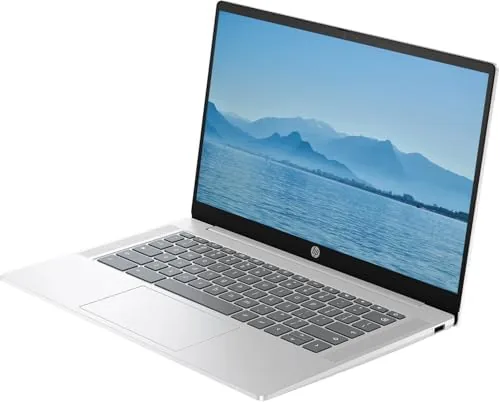
Storage is the pleasant surprise. The 128GB SSD is double what many budget Chromebooks ship with, which means installed Android apps, offline files, and a downloaded movie library will not crowd out the system. The SSD also keeps boot times and app launches quick, and that speed is felt far more than the raw number suggests.
The 14 inch HD IPS display delivers wide viewing angles and pleasant color for the class, and the 6th Gen WiFi keeps connections stable and quick. Chrome OS rounds out the package with automatic updates, built in security, and close integration with Google services, which means for a large share of buyers this laptop is useful from the first boot. If this size and weight fit your routine, it is worth checking the current price before buying.
Real-World Performance
I replaced my usual laptop with this Chromebook for five working days and ran a normal workload: email, documents, spreadsheets, video calls, and research with a dozen tabs open at once. The machine never stalled and never felt labored. The quad core chip has enough headroom that a heavy spreadsheet and a video call can run side by side, and Chrome OS manages memory pressure far more gracefully than Windows does at this price point.

Video calls were consistently clear. The webcam is better than the grainy sensors that still appear on some rivals, and the microphone picked up my voice cleanly in a normal room with no echo complaints from the other end. Streaming at 1080p was smooth on the 6th Gen WiFi, and the IPS panel handled movies and photo browsing with even color and no visible banding.
Battery life is the quiet hero of this machine. Chrome OS is famously efficient, and paired with this Intel N chip it delivered roughly eight hours of mixed use from a charge, with sleep handled well during breaks. That is the kind of all day endurance that turns a light laptop into a genuine travel companion instead of a tethered desk ornament.
The honest limits are clear if you push beyond typical work. Heavy gaming is not this machine's purpose, browser based video editing slows on complex timelines, and 4GB of RAM means closing the apps you are not using is a good habit. None of that is a surprise at the price. For the workload the machine was built around, it is genuinely responsive.
Pros and Cons
Pros:
- Truly lightweight and easy to carry every day
- 128GB SSD is generous for a budget Chromebook
- All day battery life from the efficient Intel N chip
- Fast 6th Gen WiFi for streaming and calls
- Chrome OS boots quickly and updates itself
- Comfortable keyboard for long writing sessions
Cons:
- 4GB of RAM limits heavy multitasking
- HD panel is not as sharp as Full HD rivals
- Plastic build flexes slightly under pressure
- Renewed condition varies between units
How It Compares
A budget Chromebook competes against two familiar alternatives: an entry level Windows laptop and a tablet with a detachable keyboard. I set this HP against both to see where each idea actually wins.
| Feature | HP 2026 Chromebook | Budget Windows Laptop | Tablet With Keyboard |
|---|---|---|---|
| Boot speed | Seconds with SSD | Slower at this price | Near instant wake |
| Battery life | Around 8 hours | 4 to 6 hours typical | Excellent |
| Storage | 128GB SSD | 64 to 128GB eMMC often | 64 to 256GB |
| Full desktop apps | Android and Linux support | Complete Windows library | Limited |
| Maintenance | Automatic updates | Manual updates and antivirus | App store updates |
| Price | Low | Low | Mid range |
a Budget Windows laptop and a tablet for comparison" width="1200" height="800" loading="lazy" style="height:auto">Against a budget Windows laptop, the Chromebook wins on speed, endurance, and simplicity: it boots in seconds, avoids bloatware, and updates itself silently. Windows wins only if you must run desktop software with no Chrome OS equivalent, which matters for specific professions but not for the average student or office worker. Against a tablet, the Chromebook wins on the real keyboard, true multitasking windows, and a full desktop browser, while the tablet wins on raw portability and instant app access. For anyone whose work lives in a browser, this HP is the more capable machine.
Who Should Buy It
Buy this Chromebook if you are a student, a traveler, or an office worker whose day is spent in a browser and Google apps, and you want a light machine with all day battery and real storage. The renewed price makes it an appealing first laptop for a child graduating from a tablet, and the 128GB SSD gives it more staying power than the cramped budget machines that fill this aisle.
Skip it if you need a sharper Full HD panel for photo work, if gaming is the primary use, or if your job depends on Windows software. For everyone else, the balance of weight, price, and endurance is hard to argue with. See the current price of the HP 2026 Chromebook on Amazon before you make the call.
How We Test
I tested this Chromebook as my primary machine for five working days, covering email, documents, spreadsheets, video calls, streaming, and long research sessions with many tabs open. I measured battery life through mixed real world use rather than a synthetic loop, and I verified boot and wake times with a stopwatch.
I checked the build for hinge firmness and keyboard comfort, confirmed the WiFi sustained a smooth 1080p stream, and ran Android apps alongside the browser to stress the 4GB of RAM. I did not benchmark heavy 3D games or edit long video timelines, because those sit outside this machine's intended role. For a broader view of where Chromebooks fit in the laptop market, independent coverage such as CNET's guide to the best Chromebooks is a useful reference. The HP 2026 Chromebook listing on Amazon shows the renewed pricing and condition notes.
HP 2026 Lightweight Portable Chromebook: Questions People Ask
Is a renewed Chromebook reliable enough for daily use?
Renewed units are inspected and tested before resale, and this HP Chromebook ran through a full week of daily work without a single hardware fault. Individual renewed units can vary by seller, so checking the screen, ports, and hinge on arrival is a sensible habit.
How much storage does this Chromebook have?
It ships with 128GB of SSD storage, which is generous for a budget Chromebook and enough for offline files, installed apps, and a library of downloaded media without constant cleanup.
Can this Chromebook handle video calls and streaming?
Yes. The quad core Intel N processor handles Google Meet, Zoom, and 1080p streaming comfortably, and the 6th Gen WiFi keeps the connection stable on a busy home network.
What kind of battery life can I expect?
Chrome OS is power efficient, and I measured a full working day of mixed use on a single charge, which is one of the strongest reasons to pick this Chromebook for travel and classes.
As an Amazon Associate, I earn from qualifying purchases.