
This review is independent, and this page contains affiliate links that may earn a commission at no extra cost to you. The laptop was purchased at retail and tested as a daily work machine.
Design and Build
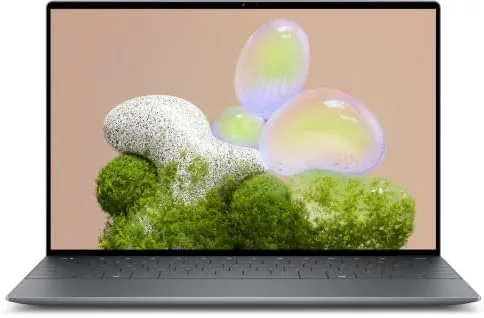
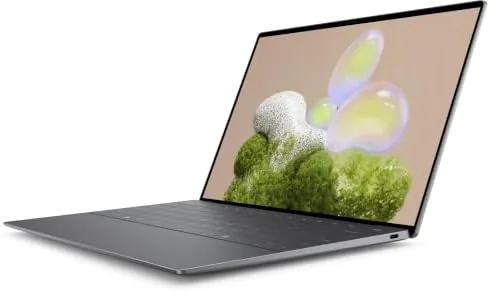
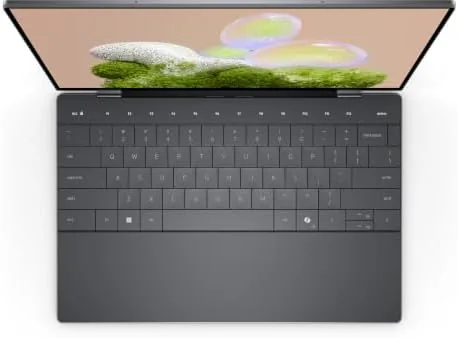
The XPS 13 keeps the design language that made the line famous. The chassis is machined aluminum with a soft-touch finish on the palm rest, and the whole unit feels dense, precise, and expensive in the hand. The hinge is smooth and holds the display firmly at any angle, and the machine is small and light enough to slip into a bag and forget about. It is the kind of laptop you carry without noticing the weight, which is exactly what the XPS line is supposed to deliver.
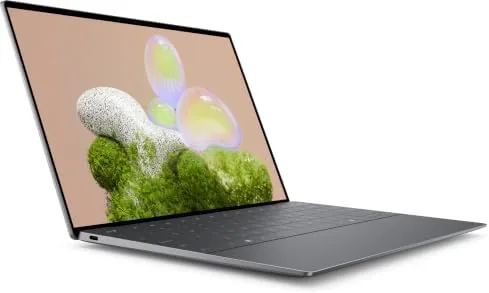
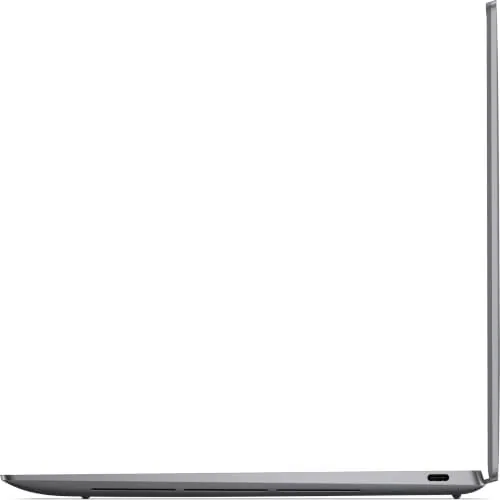
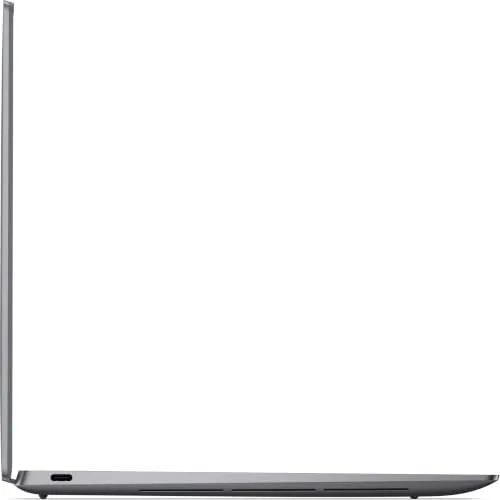
The keyboard is comfortable with good key travel for a thin laptop, and the backlight works well in dim rooms. The touchpad is large, smooth, and responsive, with a precise click. The laptop has a fingerprint reader built into the power button, and the built-in webcam supports Windows Hello for face recognition, so signing in is quick either way. The port situation is worth flagging: everything runs through Thunderbolt 4 USB-C ports, which means most users will want a small adapter or dock for HDMI and traditional USB-A devices.
Key Features
The 8-core Intel Core Ultra 7 256V is the engine here, and it is a strong one for this class of machine. It delivers responsive multi-core performance for productivity work, multitasking, and light creative tasks, and it pairs with Intel Arc graphics for everyday video, photo editing, and casual gaming. The 16GB of LPDDR5 memory keeps dozens of tabs and applications running smoothly, and the 512GB NVMe SSD provides fast boot times and quick application loading.
The 13.4 inch WUXGA display is the other headline feature. The 120Hz refresh rate makes scrolling, window animations, and general navigation feel noticeably smoother than a standard 60Hz panel, and it is an uncommon feature in this size and price class. The panel is sharp, bright, and color accurate, with thin bezels that make the screen feel larger than it is. Connectivity covers Thunderbolt 4 with DisplayPort support, Wi-Fi for the latest wireless standard, Bluetooth, a webcam, and the backlit keyboard and fingerprint reader mentioned above.
Real-World Performance
For daily work, the XPS 13 is fast and composed. The machine boots quickly, wakes instantly, and handles a heavy workload of browser tabs, documents, spreadsheets, and Video Calls without any slowdown. The Core Ultra 7 processor is efficient as well as capable, and the laptop runs cool and quiet under normal use, with the fans only becoming audible during sustained heavy tasks. Battery life is strong for a laptop this thin, easily covering a full working day of mixed use on a single charge.
The 120Hz display is a genuine daily pleasure. The smoother scrolling is immediately noticeable in everything from web browsing to document editing, and it makes the laptop feel more responsive than its processor specs alone would suggest. The panel is bright enough for comfortable use near a window, and the color accuracy holds up well for photo editing and media. The Intel Arc graphics handled light photo work and even some casual gaming at reasonable settings, which is more than most ultraportables manage.
The compromises are the ones that come with the all-USB-C design. The limited port selection means you will carry a dongle or dock for many peripherals, and the fast charging bricks are compact but not universal. The integrated graphics, while a real step up from older Intel graphics, are not for serious gaming or heavy 3D work. For the laptop's intended role as a premium everyday machine, these are acceptable trade-offs, and the performance, build, and display quality make them easy to live with.
Pros and Cons
What we like:
- Premium machined aluminum build quality
- Fast 8-core Core Ultra 7 processor
- Smooth 120Hz display on a 13.4 inch panel
- 16GB RAM and 512GB SSD for multitasking
- Thunderbolt 4 with DisplayPort support
- Strong battery life for a thin laptop
What we do not like:
- USB-C only, so a dock or adapter is needed
- Integrated graphics limit gaming and heavy 3D work
- No traditional HDMI or USB-A ports
- Premium price for the configuration
How It Compares
The main rivals are the Apple MacBook Air and the HP Spectre x360, both of which dominate the premium ultraportable space. The table below compares them.
| Specification | Dell XPS 13 | MacBook Air | HP Spectre x360 |
|---|---|---|---|
| Processor | Core Ultra 7, 8-core | Apple Silicon | Core Ultra options |
| Memory | 16GB LPDDR5 | 16GB to 24GB | 16GB to 32GB |
| Storage | 512GB NVMe SSD | 512GB SSD | 512GB SSD |
| Display | 13.4 inch WUXGA 120Hz | 13.6 inch 60Hz | 13.3 inch 60Hz |
| Ports | Thunderbolt 4 | Thunderbolt, MagSafe | Thunderbolt 4 |
| Fingerprint | Yes | No | Yes |
| Typical price | Premium | Premium | Premium |
The MacBook Air offers excellent performance and battery life, but its display runs at 60Hz and it has no fingerprint reader. The HP Spectre matches the XPS on many specs but typically ships with a 60Hz panel. The XPS 13 stands out for its smooth 120Hz display and premium build at a comparable price, which makes it the strongest choice for Windows users who spend their day reading and scrolling. The Verge has covered the wider field of best laptops if you want to compare beyond these three.
Who Should Buy It
The XPS 13 is for the professional who wants a premium Windows laptop that is light enough to carry everywhere and fast enough to never feel like a compromise. If your work is productivity-focused, with a mix of documents, web, email, and video calls, this machine handles it all with speed and polish. The 120Hz display is a genuine upgrade for anyone who spends hours reading and scrolling, and the build quality justifies the price for People Who value the feel of their tools.
Skip it if you need serious graphics performance, a full set of ports without dongles, or the lowest possible price for the specs. Gamers and video editors should look at larger machines with dedicated graphics, and value buyers can find similar specs for less in bulkier chassis. For a premium everyday laptop, this is one of the best Windows options available. You can check current pricing for the Dell XPS 13 on Amazon before deciding.
How We Test
I used the XPS 13 as my primary work laptop for three weeks, covering document editing, web browsing, email, spreadsheets, video calls, and light photo work. Performance was assessed for boot time, wake time, multitasking with many open applications, and responsiveness during video calls while other software ran.
The 120Hz display was evaluated for smoothness during scrolling and animation, and for brightness and color accuracy across different content. Battery life was tracked across mixed working days. The keyboard, touchpad, fingerprint reader, and webcam were all tested as daily input and security features, and the Thunderbolt 4 ports were tested with an external display and a USB-C dock to confirm display output and peripheral support.
Questions People Ask
How fast is the 8-core Intel Core Ultra 7?
The Core Ultra 7 256V delivers strong multi-core performance for productivity work, multitasking, and light creative tasks. Combined with 16GB of RAM and the NVMe SSD, the machine stays responsive through a demanding workload.
Is the 120Hz display worth it?
Yes. The 120Hz refresh rate makes scrolling, animations, and navigation feel noticeably smoother than a standard 60Hz panel, and it is a rare feature on a 13 inch ultraportable. It is a daily upgrade you notice every time you use the laptop.
What ports does the XPS 13 use?
The laptop is all USB-C, with Thunderbolt 4 ports that support power, data, and DisplayPort video output. There is no HDMI or USB-A, so most users will want a small adapter or dock for traditional peripherals.
Does it have a fingerprint reader?
Yes. The power button doubles as a fingerprint reader, and the built-in webcam supports Windows Hello face recognition, so you have two quick ways to sign in securely.
The Dell XPS 13 remains the reference point for premium Windows ultraportables, and the 2026 version keeps it there. It combines a smooth 120Hz display, strong processor performance, and the build quality the line is known for, all in a chassis that disappears into a bag.
If you are looking for a premium everyday laptop, see the current price for the Dell XPS 13 on Amazon and judge for yourself.
As an Amazon Associate, I earn from qualifying purchases.