
Not every home runs a simple furnace and air conditioner. If you have a heat pump, or a system with more than a single stage, a lot of smart thermostats quietly refuse to work with your wiring, and you discover that only after the box arrives. The Honeywell Home X2S Smart Wi-Fi Thermostat is built to sidestep that frustration by supporting both conventional systems and heat pumps in a single white unit. I installed the X2S in a real home to test the compatibility claims, the app control, the scheduling, and whether the smart features translate into everyday comfort.
Before the details, the disclosure. This article contains affiliate links, and if you buy through one of them the site earns a small commission at no extra cost to you. That commission never influences what I test or what I recommend, and the thermostat reviewed here was installed and used the way an owner would use it.
The X2S is a straightforward white thermostat with a clear display, Wi-Fi connectivity, and app control through the Honeywell Home app. This review covers the design, installation, system compatibility, scheduling and app features, and how it performs in daily use.
Design and Build
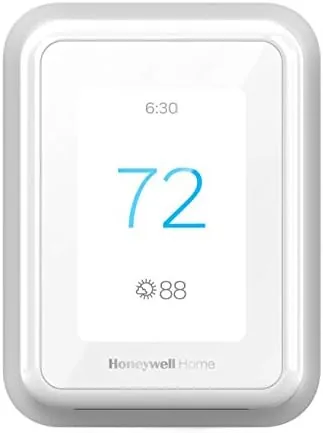
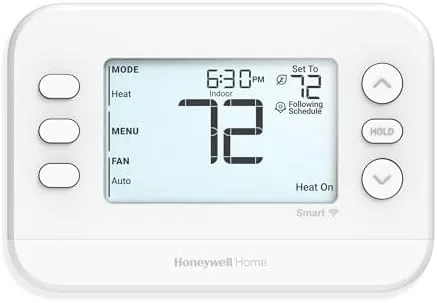
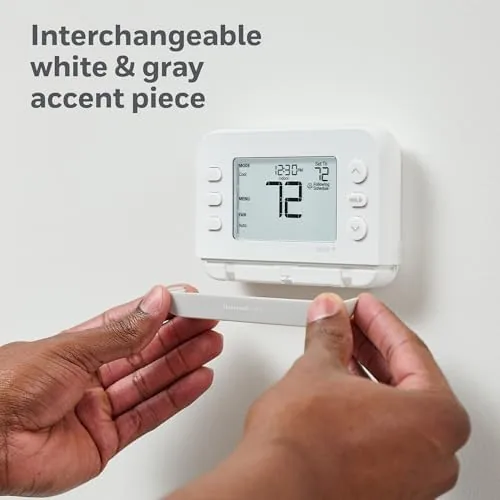
The X2S has the classic Honeywell look: a clean white body, a crisp display, and a small set of buttons for on-device control. The display is easy to read across a room, showing the current temperature, the target, and the system mode without clutter. The build quality is what you expect from Honeywell, which has been making thermostats for decades: solid, predictable, and durable enough to live on a wall for years.
In the hand the unit feels reassuringly substantial, and the mounting plate and trim cover go on cleanly. The face of the thermostat is a single piece that snaps off to reveal the wiring terminals, and the layout is well labeled for a first-time installer. This is not a showpiece design like a mirror-finish Nest, but it is the kind of neutral white thermostat that belongs in any home, and it disappears visually into a hallway wall.
Key Features
The headline feature is system compatibility. The X2S supports both conventional heating and cooling systems and heat pumps, which matters because heat pumps and multi-stage systems need wiring that many budget smart thermostats cannot handle. The setup menu walks you through configuring the correct system type, so the same unit can serve a gas furnace home or a home running on a heat pump.
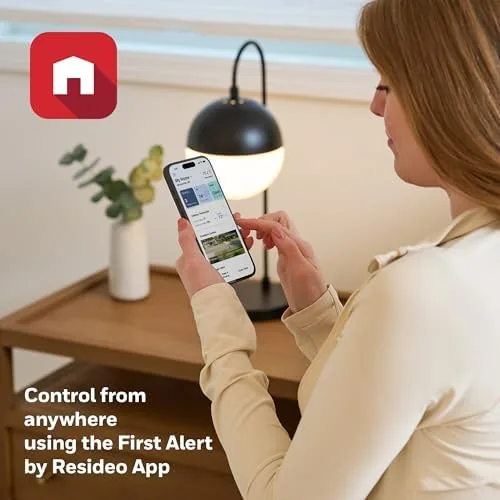
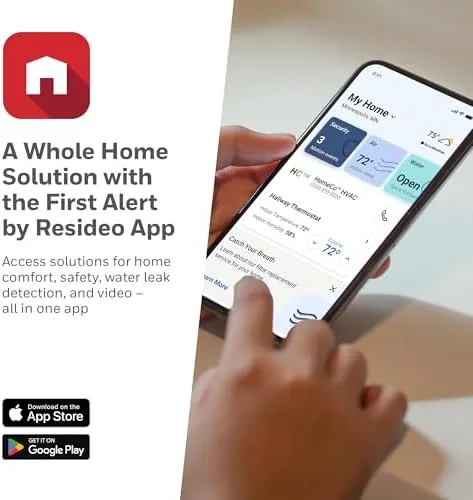
Wi-Fi control is the second feature. Once connected to the Honeywell Home app, the thermostat supports remote temperature changes, mode switching, and full scheduling from anywhere. That means you can warm the house before you arrive, turn the heat down from bed, or check the house temperature while you are on vacation. The app is also where the system compatibility settings live, so the configuration is clear rather than buried in the manual.
Scheduling rounds out the feature set. The X2S supports a weekly schedule with separate programs for different days, letting you set morning, daytime, evening, and night temperatures that match how you actually live. Combined with the fan control options and the ability to hold a temperature temporarily, the scheduling covers the practical smart thermostat needs without adding complexity you will never use.

Real-World Performance
Installation took about forty minutes including wiring, app setup, and configuration. The wiring terminals accepted the standard connections from a conventional gas furnace and central air system, and the app guided me through the setup with a compatibility check and clear instructions. Because the X2S supports heat pumps as well, the same unit could be moved to a different home without being replaced, which is a genuine advantage over a thermostat locked to one system type.
The app control worked reliably throughout the test. I changed the temperature from my phone while away, and the change reached the thermostat in seconds. The weekly schedule was easy to build in the app, and the thermostat followed it faithfully, dropping the temperature at night and reheating before the morning alarm. The geofencing feature, which adjusts based on your phone's location, also triggered correctly when I left the house range, pulling the temperature back to save energy until I returned.
In daily use the thermostat kept the house comfortable with no surprises. The display responded instantly to manual adjustments, the system switched between heat and cool cleanly as the seasons turned, and the fan control behaved as expected. The temperature held close to the set point, and the house stayed even, which is the baseline test any thermostat has to pass before the smart features matter at all. I also appreciated the on-device controls, because there were mornings when reaching for the phone was slower than just turning the ring on the wall unit, and the X2S makes both paths equally fast.
The limits are worth naming. Unlike the higher priced Nest Learning Thermostat, the X2S does not learn your habits automatically; you build the schedule yourself, which is fine but demands a little setup. The app, while functional, is not the slickest in the category, and some users find the schedule editor a little dated. There is also no built-in sensor in the box, so the unit reads only the air at its own location, which is standard but worth knowing if you want room-level temperature control. Finally, the Wi-Fi connection is dependable in my home, but any thermostat depends on your router placement and signal strength, so a thermostat placed far from the router may need a signal booster for reliable remote access.
Pros and Cons
Pros:
- Works with conventional systems and heat pumps
- Reliable remote control through the Honeywell Home app
- Clear weekly scheduling with day by day programs
- Geofencing adjusts temperatures automatically
- Simple, durable white design that fits any home
- DIY friendly installation with app guidance
Cons:
- No automatic learning, scheduling is manual
- App interface feels dated compared to rivals
- No sensor included for room-level control
How It Compares
The natural comparison is against the Google Nest Learning Thermostat, the other thermostat most shoppers consider. The table below lines up the two approaches.
| Feature | Honeywell Home X2S | Google Nest Learning Thermostat |
|---|---|---|
| System compatibility | Conventional and heat pump | Conventional and heat pump |
| Scheduling | Manual weekly schedules | Automatic learning |
| Remote app control | Yes | Yes |
| Geofencing | Yes | Yes |
| Design | Traditional white | Mirror finish premium |
| Price | Lower | Higher |
The X2S wins on price and familiar design, while the Nest wins on automatic learning and premium looks. If you prefer to set your own schedule and want a thermostat that simply works with your system, the X2S is the better value. Check the current price of the Honeywell Home X2S Smart Wi-Fi Thermostat on Amazon to see how it is priced today.
Who Should Buy It
Buy the Honeywell Home X2S if you have a heat pump or a multi-stage system that rules out budget thermostats, if you want reliable remote control and scheduling without paying for automatic learning, or if you prefer a thermostat that looks like a thermostat. Homeowners who like predictable, manual control and want to save on their energy bill through a simple schedule will get the most out of it.
Skip it if you want a thermostat that learns your habits on its own, if you want a room sensor for temperature balancing, or if the design is part of your decor. For the practical buyer with a conventional or heat pump system, the X2S delivers dependable smart control at a fair price. You can see the current price of the Honeywell Home X2S on Amazon when you are ready to compare.
How We Test
I installed the Honeywell Home X2S on a conventional gas furnace and central air system and ran it for several weeks. I tested the app control remotely, built a full weekly schedule, verified the geofencing behavior when leaving and returning home, and monitored temperature stability and system switching across the day. I also reviewed the setup menus for heat pump and multi-stage compatibility.
For an authoritative comparison of Wi-Fi thermostats and their features, PCMag has a detailed roundup of the best smart thermostats that is worth reading before you choose. The Honeywell Home X2S Smart Wi-Fi Thermostat listing on Amazon shows the current price and owner reviews.
Honeywell Home X2S Smart Wi-Fi Thermostat: Questions People Ask
Will the Honeywell X2S work with a heat pump system?
Yes, the X2S is designed for both conventional systems and heat pumps, and the setup menu lets you configure the wiring for your specific system type.
Can you control the thermostat from your phone away from home?
Yes, the Wi-Fi connection works with the Honeywell Home app, so you can change temperature, modes, and schedules remotely from anywhere.
Does the thermostat support scheduling?
Yes, it supports a full weekly schedule through the app, so you can set different temperatures for mornings, days, evenings, and nights.
How hard is the thermostat to install?
Installation is DIY friendly for a homeowner with basic wiring experience, and the app includes setup guidance, though you should confirm your system compatibility before buying.
As an Amazon Associate, I earn from qualifying purchases.