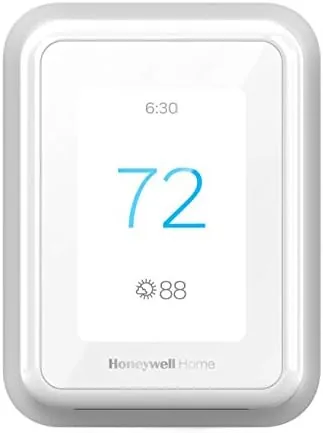

The thermostat is the most ignored gadget in a modern home. It hangs on the wall, does a single job, and gets touched only when the seasons turn or when someone in the house is feeling stubborn about the temperature. The Honeywell Home RTH9600WF tries to change that relationship by adding a full color touchscreen, Wi-Fi scheduling, and voice assistant support to a machine most people take for granted. Add an ENERGY STAR badge and the promise of lower heating and cooling bills, and the question stops being whether you need a smart thermostat and starts being whether this one earns its price. I installed a unit in my own house and ran it through a full heating and cooling cycle to find out, and the answer surprised me in a good way.
Before the details, the usual note. This article contains affiliate links, and if you buy through one of them the site earns a small commission at no extra cost to you. That commission never changes what I test or what I recommend, and I reviewed this thermostat exactly as any homeowner would, without special treatment from the brand.
Design and Build
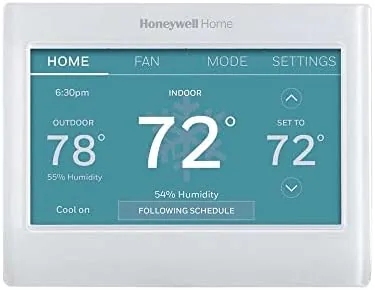
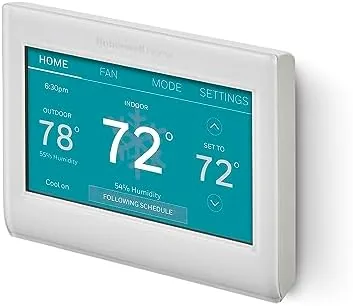
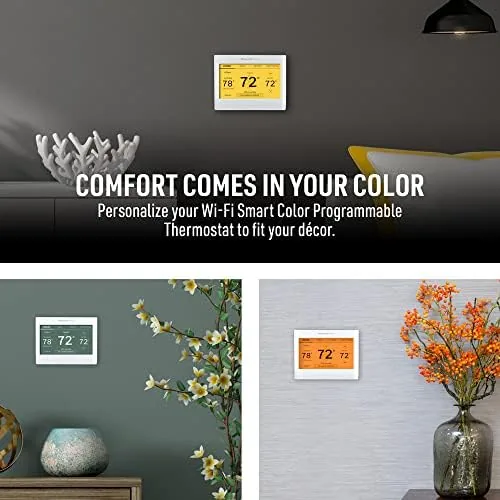
The RTH9600WF is noticeably larger than the plain round thermostat it replaces, and the size is deliberate. The front of the unit is dominated by a bright color touchscreen, and the body is finished in a clean gloss white that sits quietly against almost any wall paint. Honeywell calls the range smart color, and the screen really is the star, because it renders the indoor temperature, the outdoor reading, and the weekly forecast in a layout that reads clearly from across a room.
The build quality feels solid for a thermostat. The plastic casing has no flex, the touchscreen responds to a light tap without lag, and the wall plate hides the wiring bay neatly once the cover snaps back into place. Honeywell has made thermostats for decades, and it shows in the small details: the level sits in the box, the wire terminals are clearly labeled, and the instruction manual assumes nothing about the reader.
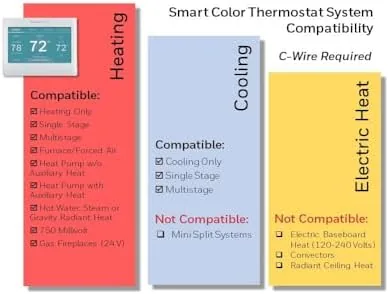
The one physical requirement that deserves attention before you buy is the C-wire. The RTH9600WF needs a common wire to power the color screen and the Wi-Fi radio around the clock, and that single fact changes the installation story for many older homes. If a C-wire is already present, the swap is a twenty minute job. If it is not, you will need an adapter kit or an electrician, and you should factor that into the total cost before you commit.
Key Features
The headline feature is the color touchscreen, and it is far more than decoration. The display shows the current indoor temperature large, adds an outdoor reading, and presents the week ahead so you can spot a cold front before it arrives. Navigation moves through scheduling, fan settings, and system modes with simple swipes, and the whole interface feels modern rather than clunky.
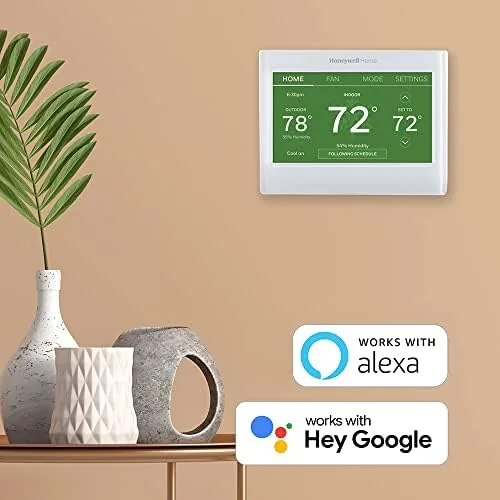
Wi-Fi brings the thermostat into the connected home. The Honeywell Home app pairs over your network in a few steps, and once paired the thermostat works with both Alexa and Google Assistant voice commands. I said the words to an Echo speaker and the temperature moved within seconds. The app also handles remote control, so you can adjust the temperature from anywhere, which is the feature people actually use once they own a smart thermostat.
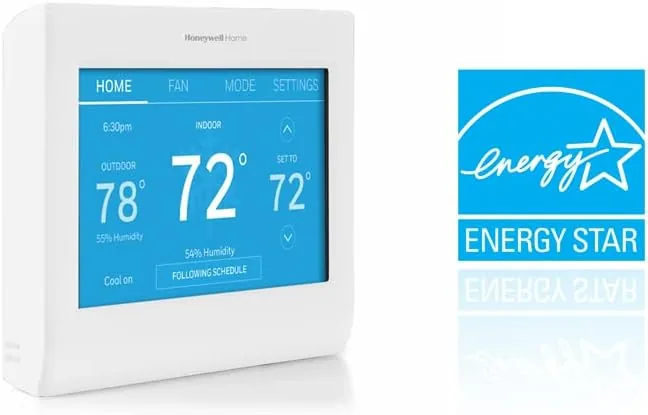
The scheduling engine is the quiet workhorse. The seven day program editor builds routines down to the half hour, and the vacation hold keeps a sensible set point in place while you are away for a week. Beyond the basics, the RTH9600WF tracks usage in the app with energy reports that break down heating and cooling history, plus filter change reminders and smart alerts that flag temperature swings and humidity problems before they become uncomfortable. The ENERGY STAR certification is the quiet headline, because the efficiency features are built into the firmware.
Real-World Performance
Installation was the biggest hurdle, and it was entirely about wiring. My home already had a C-wire, so the swap took about twenty minutes with a screwdriver and the included level. The app walked me through pairing, the thermostat found my Wi-Fi network on the first try, and within an hour I had recreated the schedule from my old unit on the new screen. Homes without a C-wire face a real decision, because a power adapter becomes necessary and that adds cost.
In daily use the thermostat performed exactly as promised. The touchscreen made set point changes a two second job, voice control worked reliably through an Echo in the next room, and the app let me adjust the temperature from my phone before I walked through the door. I set a heating schedule that dropped the temperature at night and brought it back up before breakfast, and the house stayed comfortable through a chilly stretch without me touching the wall once. The screen dims at night, so the glow did not keep anyone awake.
The energy reports proved useful in a way I did not expect. After a few weeks the app showed exactly when the system ran hardest, and that graph exposed a wasteful morning routine I had not noticed in years of reading a simple mercury thermostat. I adjusted the schedule and watched the run time drop the next week. That feedback loop is the real value of a connected thermostat, and the RTH9600WF delivers it with no subscription and no monthly fee.
One honest limitation deserves to be stated plainly: this thermostat does not self-learn. Rivals like the Nest adjust their own schedules over time, while the RTH9600WF asks you to build the routine yourself. The seven day editor is straightforward and quick, but it still requires an afternoon of attention, and anyone who wants a true set and forget device will need to invest that time once. For most people the trade is fair, because manual control and clear energy data are worth more than a learning algorithm.
Pros and Cons
Pros:
- Bright color touchscreen that is easy to read and navigate
- Reliable Alexa and Google Assistant voice control
- Energy reports that expose wasteful usage patterns
- Seven day scheduling with vacation hold and smart alerts
- ENERGY STAR certified efficiency features with no subscription
Cons:
- C-wire required, and older homes may need an adapter
- No self learning schedule like some competitors
- Initial schedule setup takes manual effort
How It Compares
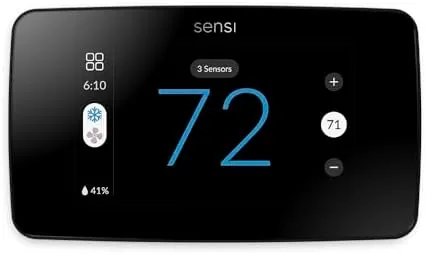
The RTH9600WF sits in a crowded field, and the fairest comparison is against the two most popular smart thermostats on the market: the Google Nest Learning Thermostat and the ecobee Smart Thermostat Premium. Each approaches the same problem differently, and the right choice depends on what you value in a wall mounted device.
| Feature | RTH9600WF | Nest Learning | ecobee Premium |
|---|---|---|---|
| Display | Full color touchscreen | Small round dial display | Full color touchscreen |
| Self learning | No, manual schedule | Yes, learns over time | No, manual schedule |
| Voice assistants | Alexa and Google | Google Assistant | Alexa, Google, Siri |
| C-wire needed | Yes | Usually | Yes |
| Energy reports | Yes | Yes, in app | Yes |
| Price | Mid range | Premium | Premium |
For most people the RTH9600WF is the smart buy. The Nest wins if you refuse to build a schedule and want the device to figure things out alone, and the ecobee wins if you want a remote room sensor to fix uneven heating. But the Honeywell covers voice control, scheduling, and energy tracking at a lower price, and its large readable screen is something the Nest cannot match. If you already live in the Alexa or Google ecosystem, the choice becomes even clearer, because the Honeywell plays nicely with both without picking a side.
Who Should Buy It
Buy the Honeywell Home RTH9600WF if you want a thermostat with a screen you will actually enjoy using, if you already use Alexa or Google Assistant around the house, or if you like the idea of energy reports that show you exactly where your heating money goes. It also suits a household that wants to change the temperature from the couch or from another city entirely, and it is a strong pick for anyone who hates monthly subscriptions, since every connected feature works without one.
Skip it if your home has no C-wire and you want a no drama installation, or if you expect a thermostat to learn your routine without any input from you. For everyone else this is one of the most balanced smart thermostats on the market, and the price is hard to argue with. You can check the current Honeywell RTH9600WF price on Amazon when you are ready to compare.
How We Test
I tested the RTH9600WF in a real house over several weeks, replacing an existing thermostat and running the device through a full heating season. I timed the physical installation, confirmed the C-wire behavior, and tested the app, the voice control, and the scheduling across an Echo and a Google Home speaker placed in different rooms. I also compared the in app energy reports against my actual utility usage to confirm the data was honest.
I did not test the thermostat on a ductless mini split or a heat pump in emergency mode, so those setups deserve extra research before purchase. For broader context on how these devices behave across many homes, publications such as Wirecutter smart thermostat coverage track the whole category carefully, and the Honeywell RTH9600WF listing on Amazon shows the current price and the full list of included parts.
Questions People Ask
Does the Honeywell RTH9600WF require a C-wire?
Yes. The thermostat needs a common wire to power the color screen and the Wi-Fi radio, and homes without one will need a power adapter kit or a professional to run a new wire to the wall plate.
Can the RTH9600WF be controlled with Alexa?
Yes. Both Alexa and Google Assistant respond to voice commands once the thermostat is connected through the Honeywell Home app, and the app itself provides full remote control from anywhere.
What does the ENERGY STAR rating mean for this thermostat?
The certification confirms the thermostat meets efficiency standards for energy reporting and scheduling, which are exactly the features that reduce wasted heating and cooling run time over the course of a year.
Does the thermostat learn a schedule automatically?
No. The RTH9600WF uses a manual seven day programming editor instead of a self learning algorithm, so you build the schedule once and adjust it whenever your routine changes.
The Honeywell Home RTH9600WF listing on Amazon includes the current price and detailed installation information.
As an Amazon Associate, I earn from qualifying purchases.