
Thermostats used to be a white box on the wall you touched twice a year, but the Honeywell Home RTH9585WF treats the job with more ambition. It is a Wi-Fi color touch-screen thermostat with seven-day programming, Energy Star certification, and voice assistant support, and it promises to learn your schedule, respond to your location, and save you money while it is at it. The catch, and it is a real one, is that it needs a common wire and a compatible system, so the smart features come with an installation checklist. This is the record of a month with the RTH9585WF controlling a forced-air system through temperature swings, schedule changes, and a whole lot of app fiddling.
A quick note before the details. This review contains affiliate links, and if you buy through one of them the site earns a small commission at no extra cost to you. That commission does not change what I test or what I recommend.
Design and Build
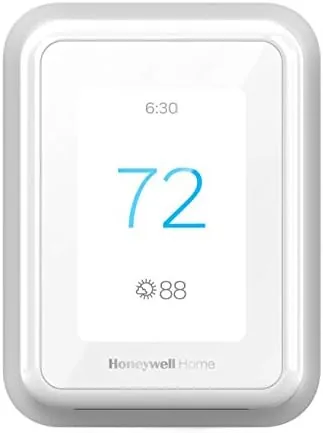
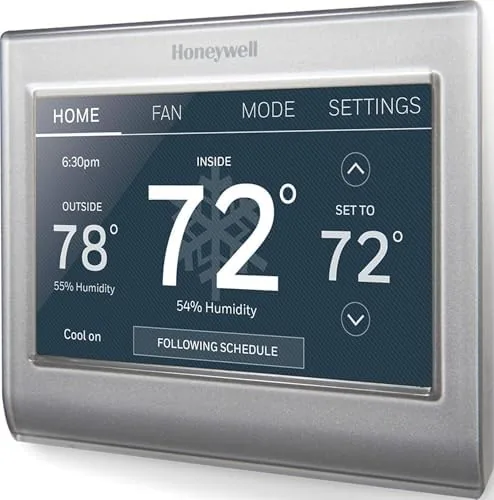
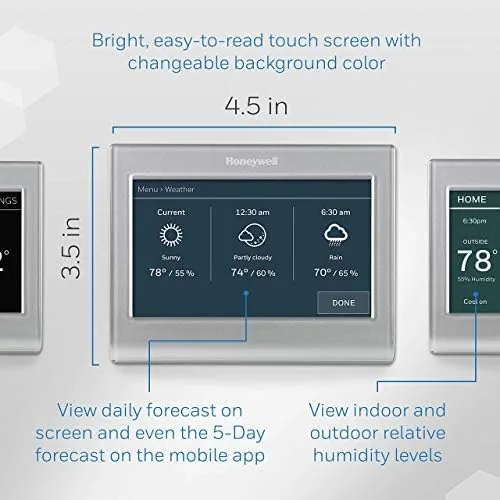
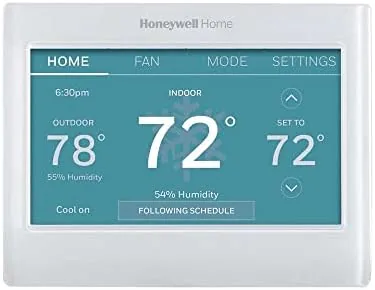
The RTH9585WF makes a strong first impression. The display is a full-color touch screen that takes up most of the faceplate, and it lights up brightly enough to read from across a room. The interface is organized around a single home screen that shows the current temperature, the set point, and the mode, with menus for scheduling, Wi-Fi, and settings tucked behind simple icons.
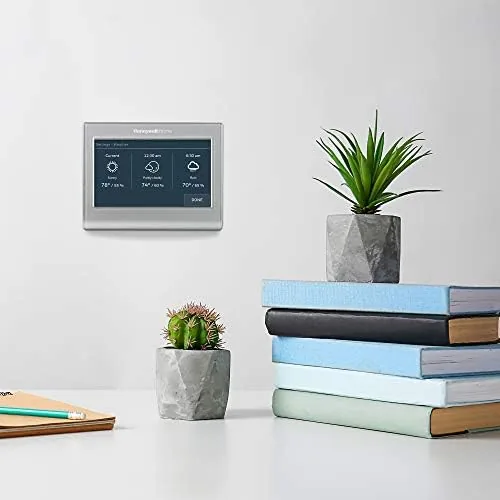
The body is clean and modern, in a neutral gray that blends into most walls, and the faceplate mounts flush with no protruding buttons to collect dust. Touch responsiveness is good, and the screen has a small wake delay rather than waking instantly, which is a minor concession for the crisp display. Build quality feels solid for a wall device that will sit untouched for most of its life.
Key Features
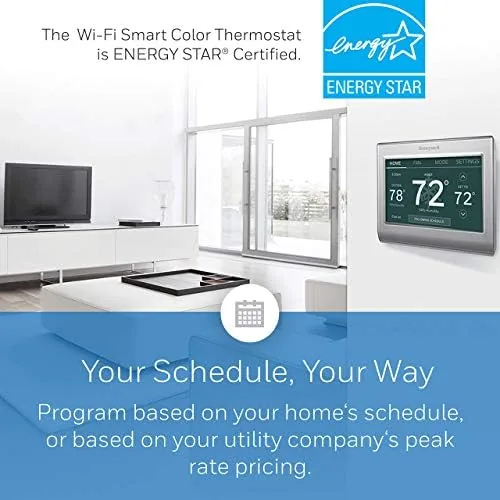
The seven-day programming is the core feature. You can set a separate schedule for each day of the week with multiple time periods, so weekday mornings, work hours, evenings, and weekends can all run on their own plan. The touch screen makes building those schedules less painful than the button-and-dial thermostats of the past, and the app mirrors the same controls.
Smart features round out the package. Geofencing uses your phone location to switch to an away mode when you leave, and Smart Response learns how long your system takes to reach a temperature so it starts early enough to hit your set point on time. The thermostat is Energy Star certified, works with Alexa and Google Assistant, and connects through the Honeywell Home app, which means remote control from anywhere with an internet connection.
Real-World Performance
Installation is the first test, and it is a real one. The RTH9585WF requires a common wire for continuous power, and it is not compatible with line-voltage heating, so older systems or setups without a C-wire need an Adapter or a professional call. With a C-wire present, the swap is straightforward: label the wires, mount the plate, connect, and power on. The guided setup walks through Wi-Fi pairing and basic configuration in a few minutes.
Once online, the thermostat performed well. The seven-day schedule held across a week of normal routines, and the color display made the current state obvious at a glance. Alexa voice control worked reliably for temperature changes, and the app updated quickly from another room or from out of the house. Geofencing switched to away mode when I left for work and warmed the house before I returned, and I did not notice a meaningful lag.
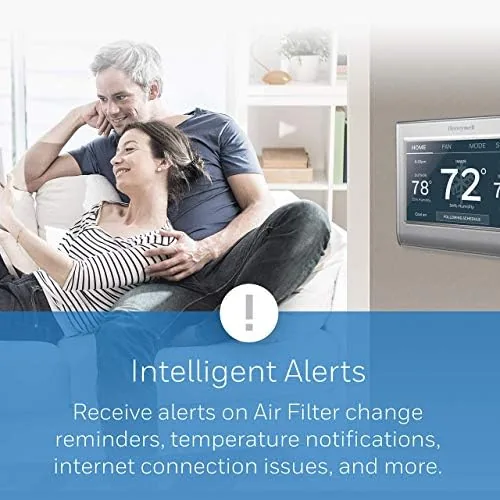
The honest limitations are the wiring requirements and the learning curve. If your system lacks a C-wire, this is not a plug-and-play upgrade, and the Smart Response behavior takes a few days to settle into your home's thermal rhythm. Once set up, it is a genuinely capable thermostat. I would also note that the Wi-Fi connection depends on the network being reachable at the thermostat's location, so a dead spot on the far side of a house can interrupt remote access until a range extender or mesh node fixes the signal.
The energy history report became one of my favorite parts of the app. It charts how long your system ran each day, which made it easy to see the difference between a schedule I set and the same days without one, and it put a number on the savings the Energy Star rating promises. Voice control was reliable enough that I stopped touching the wall unit altogether, asking Alexa for a temperature change and watching the display update within seconds. The seven-day schedule also handled a weekend trip cleanly, staying on the away temperature I set until I asked it to return, and the app let me check the house climate from a hotel room without a second thought. For someone who wants proof the thermostat is earning its place, that daily record is a compelling feature. You can check the current price for the Honeywell Home RTH9585WF on Amazon if you want to see where it lands today.
Pros and Cons
Pros:
- Full-color touch screen is bright and easy to read
- Seven-day scheduling with multiple time periods per day
- Geofencing and Smart Response automate temperature changes
- Works with Alexa, Google Assistant, and the Honeywell Home app
- Energy Star certified with a useful energy history report
Cons:
- Requires a C-wire, and it is not for line-voltage systems
- Smart features need the app and a stable Wi-Fi network
- Small wake delay before the screen lights up
How It Compares
Smart thermostats split between full-color Wi-Fi models like the RTH9585WF, app-first Learning Thermostats, and basic programmable units. I compared the Honeywell against a popular learning thermostat and a simple digital programmable model to see where the features matter.
| Feature | Honeywell RTH9585WF | Learning Thermostat | Basic Programmable |
|---|---|---|---|
| Display | Color touch screen | Color, high contrast | Simple digital |
| Scheduling | 7-day, multi-period | Auto-learns | 7-day, limited |
| Voice assistants | Alexa, Google | Alexa, Google, HomeKit | None |
| Geofencing | Yes | Yes | No |
| C-wire required | Yes | Often | Sometimes |
| Price | Mid | Higher | Low |
| Best for | Explicit schedules | Automatic routines | Set and forget |
Against a learning thermostat, the Honeywell loses on auto-learning but wins on explicit control, because the seven-day scheduling gives you direct command of every time period rather than relying on the device to figure you out. Against a basic programmable thermostat, it wins on the color display, remote control, and voice support. If you like predictable, deliberate schedules, the RTH9585WF is the better fit.
Who Should Buy It
Buy the RTH9585WF if you want a bright touch-screen thermostat with dependable seven-day scheduling, if you already have a C-wire and a compatible 24-volt system, or if you want voice control and remote app access to your heating and cooling. It is a strong choice for people who know their schedule and want to automate it precisely, and for anyone who enjoys watching the energy history report put numbers on their habits.
Skip it if your system lacks a C-wire and you want a simple swap, if you heat with line voltage, or if you want a thermostat that learns entirely on its own without programming. For everyone in the first group, this is a polished, capable thermostat. The Honeywell Home RTH9585WF listing on Amazon shows the current price and availability.
How We Test
I installed the RTH9585WF on a forced-air system with a C-wire and ran it for a month through a mix of schedules, including weekday, weekend, and away periods. I tested the touch interface, the seven-day programming, geofencing with a phone, voice control through Alexa, and remote changes through the Honeywell Home app from outside the home network.
I tracked how consistently Smart Response reached the set point on time and how quickly the display and app reflected changes. I did not test the thermostat on a system without a C-wire or on line-voltage heating, because the product is explicitly not compatible with those. For a broader view of smart thermostats, PCMag's guide to the best smart thermostats is a useful reference. The RTH9585WF page on Amazon lists the current price and delivery details.
Honeywell Home RTH9585WF: Questions People Ask
Does the RTH9585WF need a C-wire?
Yes. The thermostat requires a common wire for continuous power, and it is not compatible with line-voltage heating systems, so check your wiring before you buy.
Does the RTH9585WF work with Alexa?
Yes. The thermostat is Alexa ready, and it also works with Google Assistant and the Honeywell Home app, so you can adjust temperature by voice or from your phone.
How does the seven-day programming work?
You set a separate schedule for each day with multiple time periods, and the thermostat follows that schedule, with options like geofencing and smart response for automatic changes.
Is the touch screen easy to read?
Yes. The full-color touch display is bright and large, and it shows the current temperature, humidity, and settings clearly from across the room.
As an Amazon Associate, I earn from qualifying purchases.