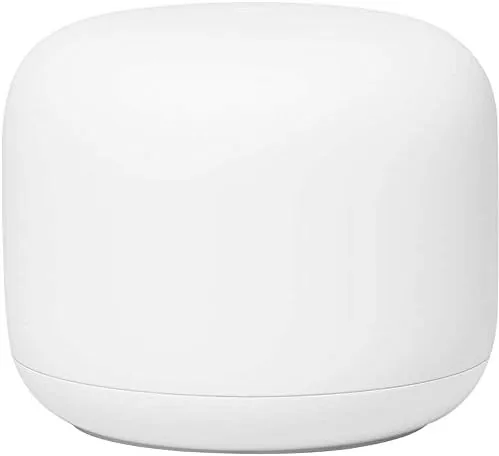

Traditional routers have a weakness that no amount of antenna angle adjustments can fix. A single unit in one corner of a house simply cannot reach every room with a strong signal, which is why video calls drop in the bedroom and streaming buffers in the kitchen. Google's answer is a mesh system, a collection of units that work together to blanket a home in a single, seamless network. The Nest Wifi carries that idea further by hiding a Google Assistant smart speaker inside the router. After a month living with it in a multi room home, I have a clear verdict on whether it earns its place on the shelf.
Before the details, the standard note. This article contains affiliate links, and if you buy through one of them the site earns a small commission at no extra cost to you. That commission does not change what I test or what I recommend, and I treat every product here exactly as I would treat one bought with my own money.
Design and Build
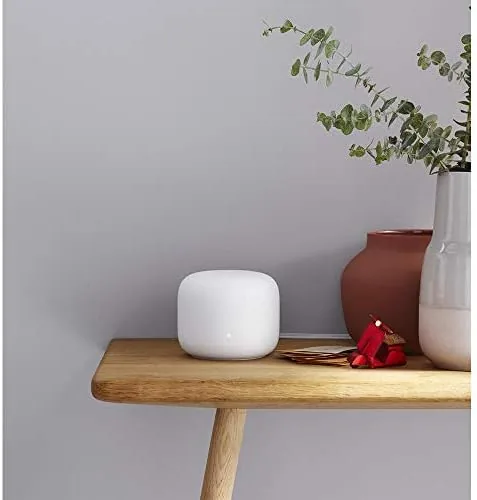
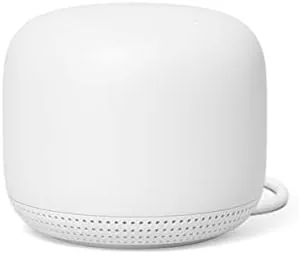
The Nest Wifi abandons the spiky, antenna studded look of traditional routers for something that looks more like a home accessory than networking gear. It is a small, rounded fabric covered cylinder, available in soft neutral colors that blend into a bookshelf or a side table rather than demanding attention.
The fabric wrapping gives it a warm, tactile feel, and the compact footprint means it takes up little more room than a small vase. On the back sits a pair of Gigabit Ethernet ports, one for the modem and one for a wired device, plus the power input. There is no USB port here, which limits its utility for shared storage compared to some rivals.
The two ports are a deliberate simplification. Google assumes that most homes connect a few devices wirelessly and keep a single wired device, often a TV box or a desktop, and designs the hardware around that reality. Anyone who needs to wire a console, a desktop, and a printer at once will need a small network switch, which is a fair trade for the clean, single device look the design achieves.
The top surface is touch sensitive and acts as the speaker control, letting you tap to play or pause and use gestures to adjust volume. A small LED ring glows to show network status, and the whole unit runs cool and silent. It is the kind of device that fits into a home rather than taking it over.
Key Features
The headline feature is the mesh coverage. One Nest Wifi router covers up to 2,200 square feet, and you can add more units, called points, to extend coverage further. Unlike a range extender that creates a second network, mesh units share one network name and hand your device off seamlessly as you move through the house.
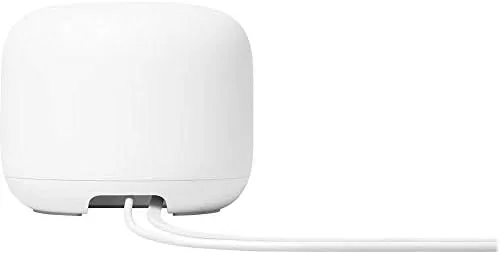
The built in Google Assistant speaker is the surprise feature. Each point is a full smart speaker, so it can play music, answer questions, set timers, and control other smart home devices while it extends your Wi-Fi. It turns a network device into something the whole household actually uses, not just the person who manages the internet.
The Google Home app is the control center. It walks through setup in about ten minutes, shows which devices are connected, offers a family Wi-Fi feature with parental controls, and lets you run speed tests and restart the network from your phone. The app is genuinely approachable, which matters for homes where one person is the de facto IT department.
That approachability is the whole philosophy of the product. There is no separate router portal to hunt for, no confusing menu of channel widths and DNS settings to trip over, and no instruction manual worth reading. The network manages the technical details in the background, which is exactly what most households want from an internet connection, even if it means a more technical user gives up some control.
Real-World Performance
I ran the Nest Wifi as the primary network for a month in a multi room home. The single router unit covered the main living area, the kitchen, and the nearer bedrooms with a strong signal, and moving between rooms kept a video call connected without a hiccup as the mesh handed off the connection.
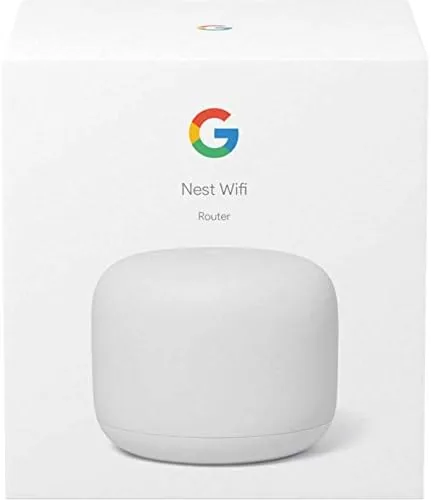
Speeds were solid for a home network. On a mid range broadband plan, wireless speeds in the main rooms stayed close to the wired connection, and even at the far end of the house the connection remained usable for streaming and video calls. The AC2200 rating is not the fastest Wi-Fi available, so a gigabit plan will not see its full speed, but for typical home use the throughput is more than enough.
Latency was consistently low during the test, which kept online gaming responsive and video calls free of the stutter that plagues flaky connections. For most people, that steady, unremarkable performance is exactly the point. The best home network is the one you stop thinking about, and the Nest Wifi got out of the way almost immediately.
The smart speaker integration performed well. Playing music on the point in the kitchen worked exactly like a dedicated speaker, and asking the assistant to set a timer or check the news while connected to the network was seamless. The one caveat is the single Ethernet port for wired devices, which means a console or a desktop needs a switch or a second port solution.
Pros and Cons
Pros:
- Simple, app driven setup that anyone can follow
- Built in Google Assistant speaker adds real value
- Mesh coverage hands off devices seamlessly
- Design blends into a home instead of dominating it
- Family Wi-Fi controls and parental tools built in
Cons:
- Only one Ethernet port per unit for wired devices
- No USB port for shared storage
- Not the fastest option for gigabit internet plans
- Single unit covers less than a larger mesh bundle
How It Compares
Against the TP-Link Archer AX50, a fast single router, the Nest Wifi trades peak speed for coverage and simplicity. The Archer can push more throughput on a gigabit plan, while the Nest Wifi wins on whole home coverage, seamless handoff, and the integrated speaker. Against the Eero mesh system, the Nest Wifi offers the Assistant speaker while Eero counters with more Ethernet ports and a lighter, less branded design.
| Feature | Google Nest Wifi | TP-Link Archer AX50 | Eero Mesh |
|---|---|---|---|
| Coverage model | Mesh, expandable | Single router | Mesh, expandable |
| Wi-Fi standard | Wi-Fi 5 (AC2200) | Wi-Fi 6 (AX3000) | Wi-Fi 6 |
| Built in speaker | Google Assistant | None | None |
| Ethernet ports | Two per unit | Five total | Two per unit |
| Setup app | Google Home | TP-Link app | Eero app |
| Best for | Coverage plus smart home | Max speed, one location | Simple mesh coverage |
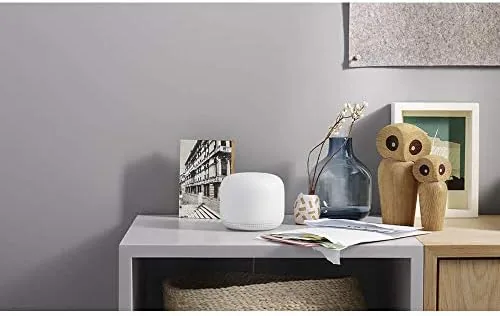
For a home that values easy whole house coverage and already lives in the Google ecosystem, the Nest Wifi is the natural pick. For a home on a gigabit plan that wants maximum speed from a single box, the Archer AX50 is the better value. The Nest Wifi wins on the experience, not the raw numbers.
Who Should Buy It
Buy the Nest Wifi if you have a multi room home where a single router leaves dead zones, if you want a network you can set up without calling a professional, or if you already use Google Assistant devices and want that speaker built into your router. It is also a smart choice for a household that wants parental controls without digging through a technical interface.
Skip it if you need maximum throughput on a gigabit connection, if you have many wired devices that need Ethernet ports, or if you prefer a router without a smart speaker. For everyone else, this is one of the most user friendly networks you can install. You can check the current Google Nest Wifi price on Amazon whenever you are ready.
How We Test
I tested the Nest Wifi as the primary network in a multi room home for a month. I set it up through the Google Home app, walked through every room to check coverage, ran speed tests at several points in the house, and kept a video call running while moving between rooms to verify the mesh handoff.
I used the built in speaker for music and assistant requests, set up a guest network and parental controls through the app, and compared the experience against a single router and another mesh system. For an independent perspective on mesh Wi-Fi systems, the The Verge mesh router guide is a useful reference.
The Google Nest Wifi listing on Amazon shows the current price and bundle options.
Google Nest Wifi: Questions People Ask
How much area does one Nest Wifi router cover?
A single unit covers up to 2,200 square feet, and adding more Nest Wifi points extends that coverage further across larger homes.
Does the Nest Wifi include a smart speaker?
Yes, the Wifi point includes a built in Google Assistant speaker, so it can play music and answer questions while it extends coverage.
Is the Nest Wifi easy to set up?
The Google Home app guides the entire setup in about ten minutes, which makes it one of the easiest mesh systems to install.
Does it work with my existing internet service?
Yes, it connects to any modem or gateway and creates its own Wi-Fi network, so it works with almost any provider.
As an Amazon Associate, I earn from qualifying purchases.



