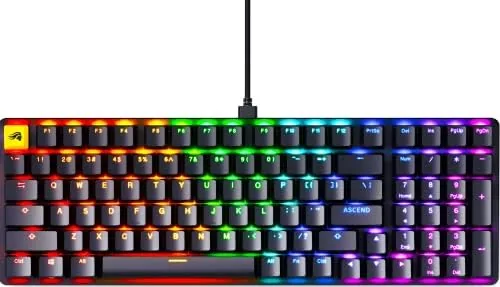

There is a moment every Mechanical Keyboard owner remembers, the moment they realize their first board is not quite right. The switches feel wrong, the layout is too cramped, or the keycaps have worn to a shine after a year of heavy use. The GLORIOUS GMMK 2 is built to solve that exact problem before it starts. It is a 96 percent layout board that lets you pull out the switches and swap them without soldering, which means the feel of the keyboard can change as your preferences change. I have spent three weeks typing, gaming, and tinkering with it, and this review reflects that full experience.
Before the details, the usual note. This article contains affiliate links, and if you buy through one of them the site earns a small commission at no extra cost to you. That commission does not influence what I test or what I recommend.
Design and Build
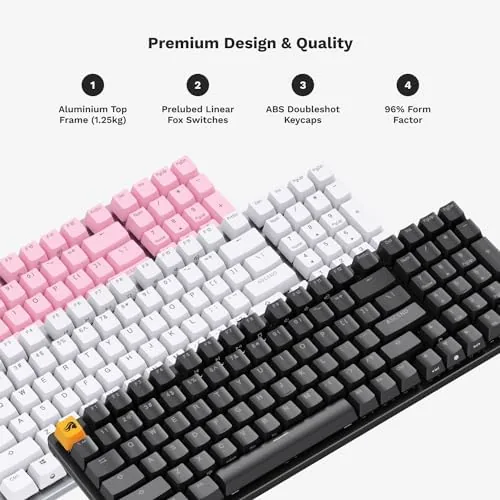
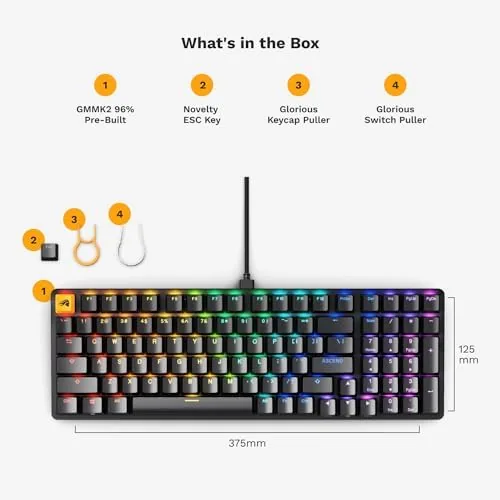
The GMMK 2 takes the compact 96 percent layout, which squeezes a full set of keys including the arrow cluster and numeric keypad into a frame that is noticeably shorter than a standard full sized board. On a crowded desk this saves real space while keeping every key you actually use. The top plate is machined aluminum with a clean black finish, and it gives the board a solid weight that stops it sliding around during intense sessions.
Build quality is reassuring. The case has minimal flex, the stabilizers on the longer keys are lubed from the factory, and the double-shot keycaps have a crisp texture that resists the greasy shine that plagues cheaper ABS sets. GLORIOUS ships the board with a braided USB-C cable, and the connection point is recessed so the cable sits flush against the chassis. There is also a comfortable two-position foot at the rear for typing angle, and the RGB under the south-facing switches is bright and evenly diffused through the double-shot caps.
Key Features
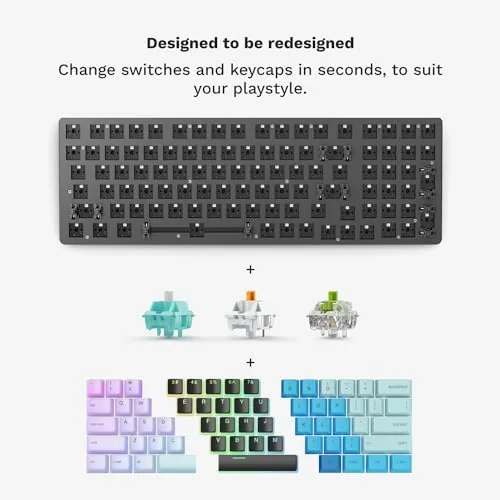
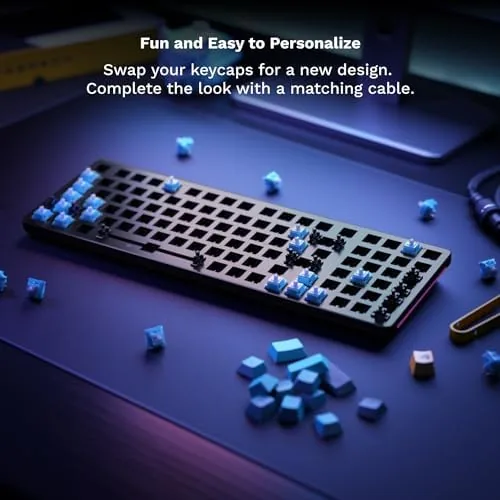
The headline feature is hot-swap capability. Every switch socket accepts three-pin and five-pin switches, so you can install virtually any mechanical switch on the market without touching a soldering iron. The stock switches in this listing are Cherry MX style linear switches, which move straight down with no tactile bump and a smooth, consistent feel. They arrive pre-lubed, which removes most of the scratchiness that budget linears often show.
The 96 percent layout is the second big feature. Full sized keyboards waste space around the navigation cluster, and tenkeyless boards drop the numpad entirely. The GMMK 2 keeps both the numpad and the arrow keys while trimming the dead space between them. Anyone who enters numbers for work or spreadsheets will appreciate that choice, and gamers still get every key they need.
The board also offers per-key RGB with GLORIOUS Core software, a detachable USB-C cable, onboard macro recording, and a black colorway that matches most PC builds. GLORIOUS Core lets you remap keys, set lighting effects, and create macros, and the settings save directly to the keyboard memory, so your profiles follow the board to another computer.
There is one more detail worth mentioning, and it is the kind of thing that only shows up after days of use. The board exposes three layers in the GLORIOUS Core software, which means you can assign different layouts for typing, gaming, and macros and flip between them with a key combination. I set up a layer for spreadsheet shortcuts and a second for game-specific binds, and having them stored on the keyboard meant I could carry the same setup between my office machine and my home machine without reinstalling anything.
Real-World Performance
I used the GMMK 2 as my daily driver for both writing and gaming. For long typing sessions the linear switches feel smooth and quiet enough for a shared room, and the pre-lubed factory job means the keys sound uniform rather than rattly. The north-facing RGB does have a side benefit here: with the stock double-shot keycaps, the shine through is bright and the letters stay legible in a dark room.
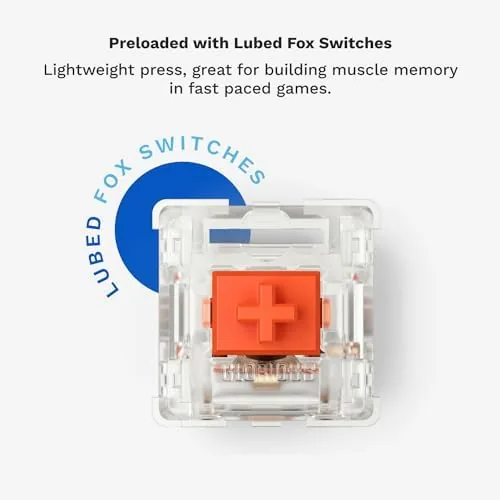
Gaming performance was consistent. The 1000Hz polling rate keeps inputs registering at the same speed as far more expensive boards, and the responsive switches give quick, predictable actuation for rapid key taps. I ran through shooters and MOBAs without any dropped inputs or ghosting, and the compact footprint gave my mouse more room to travel than my old full sized board did. On a 96 percent board, the mouse pad does not have to share space with a wasted navigation cluster, and that extra inch of travel is exactly what a low sensitivity player needs.
One thing I verified deliberately was the switch puller and the socket design. The sockets sit flush in the plate, so a switch presses in cleanly with no need to wiggle it, and the stabilizers on the spacebar, enter, and shift keys stay put when you pop the caps off. That sounds like a small thing, but on budget boards the stabilizers often come loose during the first swap, and I did not have that problem here.
The hot-swap sockets earn their keep in daily use. I swapped in a set of tactile switches for a week of writing and then moved back to linears for gaming, each change taking about ten minutes with the included switch puller. That flexibility is the real value of this board, because it turns one keyboard into several different typing experiences.
Pros and Cons
Pros:
- Hot-swap sockets accept three-pin and five-pin switches
- 96 percent layout keeps the numpad and arrow keys in a compact frame
- Aluminum top plate gives the board a premium, solid feel
- Double-shot keycaps resist shine and wear
- Pre-lubed linear switches are smooth out of the box
- Per-key RGB with onboard profile memory
Cons:
- Wired only, with no wireless option in this version
- Software customization requires the GLORIOUS Core app
- Stock linears may feel plain for users who prefer tactile feedback
How It Compares
Compared to the wider mechanical keyboard market, the GMMK 2 sits in an interesting middle zone. It costs less than premium custom boards while offering a hot-swap capability that used to be reserved for far more expensive kits, and it beats most budget boards on build quality and keycaps.
| Feature | GLORIOUS GMMK 2 | Budget Prebuilt Board | Custom Kit |
|---|---|---|---|
| Hot-swap switches | Yes | Often no | Yes |
| Layout | 96 percent | Full size or TKL | User defined |
| Keycaps | Double-shot PBT | Often ABS | Varies |
| Case material | Aluminum top plate | Plastic | Varies |
| Connectivity | Wired USB-C | Wired | Wired or wireless |
| Software | GLORIOUS Core | Minimal | Varies |
The table shows the value clearly. Budget boards save money but lock you into their stock switches forever, and custom kits give you flexibility at a higher price and more assembly effort. The GMMK 2 gives you the flexible part of the custom experience for close to the price of a budget board, which is why it keeps showing up in the GMMK 2 listing on Amazon as a top seller in its category.
Who Should Buy It
Buy the GMMK 2 if you are new to mechanical keyboards and want a board that will not limit your next upgrade. The hot-swap sockets mean you can start with the stock linears and graduate to tactile or clicky switches later without buying a new keyboard. Buy it if you want a numpad for work but you are tired of the bulk of a full sized board. The 96 percent layout is the compromise that makes sense for almost everyone.
Skip it if you need wireless freedom, if you prefer the light weight and small footprint of a sixty percent board, or if you already own a hot-swap board and want a second one for a specific switch setup. For everyone else, this is one of the most sensible first mechanical keyboards you can buy, and the current price on Amazon undercuts most boards with the same feature set.
How We Test
I tested the GMMK 2 over three weeks of full time use as my primary typing and gaming board. I wrote articles and emails daily, played competitive shooters and MOBAs, and deliberately swapped between three sets of switches to stress the hot-swap sockets. I checked key rollover, RGB uniformity, and the durability of the keycaps, and I ran the board on both Windows and macOS to confirm basic compatibility.
For context on how the GMMK 2 fits into the wider market, the mechanical keyboard buying guide from Tom's Hardware is a useful reference for comparing hot-swap boards and their alternatives.
GMMK 2 Keyboard: Questions People Ask
Can you swap the switches on the GMMK 2?
Yes, every switch on the GMMK 2 is hot-swappable, so you can pull out the stock switches and install your own three-pin or five-pin options without soldering.
Does the GMMK 2 work with a Mac?
The keyboard works over USB on Windows, Mac, and Linux, though the full GLORIOUS Core software features and key remapping are best handled on Windows.
What is the 96 percent layout?
The 96 percent layout keeps the arrow keys and numeric keypad in a compact frame, so you get full sized functionality on a desk footprint closer to a tenkeyless board.
Is the GMMK 2 good for typing?
The double-shot keycaps and south-facing RGB make it pleasant to type on, and because it is hot-swappable you can tune the feel with lubed or tactile switches if you prefer them over the stock linears.
As an Amazon Associate, I earn from qualifying purchases.