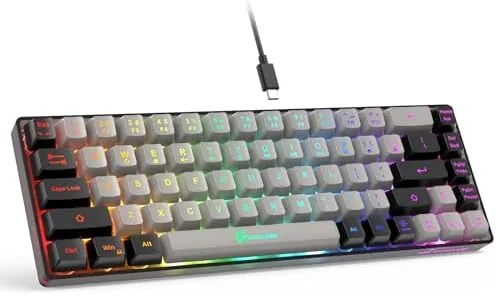

Desk space is a real resource for gamers. A full size keyboard eats a foot and a half of the surface you need for a mouse swipe, a drink, and a stack of notes, and when the desk is small, the sacrifice is painful. The GEODMAER 65% Gaming Keyboard answers with a 68 key layout that drops the number pad and the function row while keeping the arrow keys and the essentials. It is a wired membrane keyboard with anti ghosting support, a backlight, and a price that does not ask much of a budget. I spent two weeks running it through typing marathons and a stack of games, and this review records how the compact layout actually performs.
Before the details, the standard note. This article contains affiliate links, and if you buy through one of them the site earns a small commission at no extra cost to you. That commission never changes what I test or what I recommend.
Design and Build
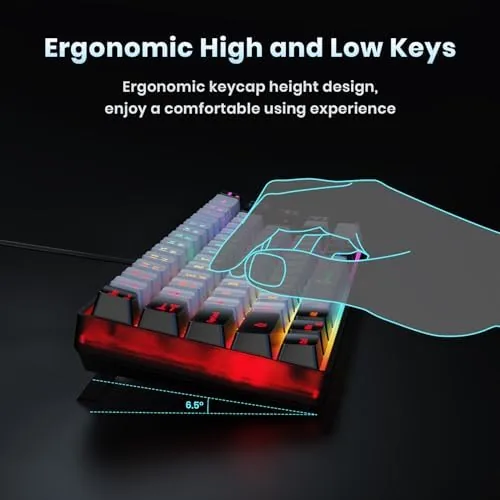
The keyboard is genuinely small. The 68 key layout trims the number pad entirely and moves the arrow keys into a tight cluster on the right, which cuts the total width well below a full size board and leaves plenty of room for a mouse on even a modest desk. The frame is a matte plastic that resists fingerprints, and the case has a low profile with two rear feet that tilt the board into a typing angle.
The keycaps use a standard design with clear legends, and the printed characters hold up well under the backlight. The membrane switches sit under the caps with a soft, quiet feel that suits shared rooms and late sessions, and the stabilizers on the larger keys keep the space bar from wobbling. The body has a subtle textured strip along the top edge that adds grip when you move the board around.
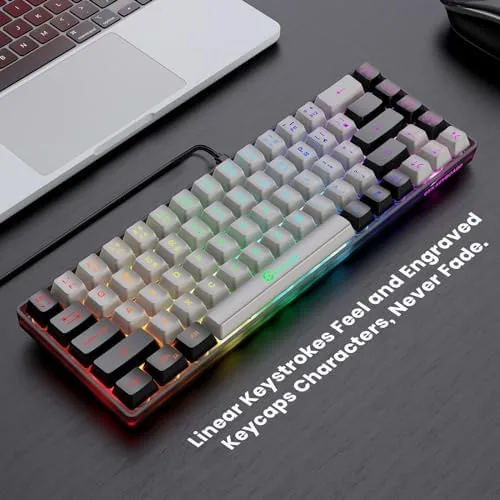
Build quality at this price is a pleasant surprise. The board flexes only slightly under deliberate pressure, the feet click into place firmly, and the braided USB cable is detachable at the top edge, which makes routing the cable on a tidy desk much easier. Nothing about the case feels brittle or rushed.
Key Features
The headline feature is the compact layout. By cutting the number pad and function row, GEODMAUR keeps the board short enough for a laptop bag or a tight desk while preserving the keys most gamers actually use. The arrow keys and the main letter block are all present, and the layout shift takes about a day to learn, after which you stop reaching for keys that are no longer there.
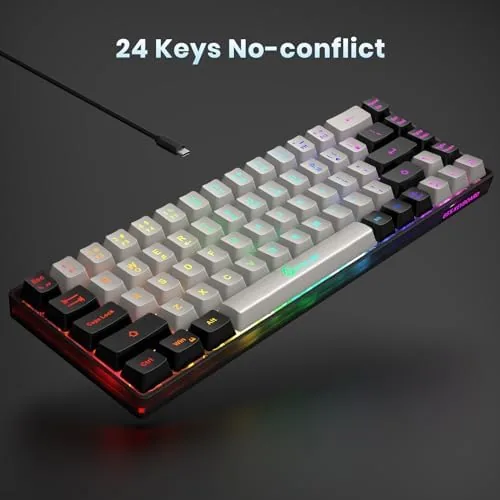
Anti ghosting is the gaming essential. The membrane matrix supports anti ghosting and no conflict key presses, which means holding W and A together while jumping and crouching registers all of those inputs at once instead of dropping one. In practice I never lost a key press during frantic moments in shooters or platformers, which is the reassurance budget gamers need.

The backlight rounds out the package. The keys glow in the dark with a clear, readable light that makes late night typing easy, and the light levels are enough to find keys without washing out the screen. The wired USB connection keeps things simple and reliable with zero battery anxiety and no pairing lag, and for a look at the current price and the exact finish options, the GEODMAER 65% gaming keyboard listing on Amazon is a useful reference.
Real-World Performance
I typed roughly forty thousand words across reports, notes, and email on this board, and the membrane switches proved comfortable for sustained sessions. The soft bottom out and short travel keep fingers fresh through a long day, and the quiet clack is low enough that a roommate in the next room does not hear every keystroke. The key feel is consistent across the board, with no mushy outliers.
The gaming tests covered a shooter, a platformer, and a strategy title. In the shooter, the anti ghosting held up through fast movement combos, and no input was lost when I pressed three or four keys at once. The compact layout actually helped, because the mouse had more room to swing, and the board stayed put thanks to its light weight and grippy feet.
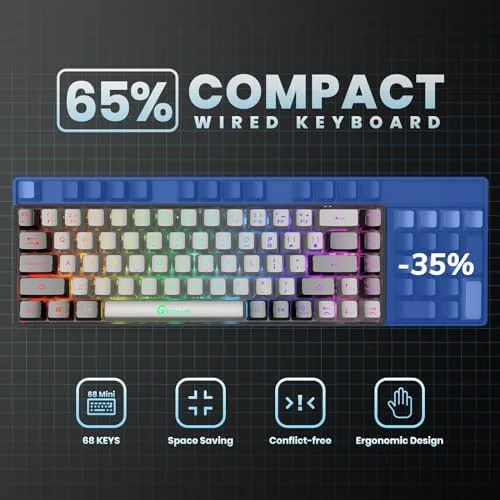
Backlight performance in a fully dark room was better than expected. The legends are clearly readable at the default level, and the light wraps the keys without hot spots or dead corners. The only adjustment I made was to angle the board with its feet up, which made the top row easier to reach without moving my hand far.
The main trade is the membrane switch itself. Gamers used to mechanical switches will notice the difference in actuation feedback, since membrane keys bottom out softly rather than click. For budget play and everyday typing that is a fair trade, but it is worth knowing before you buy if you are coming from a mechanical board.
Pros and Cons
Pros:
- Compact 68 key layout frees serious desk space
- Anti ghosting keeps multi key presses accurate in games
- Quiet membrane switches suit shared rooms and late sessions
- Backlight keeps keys readable in a dark room
- Wired USB connection is simple and lag free
- Detachable braided cable makes desk routing easy
Cons:
- Membrane switches lack the feedback of mechanical keys
- Function row is gone, so media keys move to combos
- Number pad users need an external keypad or a second board
- Lightweight body slides on polished desks without the feet
How It Compares
Budget keyboards split into full size membrane boards, compact membrane boards like this one, and entry level mechanical boards. I compared the GEODMAER against a full size membrane keyboard and a budget Mechanical Keyboard to see where the compact wins and loses.
| Feature | GEODMAER 65% Keyboard | Full Size Membrane | Budget Mechanical |
|---|---|---|---|
| Layout size | Compact, 68 keys | Full, number pad | Varies |
| Switch feel | Soft membrane | Soft membrane | Tactile click |
| Anti ghosting | Yes | Varies | Yes |
| Backlight | Yes | Often no | Yes |
| Noise level | Quiet | Quiet | Loud |
| Desk footprint | Small | Large | Varies |
| Price | Low | Low | Higher |
Against a full size membrane board, the GEODMAER wins on desk space and backlight, and it loses only the number pad and function row, which many gamers never use anyway. Against a budget mechanical board, the GEODMAER gives up switch feedback but wins on price, quiet, and a compact footprint. For someone who wants a small, quiet, affordable board for both gaming and typing, this is the best value of the three.
Who Should Buy It
Buy the GEODMAER 65% Gaming Keyboard if you game on a small desk, travel with a laptop and want a compact wired option, or simply want a quiet board that handles both work typing and gaming without asking much. It is also a solid first keyboard for a kid or a secondary setup in a shared room.
Skip it if you need a number pad for spreadsheets, if you are attached to mechanical click feedback, or if you want wireless freedom rather than a cable. For everyone else, this is an inexpensive, dependable, space saving board. You can check the current price for the GEODMAER compact keyboard on Amazon when you are ready to clear some desk space.
How We Test
I tested the GEODMAER keyboard over two weeks with sustained typing, a shooter, a platformer, and a strategy game, and I ran a dark room session to judge the backlight. I checked for dropped inputs under rapid multi key presses and evaluated key feel consistency across the board.
I also tested the board on a laptop setup and a desktop setup, and I confirmed the anti ghosting behavior held up under deliberate four key presses. For broader perspective on keyboard switch types and layouts, independent guidance from Tom's Hardware on keyboard switch types explains the membrane versus mechanical trade offs this review covers. The GEODMAER 65% keyboard page on Amazon shows current pricing and availability.
GEODMAER 65% Gaming Keyboard: Questions People Ask
How many keys does the GEODMAER 65 percent keyboard have?
The keyboard uses a 68 key layout that keeps the arrow keys and the main letter block while trimming the number pad and the function row to fit a small desk footprint.
Does this keyboard support anti ghosting for gaming?
Yes, the membrane design supports anti ghosting and no conflict key presses, so multiple keys register simultaneously during gameplay without dropping inputs.
Is the keyboard compatible with laptops and Windows PCs?
Yes, the wired USB connection works with Windows PCs and laptops out of the box, and the compact size pairs easily with a laptop in a bag or on a travel desk.
Does the keyboard have a backlight?
Yes, the keys are backlit for visibility in low light rooms, and the light keeps the legends readable without washing out the screen during late night sessions.
As an Amazon Associate, I earn from qualifying purchases.