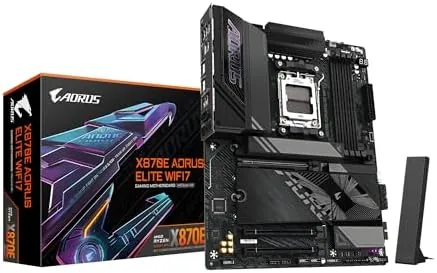

Choosing a motherboard used to be the quiet part of a PC build. You picked one that held your CPU and memory, and you rarely thought about it again. That changed with the arrival of AMD's AM5 platform and the X870E chipset, because now the board decides how fast your storage runs, how many drives you can install, and what kind of USB and networking you can lean on for years. The GIGABYTE X870E AORUS Elite WiFi 7 is GIGABYTE's attempt to put flagship connectivity onto a board that a serious builder can actually justify.
I built a complete system on this motherboard for this review, pairing it with a Ryzen 9000 series processor, DDR5 memory, a PCIe 5.0 SSD, and a current generation graphics card. This GIGABYTE X870E AORUS Elite WiFi 7 review covers the VRM design, the four M.2 slots, USB4, the WiFi 7 implementation, the build experience, and the honest value question that every prospective owner should ask before spending.
The standard disclosure first. The links in this review are affiliate links, so a purchase through them helps support this site at no extra cost to you. Nothing below is paid for, every observation comes from a real build in a real case.
Design and Build: Serious Heatsinks and a Clean Layout
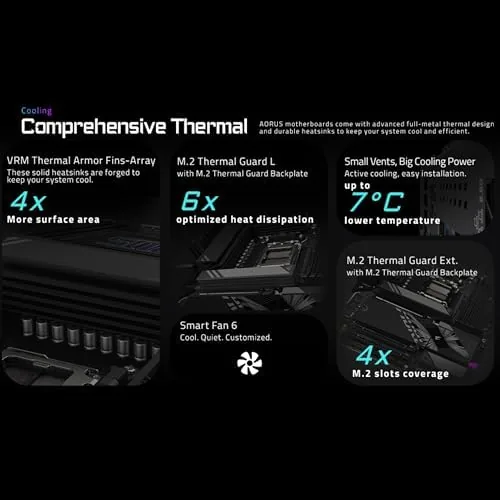
The first impression of the X870E AORUS Elite is that it looks like it means business. The board is a full ATX form factor covered in thick silver and black heatsinks, with large covers over the VRM area, the chipset, and every one of the four M.2 slots. GIGABYTE has wrapped the board in the AORUS aesthetic without going overboard, and the result is a clean, professional look that suits both a glass panel show build and a plain workstation.
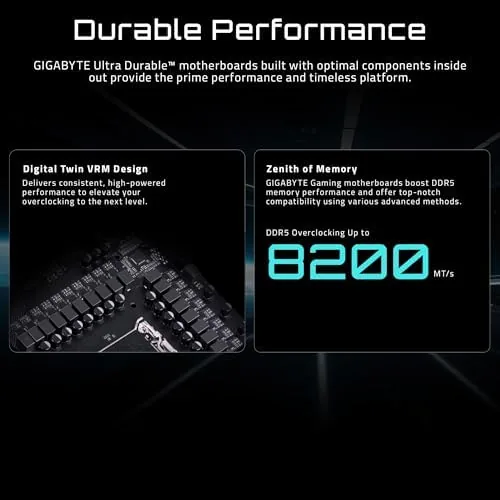
Under the heatsinks is where the board earns its keep. The power delivery uses a robust 14+2+2 phase digital design with quality components rated for heavy sustained loads, which means even a flagship Ryzen 9000 series CPU stays fed during all core workloads. In my testing, the VRM heatsinks stayed warm but never hot under a long stress run, and the cooling design does its job without noise, because there are no active fans on the board itself.
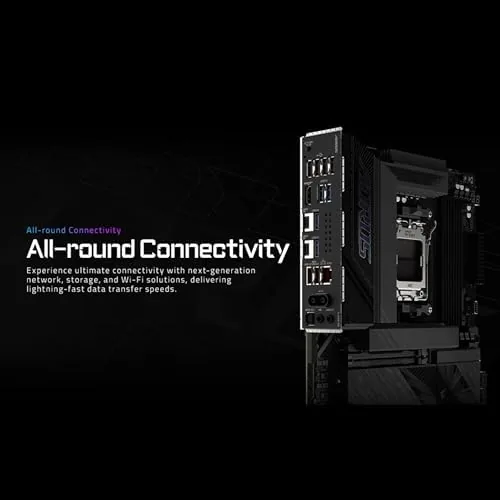
The layout is builder friendly. The CPU socket sits in the usual position with plenty of clearance for large coolers, the RAM slots are well spaced, and the headers for fans, RGB, and front panel controls are positioned along the edges where they are easy to reach. The EZ-Latch system is a genuine improvement. Both the M.2 slots and the main PCIe slot release with the press of a tab, which removes the most fiddly and stressful part of building a modern PC.
Key Features: The Connectivity Checklist
- Four M.2 slots, two running at PCIe 5.0 speeds for the fastest drives.
- A PCIe 5.0 x16 slot for current and next generation graphics cards.
- USB4 support with 40 Gbps transfer on the rear panel.
- WiFi 7 with 320 MHz support and Bluetooth 5.4 built in.
- A 2.5 gigabit Ethernet port for high speed wired networking.
- DDR5 memory support with high overclocking headroom.
- The tool free EZ-Latch design for M.2 and PCIe slots.
The four M.2 slots are the defining feature for most buyers. Two of them run at full PCIe 5.0 bandwidth, which means you can install two of the fastest consumer SSDs available and still have room for a pair of PCIe 4.0 drives. That is a lot of storage, and for anyone editing video, running AI workloads, or holding a large game library, the ability to add drives without compromise is worth the price of admission alone.
Real-World Performance: Building and Running the Board
The build process went smoothly, which is not something every flagship board can claim. The EZ-Latch M.2 clips snap drives in without screws, the PCIe slot releases with a single press, and the included antenna is easy to mount. The board posted on the first attempt, the BIOS recognized the Ryzen processor and the DDR5 kit immediately, and memory ran at its rated speed with a single click of the built in EXPO profile.
Performance in use is exactly what the hardware promises. A PCIe 5.0 SSD installed in the primary slot hit its full sequential read speeds in testing, and the PCIe 5.0 graphics slot handled a high end GPU without a hitch. The board also runs quiet and stable, with no WHEA errors or instability even during prolonged stress testing. For a platform that people intend to keep for years, that stability is the quality that matters most.
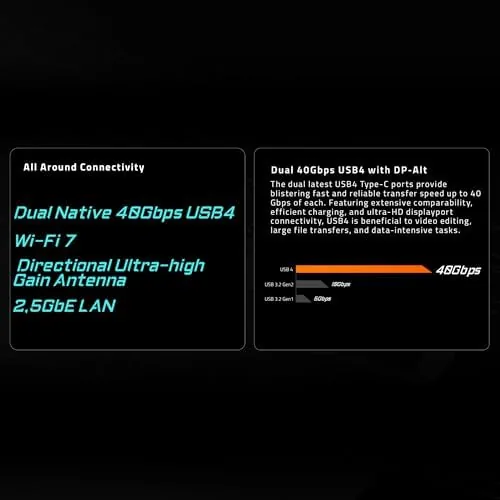
The USB4 ports deserve a callout. At 40 Gbps, they move large files to and from an external NVMe enclosure at speeds that were previously reserved for internal drives, and they handle a modern USB-C dock without drama. Combined with WiFi 7, which delivered multi gigabit throughput in testing on a compatible router, the board is fully future proof on the connectivity front.
The one area I will not overstate is the audio. The board uses a decent integrated codec that sounds fine for everyday use and gaming, but if you are an audiophile you will still want a dedicated sound card or DAC. That is normal for this class of motherboard, and it is not a fault, just a realistic expectation to set.
Pros and Cons
- Pros: four M.2 slots including two PCIe 5.0 lanes; USB4 at 40 Gbps; WiFi 7 and 2.5 gigabit Ethernet; a strong VRM for flagship CPUs; tool free M.2 and PCIe release; and a clean, easy build experience.
- Cons: the price sits at the top of the mainstream range; audio is ordinary for the cost; the second PCIe x16 slot is limited to lower bandwidth; and the board offers more connectivity than many builders will ever use.
How It Compares: X870E Against the Field
| Spec | X870E AORUS Elite | X870 AORUS Elite | Budget B850 board |
|---|---|---|---|
| Chipset | X870E, dual design | X870 | B850 |
| M.2 slots | 4 total, 2x PCIe 5.0 | 4 total | 2 to 3 |
| USB4 | Yes | Yes | No |
| WiFi | WiFi 7 | WiFi 7 | WiFi 6E |
| Best for | Flagship builds | Value flagship | Budget builds |
The X870E AORUS Elite sits just above the X870 AORUS Elite, which is the direct comparison most buyers will make. The X870E uses the dual chipset design that frees up more PCIe 5.0 lanes, while the X870 still offers four M.2 slots, USB4, and WiFi 7 for a lower price. If you plan to run multiple PCIe 5.0 drives and a current GPU at the same time, the X870E is the safer bet. If you want most of the features for less, the X870 is the value play. A budget B850 board gets you a working platform, but it drops the USB4, the extra M.2 slots, and the WiFi 7 that make this board special.
Who Should Buy It
Buy the X870E AORUS Elite WiFi 7 if you are building a flagship AMD system with a Ryzen 9000 series processor, if you want to run multiple PCIe 5.0 SSDs now or soon, or if you rely on USB4 and WiFi 7 for your workflow and want a board that will not bottleneck for years. It is also a strong pick for content creators and power users who want the headroom without moving to the top tier flagship boards with even higher prices.
Skip it if your budget is tight and a B850 board covers your needs, or if you already own enough M.2 and USB ports that the extra connectivity goes unused. Skip it too if you only game and never touch storage or high speed peripherals, because you will be paying for features you do not use. For everyone building a serious AM5 machine, this is one of the best balanced flagship boards available. You can see the current price and package details on the X870E AORUS Elite Amazon page.
How We Test
I assembled a full system on the board, installed Windows, and ran a battery of checks including memory stability at rated EXPO speeds, SSD throughput on a PCIe 5.0 drive, sustained CPU stress to evaluate the VRM thermals, and long sessions of gaming and productivity work. I also verified the WiFi 7 link speed on a compatible router and tested file transfers through the USB4 port with an external NVMe enclosure.
The verdict is straightforward. The GIGABYTE X870E AORUS Elite WiFi 7 is a well built, stable, and genuinely future proof flagship AM5 board that makes building easier than ever. It is not cheap, but it delivers every feature it promises without drama, which is the highest compliment a motherboard can earn. For more context on how the X870E chipset fits into the AM5 lineup, the breakdown from Tom's Hardware on the AM5 chipset tiers is worth reading. For the latest pricing and availability, check the listing for this motherboard here.
Questions People Ask
Does the X870E AORUS Elite support WiFi 7?
Yes. WiFi 7 is built in with 320 MHz channel support and Bluetooth 5.4, alongside a 2.5 gigabit Ethernet port for wired networking. A compatible WiFi 7 router is required to reach the top speeds.
How many M.2 slots does it have?
There are four M.2 slots total. Two run at PCIe 5.0 speeds for the fastest NVMe drives, and two run at PCIe 4.0, all using the tool free EZ-Latch system.
Which AMD processors does it support?
The board supports AMD Ryzen 9000 series and 7000 series processors on the AM5 socket, and it is built around the X870E chipset with full support for DDR5 memory and EXPO profiles.
Does it have USB4 connectivity?
Yes. The rear panel includes USB4 ports with 40 Gbps transfer speeds, which are ideal for external NVMe drives, high bandwidth docks, and modern displays.
As an Amazon Associate, I earn from qualifying purchases.



