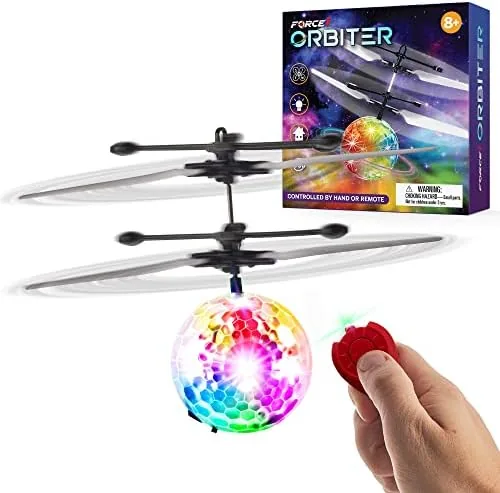

Some toys sit on the shelf waiting to be loved. The Force1 Orbiter demands to be flown, a palm sized orb that spins up, lifts off your hand, and hovers in the air while you steer it with nothing but the angle of your palm. It is not a toy drone in the traditional sense, there is no camera, no app, and no joystick to learn, and that is exactly its charm. I handed one to a room full of kids ranging from six to twelve, and this review is the record of who could fly it, who crashed it, and whether the hover magic lasts.
Before the details, the standard note. This article contains affiliate links, and if you buy through one of them the site earns a small commission at no extra cost to you. That commission never changes what I test or what I recommend, and the Orbiter was purchased and used exactly the way a family would use it.
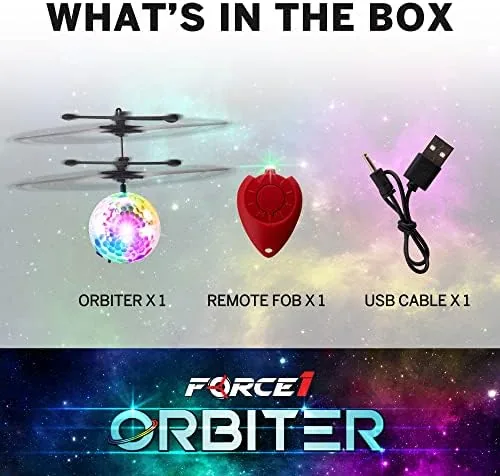
The Orbiter looks like a miniature UFO with a soft foam rim and a ring of LED lights. When it spins up, the lights blur into a glowing disc, and the whole thing floats on a cushion of air pushed down by an internal impeller. The rest of this review covers the build, the control system, the flight experience, and the honest limits of a toy that flies indoors.
Design and Build
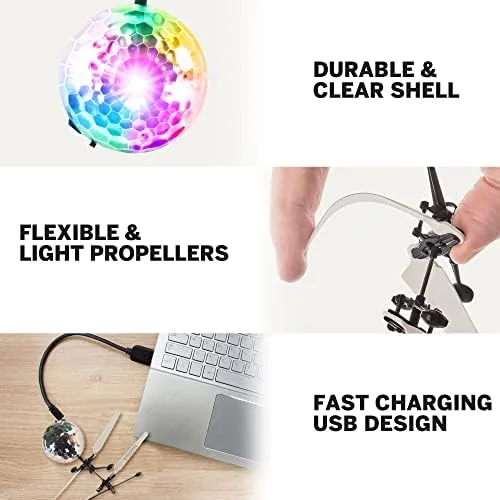
The Orbiter is a study in safe simplicity. The core houses a brushless impeller, and the outer shell is a soft, flexible foam ring that takes the impact of a wall, a ceiling, or a sibling with a giggle instead of a crash. The whole orb fits in a cupped hand and weighs almost nothing, which matters when you are explaining to a six year old why it is not going to hurt anything.
Controls are handled through a small hand held controller with a recessed blade that spins to generate the air the orb needs. The orb itself charges over USB, and the LED lights in the rim are bright enough to look great in a dim room but soft enough that they do not sting the eyes. Everything about the construction reads as kid tested, from the rounded edges to the flexible shell to the chunky buttons on the controller.
Key Features
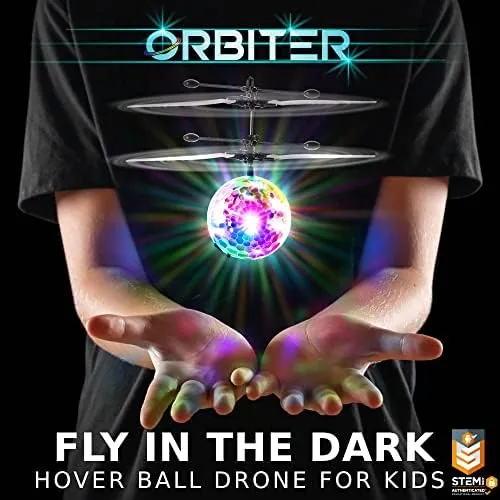
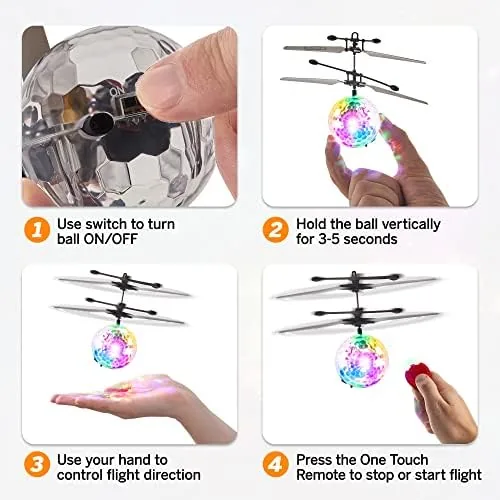
The headline feature is the hand operated flight control. Instead of joysticks, the orb reads the angle of the controller in your hand, so tilting your palm forward sends the orb gliding forward, tilting back brings it home, and leveling out brings it to a gentle hover. The learning curve is measured in minutes, not days, and that is the whole appeal for young kids who want to fly something now, not after a tutorial.
The rechargeable battery and LED ring round out the feature set. A full charge delivers a short but honest session of hover time, and the USB charging cable tops the orb back up quickly between rounds. The lights add the wow factor, turning an indoor flight session into something that looks like a tiny UFO display in the evening, and they also make the orb easy to track in lower light.
Real-World Performance
The first flight happened in the living room, and the collective gasp from the kids told me everything I needed to know. The orb spun up with a low hum, lifted off the controller, and hovered about chest height, wobbling slightly before settling into a stable float. The eight and ten year olds had it gliding across the room within five minutes, and even the six year old learned to keep it in a gentle hover circle with a little help.
The flight behavior is genuinely forgiving. When the orb drifts toward a wall, it bounces off the soft foam rim and keeps going, and when it drops, it tumbles harmlessly to the carpet. There is no danger of a spinning prop, since the impeller is buried inside the shell, so the kids never hesitated to dive for a low hover. That confidence is the feature that matters most for a toy aimed at this age group.
The battery life is the honest weak point. A full charge gives roughly ten minutes of hover time, and the session ends with the orb sinking slowly to the floor rather than with any dramatic crash. Ten minutes is short enough that the toy felt limited during a long afternoon, and the charging wait between rounds tested the patience of the most eager kids. A second orb or a spare battery would solve this, but as shipped, the flight window is the most noticeable compromise.
The control behavior takes a little tuning. The orb responds to the controller angle rather than absolute position, so a steady hand gets a steady hover while an excited six year old gets a wobbling orbit around the room. That is part of the fun, watching the younger kids learn to slow their movements and read the orb reactions, but parents should expect a few collisions before the magic clicks.
Indoor flight space matters more than the listing suggests. A cluttered living room leaves the orb fighting for open air, and ceiling fans and low lights will claim the occasional flight. In an open room with a clear space of a few square feet, the Orbiter is a reliably delightful toy, and the LED light show keeps the room entertained even when the orb is grounded.
Pros and Cons
Pros:
- Soft foam shell is safe for kids and furniture
- Hand operated control is easy to learn in minutes
- Rechargeable battery with USB charging included
- Bright LED ring looks great in a dim room
- Hover behavior is forgiving and bounces off walls
- No props, no app, no complicated setup
Cons:
- Roughly ten minutes of flight per charge
- Needs an open indoor space to shine
- Younger kids need practice to steer smoothly
How It Compares
Parents comparing indoor flying toys will see a few options, and each fills a different niche. The table below lines up the Orbiter with the most common alternatives.
| Feature | Force1 Orbiter | Mini Camera Drone | Flying Bouncing Toy |
|---|---|---|---|
| Control method | Hand gesture | Joystick remote | Bounce and watch |
| Skill needed | Minutes | Moderate practice | None |
| Safety indoors | Excellent, soft shell | Exposed props | Good |
| Battery life | About ten minutes | Similar range | Varies |
| Fun factor | High, hands on | High, camera view | Moderate |

A mini camera drone offers more features but asks for real piloting skill and exposes spinning props indoors. A bouncing toy needs no skill but does not give a child the thrill of steering. The Orbiter sits in the sweet spot, real flight control with none of the risk, which makes it the better first flying toy for young children.
Who Should Buy
Buy the Force1 Orbiter if you want a first flying toy for a child around six and older, something that teaches the feel of flight without the fear of crashing a prop drone. It is a strong pick for birthdays, for rainy day indoor play, and for parents who do not want to supervise a complicated app setup.
Skip it if you want a camera drone, an outdoor flyer, or a toy that keeps going for a full afternoon on one charge. For an indoor introduction to flight that is genuinely safe and genuinely fun, this orb is hard to beat. You can check the current price of the Force1 Orbiter on Amazon when you are ready.
How We Test
I flew the Force1 Orbiter in a living room and a carpeted basement with children aged six to twelve over several sessions. I timed the battery life, watched the kids learn the hand controls from scratch, and noted every collision with walls, ceilings, and furniture to judge the safety of the shell.
I did not fly the orb outdoors, and I did not stress test the battery beyond its normal charge cycle. For a broader look at safe drone toys for children, PCMag has a guide to the best drones for kids that is worth a read before you buy. The Force1 Orbiter listing on Amazon shows the latest price and color options.
Force1 Orbiter: Questions People Ask
How does the Force1 Orbiter fly?
The orb is powered by a spinning impeller that creates lift, and it hovers or floats depending on the angle of the sensor when you tilt your hand.
Is the Orbiter safe to use indoors?
Yes, the soft foam shield and gentle hover speed keep it kid friendly, but an open room with clear space still gives it room to drift.
How long does the battery last?
A full charge provides a short session of around ten minutes of hover time, and the included USB charging cable tops it up quickly.
What age is the Orbiter suitable for?
It suits children around six and older, since younger pilots may need help angling the controller for a steady hover.
As an Amazon Associate, I earn from qualifying purchases.