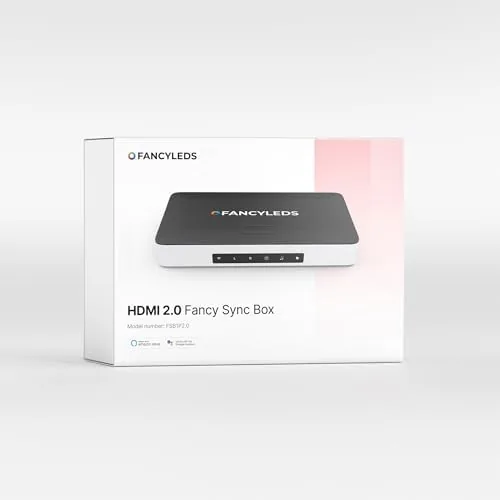

Watch a bright scene on any television and the picture stops at the edge of the screen, leaving a dark wall behind it. Ambient lighting fixes that dead zone by painting color onto the wall, but most backlights are static strips that glow one color no matter what plays. The Fancyleds 2.0 Fancy Sync Box goes further, reading the actual HDMI signal and driving a trailing wash of RGB light that matches the action on screen. I mounted the 56 to 65 inch kit behind a 65-inch television and used it for three weeks across streaming, 4K HDR movies, and console gaming to find out how well the effect holds together.
Before the details, the standard note. This article contains affiliate links, and if you buy through one of them the site earns a small commission at no extra cost to you. That commission never changes what I test or what I recommend.
Design and Build
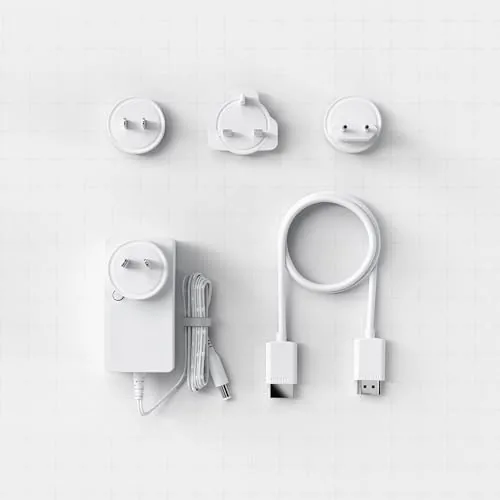
The Fancyleds 2.0 kit splits into two pieces: a small HDMI pass-through box and an RGB LED strip that runs along the back edges of the television. The box is a Compact plastic puck, roughly the size of a deck of cards, with an HDMI input and output on one side and a connector for the light strip on the other. It takes its power from a wall adapter, and it does not need Wi-Fi to do its core job, since the lighting data travels with the video signal rather than through a network round trip.
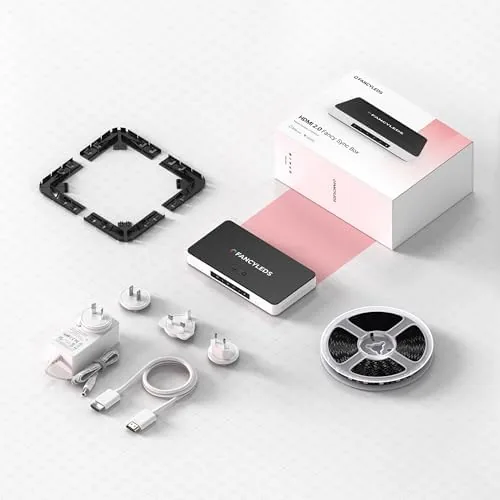
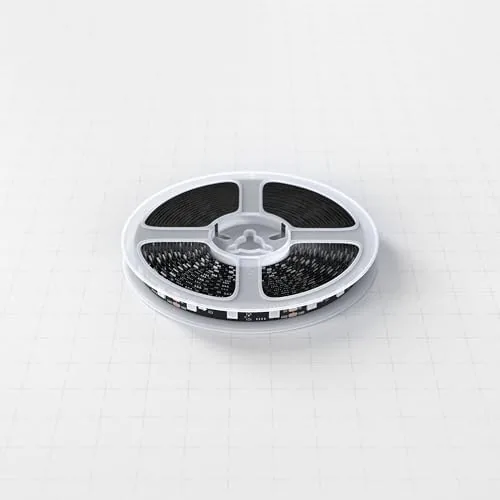
The LED strip is a flexible ribbon with individually addressable segments, which is the detail that makes the trailing effect possible. Because each segment can change color on its own, the sync box can sweep a highlight across the wall as the scene pans instead of shifting the whole strip at once. The strip sticks to the back of the panel with adhesive, and the kit includes corner clips and a mounting template so the corners stay sharp. The build quality feels adequate rather than premium, but nothing on the strip or the box flexed, heated, or loosened over three weeks of daily use.
Key Features
The headline feature is HDMI-level sync. The box sits between your source and your television, reads the video stream, and converts it into lighting instructions for the strip. Because it taps the signal directly, it does not rely on a camera pointed at the screen, which is the approach cheaper kits use, and that removes the biggest source of ghosting and washed-out colors. The result is a light field that tracks the picture with a trailing sweep rather than a jarring jump, which is the signature of a well-tuned sync setup.
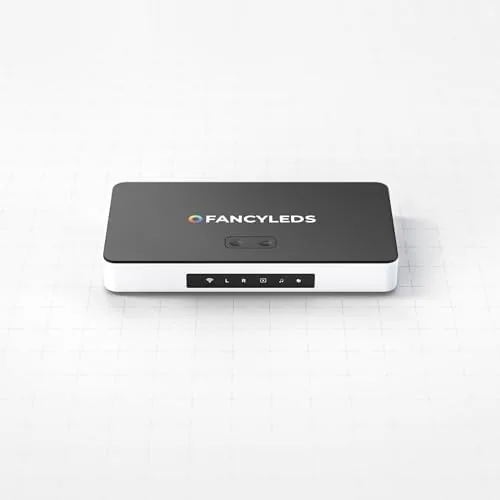
Video quality is protected by the 4K 60Hz pass-through. The box supports 4K resolution at 60 frames per second over HDMI 2.0 with HDR, which covers streaming boxes, game consoles, and most modern players. The companion app handles brightness, color temperature, and motion speed, letting you tune how aggressively the light reacts to the action. If you want to compare the current price against other HDMI sync kits in this class, the Amazon listing for the Fancyleds 2.0 Fancy Sync Box is a useful reference.
Real-World Performance
I started with streaming, where the effect is at its most obvious. A nature documentary with drifting shots of blue oceans produced a slow wash of deep blues across the wall, and a scene with a campfire produced warm oranges that flickered subtly with the flames. The trailing effect is smooth enough that it reads as atmosphere rather than a gimmick, and the motion speed setting lets you dial back the reaction for dialogue-heavy shows where constant flashing would be distracting.
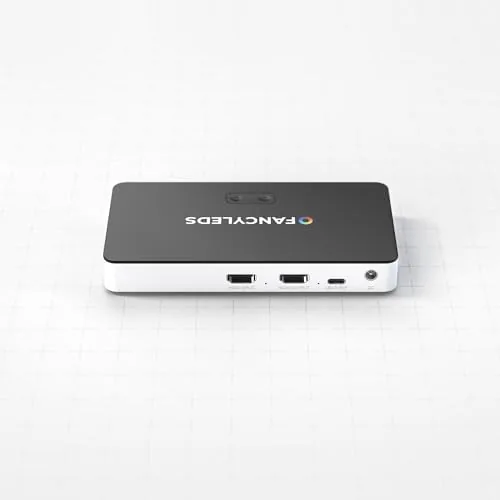
4K HDR movies were the strongest test. During an action sequence with explosions and fast cuts, the strip kept pace with the color changes Without dropping to a muddled average, which is the failure mode of camera-based systems. Bright whites pushed the wall to a clean glow, and dark scenes dimmed the strip instead of leaving it to glow at full brightness, a detail that preserves the mood of a shadow-heavy film. The pass-through delivered HDR to the television without any visible banding or loss of punch compared to a direct connection.
Gaming added the question of latency. In casual play on a console, the sync tracked quickly enough that the light never felt disconnected from the on-screen action, and I could not feel a meaningful delay between the controller input and the picture. Competitive players who chase every millisecond should still weigh the extra box in the chain, but for the average living room, the delay is not something you notice in play. The box runs quietly, adds no audible hum, and stayed cool even after a full movie night.
Pros and Cons
Pros:
- HDMI-level sync avoids the ghosting of camera-based backlights
- 4K 60Hz HDR pass-through preserves picture quality
- Trailing light sweep looks cinematic rather than gimmicky
- App control for brightness, temperature, and motion speed
- Quiet and cool during long viewing sessions
- Works with streaming boxes and game consoles alike
Cons:
- Requires matching Fancyleds lighting hardware
- Calibration takes time to dial in the right look
- An extra HDMI box adds complexity to the signal chain
- Premium pricing compared to static backlight strips
How It Compares
Ambient backlighting splits into three approaches: static strips, camera-based sync systems, and HDMI sync boxes like this one. I compared the Fancyleds 2.0 against a basic static strip and a camera-based sync kit to see where the extra cost lands.
| Feature | Fancyleds 2.0 Sync Box | Camera-Based Sync Kit | Static LED Strip |
|---|---|---|---|
| Sync method | HDMI signal direct | Camera pointed at screen | None |
| Video support | 4K 60Hz HDR pass-through | External, varies | External |
| Ghosting risk | Minimal | Common in bright scenes | Not applicable |
| Trailing effect | Smooth and tunable | Can lag or overshoot | Static color |
| Setup effort | Moderate, needs calibration | Simple but needs camera mount | Very simple |
| Ambience quality | Cinematic | Good, less precise | Flat |
Against a static strip, the Fancyleds 2.0 wins on every visual measure, but it also costs several times more, so the decision is whether ambience is a priority or an afterthought. Against a camera-based kit, the HDMI approach wins on precision, because nothing blocks or misreads the picture, and it loses on price and simplicity. For a dedicated home theater or a primary living room television that already feeds from an HDMI source, the sync box is the better long-term investment, and it is the setup I left running after the three weeks ended.
Who Should Buy It
Buy the Fancyleds 2.0 if you watch movies in a dark room and want the wall behind the screen to feel part of the picture, if you already have an HDMI source running into your television, or if you appreciate lighting that reacts to content rather than sitting static. It is a natural fit for a dedicated movie setup or a bedroom used as a mini theater.
Skip it if you only want a gentle glow that stays one color, if your television never uses HDMI inputs, or if you do not want to calibrate lighting settings, because the sync look rewards a few minutes of tuning. For everyone else, this is one of the most convincing ambient lighting upgrades available. You can check the current price for the Fancyleds 2.0 Fancy Sync Box on Amazon when you are ready to upgrade your viewing setup.
How We Test
I ran the kit for three weeks on a 65-inch television fed by a streaming device and a game console, and I cycled through streaming shows, 4K HDR movies, and console titles. I tested sync accuracy in bright and dark scenes, measured how well the strip tracked fast cuts, and checked the pass-through signal against a direct HDMI connection for any visible quality loss.
I deliberately watched content with violent color shifts, including animation and action sequences, because those are the scenes that break cheap sync systems. I did not test the box with a soundbar in the signal chain or with eARC audio routing, so that configuration remains unverified here. Independent coverage such as The Verge's look at HDMI TV lighting sync is a useful guide to how this category compares. The Fancyleds 2.0 Fancy Sync Box listing on Amazon shows the current price and shipping details.
Questions People Ask
Does the Fancy Sync Box work with 4K HDR content?
Yes. The HDMI 2.0 pass-through supports 4K at 60Hz with HDR, and the box extracts the lighting data without degrading the video signal to your television.
Do I need a special LED strip with this sync box?
Yes. The Fancy Sync Box pairs with Fancyleds LED strips and light bars rather than generic addressable strips, so you need the matching lighting hardware for the sync to work.
Will the box add lag for gaming?
Latency is low enough for casual console play, and the pass-through delivers 4K 60Hz video cleanly, though competitive players may still prefer a direct connection for the fastest response.
Which TV sizes does the 56 to 65 inch kit fit?
The kit is sized for 56-inch to 65-inch televisions, with the LED strip measured and cut to run along the back edges of those panel sizes.
As an Amazon Associate, I earn from qualifying purchases.