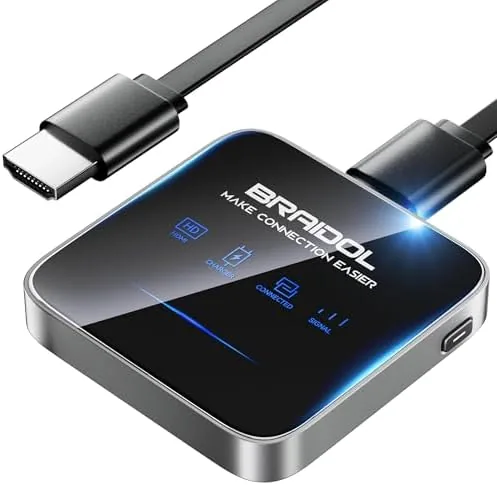

There is a specific frustration every presenter and every family knows: the HDMI cable that is too short, the adapter that is not in the bag, and the laptop that refuses to talk to the hotel TV. A wireless HDMI dongle exists to delete that category of problem entirely, and the 2027 upgraded model from Upgraded is a Compact black stick that turns any HDMI display into a wireless casting target. It takes video, audio, and files from a smartphone or laptop and sends them to an HDTV, projector, or monitor over WiFi, with support for AirPlay and DLNA. I spent two weeks using it across presentations, movie nights, and a holiday photo session, and this is the honest record of how it behaves.
Before the details, the standard note. This article contains affiliate links, and if you buy through one of them the site earns a small commission at no extra cost to you. That commission never changes what I test or what I recommend.
Design and Build
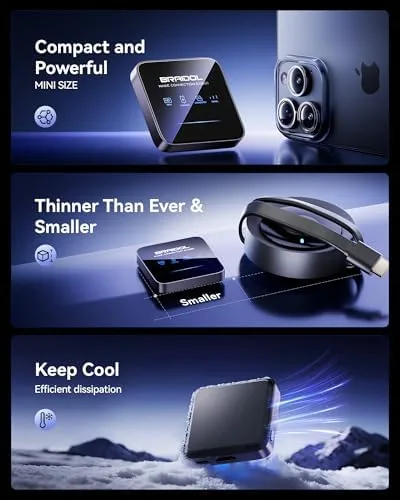
The dongle is a small black stick that plugs directly into an HDMI port, and at its size it could be mistaken for a fancy USB thumb drive. The plastic housing is matte and unobtrusive, and it clears the ports around a TV with enough room that it does not block a neighboring HDMI slot, which is a genuine design courtesy that cheaper sticks often ignore. The build is simple, with no moving parts, and there is little to fail beyond the connection itself.
Setup follows the classic stick pattern. You plug the dongle into the display, power it through its cable, and switch the display to the right input. The dongle presents a setup screen that names its network, and you connect your phone to that network once to finish the pairing. The whole process took me about five minutes, including reading the printed guide, and the hardest part was remembering that the display input must change before anything appears.
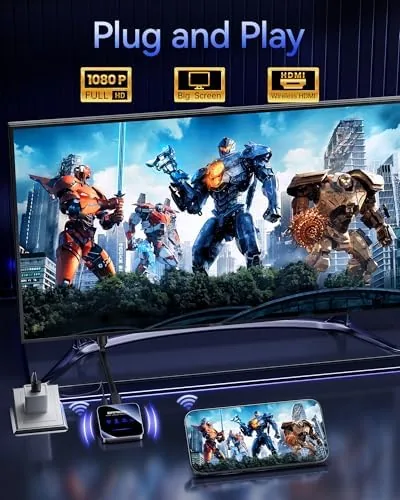
The power cable is short, which is typical for a stick that draws power from the included adapter, and the dongle runs cool even after a long movie, which is worth noting because cheap alternatives can get hot enough to worry about. There are no buttons to press and no remote to lose, which suits the audience this product serves.
Key Features
The core feature is cross platform casting. AirPlay support covers iPhones, iPads, and Macs, so an Apple household can mirror a screen or push a stream with the same ease as a native Apple TV. DLNA and Android casting cover the other half of the ecosystem, letting Windows laptops and Android phones send content to the same dongle, which makes it genuinely useful in a mixed household or an office that hands devices around.
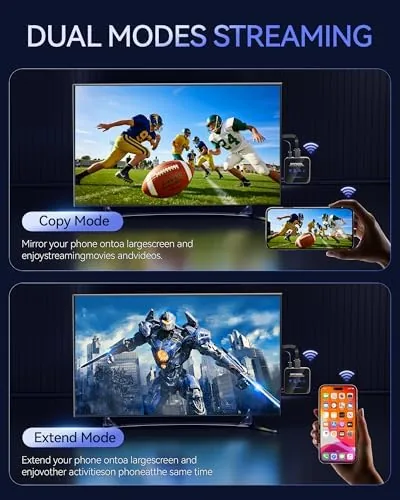
Beyond streaming services, the dongle mirrors whatever is on your screen. That means photos on a holiday, documents from a laptop, and apps that have no casting button at all can all reach the display, which is the difference between a casting stick and a genuine wireless display adapter. The video, audio, and file transfer support covers the practical range of what people actually want to show on a big screen.
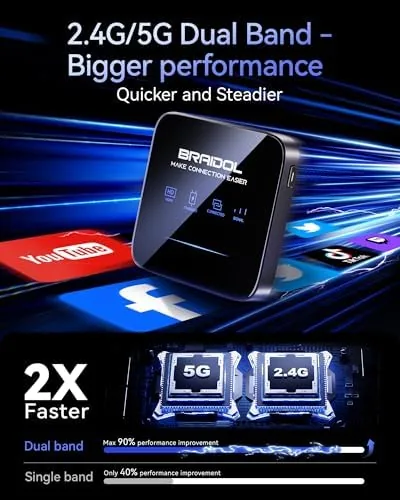
Latency is the other headline claim, and the 2027 upgraded version does feel snappier than older budget sticks. Screen mirroring had enough lag that fast action games were off the table, which is true of nearly everything in this category, but video playback, presentations, and photo browsing all tracked smoothly. For a current look at the price and the included power kit, the Amazon listing for the wireless HDMI display dongle is a useful reference.
Real-World Performance
I took the dongle to an actual office presentation first, which is the use case it is built for. The laptop mirrored to a meeting room projector without a cable, the slides advanced with only a short beat of lag, and the whole room worked because there was no adapter hunt before the meeting started. That single successful presentation justified the purchase by itself for anyone who presents regularly.
At home, the dongle ran an evening of streaming. A phone cast a movie to the living room TV through AirPlay, and playback stayed smooth With audio in sync, which is the test most budget sticks fail at some point. I then switched to Android for a photo slideshow, and the family photos filled the screen with no effort, because mirroring shows everything regardless of whether the app supports casting.
File transfer worked as advertised for a short video clip and a document, and the dongle handled them without the handshake problems that older adapters show with certain file formats. The direct mode came in handy at a relative's house where there was no shared WiFi: the dongle broadcast its own network and the phone connected to it for a local cast, which saved a movie night that would otherwise have needed a cable.
The honest limitations are latency and range. Fast action gameplay stayed in the lag zone, and the connection degraded if I wandered more than a room away from the display. For streaming, presenting, and sharing media, the performance was excellent for the price, and both caveats are common across the whole product category rather than faults specific to this unit.
Pros and Cons
Pros:
- AirPlay, DLNA, and Android casting cover every major phone and laptop
- Mirrors the full screen, not just supported apps
- Plug in setup takes minutes with no remote to manage
- Runs cool and stays stable over long sessions
- Direct mode works without a shared router
- Compact stick fits crowded TV ports cleanly
Cons:
- Noticeable lag makes fast action games unplayable
- Range drops off beyond a room distance
- Short power cable needs a nearby outlet
- File format support is good but not universal
How It Compares
Most buyers weigh a dongle like this against a dedicated streaming stick such as a Fire TV or Apple TV, and against a long HDMI cable. I used all three on the same tasks to map the real differences.
| Feature | Wireless HDMI Dongle | Streaming Stick | Long HDMI Cable |
|---|---|---|---|
| Phone mirroring | Yes, full screen | Limited | Only with wired adapter |
| Laptop support | Yes, with AirPlay or DLNA | Limited | Yes, with matching port |
| Streaming apps | Through mirroring | Built in, excellent | Not applicable |
| Latency | Low for video, lag for games | Very low | Zero |
| Setup | Minutes, wireless | Minutes, wireless | Physical cable route |
| Portability | Pocket sized | Pocket sized | Bulky |
| Price | Low | Mid range | Low |
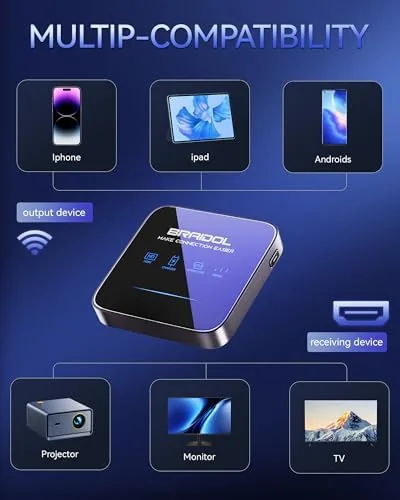
Against a streaming stick, the dongle wins on true phone mirroring and on laptop support, since a Fire TV or similar focuses on its own apps rather than on showing you any screen. The streaming stick wins on latency and on the polished app experience. Against a cable, the dongle wins on convenience and portability, while the cable wins on latency and reliability, because a wired connection never drops.
The practical answer is that most homes already have a cable and may already own a streaming stick. The dongle earns its place for the jobs neither handles well: putting a phone or laptop screen on a big display from across the room, in a meeting, or at a friend's house.
Who Should Buy It
Buy this dongle if you present from a laptop, want to cast your phone to a TV without buying an ecosystem specific stick, or travel with a projector and hate cable fuss. It is also a good addition for a spare bedroom TV that you want to use without adding a full streaming box.
Skip it if you need zero latency for gaming, stream only from paid apps on a dedicated box, or already have a streaming stick that covers everything you do. For everyone else, this is a small, cheap tool that solves a genuinely common problem. You can check the current price for the wireless HDMI display dongle on Amazon when you are ready to cut the cable.
How We Test
I tested the dongle over two weeks across an office presentation, an evening of streaming, a photo slideshow, a file transfer session, and a direct mode cast without a shared router. I used an iPhone, an Android phone, and a Windows laptop as sources, and I tracked latency, range, and stability across each task.
I did not test the dongle with a hardwired Ethernet setup or unusual file codecs, and my results reflect a typical home and office WiFi environment. For broader context on wireless display technology, independent coverage such as Tom's Hardware's screen casting coverage explains what to expect from WiFi based displays. The wireless HDMI dongle listing on Amazon shows the current price and bundle.
Wireless HDMI Display Dongle: Questions People Ask
Does the dongle work with both iPhone and Android?
Yes. It supports AirPlay for Apple devices and DLNA and Android casting for the rest, so iPhones, iPads, Macs, Android phones, and Windows laptops can all share the display.
Does it need a WiFi network to work?
The dongle works best on a shared WiFi network, and it also offers a direct mode that creates its own network, so you can still cast where no router is available.
Can it mirror a laptop screen to a projector?
Yes. Laptops mirror or extend their display to an HDMI projector or monitor through the dongle, which makes it a practical tool for presentations and second screens.
Is the dongle limited to streaming services?
No. It mirrors your whole device screen and streams local media, so you can show photos, documents, files, and apps in addition to supported streaming services.
As an Amazon Associate, I earn from qualifying purchases.