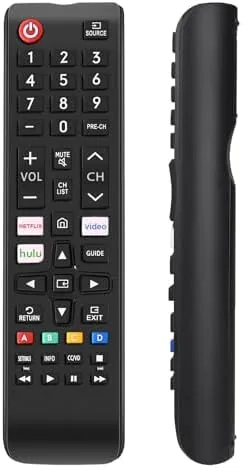

There is a specific kind of household pain that only the lost remote can cause. The original goes missing behind the sofa or drops its last battery at the worst moment, and suddenly a television with a hundred channels becomes a brick with a power button on the panel. The EONCHARM universal remote is built for exactly that situation: a budget replacement control that claims compatibility with the full sweep of Samsung LCD, LED, HDTV, 3D, and smart TVs. I paired one with three different Samsung sets over a month to test the setup, the range, and the everyday feel.
Before the details, the standard disclosure. This article contains affiliate links, and if you buy through one of them the site earns a small commission at no extra cost to you. That commission never changes what I test or recommend.
Design and Build
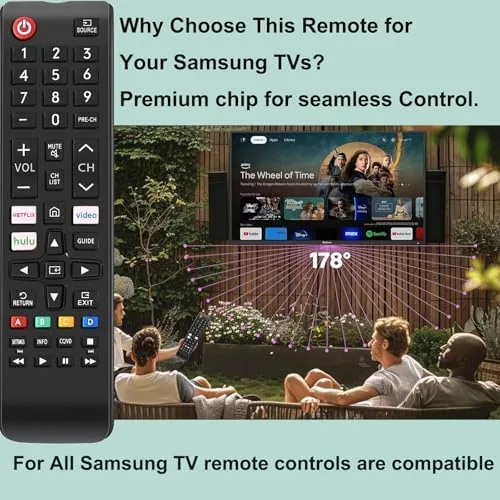
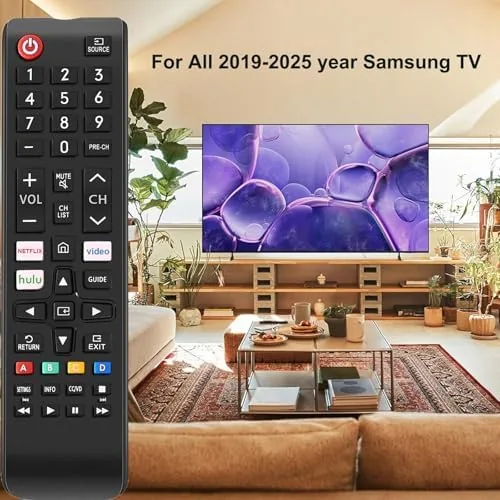
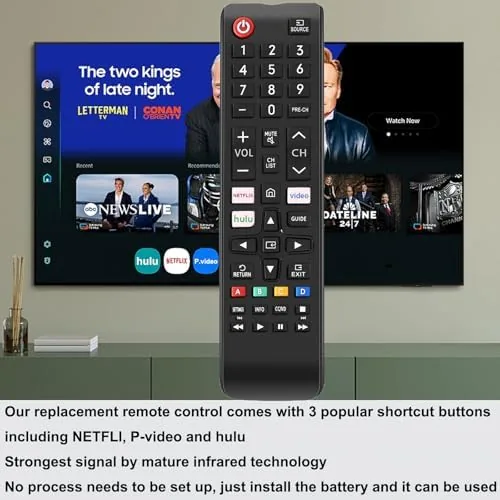
The EONCHARM remote is a familiar shape, slightly curved to sit in the palm, with a full button layout that mirrors the classic Samsung design. The top row carries power, source, and the number pad, followed by the channel and volume rockers, and then the menu, direction, and enter controls in the middle. There is nothing experimental here, which is exactly right for a replacement: you want the buttons to be where your thumb expects them on day one.
The build is lightweight plastic, and the buttons have a soft, quiet press with enough travel that you feel each one engage. The label printing is clear and legible, which matters more than it should after a few months of use, and the remote survived a month of daily handling including a few drops onto a floor without any buttons sticking. It runs on two AAA batteries that sit behind a small sliding cover on the back, a standard design that takes seconds to service.
Key Features
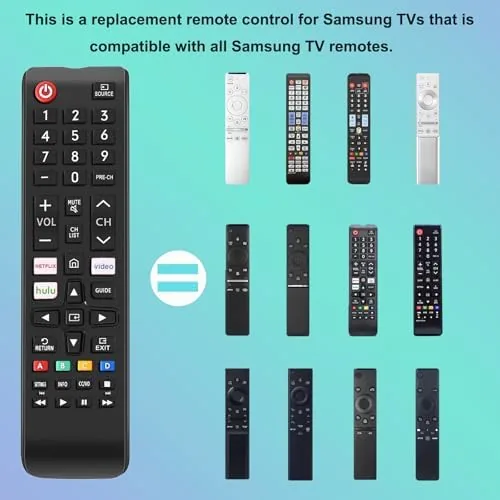
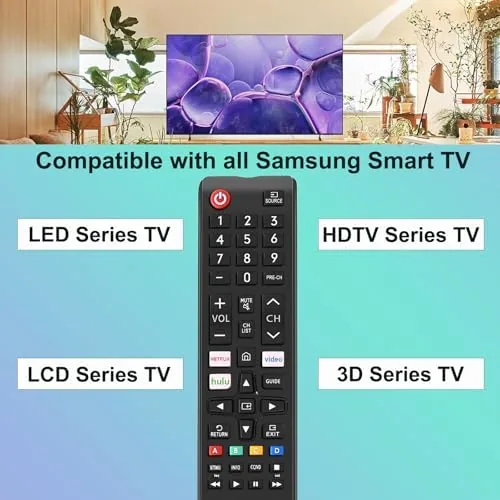
The headline feature is compatibility. The remote supports the broad Samsung line, including the older LCD and LED panels that stubbornly refuse to die, the HDTV sets, the 3D-era televisions, and the smart TVs that dominate living rooms now. That wide net is the reason it sells: a single replacement that works in a home with more than one Samsung set, or that covers a TV whose original remote is discontinued.
Setup is handled by a code system with a fallback. You enter a setup mode and either punch in the Samsung code from the included manual or run an automatic search that steps through codes until the TV answers the power command. The automatic search takes about a minute and removes the frustration of hunting through a code list. The remote also carries the standard full function set: power, volume, channel, source, number keys, menu navigation, and the color buttons, so it controls the television itself rather than the Streaming apps on it. If you want to compare current pricing, the EONCHARM remote listing on Amazon is a useful reference.
Real-World Performance
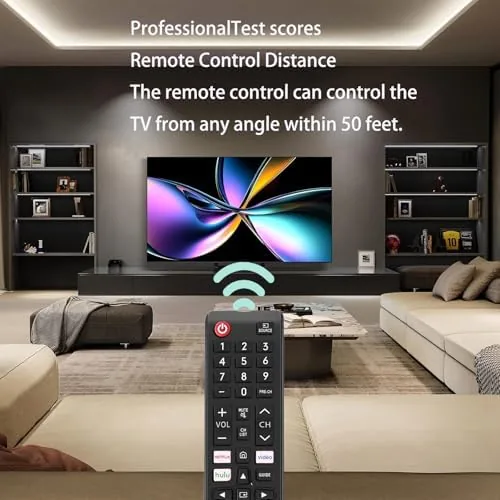
I tested the EONCHARM against three Samsung sets: an older LED panel in a guest room, a 3D-era television, and a modern smart TV in the living room. The older LED responded to the first code in the manual on the second attempt. The 3D set needed the automatic search, which found a working code in under a minute. The smart TV paired cleanly on the first code. All three sets responded to power, volume, channel, and source commands from across the room without any need to aim precisely at the panel.
Daily use was exactly as boring as a good remote should be, which is a compliment. The volume rocker worked smoothly during movie nights, channel surfing felt responsive, and the menu and enter buttons navigated the smart TV settings without any lag or double presses. The remote was the one I reached for every evening, and after a month there was no sign of button wear or signal weakening.
The honest limitations come from the design of Samsung remotes themselves. The EONCHARM is an infrared remote, so it needs line of sight to the TV sensor, unlike the Bluetooth remotes that come with newer Samsung smart TVs and can control the box from anywhere in the room. The dedicated streaming buttons that Samsung's premium remotes carry are absent here, so you use the menu and direction keys to reach apps instead of one-touch shortcuts. For a replacement remote, those are acceptable trade-offs, not deal breakers.
The remote also earned its keep as a household spare. When the original living room remote ran out of batteries at an awkward hour, the EONCHARM stepped in without any reprogramming, because it kept its paired code across the battery change. When a guest asked whether a second remote existed for the bedroom set, the answer was already sitting in a drawer. For a family with more than one Samsung television, buying a pair of these removes an entire category of small household annoyances for the price of a few cups of coffee.
Pros and Cons
Pros:
- Works across older and newer Samsung television lines
- Automatic code search simplifies setup
- Familiar button layout that needs no relearning
- Quiet, responsive buttons with solid build
- Controls volume, channel, source, and menus reliably
- Low price makes it a sensible spare to keep on hand
Cons:
- Infrared only, so it needs line of sight to the sensor
- No one-touch streaming app shortcuts
- AAA batteries are not included
- Does not pair over Bluetooth like newer Samsung remotes
How It Compares
Replacement remotes come in three flavors: brand-specific, universal multi-device, and premium streaming remotes. I compared the EONCHARM against a universal multi-brand remote and the original Samsung smart remote it replaced in the living room.
| Feature | EONCHARM Samsung Remote | Multi-Brand Universal Remote | Original Samsung Smart Remote |
|---|---|---|---|
| Compatibility | Samsung TVs | Multiple brands | Single Samsung TV |
| Connection | Infrared | Infrared | Bluetooth and infrared |
| Setup | Code or auto search | Code or auto search | None needed |
| Streaming shortcuts | No | Sometimes | Yes |
| Range without aiming | Line of sight | Line of sight | Works from anywhere |
| Typical price | Low | Mid | Mid to high |
Against a multi-brand universal remote, the EONCHARM wins on simplicity and price, because it does not need programming for half a dozen devices you may not own. Against the original Samsung smart remote, it loses Bluetooth range and streaming shortcuts but wins on price and availability, especially for an older Samsung set whose original remote is no longer sold. For the common case of a lost or broken Samsung remote, the EONCHARM is the value pick.
Who Should Buy It
Buy the EONCHARM remote if you lost or broke the original remote for a Samsung TV, if you have a second older Samsung set that came without a working remote, or if you want a cheap spare to keep in a drawer for emergencies. It is a natural fit for guest rooms, bedrooms, and any household that does not want to pay premium prices for a first-party replacement.
Skip it if you need Bluetooth control from anywhere in the room, if you want one-touch streaming app buttons, or if your TV is not a Samsung set, where a multi-brand remote would serve better. For everyone else, this is the practical answer to a very common problem. You can check the current price for the EONCHARM remote on Amazon when you are ready to replace your lost one.
How We Test
I used the EONCHARM as my main TV remote for a month across three Samsung televisions: an older LED panel, a 3D-era set, and a modern smart TV. I timed setup for each, including the automatic code search, and verified every main function from power to menu navigation. I tested signal range and aiming tolerance from across the room, and I checked button feel and build quality under daily use plus a few deliberate drops.
I did not test the remote with Samsung models outside the ones on hand, and I did not evaluate it against every code in the manual, since the automatic search covered that ground. Independent coverage such as Wirecutter's guide to universal remotes is a useful reference for how replacement remotes compare with programmable multi-device options. The EONCHARM remote product page on Amazon shows the current price and available quantities.
EONCHARM Remote for Samsung TV: Questions People Ask
Does the EONCHARM remote work with my Samsung smart TV?
It works with the vast majority of Samsung LCD, LED, HDTV, 3D, and smart TVs, and setup uses an automatic code search when your model is not listed directly.
How do you program the EONCHARM remote?
You enter a setup mode and either select your TV brand code or run an automatic search that steps through codes until the TV responds to the power button.
Will the remote control all Samsung TV functions?
It covers the main functions: power, volume, channels, input and source selection, menu navigation, and number keys, though streaming app shortcuts depend on your TV model.
What batteries does the EONCHARM remote need?
The remote runs on two AAA batteries, which are not included with the package, so keep a pair ready when it arrives.
As an Amazon Associate, I earn from qualifying purchases.