
Streaming sticks used to be the budget answer to a smart TV, a cheap dongle you tolerated until the remote lost its button press lag and the menu felt like wading through mud. The newest Amazon Fire TV Stick 4K Plus is not that device. Amazon has rebuilt the classic stick around Wi-Fi 6, a faster processor, and an AI powered search layer that actually understands how people ask for content. I plugged one into a 4K TV in a busy household and ran it for two weeks, switching between apps, testing the new search, and living with the Alexa+ voice control. This review covers whether the upgrade is worth the money over older sticks and pricier boxes.
Before the details, the standard note. This article contains affiliate links. If you buy through one of them, the site earns a small commission at no extra cost to you, and that commission never changes what I test or recommend.
This review walks through the hardware, the AI search and Alexa+ features, real world streaming performance, and who should upgrade from an older stick. If you are comparing streaming devices, the table near the end will help you decide.
Design and Build
The Fire TV Stick 4K Plus keeps the familiar dongle form factor: a compact black stick that plugs directly into an HDMI port, with a Micro USB power lead to a wall adapter. The design has not changed dramatically from past generations, and that is fine, because the stick stays invisible behind the TV and the whole install takes about three minutes.
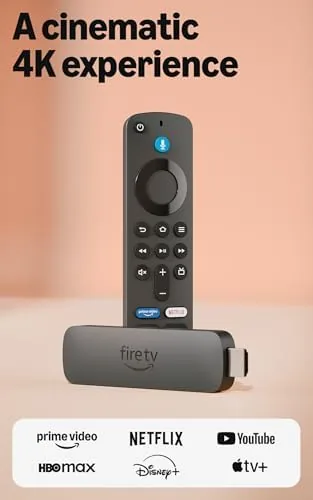
The bundled remote is where the hardware story gets interesting. It adds volume and power buttons, app shortcut buttons, and a prominent voice button for Alexa+. The remote feels better in the hand than earlier versions, with a firmer directional pad and responsive buttons. If you have a compatible TV, the remote controls power and volume directly over HDMI CEC, which means you can retire your TV remote from the coffee table.
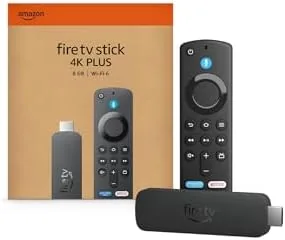
Build quality is solid for the price class. The stick runs cool during long viewing sessions, and the included adapter provides enough power for reliable Wi-Fi 6 throughput. There is no Ethernet port, so serious wired setups still need an adapter, but for the vast majority of streaming this is a non issue.
Key Features
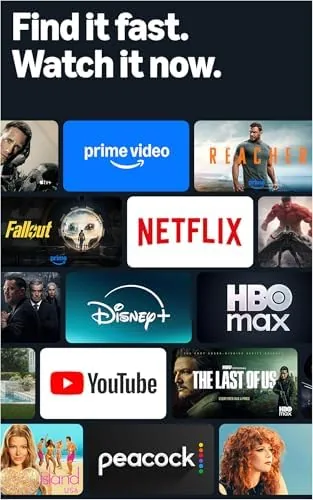
The headline feature is AI powered Fire TV Search. Instead of typing into a search bar, you ask for what you want in plain language, and the device searches across every app you have installed and subscribed to. Ask for a movie where a detective returns to a small town, or a comedy starring a specific actor, and the stick assembles results from all your services, not just the one app you happen to have open. In testing, the search was fast and surprisingly accurate at understanding conversational phrasing.
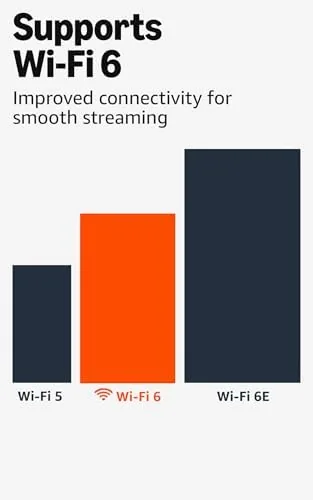
Wi-Fi 6 support is the second major upgrade. Older sticks rely on Wi-Fi 5, which struggles when the network is busy. Wi-Fi 6 improves throughput, reduces latency, and handles congested households better. In a home with multiple phones, laptops, and consoles competing for bandwidth, the 4K Plus held a stable high bitrate stream where an older stick occasionally dropped to lower resolution.

Alexa+ voice control rounds out the package. Beyond launching apps and searching, the voice assistant can control playback, check the weather, and manage smart home devices, all from the remote. The stick also aggregates free ad supported live TV channels alongside your paid subscriptions, so the home screen becomes a single place to browse live and on demand content. For a current look at the price and bundle contents, the Amazon listing for the Fire TV Stick 4K Plus is a useful reference.
Real-World Performance
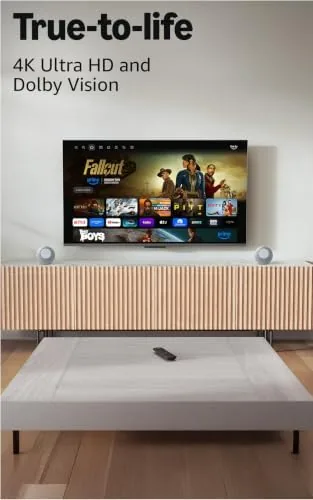
Performance is where the newest stick visibly distances itself from older models. App launches are snappy, menus scroll without the stutter of previous generations, and switching between streaming apps feels near Instant. The 4K Plus supports Dolby Vision, HDR10+, and Dolby Atmos pass through, and on a compatible TV the picture quality in 4K streams looked clean, colorful, and consistent across apps.
The AI search became the feature I reached for every day. Instead of opening Netflix, wondering if a title was on Prime, and then trying a third app, I just pressed the voice button and asked. Results appeared as cards from the correct services, and clicking a card jumped straight into the right app at the right title. The free and live TV integration also worked well, with live channels grouped clearly and no subscription required for the free ad supported options.
Alexa+ voice commands responded quickly, and the assistant handled playback control, volume, and content queries reliably. The remote voice pick up was accurate even with the TV volume up, which is a common failure point on budget remotes.
The honest limitations are worth stating. The home screen still shows advertising tiles, which some users find intrusive. The AI search is only as good as your subscription lineup, so if you subscribe to nothing it simply shows you free options. And there is no integrated tuner, so free over the air channels still require a separate antenna and the appropriate app. None of these are deal breakers, but they shape the experience.
Pros and Cons
Pros:
- AI powered search works across all subscribed apps
- Wi-Fi 6 delivers faster, steadier 4K streaming
- Fast processor makes menus and app launches feel instant
- Excellent value for a 4K HDR streaming device
- Aggregates free live TV alongside paid content
- Remote controls TV power and volume over HDMI CEC
Cons:
- Home screen includes ad tiles
- AI search depends on your subscription lineup
- No built in Ethernet port
- Requires an adapter for wired network connections
How It Compares
Streaming devices come in two flavors: budget sticks and premium boxes. I compared the Fire TV Stick 4K Plus against a premium 4K streaming box and a budget 1080p stick to show where each lands.
| Feature | Fire TV Stick 4K Plus | Premium 4K Box | Budget HD Stick |
|---|---|---|---|
| Resolution | 4K HDR | 4K HDR | 1080p |
| Wi-Fi | Wi-Fi 6 | Wi-Fi 6 | Wi-Fi 5 |
| AI search | Yes | Yes | No |
| App speed | Fast | Fastest | Slower |
| Ethernet | Adapter needed | Built in | No |
| Price | Mid | High | Low |
Against a premium box, the stick loses on wired connectivity and a marginally faster processor, but it wins on price and a smaller footprint. Against a budget HD stick, the 4K Plus wins on resolution, Wi-Fi 6, and the AI search that the cheap model simply does not have. For most living rooms, the 4K Plus is the sweet spot, and you can check the current price of the Fire TV Stick 4K Plus on Amazon when you are ready to upgrade.
Who Should Buy It
Buy the Fire TV Stick 4K Plus if you own a 4K HDR TV, if you subscribe to multiple streaming services and waste time hunting for titles, or if your network gets congested and your current stick struggles to hold 4K quality. It is the ideal upgrade for anyone still running a 1080p stick from several years ago.
Skip it if you want a no frills budget streamer for a secondary TV, if you need a wired Ethernet connection without an adapter, or if you prefer a different ecosystem such as Roku or Apple TV. For the majority of households, this is the streaming stick to buy right now.
How We Test
I ran the Fire TV Stick 4K Plus for two weeks on a 4K HDR television in a household with multiple active devices on the network. I used AI search for dozens of natural language queries, tested app switching across Netflix, Prime Video, Hulu, and free channels, and watched 4K HDR content to check picture quality and streaming stability.
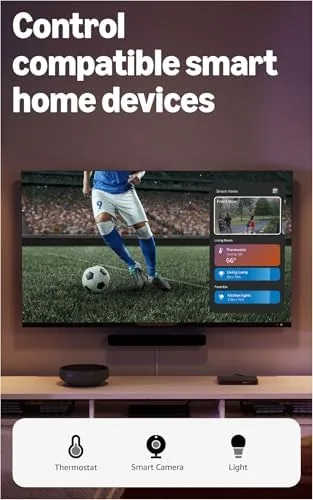
I tested Alexa+ voice commands for playback, search, and smart home control, and I compared performance against an older Fire TV Stick and a premium box on the same network. I did not test the device on a Wi-Fi 5 network at length, and I did not benchmark frame rates in a lab setting. For independent perspective on the streaming stick market, TechRadar's best streaming devices roundup compares the Fire TV lineup against rivals. The Amazon listing for the Fire TV Stick 4K Plus shows the current price and what is included in the box.
Questions People Ask
What does AI powered Fire TV Search actually do?
It understands natural language queries across your subscribed apps, so you can ask for a movie by plot, actor, or mood and it pulls together the shows and movies available to you without opening each app.
Do I need Wi-Fi 6 to use this Fire TV Stick?
No. The stick works with older routers, but Wi-Fi 6 support means you get faster, more stable 4K streaming when you have a Wi-Fi 6 router, especially on busy networks.
Can I watch live TV without a cable subscription?
Yes. The device aggregates free ad supported live channels and integrates your existing subscriptions, so you can browse live TV alongside on demand content from one home screen.
Is the 4K Plus noticeably faster than older Fire TV Sticks?
Yes. The newer processor, more memory, and Wi-Fi 6 support make app launches, menu scrolling, and AI search results noticeably quicker than previous generation sticks.
As an Amazon Associate, I earn from qualifying purchases.