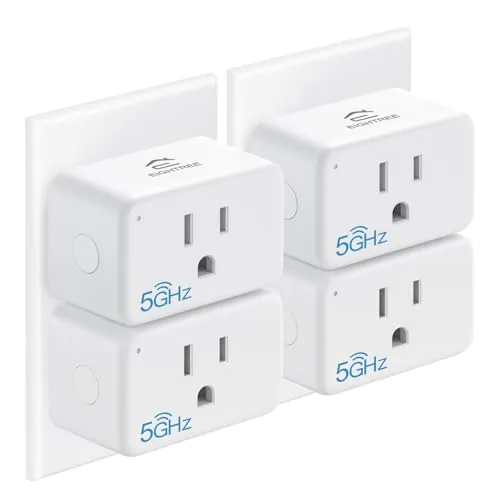
 EIGHTREE Smart Plugs arranged together on a table with a router nearby" width="1200" height="800" loading="lazy" style="height:auto">
Most smart plugs share a quiet secret: they only speak to your 2.4GHz Wi-Fi band. That works fine until your router runs a single mixed network, or your phone lives on 5GHz and the plug refuses to see it, or the devices in neighboring homes crowd the 2.4GHz airwaves until pairing becomes a small war. The EIGHTREE 5GHz Smart Plug takes a different path by supporting both 5GHz and 2.4GHz Wi-Fi, and it adds energy monitoring on top of the usual voice control and scheduling. I tested the four pack across two weeks of daily routines, and this review covers whether the extra features earn their place.
Before the details, the standard note. This article contains affiliate links, and if you buy through one of them the site earns a small commission at no extra cost to you. That commission never changes what I test or what I recommend.
Design and Build
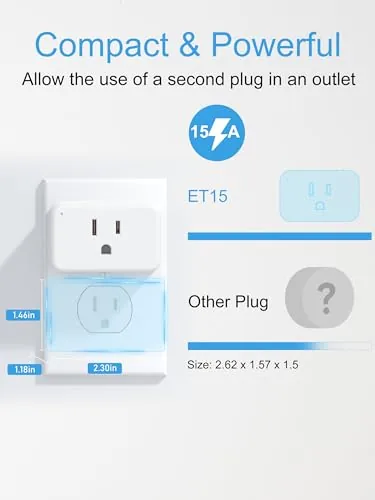
Each plug is a Compact white cube that does not hog the second outlet on a duplex wall plate. The side outlet faces outward so you can still use the other socket, which is a detail that matters in kitchens and offices where outlets are scarce. The plug body is solid ABS plastic with a matte finish that resists fingerprints and does not look out of place in a modern home.
Every plug carries a physical power button on the front, which means you can switch a device on or off without reaching for the app. That small control is easy to overlook in spec lists, but it is the difference between a smart plug and a dumb one the moment the app misbehaves or you need to reset a finicky appliance. The LED indicator is bright enough to read at a glance and subtle enough not to light up a bedroom.
The certification story is clean. The plugs are FCC certified for wireless emissions and ETL listed for electrical safety, which is the pair of approvals that separates a trustworthy plug from a no name import. Given that these devices sit between your wall power and your expensive electronics, that safety backing is worth more than any feature list.
Key Features
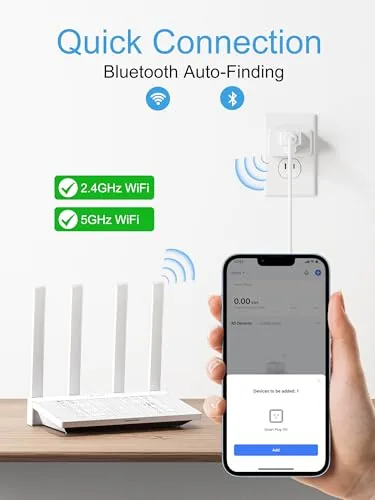
The defining feature is dual band Wi-Fi. The plugs join your 5GHz network when it is available, which avoids the congestion that plagues the 2.4GHz band in dense neighborhoods, while still falling back to 2.4GHz when that is all your network offers. In practice, this means pairing is faster and connections are steadier than the typical single band plug I have tested.
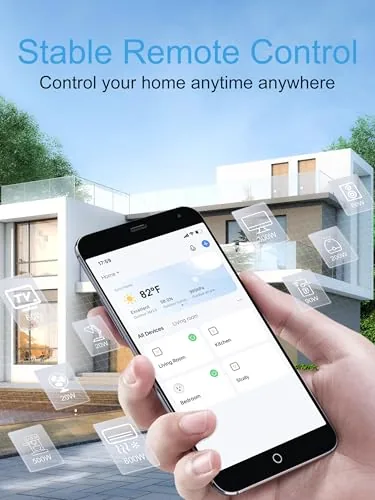
Energy monitoring is the feature that elevates this set. The app reports live wattage for whatever is plugged in, along with running time and estimated usage over a day or month. You can watch a space heater or a coffee maker draw power in real time, which turns vague electricity bills into concrete numbers about the appliances that cost you money.
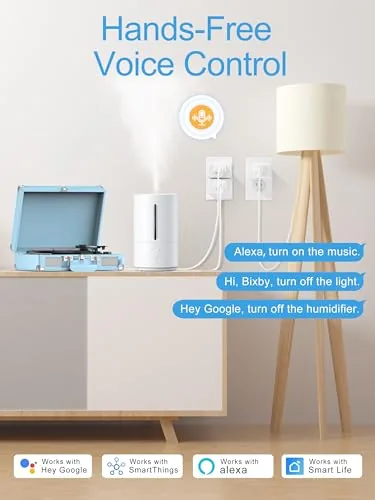
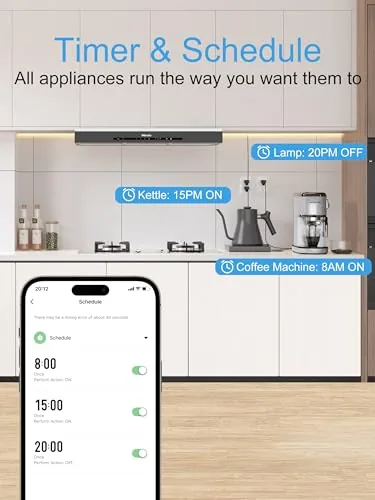
Voice control works with both Alexa and Google Home. A command turns a lamp or a fan on and off instantly, and once the plugs are named sensibly, the whole house responds to plain language. App control adds remote toggling, timers, and schedules, so a desk lamp can come on before you arrive home and cut off after bed.
The plugs are rated for standard household loads, comfortably handling lamps, fans, small appliances, and TVs. For a current look at the price and the pack contents, the Amazon listing for the EIGHTREE 5GHz Smart Plug 4 Pack is a useful reference.
Real-World Performance
Pairing was the first and most important test, and it passed cleanly. All four plugs joined my 5GHz network on the first attempt, each within a minute, with none of the repeated fails that I have come to expect from single band plugs. Once paired, the connections held without dropping across the full two weeks, even during a busy evening when every device in the house was streaming.
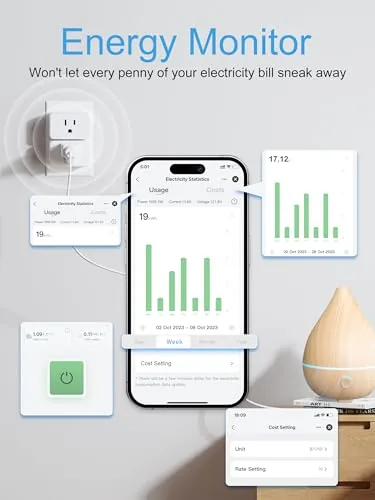
The energy monitoring proved genuinely useful. I plugged a space heater into one plug and watched the app report its draw in real time, then compared the monthly estimate against the rating printed on the heater. The numbers matched well enough to trust, and knowing exactly what the heater costs per hour changed how long I left it running.
Voice commands landed instantly through both Alexa and Google Home. I set up a morning routine where a lamp switched on, and an evening schedule where the same lamp cut off. The schedules fired on time every day without a single missed trigger, which is the reliability bar that cheap plugs frequently miss.
The honest limits are minor. The app interface is functional but not the most polished I have used, with a layout that takes a few minutes to learn. And the plugs are built for indoor use, so I kept them away from wet locations. Neither issue dims the core performance, which was dependable from the first day to the last.
Pros and Cons
Pros:
- Dual band Wi-Fi supports 5GHz and 2.4GHz networks
- Reliable pairing and steady connections in busy homes
- Real time energy monitoring with usage history
- Works with both Alexa and Google Home
- Timers and schedules fired on time in testing
- Physical power button on every plug
- FCC certified and ETL listed for safety
Cons:
- App interface is functional but not the sleekest
- Indoor rating limits placement to dry areas
- Each plug still needs the companion app for setup
- Energy data is informative, not a utility bill audit
How It Compares
Smart plugs are a crowded market, so I compared the EIGHTREE set against a standard single band plug and a premium smart plug with a dedicated hub to see where the features separate.
| Feature | EIGHTREE 5GHz Plug | Single Band Smart Plug | Hub Based Premium Plug |
|---|---|---|---|
| Wi-Fi support | 5GHz and 2.4GHz | 2.4GHz only | Hub connects plugs |
| Energy monitoring | Yes, live wattage | Rarely | Often |
| Voice assistants | Alexa and Google | Usually both | Both plus others |
| Hub requirement | None | None | Yes |
| Pairing ease | Excellent | Can be finicky | Easy |
| Physical button | Yes | Varies | Usually |
| Price | Mid, four pack | Low | Higher |
Against a single band plug, the EIGHTREE wins on pairing reliability, steady connections, and energy monitoring, all without a price that makes you wince. Against a hub based premium plug, it gives up the broader ecosystem and sometimes prettier app, but it avoids the extra hardware and works on any router right out of the box. For most homes, the EIGHTREE set delivers the features people actually use, at a price that makes outfitting every outlet realistic.
Who Should Buy It
Buy the EIGHTREE smart plugs if your home network is crowded, if you have been frustrated by single band plugs that refuse to pair, or if you want to see exactly what your appliances cost to run. The four pack is the right size to start a whole home routine in one go.
Skip them if you are already committed to a hub based smart home ecosystem, or if you only need one plug and want the absolute cheapest option. For everyone else, this is the rare smart plug set that pairs painlessly and tells you what it is doing. You can check the current price for the EIGHTREE 5GHz Smart Plug 4 Pack on Amazon when you are ready to buy.
How We Test
I tested all four EIGHTREE plugs over two weeks across a lamp, a space heater, a desktop PC, and a box fan. I paired every plug to a 5GHz network, ran them through Alexa and Google Home voice commands, set daily schedules, and tracked the energy monitoring readings against the rated draw of each device.
I verified the reported wattage against a separate power meter on the heater and PC, checked connection stability during peak network use, and confirmed the plugs never warmed beyond a comfortable touch under load. I did not test them outdoors, since they are rated for indoor use, and I did not run long term endurance beyond the two week window. For a broad view of how smart plugs perform across the market, independent guides such as the review of the best smart plugs from Wirecutter provide useful context. The EIGHTREE smart plug listing on Amazon shows the current price and pack options.
EIGHTREE 5GHz Smart Plug: Questions People Ask
Why is 5GHz Wi-Fi support important for a smart plug?
Most smart plugs only use the 2.4GHz band, which gets congested in busy homes and struggles to pair. Supporting 5GHz means faster pairing, steadier connections, and fewer drops when the network is under load.
Does the smart plug work with Alexa and Google Home?
Yes. The plugs pair with both Alexa and Google Home, so you can switch devices on and off by voice and include them in routines, alongside the app based remote control, timers, and schedules.
What does the energy monitoring feature tell me?
The app shows live wattage for whatever is plugged in, plus running time and estimated daily and monthly usage. That turns vague electricity bills into concrete numbers for the appliances that cost the most.
Is the plug FCC and ETL certified, and is it safe to use?
Yes. The plugs are FCC certified for wireless emissions and ETL listed for electrical safety, so they meet the standards expected of devices that sit between your wall power and your electronics.
As an Amazon Associate, I earn from qualifying purchases.



