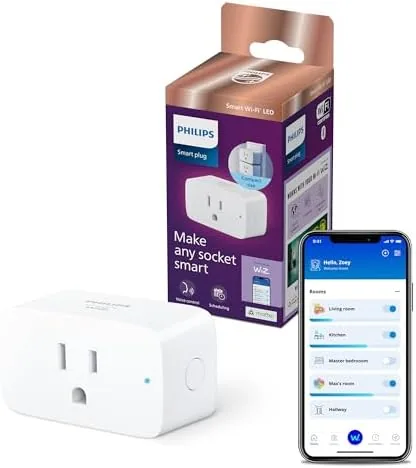

Smart home gadgets often promise more than they deliver, but the humble smart plug is the exception. It turns a dumb lamp into a voice controlled light, schedules a fan to run on a timer, and now, with an energy monitor built in, it tells you exactly how much each device is costing you. The 15A smart plug 2 pack combines all of that in a compact body that works with Alexa and Google Home without a hub. I installed both plugs around my home for a month, tracking lamps, fans, and a dehumidifier, and this review covers the setup, the energy readings, the voice control, and the scheduling that makes it useful.
Before the plugging begins, the disclosure. This article contains affiliate links, and if you buy through one of them the site earns a small commission at no extra cost to you. That commission does not change what I test or recommend, and these plugs were installed exactly as a homeowner would install them.
The smart plug is a gateway device for a home, and this review walks through the build, the setup, the energy monitoring, the voice integration, and whether the 2 pack earns its place in a smart home.
Design and Build
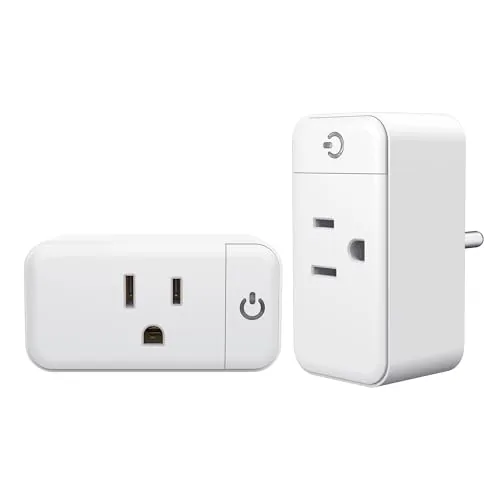
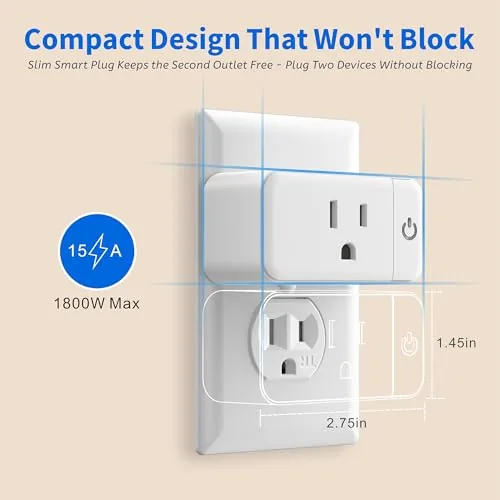
The plugs are compact, which matters more than it sounds. A bulky smart plug can block the second outlet on a wall socket, and the 15A plug avoids that with a slim profile that leaves the neighboring outlet usable. The body is a clean white plastic with a small status light on the side, and the manual power button on the front lets you toggle the device even when you do not have your phone handy, which is a small but important feature.
Build quality is solid. The plug seats firmly in the outlet, the socket on the front accepts standard appliance plugs without wobble, and the 15 amp rating means it can handle real appliances rather than just phone chargers. The compact footprint and clean finish make it unobtrusive behind furniture, and the plugs did not run warm even when running a dehumidifier for days.
Key Features
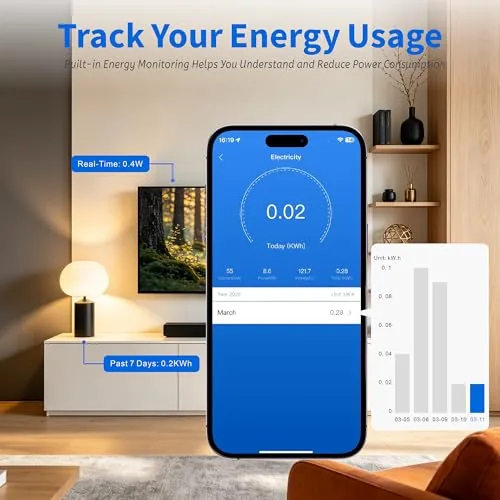
The headline feature is the built in energy monitor. Each plug tracks the wattage of whatever is connected and shows it live in the app, and it logs usage over time so you can see daily and monthly consumption for that device. For anyone curious about which appliance is draining the electricity bill, this turns a guess into a number.
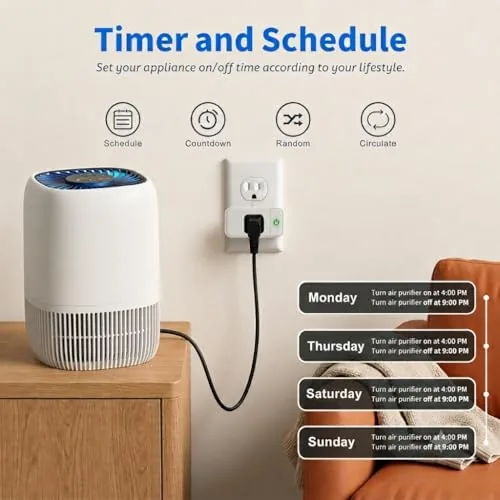
Remote control and scheduling are the second feature. The app turns any connected device on and off from anywhere, and the schedule tools let you set timers and routines, like turning a lamp on at dusk and off at bedtime. The routines run even when you are away, which is the real point of a smart home plug.
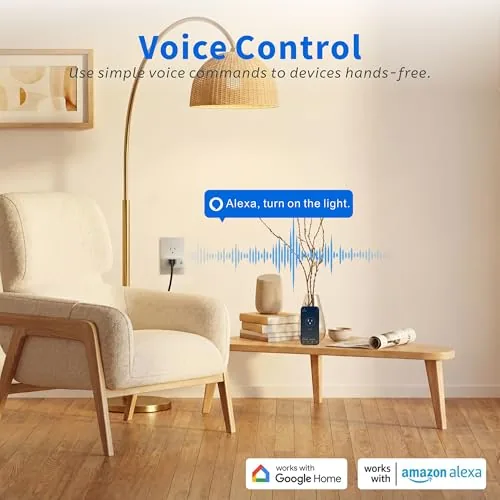
Voice control completes the package. The plugs work with both Alexa and Google Home, so a voice command turns the connected device on and off without touching the app. Setup is simple because the plugs connect directly to Wi-Fi with no hub, and the compact design means you can use both outlets in a socket.
Real-World Performance
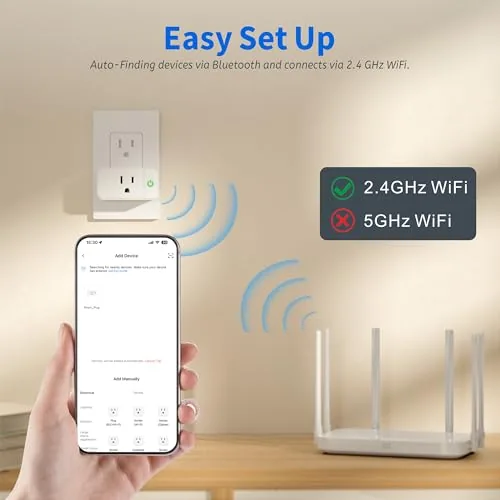
Setup was genuinely easy. I plugged in the first unit, opened the app, and followed the pairing flow, which connected the plug to my 2.4 GHz Wi-Fi within a couple of minutes. The only real requirement is that your phone is on the same 2.4 GHz band during setup, and the app prompts you if it detects a mismatch. Once paired, the plug stayed connected reliably across a month with no dropped links.
The energy monitoring was the most useful surprise. I connected a dehumidifier that runs for hours every day, and the app showed its live draw of around 500 watts and then tallied the daily usage. Watching the numbers made the running cost real, and the same tracking on a lamp and a fan gave a clear picture of the home's modest loads. The readings matched the wattage my other meter showed, which builds trust in the numbers.
Voice control worked smoothly with both assistants. I asked Alexa to turn off the lamp and Google Home to switch the fan, and both responded within a second. Scheduling was equally reliable: a bedtime routine turned off the bedroom lamp automatically every night for the whole month, and the away mode let me toggle lights from my phone while on a trip.
The honest limits are the Wi-Fi band and the device type. The plugs only support 2.4 GHz networks, so homes on a combined band need the app to sort it out, and heavy loads like space heaters or large window units should be checked against the rating and manufacturer guidance. For everyday lamps, fans, and small appliances, the plugs handled everything I threw at them. The physical button on the side also proved useful when the app was a step away, since it gives a simple manual on and off control that works even if the network ever drops.
Pros and Cons
Pros:
- Built in energy monitor shows live and historical usage
- Compact design leaves the second outlet usable
- Reliable remote control and scheduling from the app
- Works with both Alexa and Google Home
- No hub required, connects straight to Wi-Fi
- Physical button on the plug for manual override
Cons:
- Only works on 2.4 GHz Wi-Fi networks
- Heavy appliances need careful checking against the rating
- Two pack covers only two outlets
- App setup needs a moment of patience on the right band
How It Compares
The smart plug market is crowded, so the table below compares the 15A energy monitoring 2 pack with a basic smart plug without monitoring and a premium smart plug with more advanced features.
| Feature | 15A Monitor 2 Pack | Basic Smart Plug | Premium Smart Plug |
|---|---|---|---|
| Energy monitoring | Yes, live and logged | No | Yes |
| Rating | 15 amps | 10 to 15 amps | 15 amps |
| Voice control | Alexa and Google | Alexa or Google | Alexa, Google, Siri |
| Hub needed | No | No | Often yes |
| Quantity | 2 pack | Single | Single |
| Best for | Tracking and control on a budget | Simple on and off | Deep smart home integration |
If you want to see what your devices cost and control them at the same time, the energy monitoring 2 pack is the clear value pick over a basic plug with no monitoring. If you need Apple HomeKit or thread support, a premium plug adds that at a higher price. For most homes, this 2 pack covers the essentials without a hub or a premium markup.
Who Should Buy It
Buy the 15A smart plug 2 pack if you want to control lamps and small appliances by voice or phone, if you are curious about what each device actually costs to run, or if you want automatic schedules that run while you are away. It is a low cost, high value first step into a smart home, and the compact size means you will not lose a wall outlet to use it.
Skip it if you need Apple HomeKit integration, if your router cannot easily separate 2.4 GHz, or if you plan to control heavy appliances without checking the ratings. If the energy monitoring and voice control appeal to you, you can check the current price of the 15A smart plug 2 pack on Amazon.
How We Test
I installed both plugs for a month, connecting them to a lamp, a fan, and a dehumidifier. I tracked live wattage and logged usage, set up daily schedules and an away routine, and tested voice control with both Alexa and Google Home. I also verified the energy readings against a separate meter to confirm the numbers were honest.
I did not test the plugs on heavy duty loads beyond the dehumidifier, and network conditions vary by home. For a broader look at energy monitoring and smart plugs, Wirecutter has a thorough guide to smart plugs that covers the category well. The 15A smart plug 2 pack listing on Amazon shows the current price and compatibility details.
15A Smart Plug: Questions People Ask
Does this smart plug work without a hub?
Yes, the plugs connect directly to your 2.4 GHz Wi-Fi network and the app, with no separate hub or bridge required for setup.
Why does my phone say the plug needs 2.4 GHz?
The plugs only connect to 2.4 GHz networks, so your phone must be on the same 2.4 GHz band during setup rather than a 5 GHz network.
What appliances can I control with a 15A plug?
The 15 amp rating handles lamps, fans, small appliances, and most household electronics, but heavy devices like space heaters should be checked carefully.
Does the energy monitor track real usage?
The app shows live wattage and tracks daily and monthly usage for each plug, giving a real picture of what each device actually costs.
As an Amazon Associate, I earn from qualifying purchases.