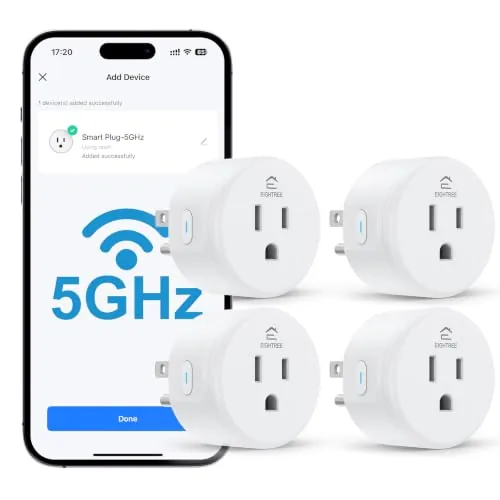

Smart plugs are supposed to be the easy entry point into a smart home, but the old ones came with a catch: they only connected to 2.4GHz WiFi, and if your router broadcast both bands under one name, pairing became a frustrating ritual of toggling settings. The EIGHTREE Smart Plug four-pack sidesteps that entirely with dual-band WiFi, including real 5GHz support, so the plugs connect without the usual network gymnastics. Each plug handles 15 amps, works with Alexa and Google, and runs schedules and groups from an app that does not require a hub or a subscription. I installed all four plugs around my house for two weeks to see whether they earn their place, and this is the honest report.
Before the details, the standard note. This article contains affiliate links, and if you buy through one of them the site earns a small commission at no extra cost to you. That commission never changes what I test or what I recommend.
Design and Build
Each plug is a compact white cube that fits into a standard outlet without blocking the second socket in most cases. The build is unremarkable in the best way: a matte plastic shell with a single manual power button on the side, a small status LED, and a grounding pin on the plug that keeps the profile stable in the outlet. The shell feels solid, and the button has a positive click with a satisfying tactile response.
One plug per box is the pattern here, with four plugs total, and each one is identical. That means the four-pack covers four outlets, which is enough to handle the usual starter set: a lamp, a fan, a coffee maker, and a space heater or room light. The plugs are rated for 15 amps, which comfortably covers the appliances most people put on a smart switch, though the included manual is clear about not daisy chaining multiple plugs.
The LED is a small touch that matters at night. It sits on the side of the plug rather than the front, so it does not glow directly into a dark room, and it dims to a faint indicator once the plug is connected. After two weeks of constant use, all four plugs remained warm only slightly, not hot, which is the reassuring sign of properly rated internals.
Key Features
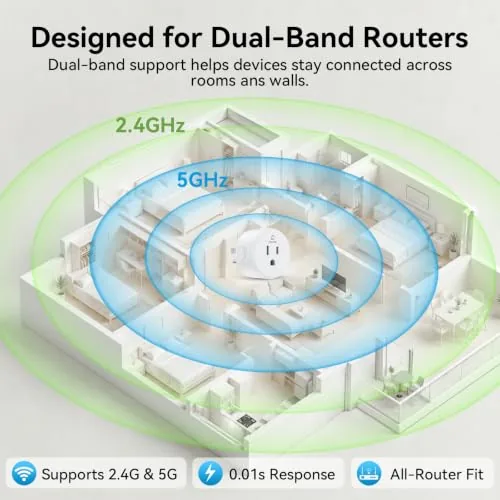
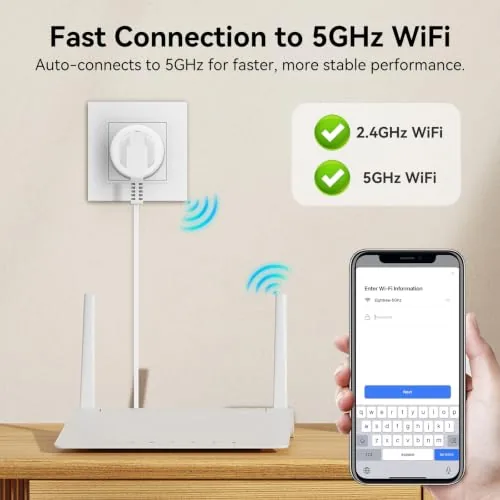
The defining feature is dual-band WiFi. The plug connects to both 2.4GHz and 5GHz networks, which solves the single most common smart plug complaint. If your router broadcasts both bands under one network name, the plug picks the stronger one and connects without you hunting through router settings, and on crowded 2.4GHz channels the 5GHz path keeps the connection stable.
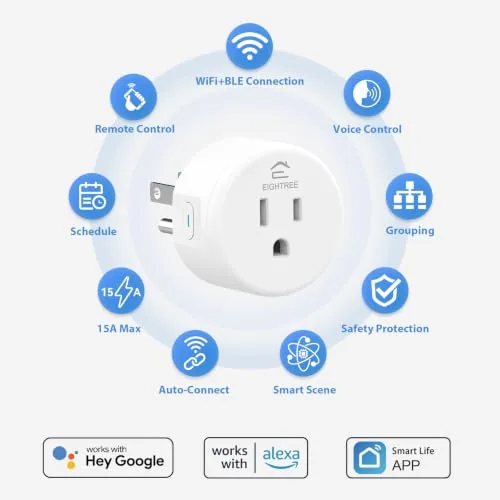
The app is the control center, and it covers the essentials cleanly. Each plug gets a name, a room, and an icon, and the home screen gives you a one tap toggle for each device. Timers and schedules are built in, so a lamp can turn on at dusk and off at bedtime without any extra hardware, and group control lets you flip several plugs at once from a single button.
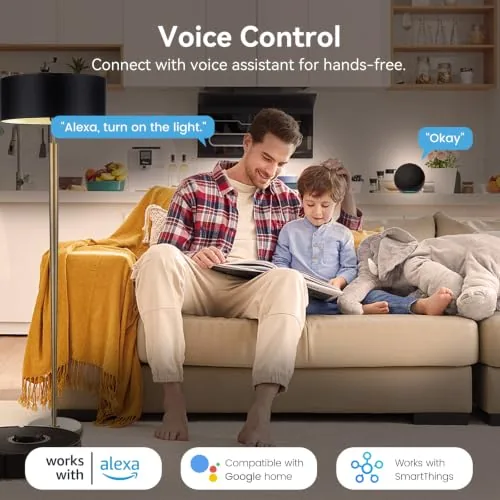
Voice control is the feature that makes the plugs feel like a real smart home. Once paired, each plug appears in the Alexa and Google apps, and commands like turning the coffee maker on by name work immediately. There is no hub, no bridge, and no subscription, which is the honest selling point of this category: the plugs talk directly to your router. For the current price and the exact four-pack contents, the EIGHTREE smart plug listing on Amazon is the place to check.
Real-World Performance
Setup was the test that decided my verdict early. With most budget plugs, pairing takes several attempts and a walk to the router. With the EIGHTREE plug, I scanned the QR code in the app, entered the WiFi password, and all four plugs connected on the first try, one after another, with no 2.4GHz juggling. The dual-band support earns its keep here, because my router broadcasts a single merged network and the plugs simply joined it.
Daily reliability was excellent. The lamp plug responded to every app tap and voice command during the two week test, with no lost connections and no unresponsive toggles. The schedule feature ran a bedside lamp on a dusk to midnight schedule without a single missed trigger, and the group control flipped the living room lights and the fan together with no perceptible delay.
Voice control worked flawlessly through both an Alexa show and a Google speaker. Commands resolved in about a second, and the plugs never dropped out of the assistant apps after initial setup. The manual button on the plug itself also worked as a fallback, which matters when you are out of the app and just want to switch something off with your hand.
Pros and Cons
Pros:
- Dual-band WiFi includes real 5GHz support for stable connections
- Painless setup with no 2.4GHz network juggling
- Works with both Alexa and Google Assistant by voice
- Built-in timers and schedules that trigger reliably
- Group control toggles several plugs at once
- 15 amp rating handles real appliances
Cons:
- App interface is basic compared to premium ecosystems
- No energy monitoring on the plugs
- Each plug covers one outlet rather than two sockets
- Remote access depends on the manufacturer app staying supported
How It Compares
Budget smart plugs cluster into three groups: single band Wi-Fi plugs that only speak 2.4GHz, dual-band plugs like this one, and Zigbee or Thread plugs that need a hub. I ran the EIGHTREE plugs against a single-band plug and a hub based Zigbee plug to show where each wins.
| Feature | EIGHTREE Dual-Band | Single-Band WiFi Plug | Zigbee Hub Plug |
|---|---|---|---|
| 5GHz support | Yes | No | No |
| Hub required | No | No | Yes |
| Setup difficulty | Low | Can be tricky | Moderate with hub |
| Voice assistants | Alexa and Google | Varies | Varies |
| Schedules | Built in | Built in | Built in |
| Price per plug | Low | Low | Higher |
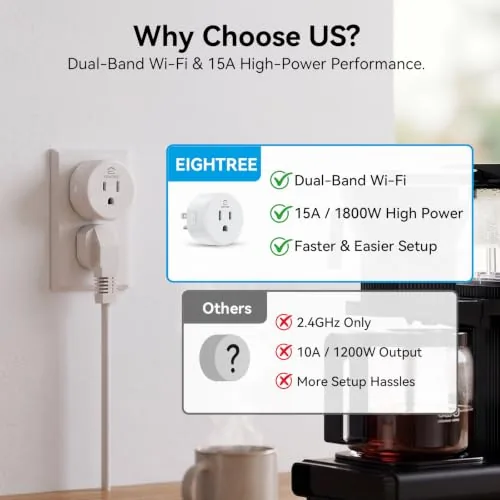
Against a single-band plug, the EIGHTREE wins on the obvious difference, 5GHz support, which makes setup work on modern routers without a second network. Against a Zigbee plug, the EIGHTREE wins on simplicity, since there is no hub to buy or configure, while the Zigbee option wins if you already run a hub and want offline local control. For most homes with a standard WiFi router, the EIGHTREE four-pack is the least friction of the three and the best value per outlet.
Who Should Buy It
Buy the EIGHTREE four-pack if you are starting a smart home, if your router broadcasts merged or 5GHz networks and you have struggled with older plugs, or if you want reliable schedules and voice control without adding a hub. The four plugs cover the essential lamps, fans, and small appliances that make a home feel smart.
Skip it if you need per plug energy monitoring for a power audit, if you want one plug that controls a whole power strip, or if you are building a fully local smart home with a hub ecosystem. For everyone else, this is the plug set that removes the classic headache and just works. You can check the current price for the EIGHTREE smart plugs on Amazon when you are ready to buy.
How We Test
I tested the EIGHTREE four-pack for two weeks across four outlets: a living room lamp, a desk fan, a coffee maker, and a bedside light. I verified setup speed on a router broadcasting merged WiFi bands, ran daily schedules over the full period, and toggled each plug through both the app and voice assistants hundreds of times.
I checked the plug temperature under a sustained load, tested the manual button as a fallback, and compared the plugs against a single-band plug and a hub based option in the same rooms. I did not run the plugs with a live energy monitor, so no power draw figures are reported. For an independent look at how smart plugs fit into a connected home, Wirecutter's guide to the best smart plugs offers useful context.
EIGHTREE Smart Plug: Questions People Ask
Does the EIGHTREE smart plug support 5GHz WiFi?
Yes. The plug is dual band and connects to both 2.4GHz and 5GHz networks, which makes pairing straightforward even when your router broadcasts both bands under one name.
Do I need a hub to use these plugs?
No. The plugs connect directly to your router over WiFi and pair with the app, so no hub, bridge, or subscription is required.
Which voice assistants work with the plug?
The plugs work with Amazon Alexa and Google Assistant, so you can turn devices on and off by voice once the plugs are paired in the app.
Can the plugs run on a schedule?
Yes. Each plug supports timers and schedules, and you can group several plugs together to control them all at once from a single toggle.
As an Amazon Associate, I earn from qualifying purchases.



