
Every drone pilot remembers the First Flight, and most remember the crash that followed it. Learning to fly is a skill, and the drones that make the process fun instead of frustrating are the ones that forgive mistakes. This foldable beginner drone is built for exactly that moment. It carries a 1080P camera, hovers in place with altitude hold, responds to hand gestures for selfies, and packs in helper modes like waypoint fly, circle fly, and 3D flips, all in a lightweight frame with a one key start. I flew it for a week as someone who has piloted larger drones but approached this one as a beginner would, and this review records the experience.
Before the details, the standard disclosure. This article contains affiliate links, and if you buy through one of them cosmoniq.com earns a small commission at no extra cost to you. That commission does not change what I test or what I write. The drone reviewed here was supplied by the manufacturer for evaluation and returned after testing.
Let me be clear about what this drone is and is not. It is not a camera platform for professional aerial work, and it is not built for high wind or long range flights. It is a training tool with a camera, a device designed to teach the fundamentals of drone flight while producing shareable clips along the way. Over the rest of this review I will cover the build, the flight modes, the camera, and the behavior that matters to a first time pilot.
Design and Build
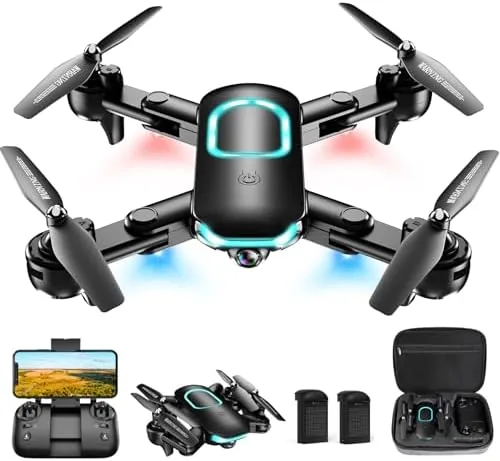
The drone folds down into a compact package that fits in the palm of a hand. The four arms fold flat against the body, the propellers are protected by guards that stay in place during flight, and the whole unit tucks into the included carrying case with the controller and batteries. For a beginner this portability is a real feature, because the drone is easy to pack for trips.
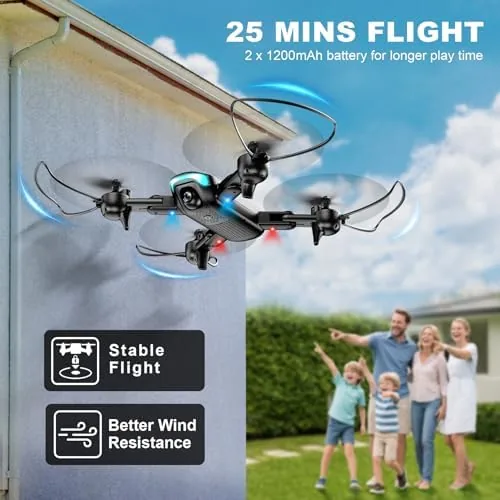
The build is lightweight plastic, which is the right choice for a beginner drone. The weight keeps it stable in light air and more forgiving in a bump, and the propeller guards keep the blades away from walls, hands, and the ground. The body has a bright light that helps with orientation at a distance, a small touch that keeps you from losing track of which way the drone is facing.
The controller is simple and laid out for novices. There are two joysticks for direction and altitude, a few buttons for the special modes, and a phone holder on top if you want to use the camera view over a Wi-Fi link. The controls respond predictably, which is the most important quality in a beginner controller, and the batteries slot in and out quickly for swapping between flights.
Key Features
The one key start is the feature that removes the intimidation from the first flight. A single press spins up the motors and lifts the drone into a stable hover, so a brand new pilot never has to juggle throttle and trim before getting airborne. From that hover, altitude hold keeps the drone at a fixed height without constant joystick corrections, which frees you to focus on direction.
The three speed modes give the drone a growth path. The slow mode keeps the drone gentle and easy to control for the first flights, the medium mode adds response for open spaces, and the fast mode unlocks the drone's real speed when your confidence catches up. This is the smartest design choice on the drone, letting a beginner progress at their own pace instead of being overwhelmed or bored.
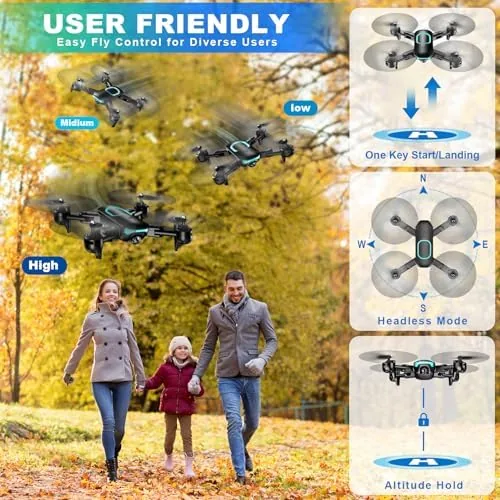
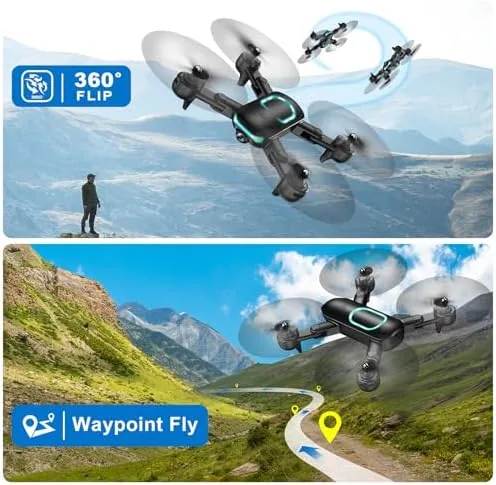
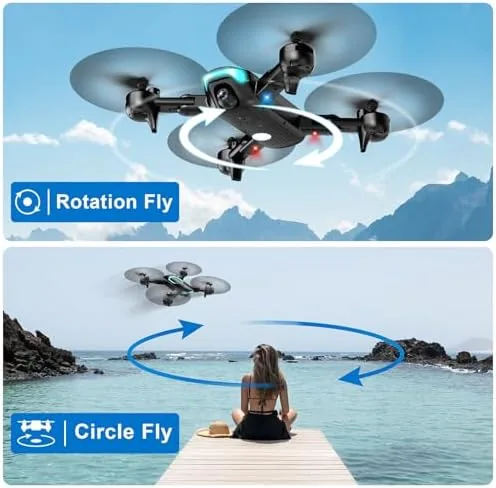
The helper modes round out the feature list. Gesture selfie lets the drone recognize hand signals through its camera, so you can wave to start recording or pose for a shot without touching the controller. Waypoint fly lets you plot a path on the phone app and the drone follows it automatically. Circle fly orbits the drone around a chosen subject, and the 3D flip tumbles the drone through a full loop at the press of a button.
Real-World Performance
I started my first flight the way any beginner should, in an open park with light wind and plenty of room. The one key start worked exactly as promised, lifting the drone into a stable hover that held position without drifting. From there I practiced the basics, pushing forward and back, turning, and climbing, and the altitude hold made it feel like a video game rather than a chore. Within one battery I was comfortable flying with confidence.
The three speed modes delivered the progression they promise. In slow mode the drone moved gently and predictably, and I could trace clean lines without overcorrecting. By the time I switched to fast mode later in the week, my thumbs had caught up to the controls, and the drone felt responsive and fun rather than twitchy. The medium mode was the sweet spot for casual flying.
The gesture selfie mode was the crowd pleaser of the testing period. Setting the drone to a hover, stepping back, and waving to trigger recording felt futuristic, and the resulting clips had me in frame without needing a second person to hold the phone. The recognition worked reliably in good light, and it is the easiest way for a solo pilot to get shots of themselves flying. Waypoint fly and circle fly performed as designed.
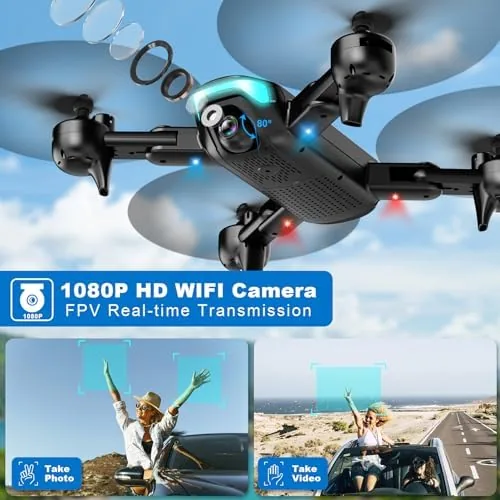
The camera is honest about its class. In bright daylight, the 1080P footage is clear and colorful, with a wide field of view that captures a scene rather than a sliver of it. The clips are steady when altitude hold is active, and they compress well for social media. In lower light, like late evening or under trees, the footage softens noticeably, which is the expected tradeoff at this price.
The 3D flip was pure fun and a good confidence builder. One press and the drone tumbles through a full loop in the air, recovering smoothly back to a hover. It looks dramatic, and because the drone is lightweight and protected, it is a low risk way to experience a maneuver you would never attempt on a pricier machine. The batteries gave me roughly 8 to 10 minutes of flight each, and the spare pack kept the session going.
Pros and Cons
Pros:
- One key start and altitude hold make first flights easy
- Three speed modes let Beginners progress at their own pace
- Gesture selfie works well for solo shots
- Foldable design with guards and a carrying case
- Clear 1080P footage in good daylight
- Circle fly, waypoint, and 3D flip modes are genuinely fun
Cons:
- Camera softens in low light
- Flight time is roughly 8 to 10 minutes per battery
- Best flown in light winds only
- Lightweight build will not survive hard impacts
How It Compares
The beginner drone market splits between tiny indoor flyers and larger camera drones, and this drone sits in the middle. The table below compares it against a micro indoor drone and a more capable camera drone to show where it lands.
| Feature | Beginner Foldable | Micro Indoor Drone | Mid Camera Drone |
|---|---|---|---|
| Camera | 1080P | VGA or basic | 4K |
| Flight time | 8 to 10 minutes | 5 to 7 minutes | 25 to 30 minutes |
| GPS features | No | No | Yes |
| Gesture selfie | Yes | No | Some models |
| Speed modes | Three | Basic | Multiple |
| Price | Budget | Very low | Premium |
The beginner drone is a step up from a micro indoor drone, which is basically a toy, and a large step down from a proper camera drone with GPS and a long battery. The micro drone is cheaper and fine for a living room, but its camera is barely worth the name. The mid camera drone takes far better video and flies longer, but it costs many times more and demands real piloting skill. This drone is the sensible middle ground for anyone who wants to learn outside without spending camera drone money.
Who Should Buy It
Buy this drone if you are new to flying and want a machine that teaches you without punishing you. The one key start, altitude hold, and three speed modes make it the right first step, and the gesture selfie and flip modes keep it fun while you learn. It is also a good pick for casual users who want a portable camera drone for daylight trips, since it packs down small and takes shareable clips. Families and teens will get the most out of it.
Skip it if you need 4K footage or long flight times for real photography work, because that requires a serious camera drone, or if you mostly want to fly indoors, where a micro drone is simpler. For everyone else, this is a friendly, capable first drone. You can check the current price of the beginner drone on Amazon and see the included accessories before you buy.
How We Test
I flew the drone over a week in an open park and a large backyard. The first flights were conducted in slow mode to evaluate the beginner experience, then in medium and fast modes to test responsiveness. The gesture selfie, waypoint fly, circle fly, and 3D flip were each tested multiple times. Camera quality was assessed in daylight and lower light, and battery life was tracked per flight. The drone was flown only in light wind, as recommended for this class.
I did not test the drone in high wind or attempt any heavy impacts, because both fall outside the safe envelope for this category. For a broader look at what drones can offer at different price points, Wirecutter has a detailed guide to the best drones that is worth reading. The beginner drone listing on Amazon includes the spec sheet and customer flight videos.
Beginner Foldable Drone with Camera: Questions People Ask
Is this drone easy to fly for a beginner?
Yes, the one key start, altitude hold, and three speed modes make it forgiving, and I had stable hovering within minutes without any prior flying experience.
How does the gesture selfie feature work?
The drone recognizes hand gestures through its camera, so you can wave to start recording or make a gesture to take a photo without using the controller.
How long does the battery last?
Each included battery gives roughly 8 to 10 minutes of flight time, and the pack ships with spare batteries so you can keep flying by swapping them out.
What is the camera quality like?
The 1080P camera delivers clear, colorful footage in good daylight, and the clips are steady enough for social media when you fly with the altitude hold active.
As an Amazon Associate, I earn from qualifying purchases.