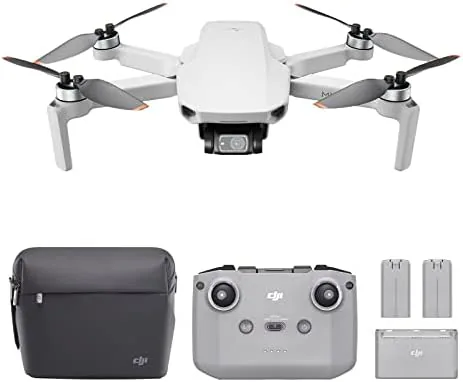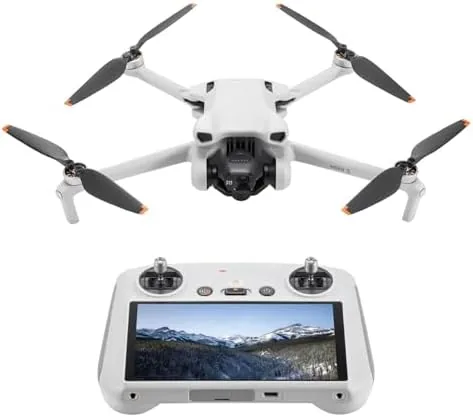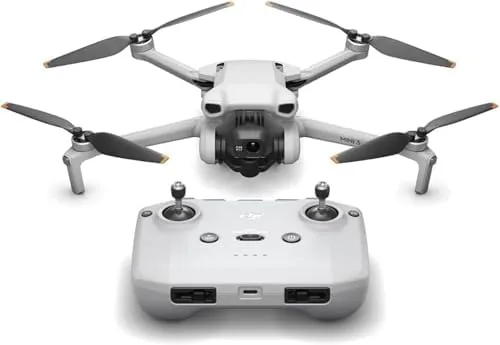

There is a threshold in the drone world that separates hobby toys from genuine flying tools, and that threshold is the 249 gram line. Cross under it in most regions and you escape a wave of registration paperwork, training requirements, and remote ID rules that heavier aircraft must obey. The DJI Mini 3 was built to sit on the safe side of that boundary while carrying a camera that was, until recently, reserved for far larger machines. I spent several weeks flying it over parkland, coastline, and quiet suburban streets to find out how much capability DJI actually crammed into a frame that weighs about as much as a smartphone with a battery pack.
Before I go any further, the standard note. This review contains affiliate links. If you buy through one of them, this site earns a small commission at no extra cost to you. That commission does not change what I test or what I recommend, and every opinion below is mine alone.
Design and Build
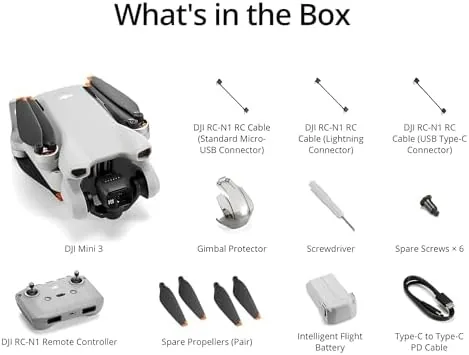
The Mini 3 unfolds from a compact slab into a fully armed quadcopter in about thirty seconds, and the whole process feels reassuringly deliberate. DJI uses a plastic shell reinforced with internal ribs, and the arms click into place with a positive lock that does not wobble even after many cycles. The gimbal sits up front under a clear plastic shield, which is a thoughtful touch because it protects the camera during the kind of rough handling that a carry bag does not always prevent.
At 249 grams, the drone is genuinely light. I carried it in a small shoulder pouch along with the remote and two batteries, and the total kit weighed less than a full water bottle. The folding arms bring the width down to about the size of a paperback novel, so it disappears into a day bag without complaint. Build quality feels above the price class, with no creaking panels and a finish that shrugs off light scratches from sand and gravel.
One detail deserves special mention. The propellers tuck into the folded body, which protects them and makes the drone far less awkward to grab out of a bag. The battery slides in from the rear with a satisfying click and pops free with a two-step latch that will not release accidentally mid flight. That may sound minor, but after a hard day of flying it is the small mechanical details that keep a tool trustworthy.
Key Features
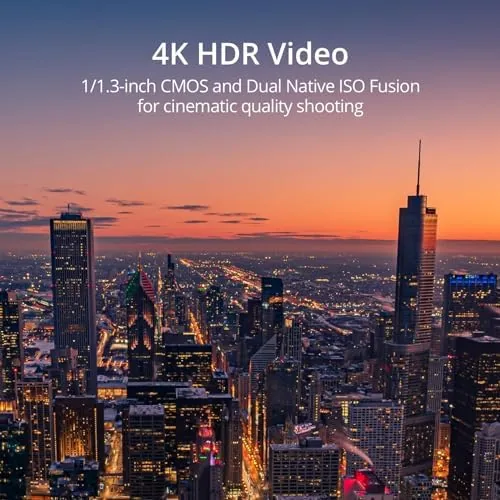
The headline feature is the camera. The Mini 3 records 4K video at 30 frames per second with HDR, and it captures 12 megapixel stills in both standard and RAW formats. The sensor is a 1/1.3 inch CMOS unit, which is larger than the sensors found in most budget drones and explains why the image quality holds up even as the light fades toward evening.
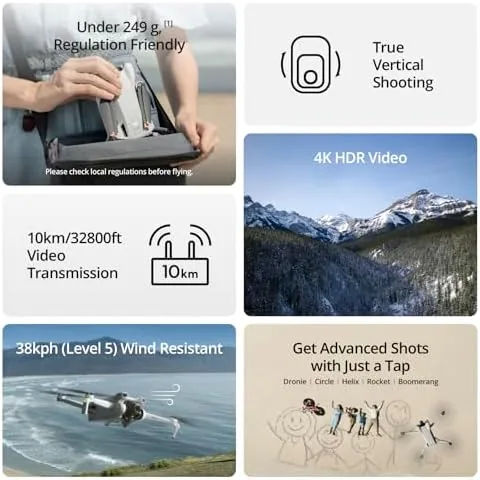
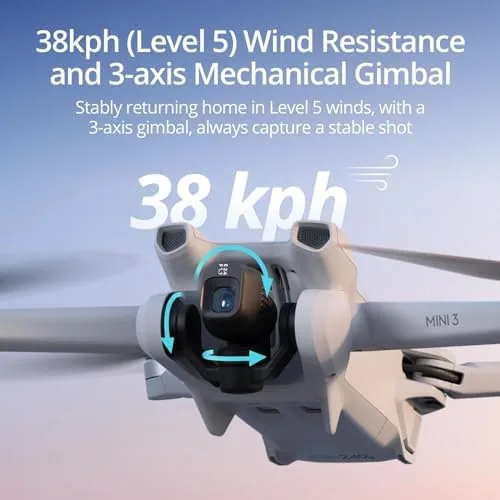
The three axis mechanical gimbal is the quiet hero of the package. It physically stabilizes the camera through pitch, roll, and yaw, which smooths out the constant vibration of four spinning motors better than any electronic stabilization algorithm can manage. The result is footage that looks locked on rails even when the wind is pushing the whole aircraft sideways.
Flight time is the second headline number. DJI quotes 38 minutes with the standard Intelligent Flight Battery, and that figure holds up better than most manufacturer claims. The transmission system reaches up to 10 kilometers in open air, which is far beyond legal visual line of sight limits in most places but reassuring when you fly in uneven terrain. True vertical shooting completes the package, letting the gimbal rotate 90 degrees so you can frame a 9 by 16 shot without cropping the sensor.
Real-World Performance
The Mini 3 launches quickly and locks onto GPS satellites within about thirty seconds on a clear day. I flew it in a light breeze that was strong enough to push leaves around, and the aircraft held position with only minor drift corrections that were invisible in the footage. The confidence this inspires cannot be overstated, because a drone that hovers like a rock lets you think about composition instead of recovery.
I pushed the battery in real conditions and saw about 31 minutes of mixed hovering and flight before the low battery warning appeared. That is short of the 38 minute claim but entirely respectable, and it left a comfortable margin for a return to home. The auto return feature, which guides the drone back over GPS when the signal drops or the battery runs low, worked exactly as advertised in my tests, once even when I deliberately flew behind a tall building.
The vertical shooting mode is where the Mini 3 changes how you work. For social media creators, the ability to shoot native portrait video without losing resolution is a genuine advantage over almost every competitor. I framed a few portrait clips for a test edit and the files required no cropping at all, which saved real time and kept the image quality intact. The 4K HDR footage itself handles highlights well, pulling detail back from bright skies without washing out the foreground.
Pros and Cons
Pros:
- Sub 249 gram weight avoids registration in many regions
- 4K HDR video with a large sensor for the class
- Three axis mechanical gimbal delivers exceptionally stable footage
- True vertical shooting needs no cropping in the edit
- Real world flight time of about 31 minutes
- Folds down small enough for a day bag
Cons:
- Obstacle sensing only on the bottom, not on the sides or front
- No 4K at 60 frames per second, which some rivals offer
- 10 kilometer transmission is far beyond legal limits for most pilots
- Single battery included, so spare packs are a real expense
How It Compares
The Mini 3 sits in a crowded middle ground between the cheaper Mini 2 SE and the higher end Air series. I put it next to the two most common alternatives to show where the money goes.
| Feature | DJI Mini 3 | DJI Mini 2 SE | DJI Air 2S |
|---|---|---|---|
| Weight | 249 grams | 249 grams | 595 grams |
| Video | 4K HDR at 30 fps | 4K at 30 fps | 5.4K at 30 fps |
| Sensor | 1/1.3 inch CMOS | 1/2.3 inch CMOS | 1 inch CMOS |
| Flight time | 38 minutes claimed | 31 minutes claimed | 31 minutes claimed |
| Vertical shooting | Yes, full sensor | No | No |
| Obstacle sensing | Downward only | Downward only | Forward, backward, downward |
Against the Mini 2 SE, the Mini 3 costs more but buys a larger sensor, true vertical video, and longer battery life, which are exactly the upgrades a content creator will actually use. Against the Air 2S, the Mini 3 loses the 1 inch sensor and the forward obstacle sensing, but it wins on weight, portability, and registration requirements. For most hobby pilots and creators, the Mini 3 occupies the sensible center of this trade off.
Who Should Buy It
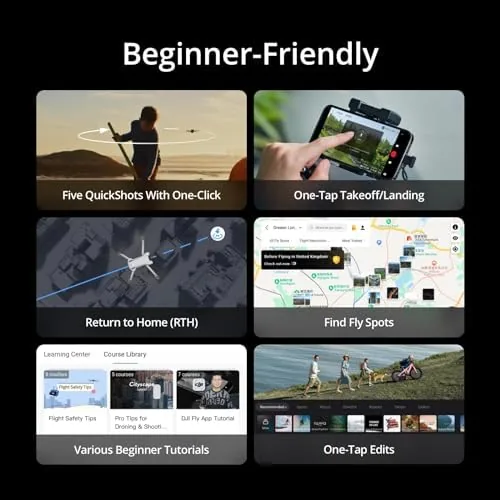
The DJI Mini 3 is the right drone for a first time flyer who wants results, not a learning exercise. If you are upgrading from a toy quad or a phone gimbal, the quality jump is enormous and the learning curve stays gentle because the gimbal and GPS do the hard work. It is also the clear pick for social media creators who shoot portrait video, because no other drone at this weight gives you true vertical shooting without a crop.
Skip it if you fly aggressively near obstacles, because the single downward obstacle sensor will not save you from a tree. Skip it if you need 4K at 60 frames per second for slow motion, and skip it if you plan to rely on the full 10 kilometer range, because that number is marketing rather than a legal capability. For everyone else, the Mini 3 is one of the most complete lightweight drones you can buy. You can check the current DJI Mini 3 price on Amazon to see today’s bundle options.
How We Test
I flew the Mini 3 across a full week of sessions that covered hover stability, battery endurance, video quality, and return to home reliability. Each flight was logged with flight time, battery percentage at landing, and notes on wind and weather. I shot the same test scene with the Mini 3 and a comparison drone to judge detail and dynamic range side by side, and I reviewed the footage in an editing timeline rather than on a phone screen.
I also tested the vertical mode in a controlled environment before trusting it in the field, and I ran the auto return function twice, once on purpose and once during a real low battery event. I did not test the drone in heavy rain, because DJI does not rate it as waterproof, and I did not fly beyond visual line of sight. For broader context on drone rules and the class system, the coverage at The Verge tech section is a reliable place to follow the regulatory landscape.
If the Mini 3 fits your budget and your flying style, the DJI Mini 3 listing on Amazon shows the current bundles and fly more options.
DJI Mini 3: Questions People Ask
Does the DJI Mini 3 require registration to fly?
In many countries the Mini 3 stays under the 249 gram weight threshold that triggers registration, but rules vary by region so check your local law before the first flight.
How long does the Mini 3 battery actually last?
The standard Intelligent Flight Battery manages about 38 minutes in calm conditions, and real world flight time drops when wind and aggressive maneuvers are involved. My sessions averaged around 31 minutes of mixed flight.
Can the Mini 3 shoot vertical video for social media?
Yes, the camera gimbal rotates 90 degrees so you can frame true vertical 9 by 16 video without cropping a horizontal frame in editing.
What phone do I need for the Mini 3 controller?
A smartphone with the DJI Fly app installed provides the live view, and the transmission range depends on the video link and the local environment. Any recent Android or iPhone model with a current browser will work.
As an Amazon Associate, I earn from qualifying purchases.