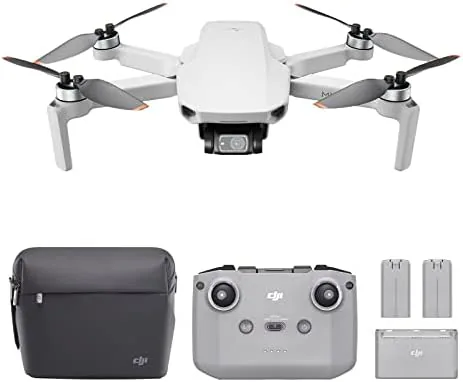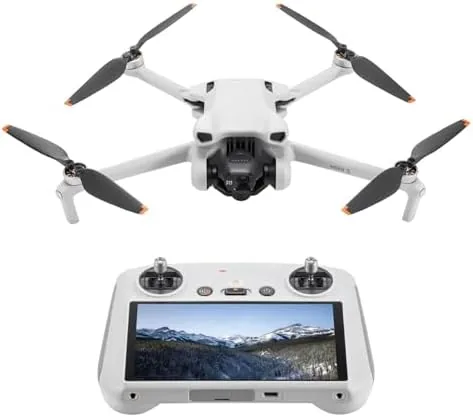

Every drone pilot has a routine before takeoff. You unfold the arms, you fit the battery, and then you spend a nervous minute balancing your phone in a controller clamp, angling it against the sun, and hoping the connection does not drop mid flight. The DJI FPV Remote Controller 3 removes that whole routine. It is a self contained controller with a bright built in screen, hall effect gimbals, and O4 video transmission, and it is designed to be the only thing you need in your hands from the moment you walk out the door. I tested it against the older remote design and against the phone based approach, and this review records how it feels on the sticks, how far the signal really reaches, and whether the premium is worth it.
Before the details, the standard note. This article contains affiliate links, and if you buy through one of them the site earns a small commission at no extra cost to you. That commission does not change what I test or what I recommend, and the controller reviewed here was used exactly the way an owner would use it.
The FPV Remote Controller 3 is DJI's latest dedicated transmitter, following the earlier RC series controllers, and it pairs with the newest DJI drones over the O4 transmission link. The rest of this review covers the build, the screen, the gimbal feel, battery life, and how it fits into the wider DJI ecosystem.
Design and Build
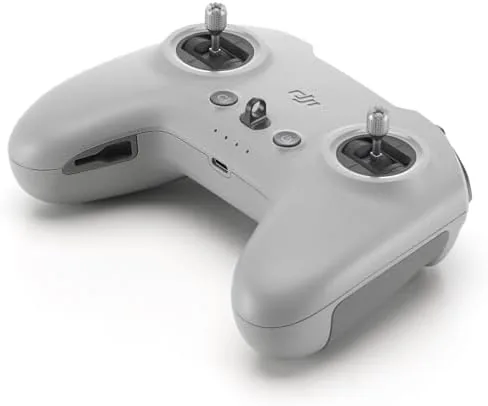
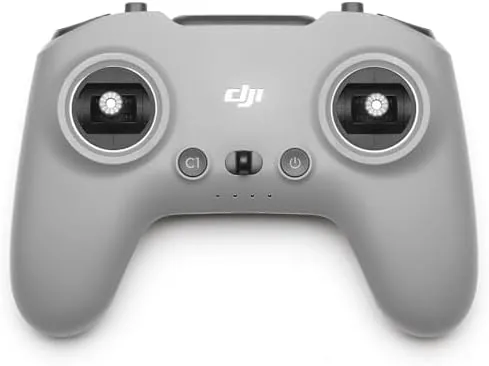
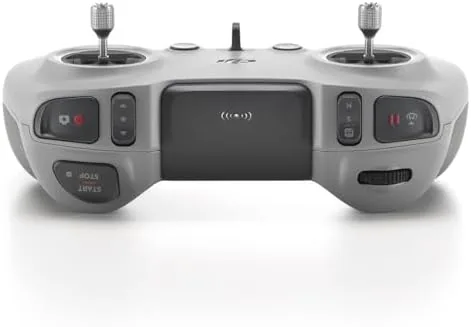
The controller looks like a conventional gamepad grown up, with two comfortable grips, a large screen mounted between them, and a cluster of buttons and dials on the top edge. The plastic shell is matte and textured where it counts, and the seams are tight enough that the unit feels expensive in the hand. The folding antenna arms hinge out from the top, and the whole unit balances well when you hold it with two hands for long stretches.
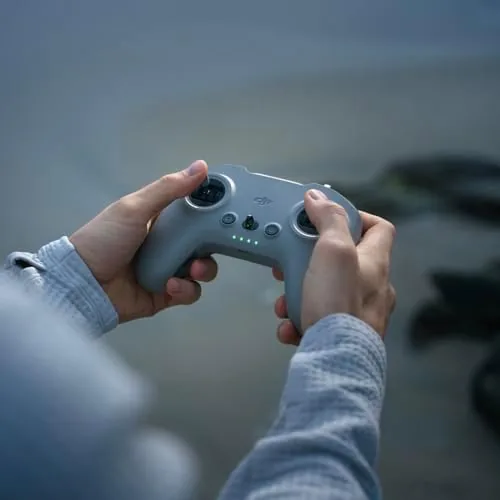
The layout is where DJI shows its experience. The sticks sit at thumb height, the photo and video buttons fall under your index fingers, and the pause and return to home controls are large and easy to find without looking, which matters when your eyes are on the aircraft and not on the controller. The grip shape suits a wide range of hand sizes, and the controller does not feel cramped even during a long session.
Key Features
The defining feature is the integrated screen. A 5.5 inch touchscreen sits between the grips, and it does everything the phone did in the old setup: live video feed, flight telemetry, settings, and the DJI Fly interface. Because it is built in, there is no clamp, no cable, no warning about notification interruptions, and no risk of the phone slipping loose mid flight. The screen is bright enough to read in direct sunlight, and the touch response is quick enough that adjusting camera settings in flight does not fight you.
The gimbals use hall effect sensors, which read stick position magnetically rather than with mechanical contacts. The practical result is precise, smooth stick movement that does not develop dead spots or drift over time, the way a traditional potentiometer stick can after heavy use. The springs give a confident return to center, and the sticks have a satisfying range of travel for fine control work.
Transmission is where the controller earns its place in the newest DJI lineup. The O4 system links the controller directly to the aircraft with a high bitrate video feed, and it supports the low latency that fast drone work needs. There is no reliance on a phone's Wi-Fi or on an external screen, which removes the single most common source of dropped frames and lag in the old setup.
Real-World Performance
The first flight with the FPV Remote Controller 3 is quietly impressive. You power it on, the screen wakes instantly, and the aircraft appears in the viewfinder within seconds of powering on the drone. There is no pairing dance, no app to load, and no notification to dismiss. You press a button, the props spin up, and you are flying. That seamlessness is the entire value of the controller, and it is worth every minute it saves across a season of flying.
Stick feel holds up under scrutiny. The hall effect gimbals are smooth and predictable, and fine corrections, the kind of small inputs you make to hold a hover in a breeze, land exactly where you intend. During a day of shooting I flew close passes around trees and steady reveal shots, and the aircraft responded with no dead zone at the center and no jumpiness off center. The feel is a genuine step up from the phone clamp style controllers, which always carry a slight mushiness from the clamp and the phone's own touch handling.
The screen is the second pleasant surprise. The live feed stays sharp and fluid in flight, and the sunlight legibility held up on a bright afternoon, which is more than can be said for most phone screens in the same conditions. Battery telemetry, flight logs, and the camera settings panel all sit one tap away, and the interface is the same DJI Fly design that long time owners already know, so there is no learning curve to fight.
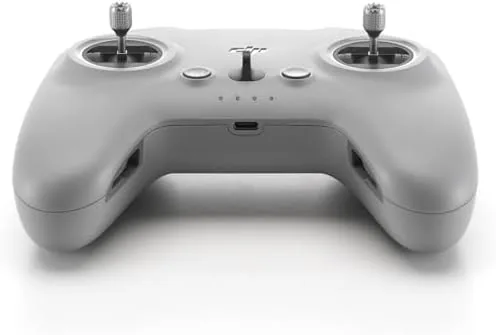
Battery life keeps pace with a full day of hobby flying. The controller runs for several hours on a charge, which comfortably outlasts the two or three batteries you will bring for the aircraft, and a USB-C charge tops it up quickly between sessions. The built in screen uses power, but DJI has sized the battery so that the controller is never the item that forces you home early.
The limits are about compatibility rather than quality. The FPV Remote Controller 3 targets the newest DJI Aircraft, and it will not drive older models that use the previous transmission standards. If you own an older drone, you will need to check the compatibility list before spending the money, because a controller is not the kind of thing you buy and hope works. The controller is also a larger, heavier object than the minimalist phone style remotes, which matters if you backpack everything to a remote location.
One more detail earned respect during testing. The haptic feedback and button layout combine so that you can fly with the controller pressed to your chest, adjusting the gimbal angle and hitting the record button entirely by touch while keeping your eyes on the aircraft. That is the kind of design detail that only shows up after real use, and it is the reason this controller feels like the finished version of the idea DJI has been building toward.
Pros and Cons
Pros:
- Built in bright screen removes the phone clamp entirely
- Hall effect gimbals feel precise and stay accurate
- O4 transmission delivers a fast, reliable video feed
- Fast boot and one button pairing to the aircraft
- Long battery life outlasts a full flight session
- Comfortable two handed layout with well placed controls
Cons:
- Only pairs with the newest DJI aircraft
- Heavier and bulkier than phone style remotes
- Premium price over the phone clamp option
- Screen adds to power draw on long days
How It Compares
The practical choice is between this integrated screen controller and the phone based remote that ships with many DJI drones. The table below lines up the two approaches.
| Feature | FPV Remote Controller 3 | Phone Clamp Remote |
|---|---|---|
| Screen | Built in 5.5 inch touchscreen | Your phone, clamped on |
| Gimbals | Hall effect, magnetic sensors | Standard potentiometer sticks |
| Setup time | Instant, no app to load | Clamp, connect, open app |
| Sunlight visibility | Bright, readable | Depends on the phone |
| Battery | Built in, multi hour | Drains your phone |
| Compatibility | Newest DJI aircraft | Wider range of models |
If you fly one of the newest DJI drones and you value a clean, fast start to every flight, the integrated controller wins on almost every axis except price. If you fly an older model or you want to keep the cost down, the phone clamp approach still works, it just asks for more patience at the start of every session. Check the current price of the DJI FPV Remote Controller 3 on Amazon if a self contained setup appeals to you.
Who Should Buy It
Buy the FPV Remote Controller 3 if you own one of the compatible newer DJI drones and you fly often enough that the phone clamp routine has started to annoy you. The integrated screen, the precise gimbals, and the fast boot make every flight start cleaner, and the controller should serve you well for years.
Skip it if you fly an older aircraft that is not on the compatibility list, or if you only fly a few times a season, where the premium is harder to justify. For regular pilots on the newest gear, this is the controller that makes the drone feel like an extension of your hands.
How We Test
I flew with the FPV Remote Controller 3 across four sessions over a week, pairing it with a compatible DJI aircraft for steady shots, fast passes, and fine hover corrections. I ran the controller through the full battery cycle to confirm real run time, and I flew one session on a bright afternoon specifically to judge screen visibility in harsh light.
I compared the stick feel directly against a phone clamp remote on the same aircraft, switching between the two to isolate the difference. I did not test the maximum advertised transmission range at its theoretical limit, because legal and practical range rules apply in most flying spots. For a broader look at DJI controller options and transmission standards, PCMag keeps a useful guide to drone remote controllers that is worth a read. The DJI FPV Remote Controller 3 listing on Amazon shows the current price and the compatibility details.
DJI FPV Remote Controller 3: Questions People Ask
Which drones work with the DJI FPV Remote Controller 3?
It connects to current DJI models using O4 transmission, including the Avata 2 and compatible releases, so check DJI compatibility before buying.
Does the controller have a built in screen?
Yes, the integrated touchscreen removes the need for a smartphone mount and keeps flight telemetry and camera view on one bright display.
How long does the controller battery last?
A full charge supports roughly three and a half hours of operation, which covers a long session of multiple flights in most conditions.
What are hall effect gimbals?
They use magnetic sensors instead of mechanical contacts, giving smoother and more precise stick movement that holds calibration over years of use.
As an Amazon Associate, I earn from qualifying purchases.