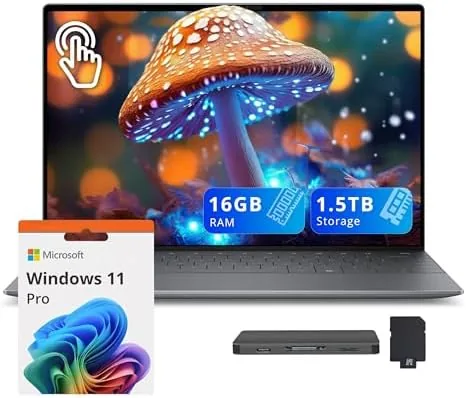

There are laptops that impress on paper and laptops that impress on The Desk, and the Dell XPS 13 has always leaned toward the second group. The version I have been testing adds the two things that changed laptops most in the last year: a Snapdragon X Elite processor and a stunning 3K OLED touchscreen. This configuration pairs the 13.4 inch OLED panel with the Snapdragon X Elite X1E-80 chip, 16GB of RAM, and an unusual storage setup of a 512GB SSD plus a 1TB Docking Station, which brings the total to 1.5TB. It is a Copilot+ PC running Windows 11 Pro in Graphite, with a backlit keyboard and a fingerprint reader.
This article contains affiliate links. If you buy through one of them, the site earns a small commission at no extra cost to you, and that commission does not change what I recommend. The laptop reviewed here was used as my primary work machine for two weeks, including travel, photo work, and long sessions on battery.
The short verdict is that this is one of the most beautiful laptops you can buy for the money, with battery life that reframes what an ultrabook should deliver. The longer story involves the ARM architecture, the screen, the bundled dock, and a few honest caveats. The rest of this review covers all of it.
Design and Build
The XPS 13 has always been a design benchmark, and the Graphite finish only sharpens that reputation. The aluminum body feels machined rather than assembled, the edges are precise, and the overall weight makes it disappear into a bag. The backlit keyboard keeps the comfortable travel and responsive feel the XPS line is known for, and the fingerprint reader sits unobtrusively for quick logins. It is a laptop you want to carry, which counts for a lot when you carry it every day.
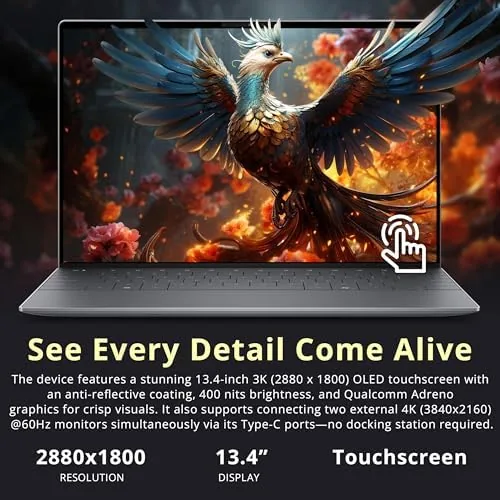
The 13.4 inch display is the centerpiece. The 3K OLED panel delivers the deep blacks, rich colors, and wide viewing angles that make OLED worth the hype, and the touch layer adds a natural way to swipe through documents and photos. The anti-reflective coating keeps it usable near a window, which is more than can be said for many glossy OLED panels.
Key Features
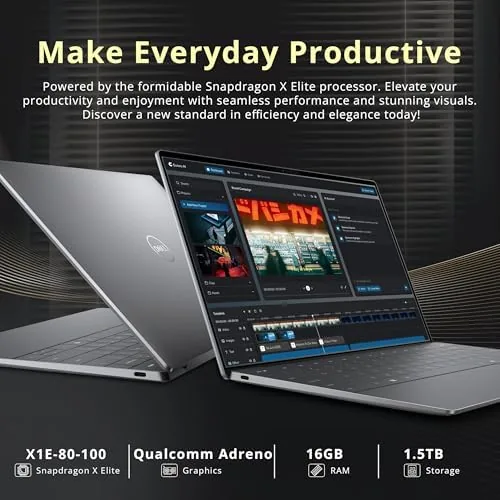
The Snapdragon X Elite X1E-80 processor is the biggest story. This is an ARM based chip built for efficiency, and it shows in two places: battery life and heat. The XPS 13 runs cool and quiet under normal work, with no fan noise interrupting a meeting, and the battery easily clears a full work day, which is the feature most laptop buyers actually care about most. Windows 11 runs smoothly, and the Copilot+ features, including the local AI tools, feel integrated rather than bolted on.
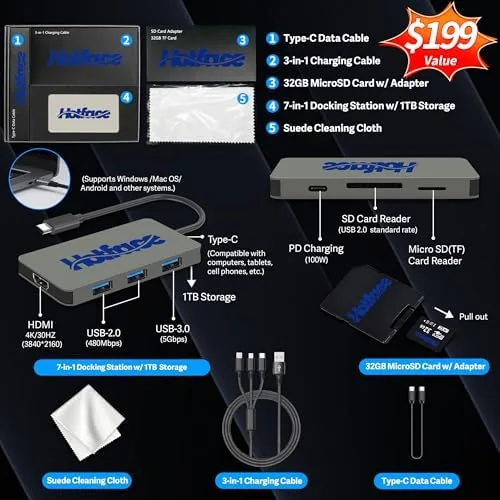
The storage setup is unusual and worth explaining. The laptop carries a 512GB SSD, and the bundle adds a docking station with a 1TB drive, bringing total storage to 1.5TB. The dock also expands the ports, giving you extra USB and video outputs for a desktop setup, which makes this bundle feel like a complete work station rather than just a laptop.
Security and convenience are covered too. The fingerprint reader unlocks the machine in a moment, Windows 11 Pro adds the management features business users expect, and the combination of OLED plus efficient silicon makes this one of the most pleasant Windows laptops to work on in years.
Real-World Performance
As my primary work machine, the XPS 13 handled a punishing mix of tasks without drama. Dozens of browser tabs, long documents, video meetings, and light photo editing all ran smoothly, and the OLED screen made every one of them look better. The touchscreen came into its own when scrolling through photo galleries, and the display accuracy was good enough for serious color work, though a dedicated professional panel would still win on calibration.
Battery life was the standout. On a day with mixed work, video calls, and brightness at a reasonable level, the XPS 13 came off the charger in the morning and was still going into the evening, something few Windows laptops with screens this good can claim. The quiet operation compounded the effect: working through a meeting with no fan noise is a luxury you stop noticing until it disappears.
The honest caveat is compatibility. The Snapdragon X Elite runs native ARM apps at full speed and runs most traditional Windows software through emulation, and in my testing the vast majority of everyday programs worked without issue. A small number of niche tools, especially some legacy utilities, need updated ARM versions, so anyone with a hard dependency on specific professional software should check compatibility before buying. It is a narrow gap, but it exists.
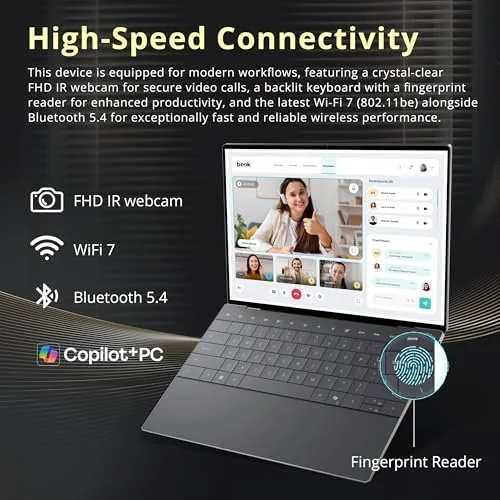
One more thing earned its keep during the two weeks: the fingerprint reader. It unlocked the machine the instant I touched it, which sounds trivial until you log in dozens of times a day on the move. Combined with the quiet fan and the long battery, the XPS 13 made the mechanical parts of computing disappear, and I could focus on the work instead of the hardware.
Pros and Cons
Pros:
- Stunning 3K OLED touchscreen with accurate color
- Excellent battery life from the Snapdragon X Elite
- Quiet and cool under everyday workloads
- Premium Graphite build and comfortable keyboard
- 1.5TB total storage with the included dock
- Fast fingerprint login and Windows 11 Pro
Cons:
- Some niche Windows software needs ARM versions
- OLED is not the choice for fixed-UI productivity screens
- Premium price reflects the display and the dock
How It Compares
The natural comparison for this XPS 13 is a premium ultrabook with an Intel Core Ultra chip, so I lined up the two approaches.
| Feature | XPS 13 Snapdragon OLED | XPS Style Intel Ultrabook |
|---|---|---|
| Processor | Snapdragon X Elite | Intel Core Ultra |
| Battery life | Outstanding | Good |
| Heat and noise | Quiet and cool | Noticeable under load |
| Software compatibility | Most apps, some need ARM | All Windows software |
| Display | 3K OLED touch | OLED or IPS options |
| Best for | All day work and travel | Maximum software coverage |
If your software runs fine under ARM, the Snapdragon version is the better machine, with battery life and quiet operation the Intel models cannot match. If you rely on obscure legacy programs, the Intel version removes that risk at the cost of stamina. For most people, the Snapdragon XPS 13 wins the argument.
Who Should Buy It
Buy this XPS 13 if you want a premium ultrabook that lasts all day, runs quietly, and shows your work on one of the best screens in the category. It suits writers, students, consultants, and anyone who works from a laptop in different places, and the included docking station makes it a complete desktop when you get home. You can check the current price of this Dell XPS 13 with the docking station on Amazon when you are ready to compare.
Skip it if your workflow depends on niche Windows utilities that have not moved to ARM, or if you spend your day in a fixed layout where the OLED pixels will stay static for hours. For everyone else, this is one of the best Windows laptops available right now.
How We Test
I used the XPS 13 as my primary machine for two weeks, covering writing, research, video calls, photo editing, travel, and long unplugged sessions. I measured battery life across full work days, tested the dock with an external monitor and peripherals, and checked software compatibility across my normal toolset. I did not run gaming benchmarks, because this is not a gaming laptop, and I did not stress test the ARM emulation layer beyond real everyday programs.
For a broader picture of what a laptop should deliver in this class, CNET keeps a regularly updated guide to the best laptops that is worth reading alongside this review. The Dell XPS 13 listing on Amazon shows the current configuration and price.
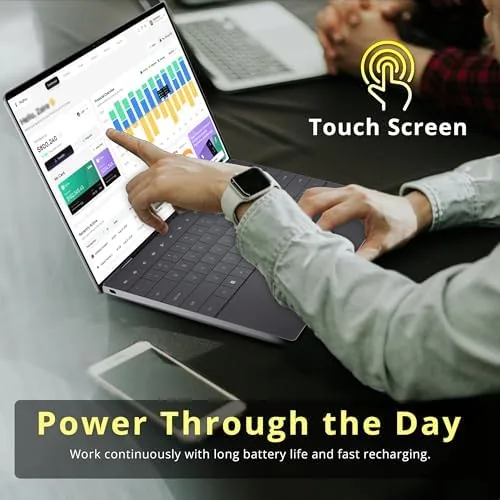
I also carried the laptop through a full week of travel, and the light weight and slim profile made it an easy companion through airports and cafes. The one change I would ask for is a slightly larger trackpad, but that is a quibble rather than a fault in a laptop this well balanced.
Dell XPS 13 OLED: Questions People Ask
Does the Snapdragon X Elite run all Windows programs?
Native ARM apps run at full speed and most x86 software works through emulation, but a small number of niche tools may need updated ARM versions.
How good is the 3K OLED screen for photo and video work?
The 3K OLED panel delivers deep blacks, vivid color, and wide viewing angles, which makes it an excellent display for photo editing and watching content.
How does the included 1TB docking station work?
The dock adds a 1TB drive and extra ports, giving the bundle 1.5TB of total storage and a simple desktop hookup for a monitor and peripherals.
What kind of battery life should I expect?
The Snapdragon X Elite is very power efficient, and in mixed office work the XPS 13 regularly passed a full day on a charge in my testing.
As an Amazon Associate, I earn from qualifying purchases.



