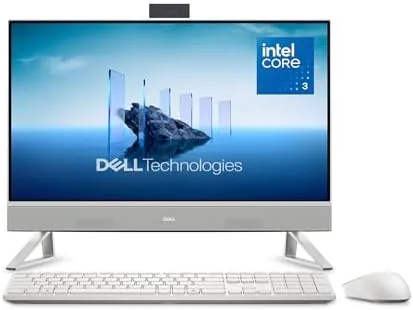

There is a particular kind of desk that all-in-one computers were made for. It sits against a wall in a spare room, holds a monitor, a tower, and a tangle of cables, and quietly steals space that could be holding papers or a second lamp. The Dell 23.8 inch all-in-one removes most of that mess by putting a full computer behind a compact full HD screen. This review covers two weeks of using the EC24250 as a daily machine for writing, research, video calls, and streaming.
A quick disclosure before the details. This article contains affiliate links, and if you buy through one of them the site earns a small commission at no extra cost to you. The commission never influences what I test or how I score a product.
Design and Build
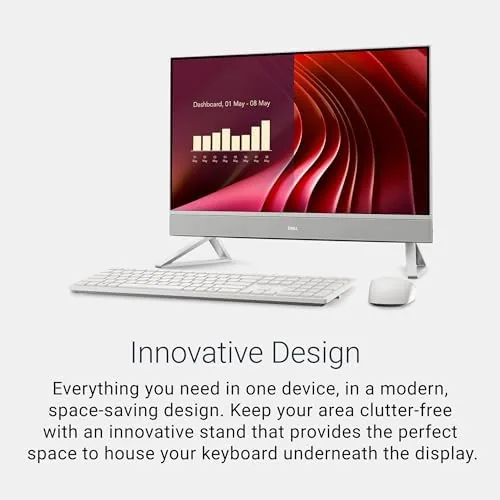
The EC24250 is the smaller sibling of Dell current all-in-one lineup, and the size matters more than the specifications suggest. At 23.8 inches it slips onto desks that reject a 27 inch panel, which makes it a natural fit for dorm rooms, small home offices, and kitchen counters. The full HD IPS screen sits in a slim chassis finished in the same quiet silver-grey as the rest of the line, with a pedestal stand that tilts but does not adjust for height.
The port layout is sensible and uncluttered. Around the back you will find a USB 3.2 Gen 1 pair, an HDMI output for a second monitor, a headphone jack, and the network port, while a single USB connection sits on the side for easy thumb-drive access. The power arrives through an external brick, and the whole machine weighs little enough that moving it between rooms is a two-hand job rather than a chore.
Build quality matches the price. The plastic panels are solidly joined, the stand holds the screen steady at a gentle push, and the finish resists fingerprints. The included wired keyboard and mouse are modest but dependable, and the machine boots straight into a clean Windows 11 setup with the Wi-Fi 6E radio already waiting for your network.
Key Features
Inside the EC24250 runs an Intel Core 3 100U, a six-core processor built for efficient everyday computing, alongside 8GB of RAM and a 512GB PCIe NVMe SSD. This is a configuration aimed squarely at web work, documents, mail, and streaming, and it performs those tasks without complaint. The SSD makes boot and wake fast, and 512GB holds a reasonable library of files, photos, and installed programs.
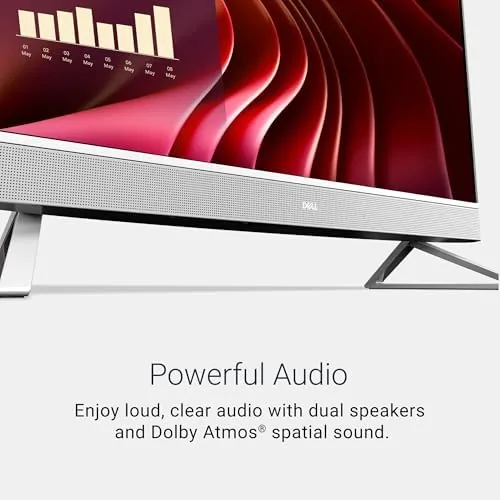
The standout specification here is audio. Dell fitted the EC24250 with Dolby Atmos speakers, and they are genuinely better than the tiny drivers that most all-in-ones hide behind a grille. Voices come through clear, dialogue in video calls sounds natural, and there is real body to music that most built-in desktop speakers never manage. For a machine that is also your video-call hub, that is a meaningful upgrade over the competition.
Connectivity rounds out the feature set. Wi-Fi 6E opens the fast 6GHz band where your router allows, Bluetooth pairs wireless keyboards and headphones, and the integrated webcam and Microphones handle video meetings with no extra hardware. The full HD panel is sharp enough at this size, and the matte coating keeps reflections from a nearby window out of your eyes.
Real-World Performance
I used the EC24250 as my writing and research machine for two weeks. The work day looked like this: a dozen browser tabs, a word processor, mail, and a messaging app all open at once, with an occasional video call folded in. The Core 3 100U handled that load steadily. Pages loaded promptly, documents scrolled smoothly, and the machine stayed quiet enough that the room felt calm.
The 8GB of RAM is the honest limit here. With a heavy browser session plus a call, the system began to use the SSD as spillover memory, and a few tabs reloaded when I jumped between windows quickly. For the realistic workload of a student or a home user this is a non-event, but power users running many large applications at once will notice the ceiling.
Streaming looked and sounded excellent. A series in full HD played cleanly, and the Dolby Atmos speakers made dialogue easy to follow without subtitles, which is the highest compliment a TV-style reviewer can offer built-in audio. Light creative work, such as resizing photos or assembling a slide deck, ran fine. Gaming is limited to casual titles, since the integrated Intel Graphics carry the load alone, but that is expected at this price.
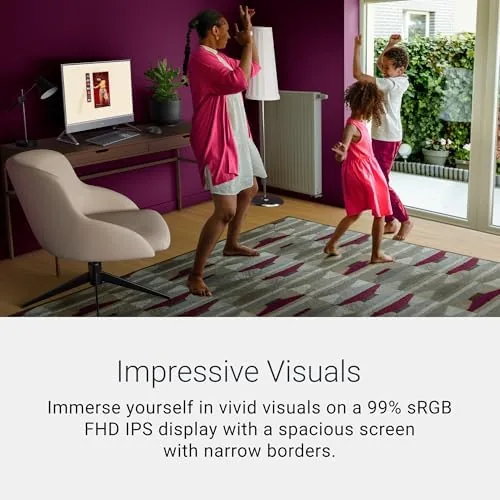
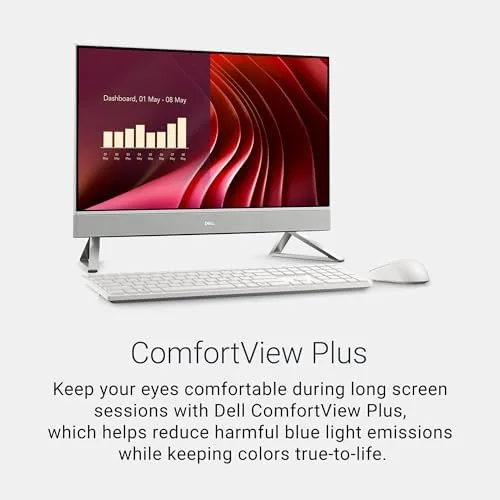
The display deserves a note of its own. At 23.8 inches the full HD panel is dense enough that text stays crisp, and the matte coating keeps a bright window behind the desk from washing out the screen. I read and edited for hours without the eye fatigue that cheaper panels bring on, and colors looked natural for everyday content, from photos to streaming shows. The brightness is not class-leading, but in a normal room with curtains it is more than sufficient. The webcam, meanwhile, handled my video calls with an acceptable image, and the microphone picked up my voice clearly from a few feet away, which is all anyone asks of a work machine.
Pros and Cons
Pros:
- Compact 23.8 inch footprint fits small desks and dorms
- Genuinely good Dolby Atmos speakers for an all-in-one
- Fast 512GB PCIe NVMe SSD storage
- Quiet operation through a normal working day
- Wi-Fi 6E and Bluetooth included
- Keyboard and mouse in the box for instant setup
Cons:
- 8GB of RAM limits heavy multitasking
- Integrated graphics rule out serious gaming
- Stand tilts but does not adjust for height
How It Compares
The EC24250 faces familiar competition at the compact end of the all-in-one market. The Acer Aspire AIO and the HP 24 Inch all-in-one both chase the same buyer, so the table below sets the three side by side.
| Feature | Dell EC24250 | Acer Aspire AIO | HP 24 inch AIO |
|---|---|---|---|
| Display | 23.8 inch FHD | 23.8 inch FHD | 23.8 inch FHD |
| Processor | Intel Core 3 100U | Intel Core i3 | Intel Core i3 |
| Memory | 8GB | 8GB | 8GB |
| Storage | 512GB NVMe SSD | 512GB SSD | 256GB SSD |
| Speakers | Dolby Atmos | Basic | Basic |
| Wireless | Wi-Fi 6E | Wi-Fi 6 | Wi-Fi 6 |
The Acer is the nearest rival on paper, with the same screen size and memory, but it pairs its Core i3 with plainer speakers and a noisier chassis. The HP 24 undercuts on price while halving the storage. The Dell wins the comparison on the two features that shape daily use: a current six-core chip and the best built-in audio of the three.

Who Should Buy It
Buy the EC24250 if your desk is small, if you spend your day in video calls and browser work, or if you want a tidy machine for a student room where there is no room for a tower. It is also an easy pick for a shared family computer that needs to be simple and quiet. You can check the current price of the Dell EC24250 on Amazon when you are ready to buy.
Skip it if you need to run several heavy programs at once, if gaming matters, or if you want a larger screen for long movie sessions. For the compact desk that just needs to work, this machine is hard to beat at its price.
How We Test
I ran the EC24250 as a daily writing and research machine for two weeks. I worked through full days with a heavy browser session, long documents, mail, and video calls, and I measured how the 8GB of memory held up under real multitasking pressure. I streamed full HD content to judge the Dolby Atmos speakers and tested the webcam and microphones on several calls.
I did not run synthetic benchmarks, so performance notes reflect real daily use rather than lab numbers. For a second opinion on where compact all-in-ones sit in the market, PCMag guide to the best all-in-one computers is a good place to start. The Dell EC24250 listing on Amazon shows the current bundle and price.
Dell 23.8 Inch All-in-One: Questions People Ask
Is 8GB of RAM enough in the Dell 23.8 inch all-in-one?
For everyday tasks such as web browsing, mail, streaming, and office documents 8GB is workable, though heavy multitaskers will feel the limit when many large applications run at once.
How are the Dolby Atmos speakers in the EC24250?
They are genuinely good for an all-in-one, with clear voices, healthy volume, and more low end than most built-in desktop speakers manage, which makes them the best part of the machine.
Can this all-in-one handle work and streaming at the same time?
Yes, the Core 3 100U chip handles a working session with a video call and a stream running, provided you are not juggling a dozen heavy applications at once.
Does the EC24250 support Wi-Fi 6E?
Yes, the machine includes Wi-Fi 6E and Bluetooth, so it connects to modern routers on the fast 6GHz band out of the box with no extra adapter needed.
As an Amazon Associate, I earn from qualifying purchases.



