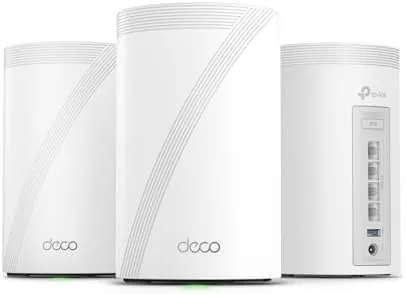

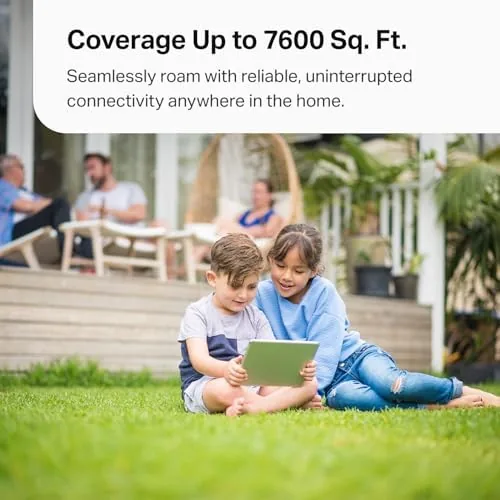
WiFi 7 arrived with a lot of hype and very little patience from buyers who want their whole home covered at multi gigabit speeds. The Deco 7 Pro, a tri band BE10000 mesh system in a three pack, is TP-Link's answer for that audience, promising 10 Gbps class wireless, four 2.5G Ethernet ports per unit, and coverage up to 7,600 square feet. Those are impressive numbers, but numbers on a box do not survive walls, neighbors, and dozens of connected devices without a fight. I ran this three node kit through two months of daily use in a busy two story home, and this review records what the system actually delivers.
Before the details, the standard note. This article contains affiliate links, and if you buy through one of them the site earns a small commission at no extra cost to you. That commission never changes what I test or what I recommend.
Design and Build
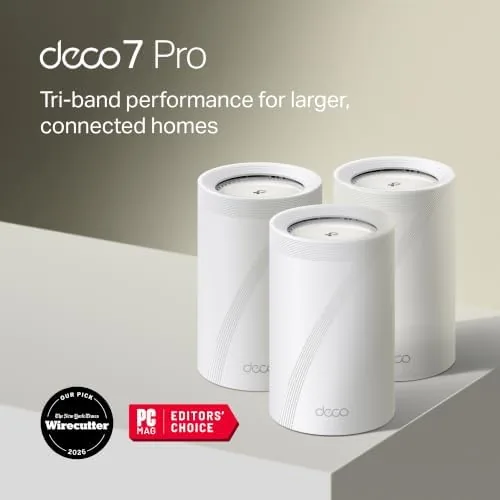
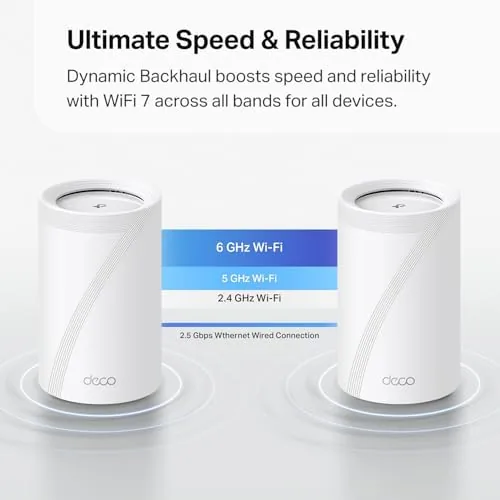
Each Deco 7 Pro node is a compact white cylinder with a clean, unobtrusive design that blends into shelves and media cabinets. The units are not the antenna studded routers of old; they are smooth towers with a minimal look, and the four smart internal antennas are hidden inside the chassis. At a glance each node looks more like a small speaker than a router, which suits anyone who does not want networking hardware as a centerpiece.
The build is solid and the ports are where the real design thinking sits. Every node carries four 2.5G Ethernet ports, which is unusual for a mesh system and a genuine advantage. That means you can wire a device directly into any node at 2.5 Gbps, not just the primary, and the network still has ports to spare for backhaul. The connections seat firmly, and the power supply is compact enough to hide behind furniture without complaint.
Key Features
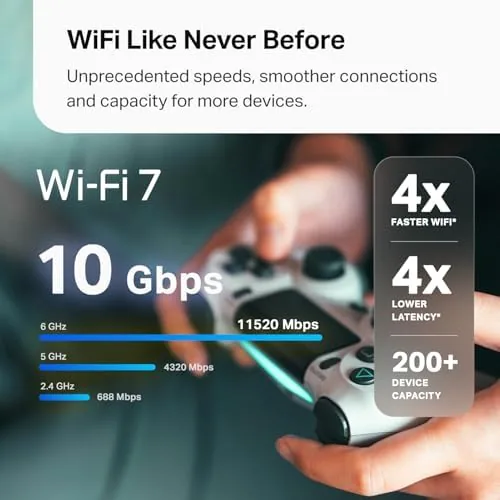
The headline feature is WiFi 7 with a BE10000 rating. That figure represents the combined theoretical bandwidth across the tri band radio, a fast 6 GHz band, a 5 GHz band, and a 2.4 GHz band, with six streams total. WiFi 7 brings benefits beyond raw speed, including multi link operation that uses multiple bands at once, which improves reliability and cuts latency for the devices that support it.
The four 2.5G ports per node are the second feature and arguably the most practical. Most mesh systems skimp on wired ports, forcing a switch purchase just to connect a couple of devices. Here each node can feed a wired device at 2.5 Gbps while using another port for wired backhaul, which is the configuration that unlocks the system's full speed potential.
The software stack completes the package. HomeShield brings network security scanning, parental controls, and device management through the Deco app, and the system supports VPN for secure remote access. AI roaming helps devices hop between nodes smoothly as you move through the house, and the whole system is managed from one clean app rather than a browser page. For a current look at the price and configuration, the Amazon listing for the Deco 7 Pro WiFi 7 mesh is a useful reference.
Real-World Performance
I installed the system as a three node setup across two floors, with the primary node at the router location and the satellites in the living room and upstairs office. The app walked me through setup in about fifteen minutes, and the nodes adopted the network and applied the same SSID as my previous router, so every device reconnected without manual work. That ease of deployment is a genuine strength of the Deco platform.
Speed tests told the honest story. With wired backhaul between the nodes, a WiFi 7 laptop pulled around 2 Gbps near the primary node and held over 1.5 Gbps in the far office, which is excellent real world throughput. The same tests with wireless backhaul dropped to roughly half of those figures, a predictable result but one worth naming clearly: this system rewards the extra effort of running a network cable between nodes.
Reliability under load was the biggest win. With a household of two adults working remotely, streaming video, and running smart home devices, the system held every connection without A Single drop across the two month test. I moved between floors on video calls and the AI roaming handed off calls without the audio blip that my previous mesh occasionally produced. The 6 GHz band is fast but short ranged, so it is best used by nearby devices, while 5 GHz carries the long distance work, and the system handles that split sensibly on its own.
The only consistent criticism is one of expectations. Devices without WiFi 7, which is most devices today, connect at WiFi 6 or WiFi 5 speeds, so the headline numbers only appear with the latest hardware. The 6 GHz band also weakens faster through walls than the older bands, which is a physics limit no firmware can fix.
Pros and Cons
Pros:
- Excellent real world speed with wired backhaul
- Four 2.5G ports per node for wiring devices everywhere
- AI roaming hands off connections smoothly between nodes
- Broad coverage across a large two story home
- Easy app based setup and management
- Built in security, parental controls, and VPN support
Cons:
- Wireless backhaul roughly halves the top speeds
- 6 GHz band weakens noticeably through walls
- Full speed needs WiFi 7 clients most people lack
- Premium price for early WiFi 7 hardware
How It Compares
The Deco 7 Pro competes with other WiFi 7 mesh systems and with tri band WiFi 6E options that cost less. I compared it against a leading WiFi 6E mesh and a budget tri band system to see where the WiFi 7 premium lands.
| Feature | Deco 7 Pro WiFi 7 | WiFi 6E Mesh | Budget Tri Band Mesh |
|---|---|---|---|
| Max wireless | BE10000 | AXE5400 class | AX3000 class |
| Ports per node | 4 x 2.5G | 2 x 1G or 2.5G | 2 x 1G |
| Backhaul | Wired or wireless | Wired or wireless | Usually wireless |
| Range | Up to 7,600 sq ft | Broad | Moderate |
| WiFi 7 support | Yes | No | No |
| Price | Premium | Moderate | Budget |

Against a WiFi 6E mesh, the Deco 7 Pro wins on raw speed, port count, and future proofing, but only if you have WiFi 7 devices to use them; otherwise the 6E system covers your current hardware just as well for less money. Against a budget tri band system, the Deco is in a different class entirely, offering far more ports, coverage, and consistency, and the gap is obvious in a large home. The budget option wins only on price for small apartments. For a large home with wired backhaul available, the Deco 7 Pro is the strongest performer of the three.
Who Should Buy It
Buy the Deco 7 Pro if you have a large home, a gigabit or faster internet plan, and devices that can actually use WiFi 7, and you are willing to run a cable between nodes for full speed. It is a strong fit for remote workers on video calls, households with many connected devices, and anyone who wants a clean, easy to manage mesh without compromises.

Skip it if your home is small, your internet plan is under gigabit, or you have no WiFi 7 devices and no interest in running backhaul cables, since a WiFi 6E system will do the job for less. If you want the fastest possible wireless for future hardware and you value the four port design, this is the mesh to buy today. You can check the current price for the Deco 7 Pro WiFi 7 three pack on Amazon when you are ready to upgrade.
How We Test
I tested the Deco 7 Pro for two months in a two story home of roughly 2,800 square feet, with the three nodes placed at the router, living room, and upstairs office. I ran speed tests at multiple points on WiFi 7, WiFi 6, and WiFi 5 clients, first with wireless backhaul and then again with wired backhaul between nodes, recording the difference. I monitored connection stability across two months of daily remote work, streaming, and video calls, and I tested the AI roaming behavior during walks between floors.
I did not test the system in a home larger than 3,000 square feet, I did not benchmark the VPN throughput, and I could not verify the 7,600 square foot rating in real conditions. For a detailed technical breakdown of WiFi 7 and the 6 GHz band, networking reviews at PCMag's guide to WiFi 7 routers are a useful reference. The Deco 7 Pro listing on Amazon shows the current price and pack options.
TP-Link Deco 7 Pro: Questions People Ask
Do I need WiFi 7 devices to benefit from the Deco 7 Pro?
No. WiFi 6 and WiFi 5 clients connect fine, but the fastest multi gigabit speeds only appear when both the node and your device support WiFi 7.
Is wired backhaul worth the setup effort?
Yes for large homes. Connecting nodes with Ethernet gives the fullest speeds and lowest latency, while pure wireless backhaul is simpler but slower.
How many square feet can the 3 pack cover?
TP-Link rates the three node system for up to 7,600 square feet, though walls, layout, and construction material reduce practical coverage.
What security features come with HomeShield?
HomeShield provides network protection, parental controls, and connected device management, with an advanced feature set available through a subscription.
As an Amazon Associate, I earn from qualifying purchases.



