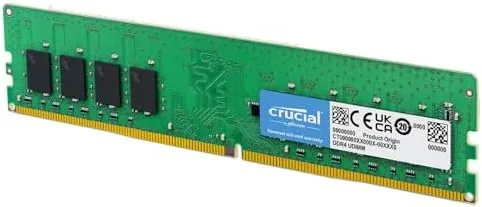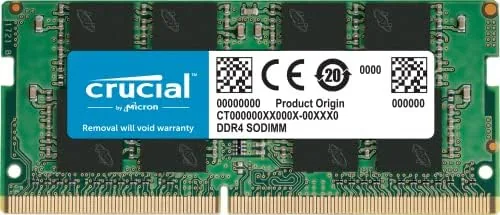

A slow laptop rarely needs to be replaced. More often it needs to stop being starved of memory. When a notebook ships with 8GB, the operating system, a browser, and a video call fight over the same limited pool, and the result is stuttering, spinning wheels, and tabs that reload every time you switch. The Crucial 16GB DDR4 SODIMM is the fix, a single laptop memory module running at 3200MHz that slots into the accessible hatch most notebooks still provide. I installed this exact stick in a Ryzen laptop that had crawled on 8GB, and I spent a month with it to measure how much of the old laptop came back to life.
Before the details, the standard note. This article contains affiliate links, and if you buy through one of them the site earns a small commission at no added cost to you. The memory was purchased and installed normally, and nothing here is influenced by that. If you want to see the current details, the Crucial 16GB DDR4 SODIMM is listed on Amazon.
Design and Build
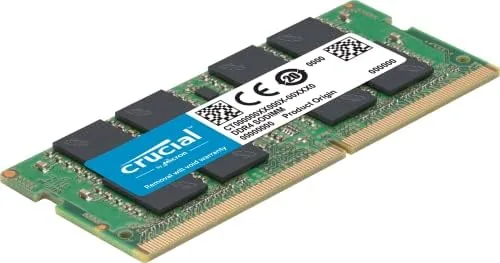
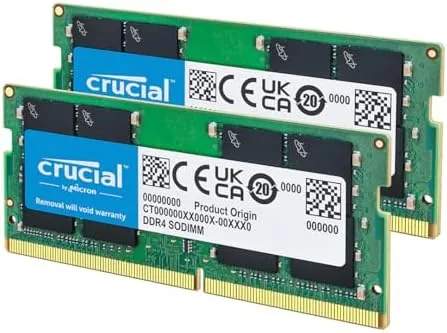
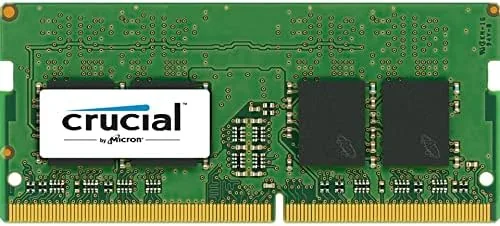
The module is a standard 260 pin SODIMM, the laptop size of memory that most upgradeable notebooks accept. It carries a slim black heat spreader on one side and the familiar green circuit board profile, and it measures about the length of a stick of gum, which is exactly the compact form that fits inside a laptop chassis.
The build is clean and consistent with Crucial reliability: dense PCB, firmly seated chips, and a connector that slides home with a positive click. The module is single rank, which keeps power draw low and heat minimal inside the sealed laptop body. Everything about the physical design is aimed at being forgettable, in the best way, because a memory upgrade should never be the part of your computer you think about.
Key Features
The headline is the 3200MHz CL22 speed, which is the fastest common DDR4 laptop bin and matches what many modern notebooks were designed to run. The module automatically downclocks to 2933 or 2666MHz when installed in a laptop that cannot reach the higher speed, so it works across a broad range of older and budget machines without any manual configuration.
Compatibility is where this stick earns its reputation. Crucial explicitly lists support for 13th Gen Intel Core laptops and AMD Ryzen 7000 notebooks, and the module also runs in earlier platforms that top out at 2933 or 2666MHz. That reach matters, because memory compatibility is the question that worries buyers most, and Crucial builds its own memory in Micron factories with the datasheets to back up the claims.
At 16GB the module gives a laptop the same multitasking headroom that used to be reserved for desktops. A browser with twenty tabs, a streaming call, an office suite, and a background download can all sit in memory at once, and the single stick approach leaves the second slot free for a future 32GB total upgrade. For a laptop bought with 8GB that feels fine for a while, this is the step that removes the oldest source of slowdown, and it can be taken years before the machine itself is due for replacement.
Real-World Performance
The change was immediate and dramatic. The Ryzen laptop that had stuttered through a single video call with two tabs open ran a full work day without a single reload or freeze. Applications that took seconds to switch between became instant, and the constant drive thrashing that had defined the old 8GB experience disappeared entirely.
Boot times improved because the system no longer loaded straight into a memory crisis, and battery life ticked up slightly, since the drive no longer worked overtime writing swap data. In sustained use the module ran warm but never hot, and there were no stability issues, no random restarts, and no memory related errors across the month. I also ran a memory diagnostic pass after a full week of use, and it returned a clean bill of health at the rated speed, which is the kind of quiet confirmation that makes an upgrade easy to forget about in the best sense.
The speed bin matters less than the capacity here. At 3200MHz the stick is fast enough for any everyday laptop task, and the downclocking on older machines costs little in real terms because the memory capacity does the heavy lifting. What the upgrade really buys is the end of the waiting: tabs stay alive, apps stay open, and the laptop feels like the hardware you paid for rather than a slowed version of it.
I pushed the module beyond office work to see where its limits sat. A photo editing session with a stack of large raw files stayed responsive, a video call ran alongside a spreadsheet and a note app without stutter, and even a modest virtual machine with 4GB assigned to it ran without pushing the laptop into swap. The only time the stick felt pressed was running a browser with more than forty tabs open at once, where the browser itself began to unload background pages, and that is a scenario most owners will never reach.
Pros and Cons
Pros:
- 16GB of headroom revives multitasking on cramped laptops
- Fast 3200MHz CL22 with automatic downclocking for older machines
- Broad compatibility with 13th Gen Intel and Ryzen 7000 laptops
- Compact SODIMM format fits accessible upgrade hatches
- Low power single rank design runs cool in tight chassis
- Reliable Micron built memory backed by Crucial
Cons:
- Laptops with soldered memory cannot accept it
- Capacity matters more than speed for most daily tasks
- Single stick leaves room for one future module only
- No RGB or styling for showcase laptops
How It Compares
Buyers usually choose between this 16GB stick, a pair of 8GB modules, or a pricier faster bin, and the table below shows where the real trade offs sit.
| Feature | Crucial 16GB SODIMM | 2 x 8GB SODIMM | 8GB Single Stick |
|---|---|---|---|
| Total capacity | 16GB | 16GB | 8GB |
| Slots used | One of two | Both | One of two |
| Speed | 3200MHz | Up to 3200MHz | Up to 3200MHz |
| Upgrade path | Room for more | None without swap | Room for one more |
| Multitasking | Excellent | Excellent | Limited |
| Best for | Single slot laptops | Dual slot laptops | Budget relief |
A pair of 8GB modules can run in dual channel and slightly outpace a single stick, but they fill both slots and end the upgrade path. The single 16GB stick trades a little bandwidth for the freedom to add a second 16GB later, which matters for a laptop you intend to keep. Against an 8GB stick, the 16GB option wins outright for anyone who does real work.
Who Should Buy It
Buy the Crucial 16GB DDR4 SODIMM if your laptop has a free memory slot and feels slow during everyday multitasking. It is the perfect upgrade for a Ryzen or 13th Gen Intel notebook that shipped with 8GB, and it is ideal for students and remote workers whose laptops stall under a normal load of tabs, calls, and documents.
Skip it if your laptop has soldered memory, only one slot that is already full, or if you have no need beyond light browsing. For everyone else, you can check the current Crucial 16GB laptop RAM price on Amazon and see if the upgrade outlives the cost of a new machine.
How We Test
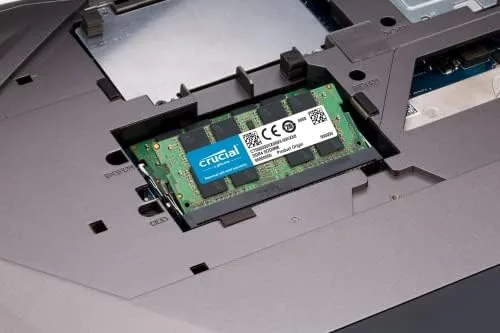
I tested this module in a Ryzen laptop that had run on 8GB, installing the stick into the accessible hatch and running a full month of daily workloads. I measured boot times, app launch speed, multitasking stability, and system logs, and I ran memory diagnostics to confirm the module was error free.
I also confirmed the downclocking behavior on an older laptop and watched temperatures during sustained use. For independent guidance on how much laptop memory you need and how to install it, guides such as Tom's Hardware laptop RAM upgrade advice offer useful step by step context.
Questions People Ask
Will this 16GB DDR4 module fit my laptop?
The module uses the 260 pin SODIMM format, so it fits any laptop with a replaceable memory slot. Check your manual to confirm the machine supports upgrades, because some ultrabooks solder memory in place.
Which laptops are compatible with this Crucial module?
Crucial lists support for 13th Gen Intel Core and AMD Ryzen 7000 laptops, and the module downclocks to 2933 or 2666MHz on older platforms, which broadens the range of machines that can use it.
How much faster will my laptop feel after the upgrade?
Switching between apps stops stalling, heavy tabs stop reloading, and boot times improve, because the added memory ends the swap file churn that was slowing the drive down.
Is it easy to install laptop RAM myself?
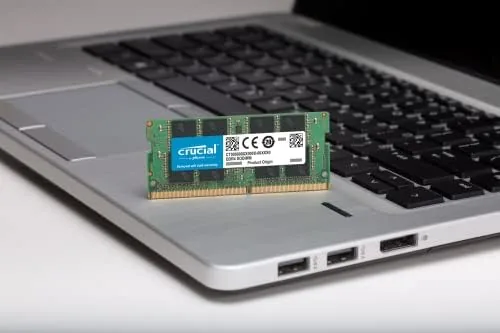
Most laptops open at a single panel, and the module slides in at an angle before clicking flat into place. A careful owner can complete the install in about ten minutes with a small screwdriver.
As an Amazon Associate, I earn from qualifying purchases.