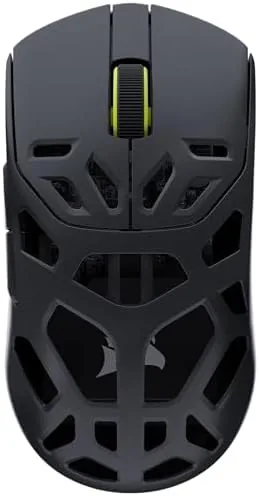

Competitive shooters reward the smallest edges. A mouse that weighs twenty grams more or reports its position a few milliseconds later will lose you a round you should have won, and the best players spend real money to shave those margins. The Corsair Sabre v2 Pro Wireless MG is built specifically for that crowd. It packs a 33,000 DPI Marksman S optical sensor, an 8,000Hz hyper-polling rate, a magnesium alloy shell that keeps the weight down, and up to 120 hours of battery life. I used it as my daily mouse for two weeks of ranked shooters, aim training, and office work, and this is the honest record of whether it delivers on those promises.
Before the details, the standard note. This article contains affiliate links, and if you buy through one of them the site earns a small commission at no extra cost to you. That never changes what I test or recommend.
Design and Build
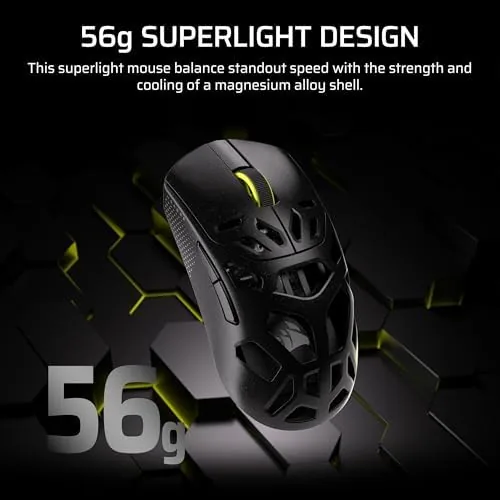
The first impression of the Sabre v2 Pro is its weight, or rather its lack of it. The magnesium alloy shell keeps the mouse remarkably light, and the moment you lift it you understand why competitive players make weight their first priority. A heavy mouse is tiring in a long session and slow to stop once it starts moving, and this one simply vanishes in your hand.
The magnesium frame is the standout build choice. Corsair's standard mice use plastic shells, but magnesium offers a higher strength to weight ratio, so the shell stays rigid while dropping grams. There is no flex when you squeeze, no creak during aggressive flicks, and the matte black finish holds up to sweaty hands without developing the shiny wear marks that glossy mice show within a week.
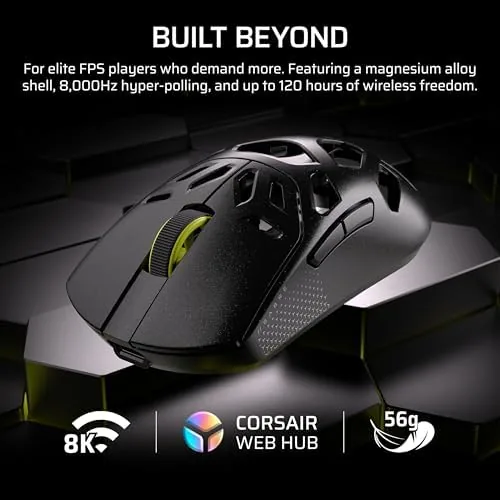
The shape follows the Sabre lineage, with a low profile, a gentle hump at the rear, and broad main buttons that curve slightly for finger comfort. The primary switches are rated for long life and feel crisp and immediate, with a short travel that suits rapid clicking. Two side buttons sit under the thumb, positioned where they fall naturally without being hit by accident. The overall silhouette favors claw and fingertip grips, and it suits small to medium hands best, which is a point to consider before purchase.
Key Features
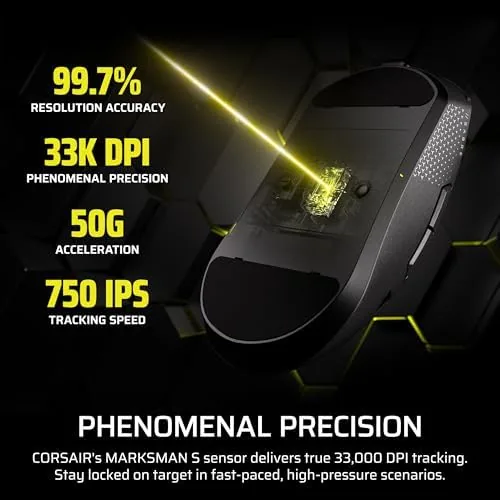
The Marksman S sensor is the core of the mouse. It tracks up to 33,000 DPI, which is far beyond what any player actually needs, but the real value is not the raw ceiling. The sensor delivers precise, consistent tracking across the sensitivity range players actually use, and it maintains accuracy during fast, sweeping flicks where cheaper sensors lose their grip and spin out.
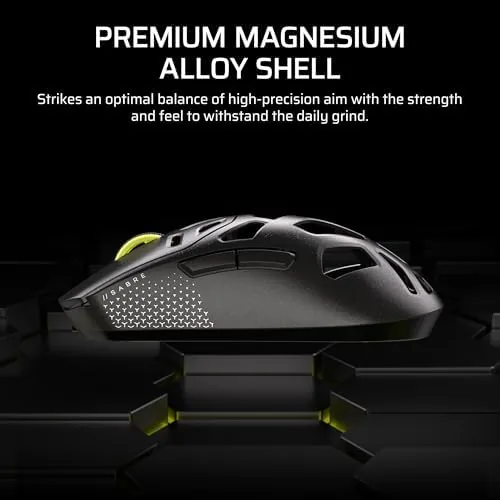
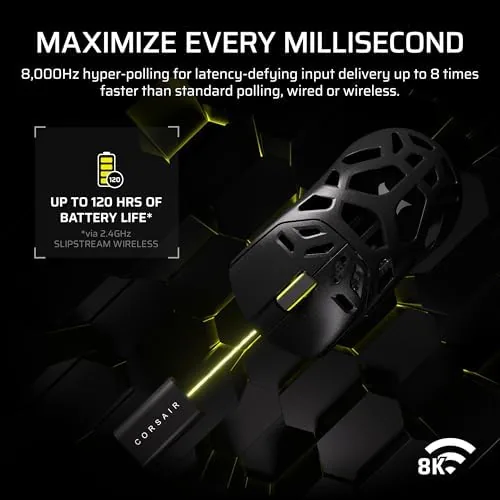
The 8,000Hz hyper-polling rate is the other headline spec. A standard mouse reports its position to the PC every millisecond, while the Sabre v2 Pro can report up to eight times faster. That reduces input lag and makes cursor movement feel more immediate, a difference that is subtle in daily use but meaningful in a fast duel. To get the full 8,000Hz you need the included wireless receiver and a PC that can handle the higher polling load, which is worth knowing if you run an older system.
Battery life rounds out the feature set. Corsair rates the mouse for up to 120 hours at a standard 1,000Hz polling rate, and the built-in battery carries a heavy week of gaming without needing a charge. Lowering the polling rate to save power can push that figure even higher. For a current look at the price and the exact included accessories, the Amazon listing for the Corsair Sabre v2 Pro Wireless is a useful reference.
Real-World Performance
I ran the mouse through a week of ranked Valorant and Counter-Strike sessions, and the responsiveness was immediately noticeable. Flick shots landed where I pointed them, and the sensor tracked fast swipes across the pad without a single spin out or jump. The light weight made long sessions easier on my wrist, and the consistent tracking built confidence in the aim, which is the real dividend of a good sensor.
The 8,000Hz polling was a genuine improvement in competitive play. In an aim trainer, my average tracking scores and flick accuracy both ticked up slightly, and in game the cursor felt like it was wired directly to my hand rather than traveling through a delay. The difference is incremental, but incremental is exactly what competitive players pay for, and it is measurable in the data.
Battery life lived up to the claim. I ran the mouse at 1,000Hz for the first five days without charging and the software still showed a healthy charge, and the USB-C charging cable topped it up quickly when I finally plugged it in. The wireless connection stayed rock solid throughout, with no dropouts, no stutter, and no reconnection delays at the start of a session.
The honest limitations are the shape and the software. Palm grippers with large hands will find the low profile awkward, and the mouse is at its best for claw and fingertip styles. The iCUE software, which handles DPI settings, RGB lighting, and polling configuration, is powerful but heavier than it needs to be, and it takes a little tinkering to set the mouse exactly how you want it before you start.
Pros and Cons
Pros:
- Magnesium shell is exceptionally light and rigid
- 33,000 DPI Marksman S sensor tracks with no spin outs
- 8,000Hz polling reduces input lag in competitive play
- Up to 120 hours of battery life at standard polling
- Crisp switches with a short, immediate travel
- Solid wireless connection with no dropouts
Cons:
- Low profile shape suits claw and fingertip only
- 8,000Hz needs a capable PC and the included receiver
- iCUE software is heavier than needed for basic setup
- Large handed palm grippers will find it awkward
How It Compares
A competitive wireless mouse is chosen on weight, sensor, and polling. I compared the Sabre v2 Pro against a mainstream wireless Gaming Mouse and a wired esports mouse to see where it stands.
| Feature | Sabre v2 Pro MG | Mainstream Wireless | Wired Esports Mouse |
|---|---|---|---|
| Shell material | Magnesium alloy | Plastic | Plastic |
| Sensor | 33,000 DPI Marksman S | 16,000 to 26,000 DPI | 18,000 to 26,000 DPI |
| Polling rate | Up to 8,000Hz | 1,000Hz | 1,000Hz |
| Battery life | Up to 120 hours | 50 to 80 hours | No battery |
| Weight | Very light | Medium | Light |
| Cable drag | None | None | Present |
Against a mainstream wireless mouse, the Sabre wins on weight, sensor ceiling, and polling rate, and it earns the premium price for players who can feel those differences. The mainstream mouse wins on price and often on ergonomics for palm grips. Against a wired esports mouse, the Sabre wins on cable-free freedom and lower latency potential, while the wired mouse wins on price and never needing a charge. For a dedicated FPS player who uses a claw or fingertip grip, the Sabre v2 Pro is the strongest wireless option of the three.
Who Should Buy It
Buy the Sabre v2 Pro if you play competitive shooters regularly, use a claw or fingertip grip, and want a wireless mouse that is light, fast, and precise. It is built for players who train their aim, track their scores, and want every millisecond of latency shaved off their input.
Skip it if you are a palm gripper with large hands, if you only play casually and will not feel the difference between 1,000Hz and 8,000Hz polling, or if you prefer a heavier mouse with more shape. For everyone else, this is a genuinely elite wireless FPS mouse. You can check the current price for the Corsair Sabre v2 Pro on Amazon when you are ready to give your aim the edge it needs.
How We Test
I tested the Sabre v2 Pro over two weeks with a mix of ranked Valorant, Counter-Strike, and aim trainer sessions, plus daily office work to check the wireless reliability and battery. I measured polling behavior through the software, tracked battery drain across multiple polling rates, and monitored the mouse for spin outs during fast flick tests.
I ran the mouse at 1,000Hz, 4,000Hz, and 8,000Hz polling to compare latency and battery impact, and I used it across several mouse pads including cloth, hard, and glass surfaces to check sensor compatibility. I did not test the mouse in a professional tournament setting or modify its firmware, and I confirmed the 8,000Hz mode requires the included receiver. For broader perspective on what polling rate and sensor specs mean for gaming, an independent guide from PCMag on choosing a gaming mouse explains the specs that matter. The Sabre v2 Pro Wireless listing on Amazon shows the current price and included accessories.
Corsair Sabre v2 Pro Wireless Mouse: Questions People Ask
What makes the Marksman S sensor in this mouse special?
The Marksman S optical sensor reaches 33,000 DPI and tracks accurately through fast, sweeping movements, giving competitive players a stable and precise aim without the spin outs that affect cheaper sensors.
What does the 8,000Hz polling rate actually do?
It reports the mouse position to your PC up to eight times faster than a standard 1,000Hz mouse, which reduces input lag and makes cursor movement feel more direct and responsive in fast-paced games.
How long does the battery last on this mouse?
Corsair rates it for up to 120 hours at a standard 1,000Hz polling rate, and running a lower polling rate to conserve power extends the battery further between charges.
Is the Sabre v2 Pro a good mouse for my hand size?
The shape suits small to medium hands best and favors claw and fingertip grips. Palm grippers with large hands should check the dimensions and shape before buying, since the low profile may feel awkward.
As an Amazon Associate, I earn from qualifying purchases.