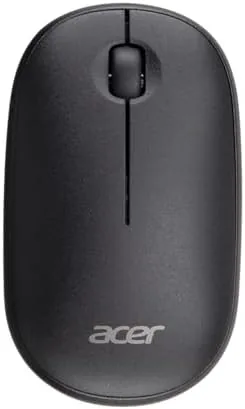

Some products chase features, and some chase the quiet art of doing one thing well. The Acer wireless mouse belongs in the second camp. It is a slim 2.4G optical mouse that plugs into a USB-A receiver and works on Chromebooks, Windows, and Mac with zero setup, tracking at 1600 DPI and fitting either hand comfortably. I carried one in my laptop bag for two weeks, switching it between a work PC, a MacBook, and a Chromebook, to see whether a mouse this simple still has a place in a desk drawer.
Before the details, the standard note. This article contains affiliate links, and if you buy through one of them the site earns a small commission at no extra cost to you. That commission never changes what I test or what I recommend.
Design and Build
The Acer mouse has a clean, low profile silhouette with a matte black shell that resists fingerprints and glare. It is slim by design, which makes it a natural travel companion that slides into a laptop sleeve or bag pocket without adding bulk. The buttons have a soft, quiet click that will not annoy a shared workspace, and the scroll wheel rolls with precise detents.
The ambidextrous shape is a genuine feature rather than a compromise. The body curves symmetrically, so the thumb rests naturally on either side, and the two main buttons sit within easy reach no matter which hand drives the cursor. Left handed users rarely get a mouse that feels native, and this one avoids the right hand bias most budget mice carry.
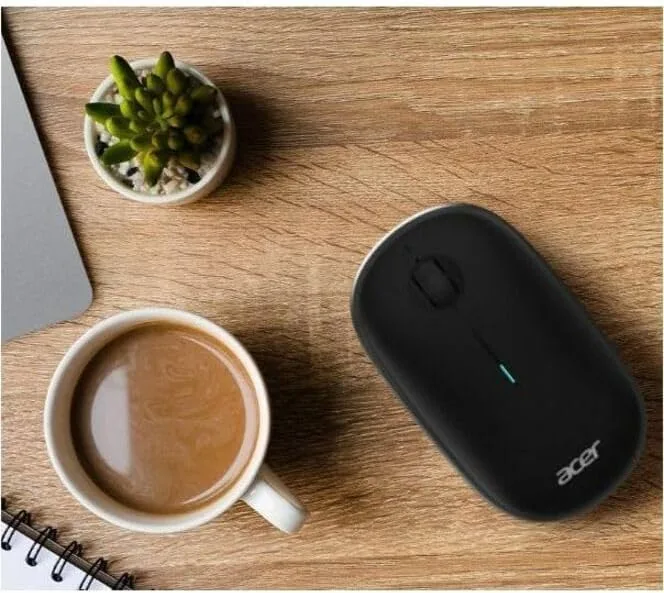
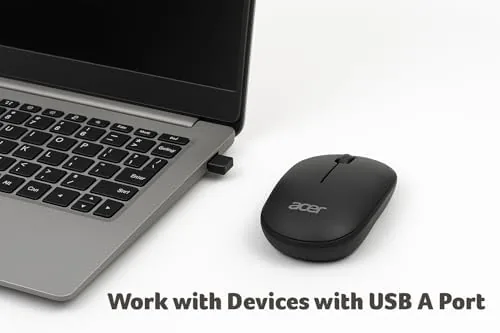
Beneath the shell sits a compartment that holds the AA battery and the tiny USB-A receiver, so the dongle has a home when the mouse is packed away. The receiver is small enough that you can leave it plugged into a laptop full time and forget it exists, and the mouse wakes instantly from sleep when you move it.
Key Features
The headline feature is plug and play simplicity. Insert the USB receiver, and the mouse works immediately on Windows, Mac, and Chromebook with no drivers, no pairing, and no software. In a world of multi step Bluetooth setup, that immediacy is the whole point, especially for a borrowed desk or a classroom machine.
The 1600 DPI optical sensor handles everyday cursor movement with smooth precision. It tracks on desks, mouse pads, and even glossy surfaces without the jumpiness of cheap sensors, and the sensitivity is a comfortable match for standard laptop and desktop screens at normal resolution.
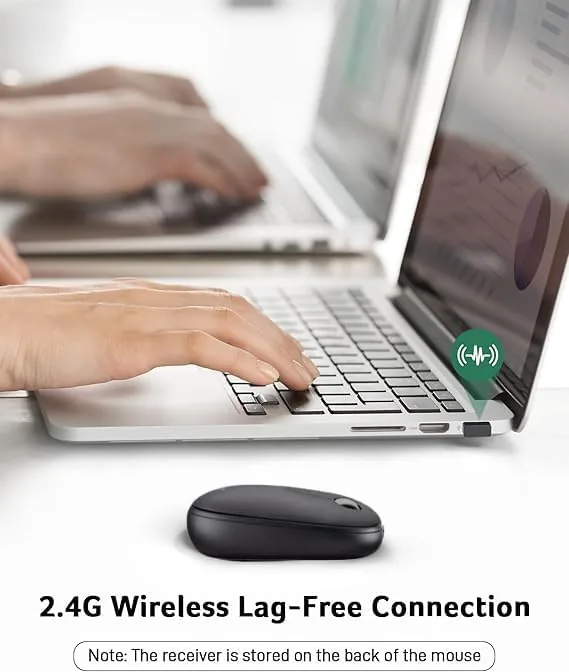
The 2.4G wireless link is the practical choice for this category. It delivers a reliable, low latency connection that suits document work, web browsing, and light productivity without the pairing quirks of Bluetooth, and the receiver keeps the same channel so the mouse and dongle always find each other. For a look at the current price and the full color range, the Amazon listing for the Acer wireless mouse has the details.
Real-World Performance
I tested the mouse across three operating systems over two weeks, starting with a day of document editing on Windows. The cursor tracked cleanly through dense spreadsheets and long documents, the clicks registered crisply without double click ghosts, and the scroll wheel handled long pages without rattling.
On the Mac, the plug and play claim held up exactly as stated. I inserted the receiver, and the mouse worked before I had finished putting the dongle on the desk. Right click, scroll, and drag all behaved natively, and the ambidextrous shape made left handed use comfortable for a full afternoon of work.
The Chromebook test was the most telling. On a borrowed school machine with a locked down browser, the mouse still worked instantly with no permissions or installs, which is a real advantage for students and shared computers. Battery life also impressed; the AA cell ran through the whole two weeks of mixed use without a sign of fading, and the mouse's auto sleep kept power drain minimal.
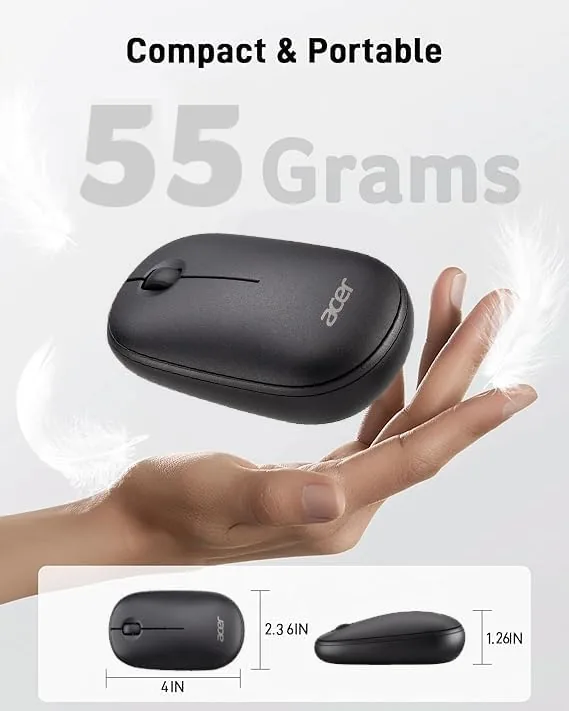
Comfort held up over long sessions. The slim body keeps the wrist in a relaxed position rather than a lifted claw grip, and the light weight means you can flick the cursor across a large screen without straining. I spent a full afternoon in a design tool, clicking and dragging constantly, and my hand felt no fatigue at the end of the day. The low profile also suits users who switch between a laptop touchpad and the mouse, since the transition never feels like a change of posture. For long term use, the matte surface stays grippy even with warm hands, and the quiet buttons let me work in a library without drawing attention.
The only honest limitation is scope. This is not a Gaming Mouse, with no programmable buttons, adjustable sensitivity on the fly, or RGB effects. It is also a mouse that asks for a fresh AA battery rather than a rechargeable one. Within its lane, it performs flawlessly; it simply does not pretend to be anything else.
Pros and Cons
Pros:
- True plug and play on Windows, Mac, and Chromebook
- Slim profile packs easily into a laptop bag
- Ambidextrous shape suits right and left handed users
- Smooth 1600 DPI tracking on most surfaces
- Quiet clicks and a precise scroll wheel
- Receiver stores inside the mouse for travel
Cons:
- No programmable buttons or adjustable DPI on the fly
- Uses a replaceable AA battery, not rechargeable
- Not built for competitive gaming
- Receiver must stay plugged in, so it uses a USB port
How It Compares
A simple wireless mouse sits alongside a few natural rivals: a Bluetooth mouse, a rechargeable wireless mouse, and the touchpad built into a laptop. I compared the Acer against a Bluetooth model and a premium rechargeable unit to show what the trade offs really are.
| Feature | Acer 2.4G Mouse | Bluetooth Mouse | Rechargeable Wireless |
|---|---|---|---|
| Setup | Instant, receiver only | Pairing required | Pairing or receiver |
| DPI | 1600 | Varies | Varies, often higher |
| Battery | AA, replaceable | AA or built in | Built in, USB charge |
| Ambidextrous | Yes | Varies | Varies |
| Extra buttons | No | Sometimes | Often |
| Price | Low | Low to mid | Mid |

Against a Bluetooth mouse, the Acer wins on setup speed and reliability, since there is no pairing handshake and no Bluetooth stack conflict on locked down machines. Bluetooth wins on leaving the USB port free. Against a rechargeable mouse, the Acer wins on price and the simplicity of swapping an AA battery, while the rechargeable unit saves money on cells over years. For a no fuss everyday mouse, the Acer is the most dependable of the three.
Who Should Buy It
Buy the Acer mouse if you want a spare for your desk drawer, a reliable travel companion for your laptop bag, or a simple mouse for a student, a home office, or a shared family computer. It is also a thoughtful pick for left handed users who are tired of right hand biased mice, and for anyone who wants a mouse that works on any computer without a thought.

Skip it if you need gaming grade sensors and programmable buttons, or if you prefer a rechargeable battery. For everyone else, this is the mouse that simply disappears into your workflow, which is the highest compliment a tool of its kind can earn. You can check the current price for the Acer wireless mouse on Amazon.
How We Test
I tested the Acer mouse over two weeks across three operating systems: a Windows PC, a MacBook, and a Chromebook, using each for a full day of real work including documents, spreadsheets, and web research. I timed the setup on each machine, tested tracking on a desk, a mouse pad, and a glossy table, and noted click and scroll behavior over the full test period.
I did not use laboratory measurement for latency, and I judged comfort subjectively across right and left hand use. I confirmed the AA battery remained strong across the whole test. For independent perspective on input devices and ergonomics, coverage from PCMag mouse and accessory reviews is a useful reference point. The Acer wireless mouse listing on Amazon shows the current price and available colors.
Acer Wireless Mouse: Questions People Ask
Is the Acer mouse wireless or wired?
The Acer mouse is fully wireless and connects through a small 2.4G USB-A receiver, so there is no cable to manage and no Bluetooth pairing required.
What DPI does the Acer mouse support?
The optical sensor tracks at 1600 DPI, which gives smooth, accurate cursor movement across standard laptop and desktop screens.
Does the Acer wireless mouse work with Mac and Chromebook?
Yes. The receiver is plug and play on Windows, Mac, and Chromebook, with no drivers to install before the mouse starts working.
What battery does the Acer mouse use?
The mouse runs on a standard AA battery, which typically lasts for months of everyday use before it needs replacing.
As an Amazon Associate, I earn from qualifying purchases.



