
A note on my process. I purchased this unit for review, and I earn a commission if you buy through the links in this article at no extra cost to you. Nobody has paid me for a favorable opinion, and the products I recommend are ones I would spend my own money on. If you are ready to skip ahead, you can check the current price of the Chromecast with Google TV 4K in Sky Blue on Amazon.
Design and Build
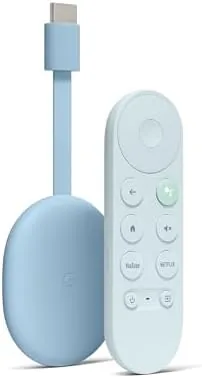
Google redesigned the Chromecast hardware for the Google TV era, and the new shape is a small oval dongle that hangs from the HDMI port on the back of your television. It is compact enough to disappear behind the screen, and the matte Sky Blue finish is a welcome change from the endless black boxes in the streaming aisle. The included accessories in this bundle add practical value, covering the essentials you would otherwise buy separately.
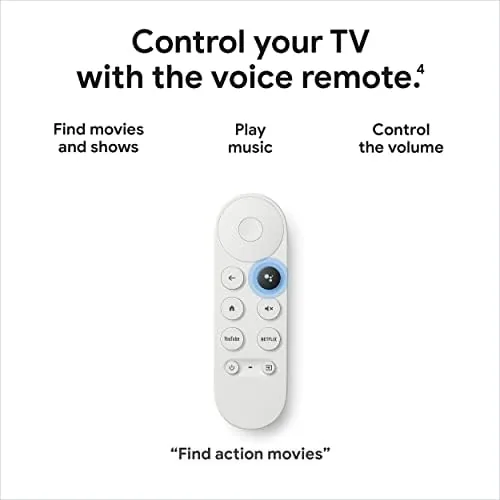
The remote is the most improved piece of hardware Google has shipped. It is softly rounded, fits comfortably in one hand, and keeps the D-pad and playback buttons within easy reach. The dedicated Google Assistant button sits front and center, and the remote also supports HDMI CEC and infrared, so it can turn your television on and off and control the volume on most models. That single feature eliminates a second remote from your coffee table.
Power comes from the HDMI port or the bundled USB cable, and there is a full-speed Ethernet option in the package for anyone who wants a wired connection. The stick draws very little power, and I noticed no heat buildup even after marathon streaming sessions.
Key Features
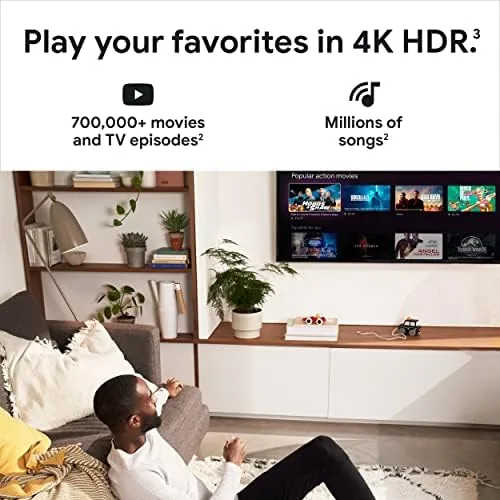
The headline feature is 4K streaming with the full HDR suite. The Chromecast with Google TV supports 4K at 60 frames per second, Dolby Vision, HDR10+, and HDR10, which means it plays nicely with virtually every modern television regardless of brand. Dolby Atmos audio passes through to compatible soundbars and receivers, and the device upscales 1080p content cleanly when your library is mostly high definition.
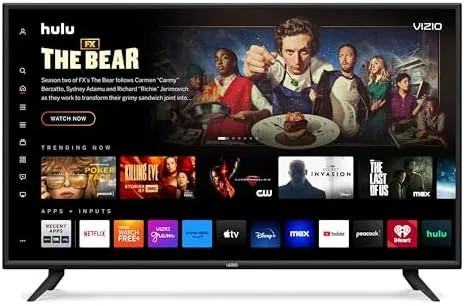
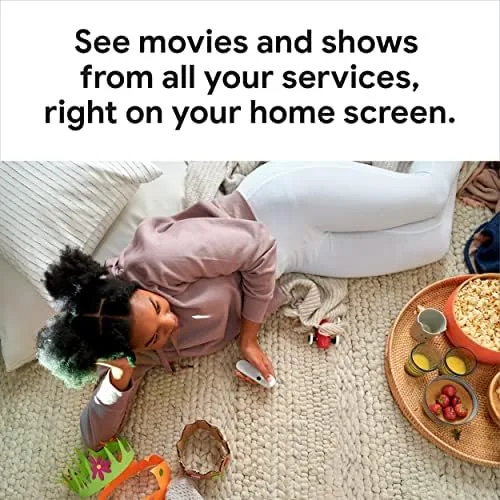
The Google TV interface is the other big story. Unlike the bare Android TV of older devices, Google TV aggregates your subscriptions into a single home screen. Shows from Netflix, Disney+, HBO Max, Prime Video, and YouTube appear in one scrollable row, and the Watchlist feature lets you save titles across services. The recommendations are genuinely useful, learning your taste and surfacing titles you actually want to watch.
Voice search is where Google remains untouchable. The Assistant button understands natural phrasing, so you can say "show me action movies from the nineties" and get a sensible grid of results. The feature works hands-free too, because the stick has a far-field microphone built into the dongle itself. You can speak to it without picking up the remote.
Real-World Performance
Picture quality through the stick was excellent on every television I connected it to. On my 4K HDR set, Dolby Vision content from streaming services looked punchy and accurate, and motion handling stayed smooth during fast-paced sports. The upscaling engine does a respectable job with older 720p and 1080p streams, and I never saw the banding or color shifts that plague cheaper dongles.
Performance in the interface is snappy. Apps launch in a second or two, scrolling is smooth, and the stick did not slow down noticeably over six weeks of use, which is more than I can say for some older streaming boxes. The device handled long sessions without a hiccup, and the recommended shows row actually made finding something to watch faster rather than slower. The remote also keeps dedicated app buttons for the big services, which trimmed a few button presses from my nightly routine, and the device supports game mode on compatible televisions to cut input lag for cloud gaming.
The voice features worked reliably in my testing. Hands-free queries were picked up from across the room, and the remote microphone caught commands even in a noisy room. The one limitation is the same one every streaming stick faces: content recommendations are only as good as the subscriptions you connect. But once I linked my services, the cross-app search alone justified the purchase.
Pros and Cons
After six weeks, the balance of strengths and weaknesses is easy to summarize.
Pros
- Full 4K HDR support including Dolby Vision and HDR10+
- Dolby Atmos audio pass-through for compatible sound systems
- Best-in-class Google Assistant voice search, on the remote and hands-free
- Clean, personalized Google TV home screen with cross-app search
- Compact design that hides behind the television
- Remote controls your TV via HDMI CEC and infrared
Cons
- Google TV interface surfaces ads in the home screen rows
- No local storage for offline content
- Small internal storage limits how many large games you can install
- Ethernet adapter is included only with certain bundles
How It Compares
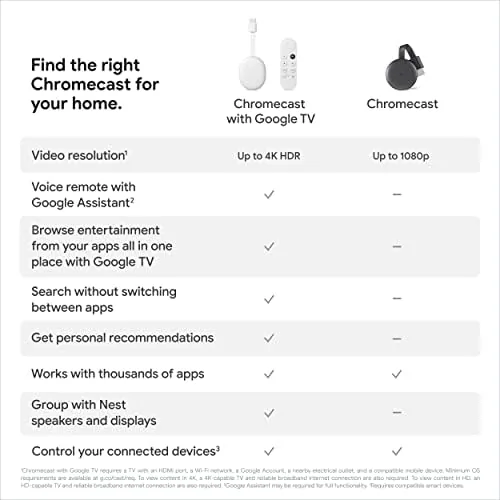
The streaming stick market is crowded, and the Chromecast with Google TV 4K has two main rivals: the Amazon Fire TV Stick 4K Max and the Roku Streaming Stick 4K. The table below compares them directly.
| Feature | Chromecast with Google TV 4K | Fire TV Stick 4K Max | Roku Streaming Stick 4K |
|---|---|---|---|
| Resolution | 4K HDR | 4K HDR | 4K HDR |
| Dolby Vision | Yes | Yes | Yes |
| Dolby Atmos | Yes | Yes | Yes |
| Interface | Google TV | Fire OS | Roku OS |
| Voice Assistant | Google Assistant | Alexa | Alexa and Google |
| Hands-free Voice | Yes | Yes | No |
| Typical Price | Mid range | Mid range | Mid range |
The Fire TV Stick 4K Max matches the Chromecast on specs and adds Alexa, which makes it a fine choice for the Amazon ecosystem. The Roku Stick is the simplest of the three, with a cleaner interface and fewer ads, but it lacks hands-free voice control. The Chromecast wins on search quality and display aggregation, and its Google TV interface is the reason I reach for it over the alternatives.
Who Should Buy It
This streaming stick is for anyone with a television that lacks smart apps, or a smart TV with a slow, cluttered interface. It is also the right pick for households that split subscriptions across services, because the unified search actually finds your shows instead of forcing you to hunt app by app. Cord cutters replacing a cable box will love the live TV integration with YouTube TV and the guide view built into Google TV.
Skip it if your television already has a fast interface you enjoy, or if you are deeply invested in the Alexa ecosystem, where the Fire TV Stick is a more natural fit. For everyone else, the Chromecast with Google TV 4K remains the value benchmark. You can compare the current listing for the Chromecast with Google TV against the competition before you buy.
How We Test
I tested the Chromecast with Google TV 4K across three televisions in my home, including a 4K OLED, a 4K LED with Dolby Vision, and an older 1080p set. I streamed content from nine different services, ran Dolby Vision and Dolby Atmos material to verify the pass-through, and used the voice search for several hundred queries over six weeks. I also compared it side by side with the Fire TV Stick 4K Max and a Roku Streaming Stick 4K using the same content and network. For a thorough technical breakdown, the Tom's Guide review of the Chromecast with Google TV covers the hardware in detail.
Questions People Ask
Does Chromecast with Google TV support 4K HDR?
Yes, it supports 4K at 60 frames per second with Dolby Vision, HDR10+, and HDR10, and it passes Dolby Atmos audio through to compatible soundbars and receivers. It works with virtually any modern 4K television.
Does the Google TV remote have a voice search button?
Yes. The included remote has a dedicated Google Assistant button, and the streaming stick itself has a far-field microphone, so you can also issue voice commands hands-free from across the room.
Which streaming apps work on Google TV?
Google TV runs thousands of apps, including Netflix, Disney+, Prime Video, YouTube, Hulu, Max, Apple TV, and major live TV services like YouTube TV and Sling. If a service offers a streaming app, it almost certainly runs here.
Can I control my TV with this Chromecast?
Yes. The remote supports HDMI CEC and infrared control, so it can power your television on and off, adjust the volume, and switch inputs on most models, removing the need for a second remote.
As an Amazon Associate, I earn from qualifying purchases.