
Streaming was supposed to make choosing what to watch easier, and instead it made it harder. A title lives in one app, its sequel lives in another, and the best way to find something is usually to give up and scroll TikTok. Amazon has spent the last few years trying to fix that problem with the Fire TV platform, and the Fire TV Stick 4K Select is the company newest attempt to put the answer in a device that costs less than a night out. I plugged the 4K Select into my living room television for two weeks to test the picture, the new AI powered search, the free live TV channels, and whether it earns a place next to your remote.
Before the results, the standard disclosure. This article contains affiliate links, and if you buy through one of them the site earns a small commission at no extra cost to you. That commission does not influence what I test or what I recommend, and the streaming stick reviewed here was set up and used exactly as a customer would use it.
The 4K Select sits below the 4K Max in the Fire TV lineup, which means it trades a little processing headroom for a lower price while keeping the features that matter most for most people: 4K output, HDR support, and voice control. This review covers the design, the streaming experience, the AI search, the free live TV offering, and how the Select compares with its siblings and rivals.
Design and Build
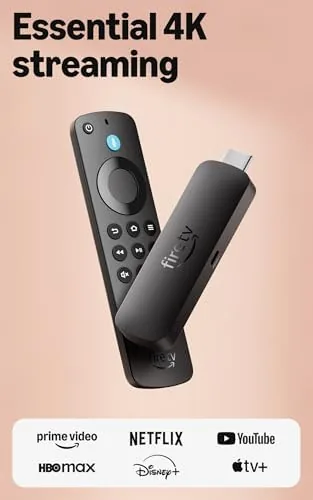
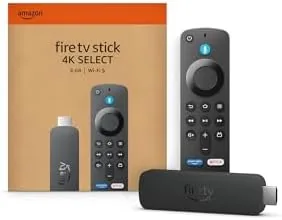
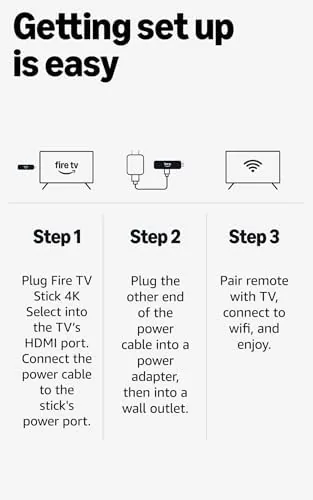
The hardware is a small black dongle with an HDMI connector on one end and a Micro USB power input on the side, the same shape Amazon has used for years. It hides completely behind a television, which is the point, and it draws power from the included adapter rather than from the TV port, so it works reliably even on televisions with weak USB power. Setup took about ten minutes: plug it in, pair the remote, sign into Wi-Fi, and let it update.
The bundled remote is the Alexa Voice Remote, and it is a genuine upgrade from older Fire TV remotes. The controls are laid out clearly with dedicated power, volume, and mute buttons, so it can control the television itself and a soundbar through HDMI CEC and IR. The Alexa button sits under the thumb, and the ring navigation pad has a satisfying click. It feels more like a real universal remote than the cheap plastic clickers of previous generations.
Key Features
The headline feature is 4K streaming with HDR support. The Select outputs 4K Ultra HD and supports HDR10, HDR10+, and Dolby Vision on compatible content, so a supported movie on a streaming service will play with the best color and contrast your television allows. Dolby Atmos audio passes through to a compatible receiver or soundbar, which matters for people who have built a home theater around streaming.
The other big feature is the AI powered search, part of Amazon push to make Fire TV more useful With Alexa. Instead of typing a title and hoping the right app shows up, you press the Alexa button and ask in plain language, such as find the new science fiction movie or play the show where everyone goes to space. The stick searches across installed apps and returns where the title is available, cutting down the app hopping that defines modern streaming.
Real-World Performance
Picture quality is exactly what you want from a 4K stick. Supported content plays back in full 4K with HDR tone mapping handled by the television, and the upscaling of 1080p content is clean, with no obvious artifacts on a 65 inch screen. Streaming services loaded quickly over a stable Wi-Fi connection, and I did not notice any buffering during a full movie. The Select does not have the extra processing power of the 4K Max, but in everyday streaming I could not feel a difference.
The AI search is the feature I expected to dismiss and ended up using constantly. Asking the Alexa button for a title or genre returned accurate results across Netflix, Prime Video, and the free apps, and the natural language understanding handled messy phrasing well. When I asked for movies like a heist movie, the stick listed the relevant titles and where to watch each one. It is not perfect, and it occasionally surfaces results from apps you do not subscribe to, but it is a real improvement over typing on an on screen keyboard.
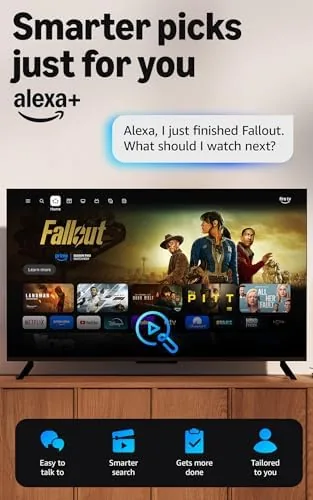
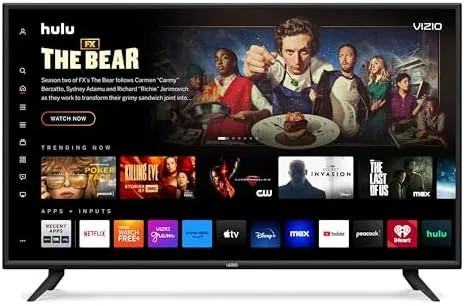
Free live TV is the other reason to pick up a Fire TV device. The home screen includes a live TV row with dozens of ad supported channels covering news, sports highlights, movies, and classic shows, all available without a cable subscription or a login. Channels like the news networks and the free movie channels streamed reliably in my test, and the guide layout makes it easy to flip through them the way you would with traditional television.
The platform is not without its annoyances. The home screen leads with promoted content, and Amazon does not shy away from pushing its own services and ads between rows of your apps. The interface can feel busy compared with the cleaner menus of a Roku or an Apple TV, and the AI search works best when your apps are up to date. These are real considerations, but for the price they are tradeoffs rather than deal breakers.
Pros and Cons
Pros:
- 4K Ultra HD output with HDR10, HDR10+, and Dolby Vision
- AI powered search finds shows across apps by voice
- Free live TV channels without any subscription
- Alexa Voice Remote controls the TV and soundbar
- Compact design hides completely behind the television
- Dolby Atmos audio passthrough for home theater setups
Cons:
- Home screen is crowded with ads and promoted content
- No Wi-Fi 6, which the pricier 4K Max offers
- AI search depends on keeping streaming apps updated
How It Compares
The Fire TV family offers several tiers, and the Select sits between the basic Fire TV Stick and the 4K Max. The table below puts the three alongside each other.
| Feature | Fire TV Stick 4K Select | Fire TV Stick HD | Fire TV Stick 4K Max |
|---|---|---|---|
| Resolution | 4K Ultra HD | 1080p HD | 4K Ultra HD |
| HDR support | Dolby Vision, HDR10+ | None | Dolby Vision, HDR10+ |
| Wi-Fi | Standard Wi-Fi | Standard Wi-Fi | Wi-Fi 6 |
| AI search | Yes | Yes | Yes |
| Free live TV | Yes | Yes | Yes |
| Price | Budget 4K | Lowest | Highest |
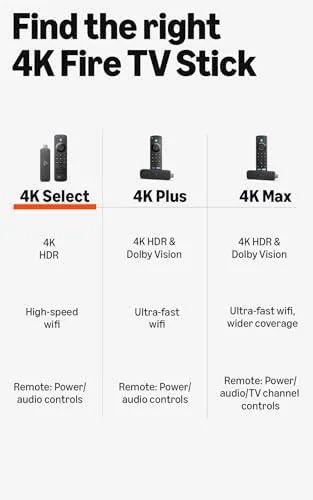
If you have a 4K television, the HD stick is out of the running immediately, because you would be leaving the resolution on the table. Between the Select and the 4K Max, the Select covers the core features at a lower price, and the Max only justifies its premium if you have a Wi-Fi 6 network and want the extra processing headroom. For most homes the Select is the right pick, and you can spend the savings on a subscription.
Who Should Buy It
Buy the Fire TV Stick 4K Select if you have a 4K television and want a cheap way to stream, watch free live TV, and search your apps by voice. It is a particularly good fit for cord cutters, for households that want one remote for the TV and soundbar, and for anyone who finds typing on a remote unbearable.
Skip it if you have a Wi-Fi 6 router and want the fastest possible wireless performance, or if the ad heavy interface will drive you to distraction, in which case the 4K Max or a different platform suits you better. For most living rooms, the 4K Select is the easy recommendation, and you can check the current price of the Fire TV Stick 4K Select on Amazon when you are ready.
How We Test
I ran the Fire TV Stick 4K Select on a 65 inch 4K television for two weeks, streaming movies, shows, and live channels across a range of apps. I tested the AI search with natural language queries, compared picture quality across HDR and SDR content, and evaluated the free live TV channels for reliability. I also compared the Select directly against the Fire TV Stick HD and the 4K Max in the same setup.
For a broader perspective on streaming devices, PCMag has reviewed the Fire TV Stick family extensively, and their streaming coverage is a good complement to hands-on testing. The Fire TV Stick 4K Select listing on Amazon shows current pricing and bundle options.
Amazon Fire TV Stick 4K Select: Questions People Ask
Does the Fire TV Stick 4K Select stream in 4K?
Yes, the stick outputs 4K Ultra HD with HDR support for supported apps and content, upscaling standard video cleanly on a 4K television.
What free live TV comes with the Fire TV Stick 4K Select?
The device includes a selection of free ad supported live channels through built in apps such as Freevee and Pluto TV, with no subscription required.
How does Alexa search work on the Fire TV Stick?
You press the Alexa button on the remote and ask for a title, actor, or genre, and the stick searches across installed apps to find where it is available.
Is the Fire TV Stick 4K Select worth buying?
For most living rooms it is an easy recommendation, since it brings 4K streaming, voice search, and free live TV to any HDMI television at a low price.
As an Amazon Associate, I earn from qualifying purchases.