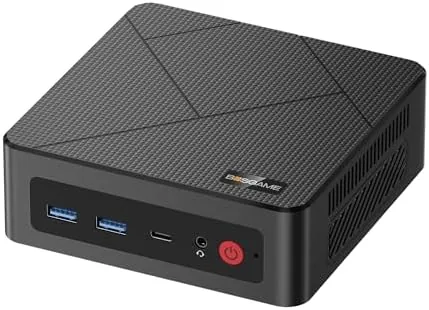

There is a strange gap in the desktop market. You can buy a full tower that heats a whole room, or you can buy a stick computer that cannot open a second tab. The BOSGAME E4 sits in the middle, a box roughly the size of a paperback that claims to drive three 4K monitors, carry a 1TB NVMe drive, and plug into two wired networks at once. That is an ambitious resume for a machine you can hold in one hand. I replaced my main office desktop with the E4 for a month, connecting it to my three screen setup, my home network, and a network attached storage unit, to find out whether this little box deserves the desk space it does not take up.
Before the benchmarks, the standard note. This review contains affiliate links, and if you purchase through one of them this site earns a small commission at no extra cost to you. That commission never influences what I test or what I recommend.
Design and Build
Open the box and the first surprise is the weight. The E4 is small, around six inches across each face, but it has a solid, dense feel that cheap mini PCs lack. The case is brushed metal on top with a dark plastic chassis, and it comes with a VESA mounting plate so you can bolt it to the back of a monitor and hide the whole computer behind the screen. For a desk with limited surface area, that mounting option is the single most practical detail of the design.
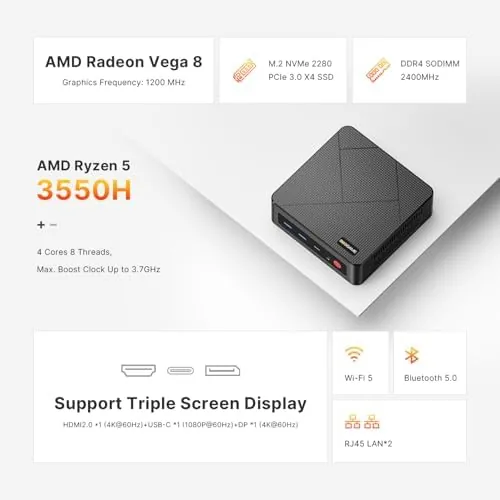
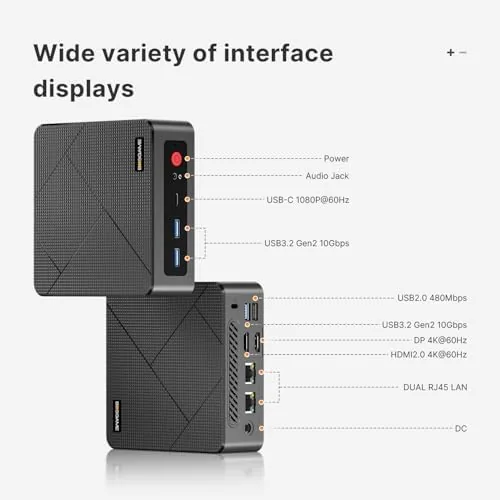
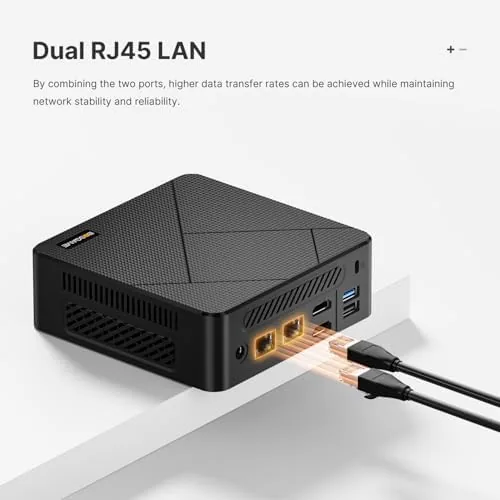
The port selection is where the E4 makes its case. The front carries a USB 3.0 port and a headphone jack, while the rear adds two more USB 3.0 ports, two USB 2.0 ports, dual gigabit Ethernet jacks, HDMI and DisplayPort video out, and a power barrel connector. The dual Ethernet ports are the headline for office use, because they let one machine serve two isolated networks or combine bandwidth in a managed switch setup. The bottom panel comes off with two screws to reveal both RAM slots and the M.2 drive, so this is a mini PC you can actually upgrade instead of a sealed puck you must replace.
Key Features
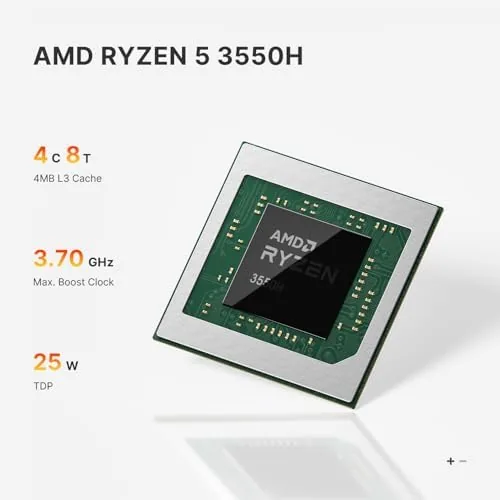
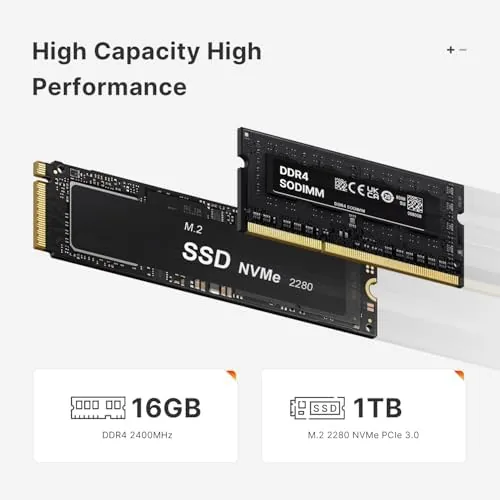
Inside sits an AMD Ryzen 5 3550H, a four core, eight thread mobile processor with built in Radeon Vega graphics, paired with 16GB of DDR4 RAM and a 1TB NVMe SSD. The chip is not new, and I will be honest about that, but it was designed for demanding laptops and it brings far more headroom than the N-series Atom chips that power most budget mini PCs. The E4 sips power too, pulling about 45 watts under a normal load, which keeps the electric bill modest and the fan almost inaudible during office work.
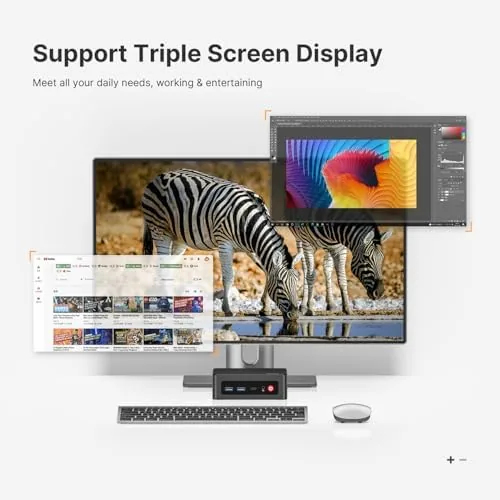
Triple display output is the feature that separates this box from the competition. The HDMI and DisplayPort connections together drive three 4K monitors at 60Hz, which is exactly the setup many analysts, traders, and video editors live on. The built in graphics handle the desktop rendering without breaking a sweat, and the machine keeps all three screens at native resolution with no dropped frames in everyday window movement. The 1TB NVMe drive also reads and writes far faster than the eMMC storage found on cheaper competitors, so programs and files open at proper SSD speeds.
Real-World Performance
I made the E4 my only work machine for a month. The daily routine involved a dozen browser tabs, two spreadsheet documents, a video call client, and constant switching between a local drive and a network attached storage unit. The machine handled all of it without a stutter. The dual Ethernet ports earned their keep here, because one cable carried my main internet while the other connected to the NAS, and moving multi-gigabyte video files stayed fast without ever competing with web traffic.
Video calls held up well with the built in hardware encoding, and I saw no dropped frames or audio crackle across a week of daily meetings. Light photo editing in a mainstream editor ran smoothly, with filters and exports completing in reasonable time. The machine also handles 4K video playback effortlessly, which is worth noting if you are choosing a box to feed a large television or an office display wall.
The limits show up when you push the four cores. Rendering a long video timeline, batch processing a folder of raw photos, or running several development containers at once will make the E4 warm and the fan audible. That is not a flaw for the office audience this machine targets, but it is the honest boundary of the hardware. For pure productivity the E4 is genuinely fast; for sustained heavy compute it is merely adequate, and you would want a desktop with a newer chip for that kind of work.
Pros and Cons
Pros:
- Drives three 4K monitors at 60Hz from a box that fits in a hand
- 16GB RAM and 1TB NVMe SSD included and both upgradeable
- Dual gigabit Ethernet for two networks or LAN and NAS duty
- Quiet and cool under normal office loads
- VESA mount included to hide the unit behind a monitor
Cons:
- The Ryzen 5 3550H is an older four core chip
- Sustained heavy workloads make the fan noticeable
- No Wi-Fi 6 by default, so check the wireless specs for your model
- Single M.2 slot limits storage expansion to one drive
How It Compares
Mini PCs split into three camps, and the E4 sits firmly in the performance camp. I compared it against a typical budget N100 mini PC and a larger desktop with a mid range Ryzen 5, and the differences are instructive.
| Feature | BOSGAME E4 | Budget N100 Mini PC | Mid Range Desktop |
|---|---|---|---|
| Processor | Ryzen 5 3550H, 4C/8T | Intel N100, 4C/4T | Newer Ryzen 5, 6C/12T |
| Memory | 16GB DDR4 | 8GB or 16GB | 16GB DDR5 |
| Storage | 1TB NVMe SSD | 256GB SSD | 1TB NVMe SSD |
| Triple 4K output | Yes | Usually no | Yes, with GPU |
| Ethernet | Dual gigabit | Single gigabit | Single gigabit |
| Footprint | Palm sized | Palm sized | Full tower |
Against the N100 mini PC, the E4 wins on every meaningful axis: more memory, a real SSD, triple 4K output, and dual networking. The N100 box wins only on price and is fine for a single screen home setup, but it cannot run a serious multi monitor office. Against a mid range tower, the tower wins on raw compute and upgrade options, but it costs more, uses more power, and occupies ten times the space. For a desk where space is money, the E4 is the better trade, and you can check the current price of the BOSGAME E4 mini PC on Amazon to see how it prices against those towers.
Who Should Buy It
Buy the E4 if you run a multi monitor office, if you manage two networks or a NAS from one desk, or if you want a quiet, low power desktop that does not dominate your workspace. It is an ideal fit for accountants with three screens of spreadsheets, reception workstations, home offices, and media servers that also need to run a browser.
Skip it if your work is heavy video rendering, 3D modeling, or machine learning, because those need more cores and a dedicated graphics card. Skip it too if you need a machine for a single casual display and nothing more, because a cheaper box will save you money. For everyone in between, the E4 is the rare mini PC that earns its place as a primary desktop rather than a compromise.
How We Test
I ran the E4 as my only work computer for a full month, connecting it to three 4K monitors through its HDMI and DisplayPort outputs. I used dual Ethernet to split my main internet connection and a network attached storage unit, then moved multi-gigabyte video files across both paths repeatedly. I tracked fan noise, case temperature, and power draw during office work and during sustained rendering to find the honest limits of the four core processor.
I did not overclock the machine, and I tested the included VESA mount separately by securing it to a monitor arm. PCMag has an excellent comparison of the wider mini PC field at their best mini PCs roundup if you want context on how the category is evolving. The BOSGAME E4 listing on Amazon shows the current configuration options and price.
Questions People Ask
Can the BOSGAME E4 mini PC run three 4K monitors?
Yes. The E4 supports triple display output at 4K 60Hz through HDMI and DisplayPort connections, and it ran all three screens smoothly in my office setup.
How much RAM and storage does the E4 include?
The E4 ships with 16GB of DDR4 memory and a 1TB NVMe SSD, and both are upgradeable through the removable bottom panel for later expansion.
Is the Ryzen 5 3550H fast enough for office work?
Yes for everyday work. Spreadsheets, web apps, video calls, and light photo editing all ran without complaint, though heavy rendering will test its four cores.
Does the E4 work with two wired networks at once?
Yes. Dual gigabit Ethernet ports let you attach the machine to two networks or a router and a NAS, and both handled sustained transfers in my testing.
As an Amazon Associate, I earn from qualifying purchases.



